Type two sentences about a lighthouse keeper and a stranded marine biologist, and about two minutes later DreamPress hands you a titled story with three characters, painted portraits, a choice of covers, two possible first chapters, scene illustrations, and a narrator reading the opening aloud as it appears on screen. That’s the new DreamPress beta, and it’s a big step up from the simple prompt-and-generate tool I reviewed before.
Top AI Girlfriend Platforms — Our Picks

Hyper-realistic AI companions with adaptive memory that recall your past conversations.


Build a custom AI companion and bring her to life with chat, images, and video.

Create a custom AI girlfriend with her own personality, generated images, and ongoing chat memory.


Characters that hold memory and context, so the relationship builds over time instead of resetting.

Chat with a fully custom AI girlfriend — choose her personality, outfits, and more.

Personalized AI companions for ongoing roleplay, with a simple, discreet signup.

Build a custom AI girlfriend, boyfriend, or anime character — choose the look and personality.

Customizable AI girlfriend personalities with realistic, ongoing conversations.
I spent a session on a DreamPress Pro test account with 1,050 credits. I wrote a full chapter, steered the plot with my own direction, checked the story memory panel, started a character chat and quizzed it on details, and browsed Explore and the Library. Here’s how it all works and what it costs.
Is DreamPress AI worth it? The short answer
Yes, if you want to write or read interactive fiction, romance and erotica with real story structure. The prose quality surprised me: witty dialogue, specific detail, and characters who stay consistent. Story memory is visible and editable, and character chat remembered everything I told it. The weak points are slow, narration-paced generation, a story wizard that renamed one of my characters, and a Pro price that isn’t shown once you’re subscribed.
- Best for: romance and erotica readers and writers, interactive stories, audiobook-style listening
- Price: Pro includes unlimited standard writing and 1,000 credits a month; credit packs from $4.99
- Standout features: 4-step story wizard, visible story memory, built-in narration, character chat
- Biggest annoyance: text appears at reading speed while the narrator speaks
What’s in this review
- What is DreamPress AI?
- How much does DreamPress cost?
- How do you create a story on DreamPress?
- What can you do in the DreamPress story editor?
- How good is DreamPress writing?
- Does DreamPress remember long stories?
- How does DreamPress character chat work?
- What can you read on DreamPress?
- Is DreamPress safe and private?
- DreamPress pros and cons
- DreamPress vs alternatives
- DreamPress FAQ
What is DreamPress AI?
DreamPress AI (dreampress.ai) is an AI story generator and interactive fiction platform for romance, fantasy and erotica, with character chat, illustrations and narration built in. It’s a writing tool first, not a companion app, though the new chat mode gets close to one.
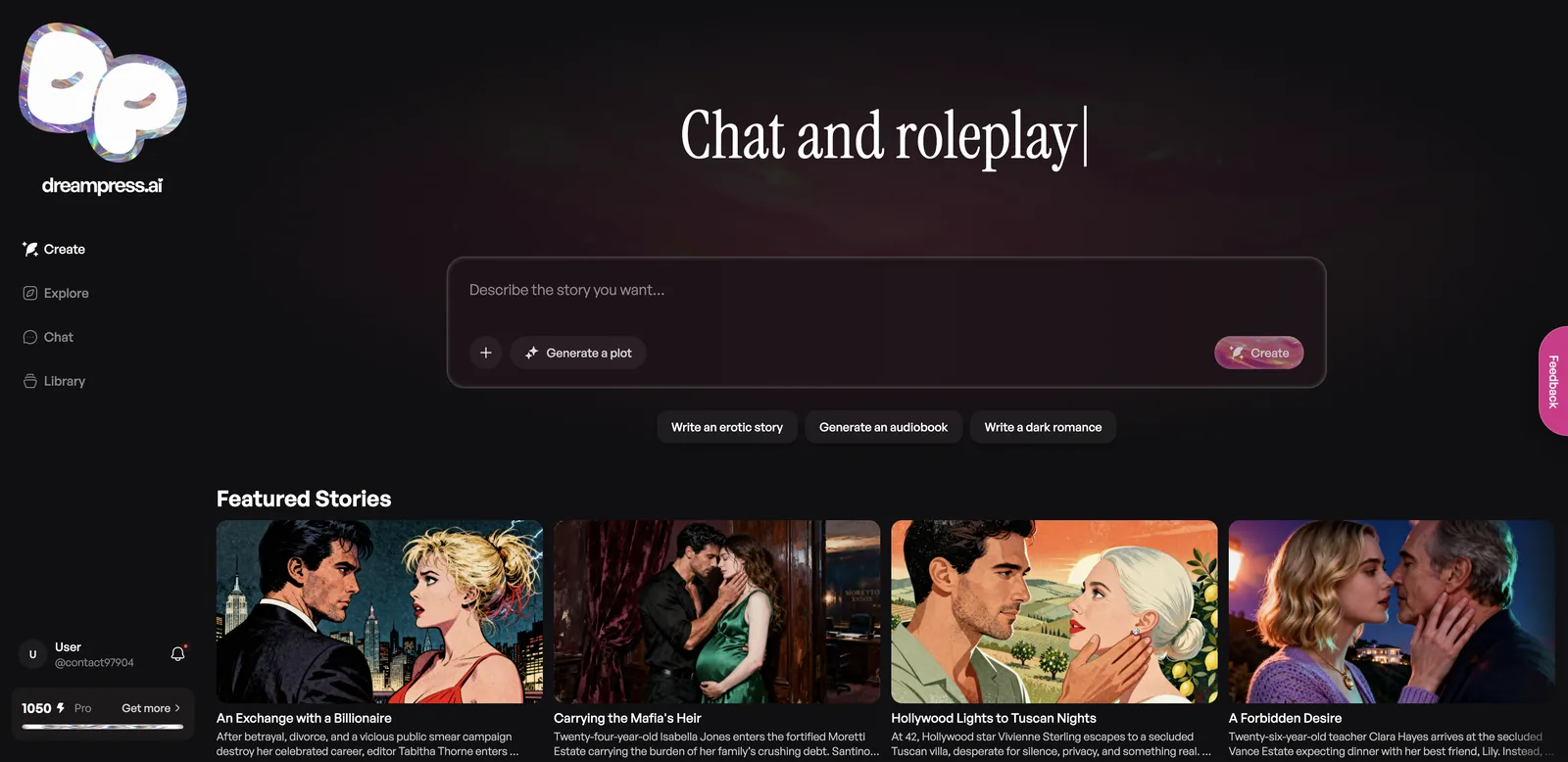
The beta site at beta.dreampress.ai has four sections: Create, Explore, Chat and Library. The home page is one big prompt box with quick-start chips like “Write an erotic story,” “Generate an audiobook” and “Write a dark romance,” plus a Generate a plot button if you have no idea where to start.
How much does DreamPress cost?
DreamPress Pro includes unlimited standard story and chat writing, narration, and 1,000 credits a month for images and premium models. Extra credits come in packs from $4.99, and your first pack is doubled.
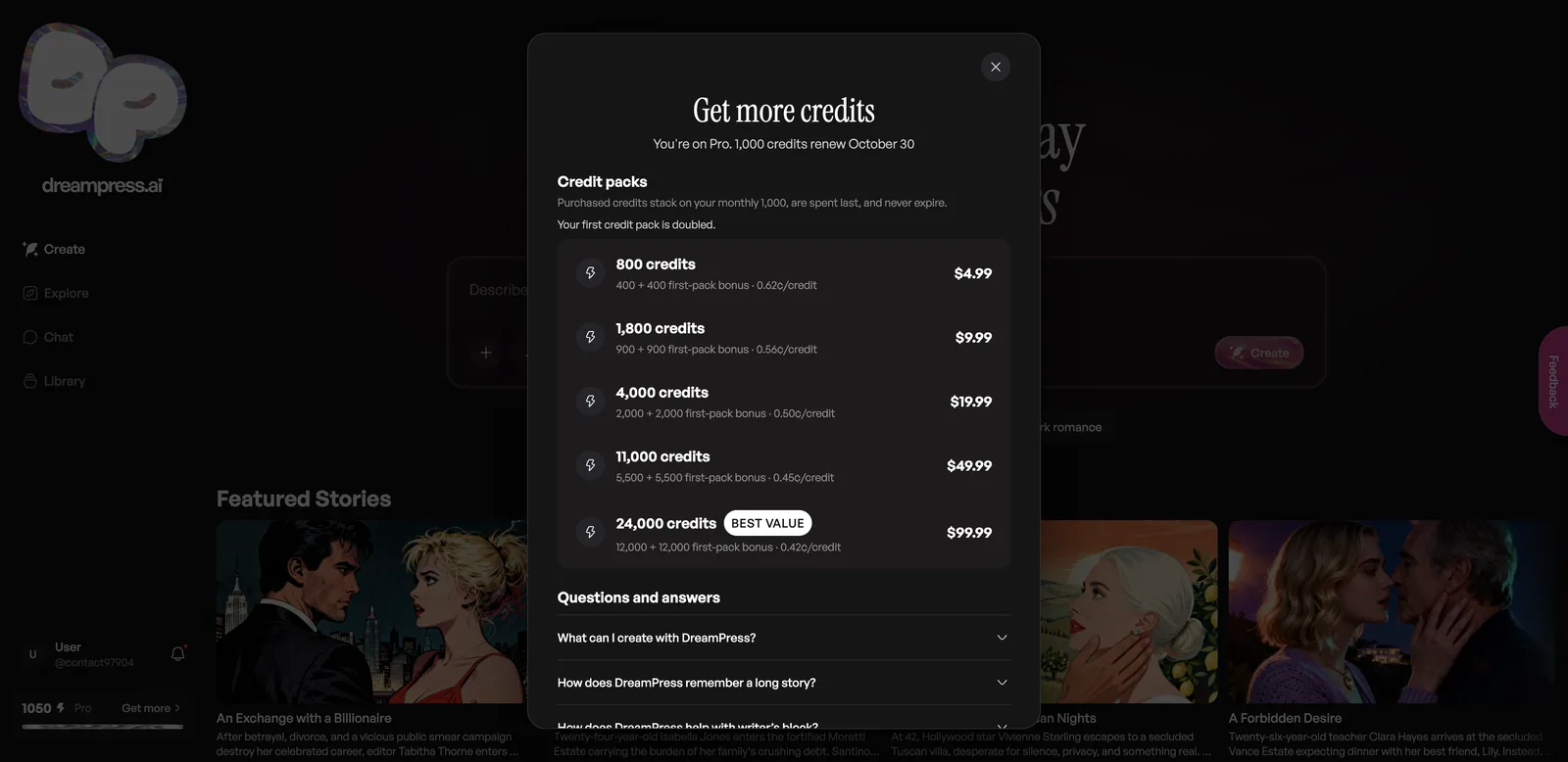
| Pack | Credits (first pack) | Price | Per credit |
|---|---|---|---|
| Small | 800 (400 + 400 bonus) | $4.99 | 0.62 cents |
| Medium | 1,800 (900 + 900) | $9.99 | 0.56 cents |
| Large | 4,000 (2,000 + 2,000) | $19.99 | 0.50 cents |
| XL | 11,000 (5,500 + 5,500) | $49.99 | 0.45 cents |
| Best value | 24,000 (12,000 + 12,000) | $99.99 | 0.42 cents |
Purchased credits stack on top of your monthly 1,000, are spent last, and never expire. Pro also includes audio replays and two “streak freezes” a month if you’re keeping a daily writing streak. You can cancel renewal from your account without contacting support.
Credits went further than I expected. My whole session, including a story with covers, character portraits and scene art plus a chat with its own images, used just 12 credits. I couldn’t see the Pro subscription price itself, because the upgrade page only shows credit packs once you’re already subscribed.
How do you create a story on DreamPress?
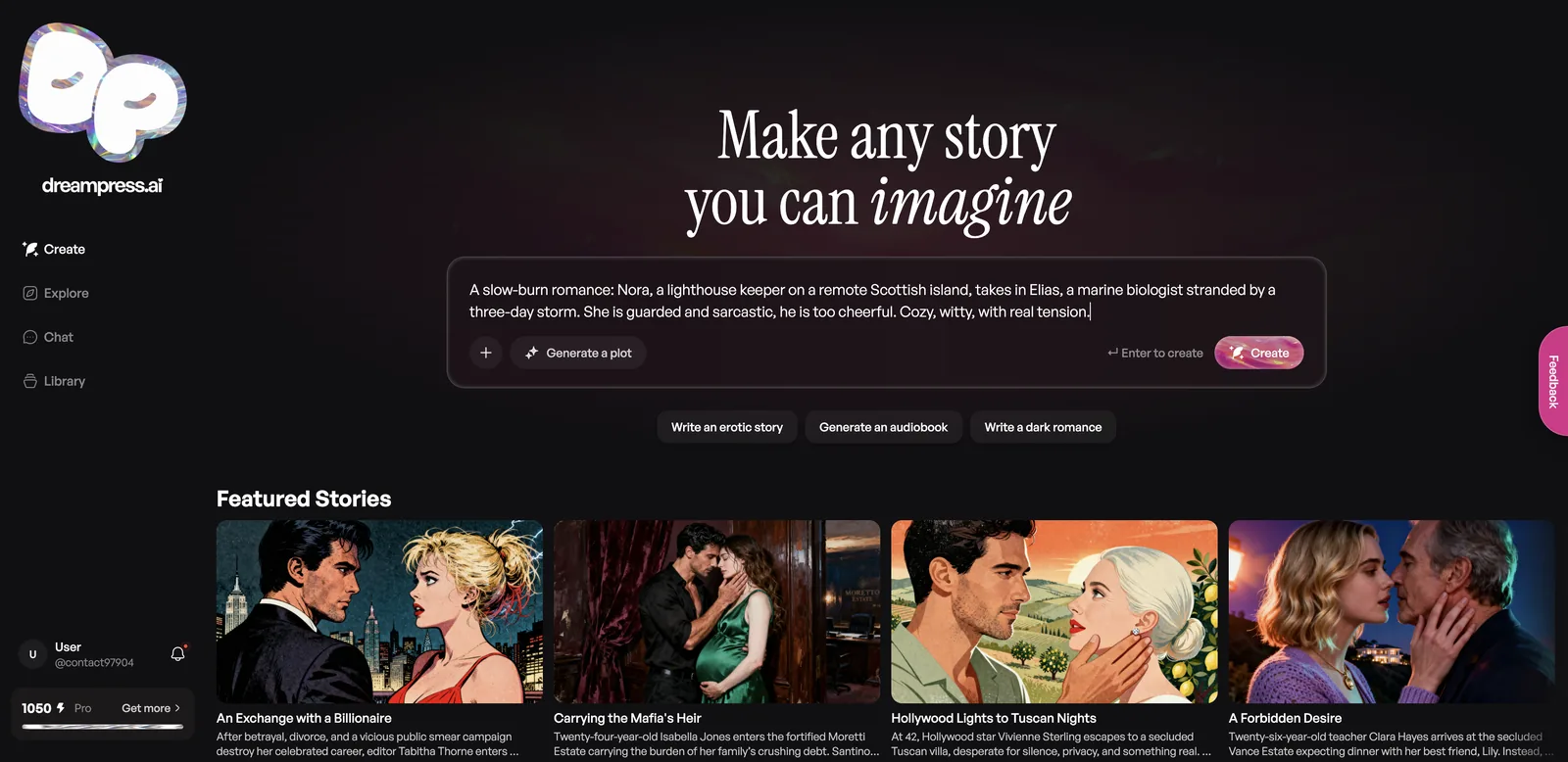
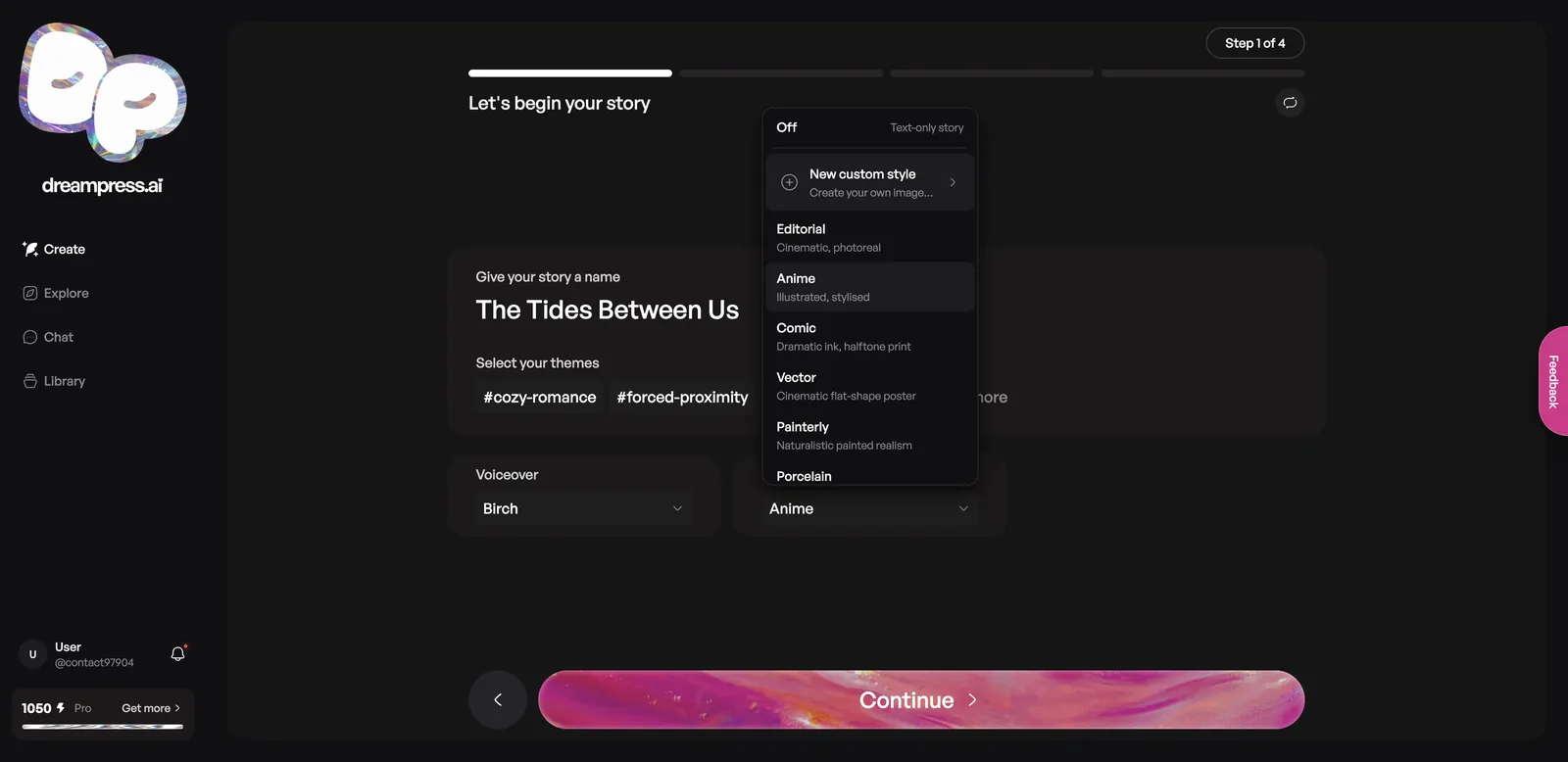
Type a premise and press Create, and a four-step wizard builds the title, characters, cover and first chapter with you. The whole setup took about two minutes.
The four steps
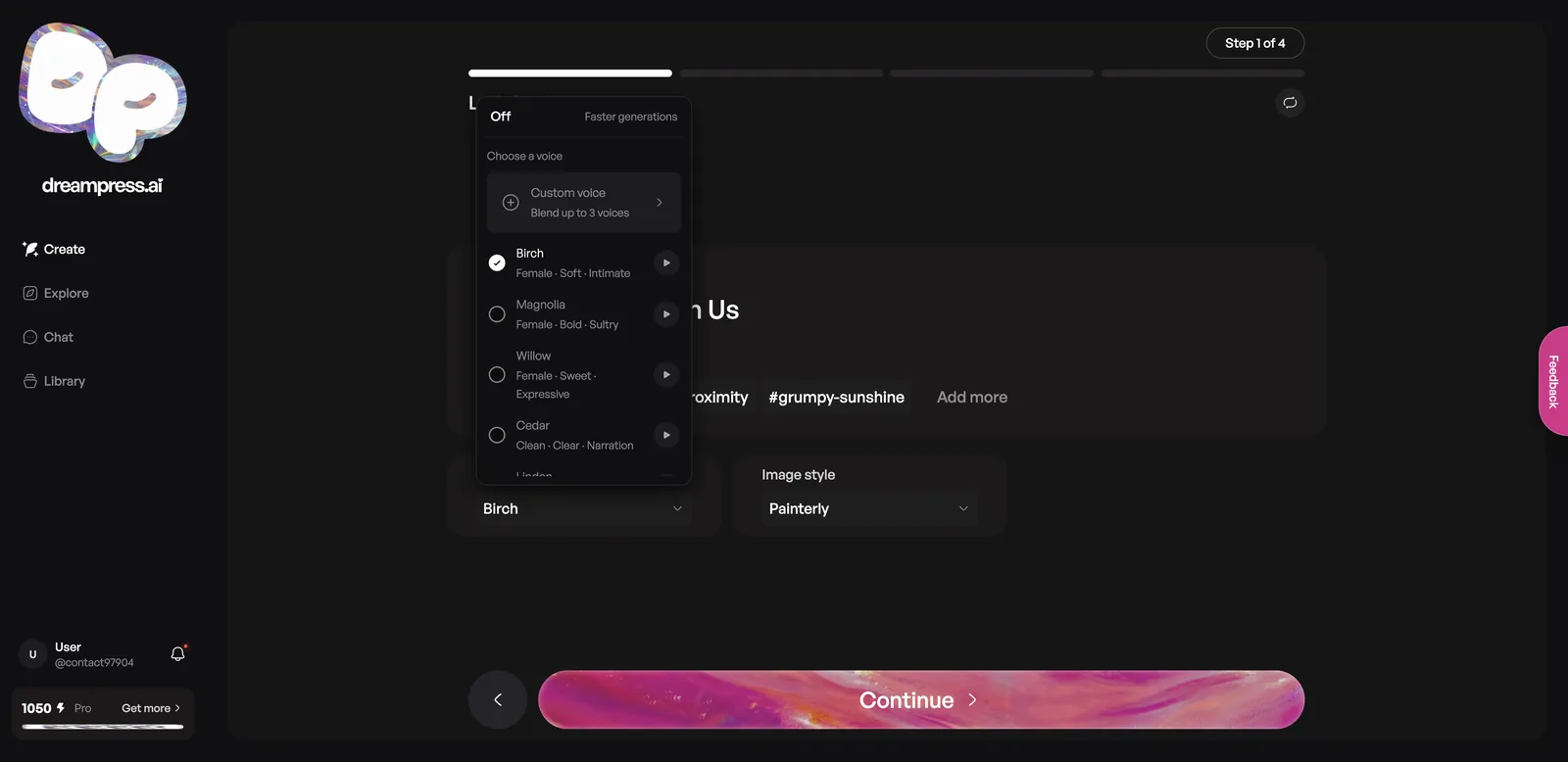
- Name, themes, voice and art style. DreamPress suggested “The Tides Between Us” and the themes cozy-romance, forced-proximity and grumpy-sunshine. You pick a narrator voice (or Off, or a custom blend of up to three voices) and an image style: Editorial, Anime, Comic, Vector, Painterly, Porcelain, a custom style, or Off for text only.
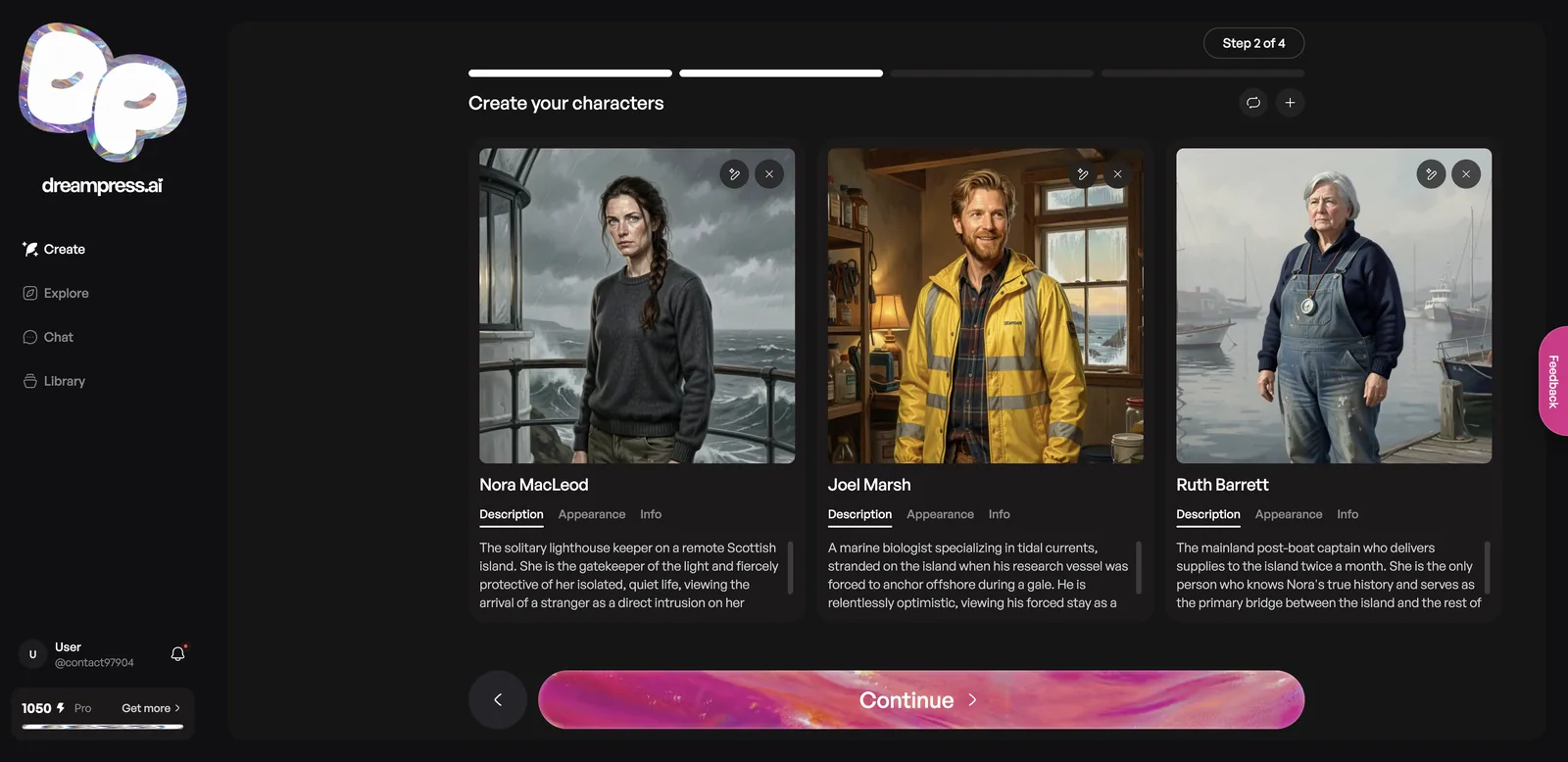
- Characters. It generates a cast with portraits, descriptions, appearance and info tabs. You can regenerate, remove or add characters.
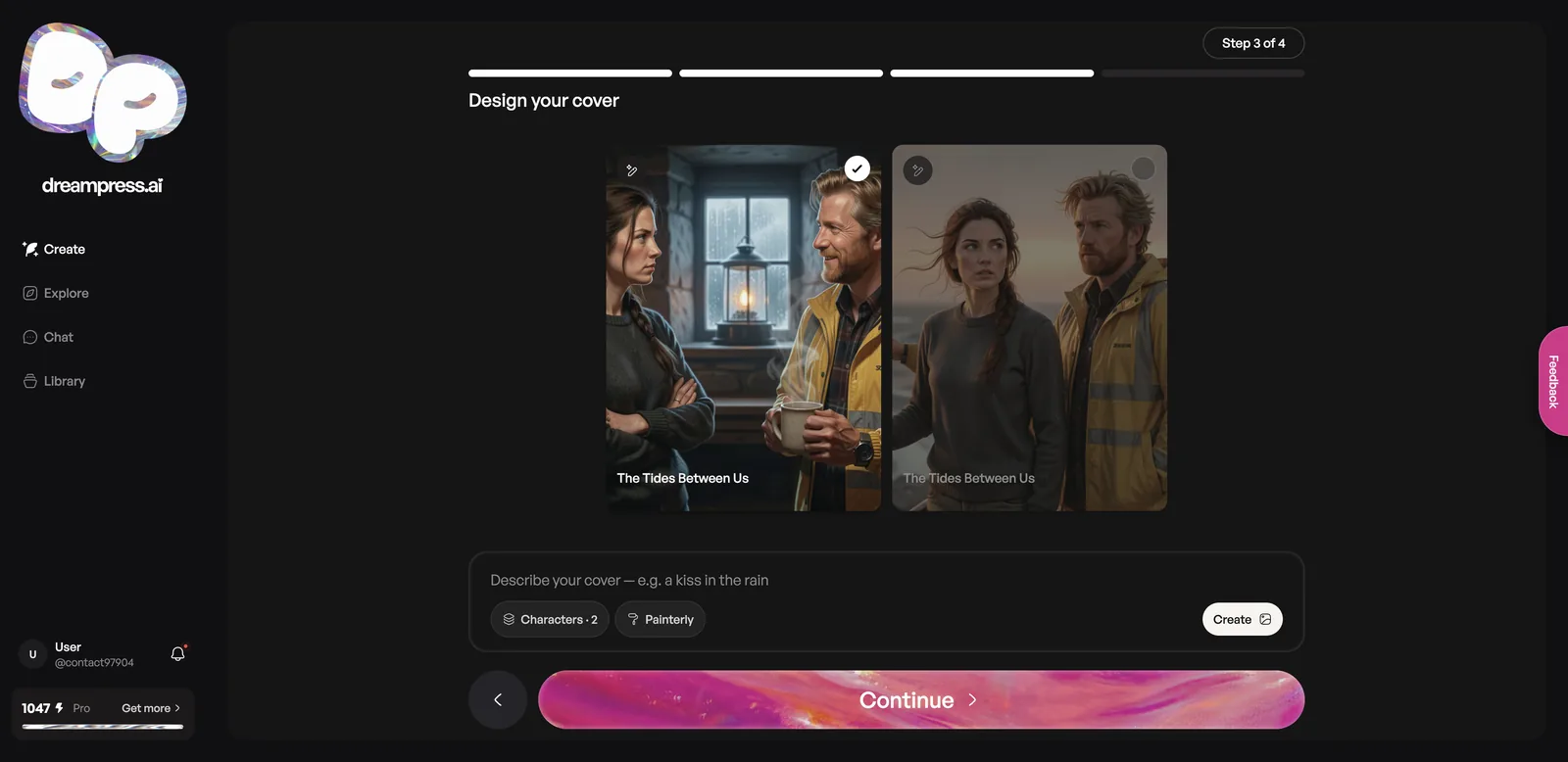
- Cover. Two cover options appear, or you can describe your own.
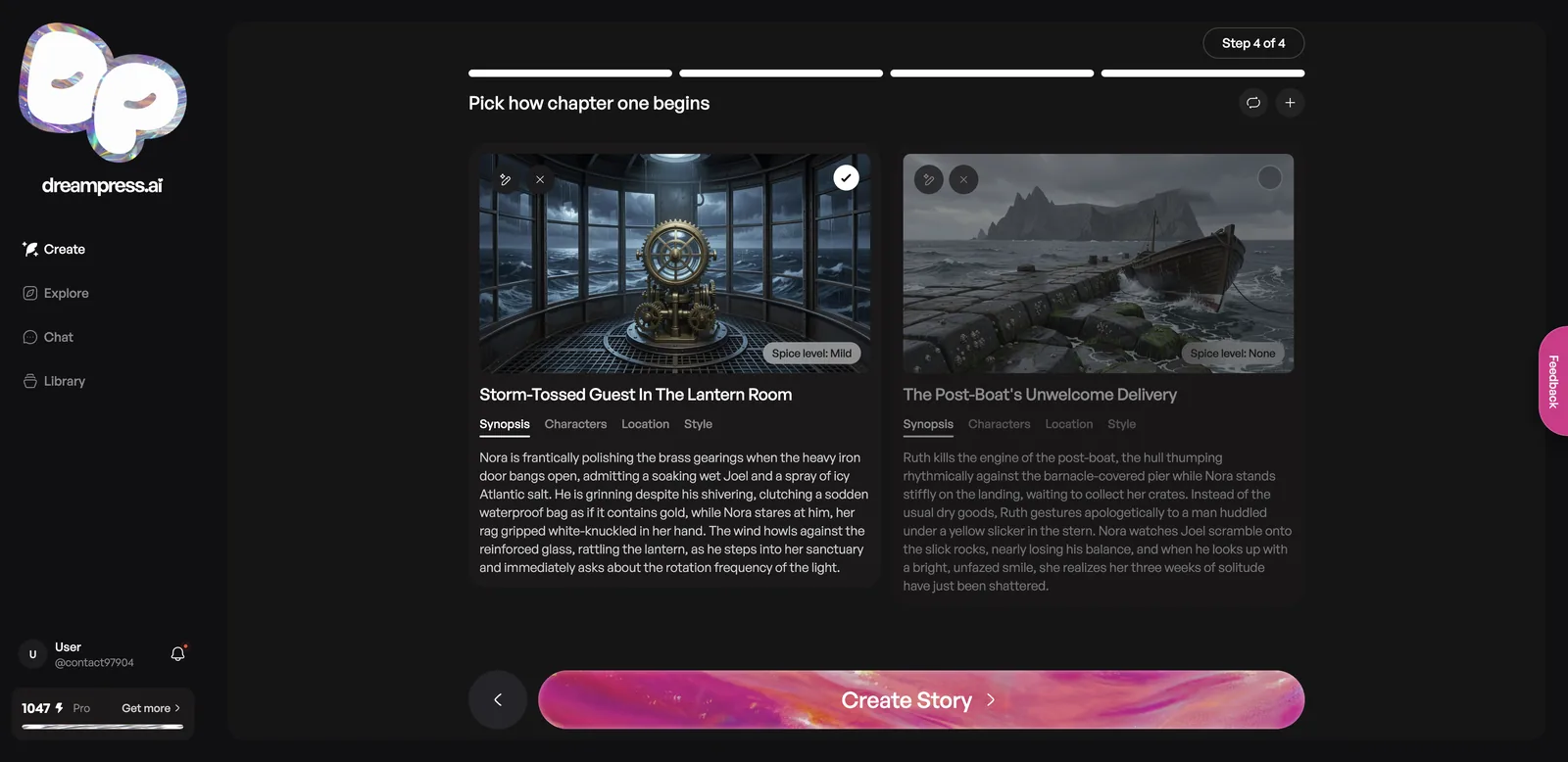
- Chapter one. Pick between two openings, each with a synopsis, characters, location, style and spice level (None to explicit).
The cast step is where I hit the wizard’s one real flaw. My prompt named the marine biologist Elias, but DreamPress renamed him “Joel Marsh.” It also added a third character, Ruth Barrett, the post-boat captain, which was a nice touch. The painted portraits were excellent and matched the descriptions.
What can you do in the DreamPress story editor?
The editor writes the chapter while a narrator reads it aloud, then lets you steer the next part by direction, choices, images or chat. A side panel holds everything DreamPress knows about your story.
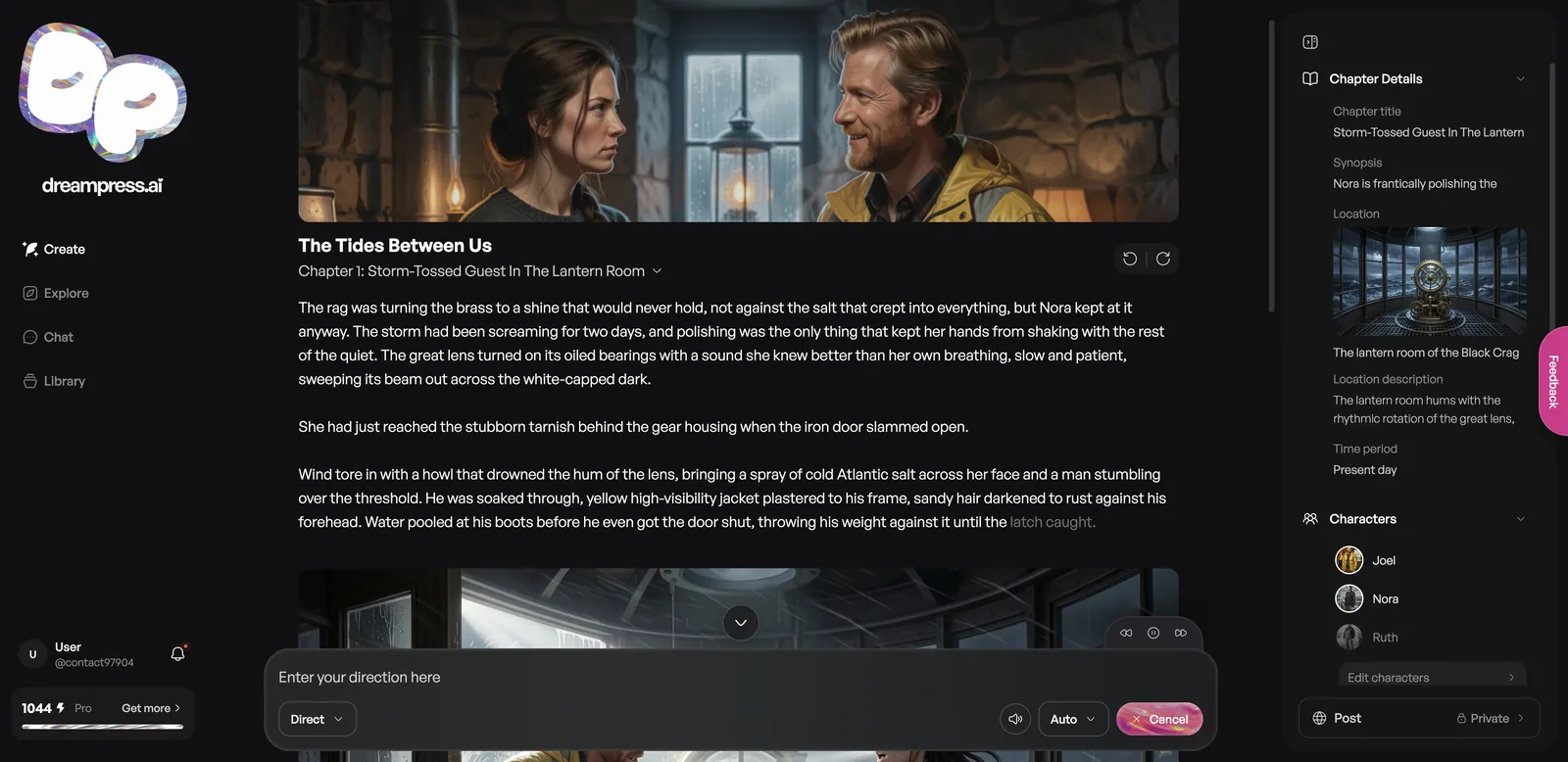
The mode menu under the text box has four options:
- Direct: type what should happen next
- Choices: pick from suggested plot directions
- Image: generate an illustration of the scene
- Chat: talk to the characters inside the story
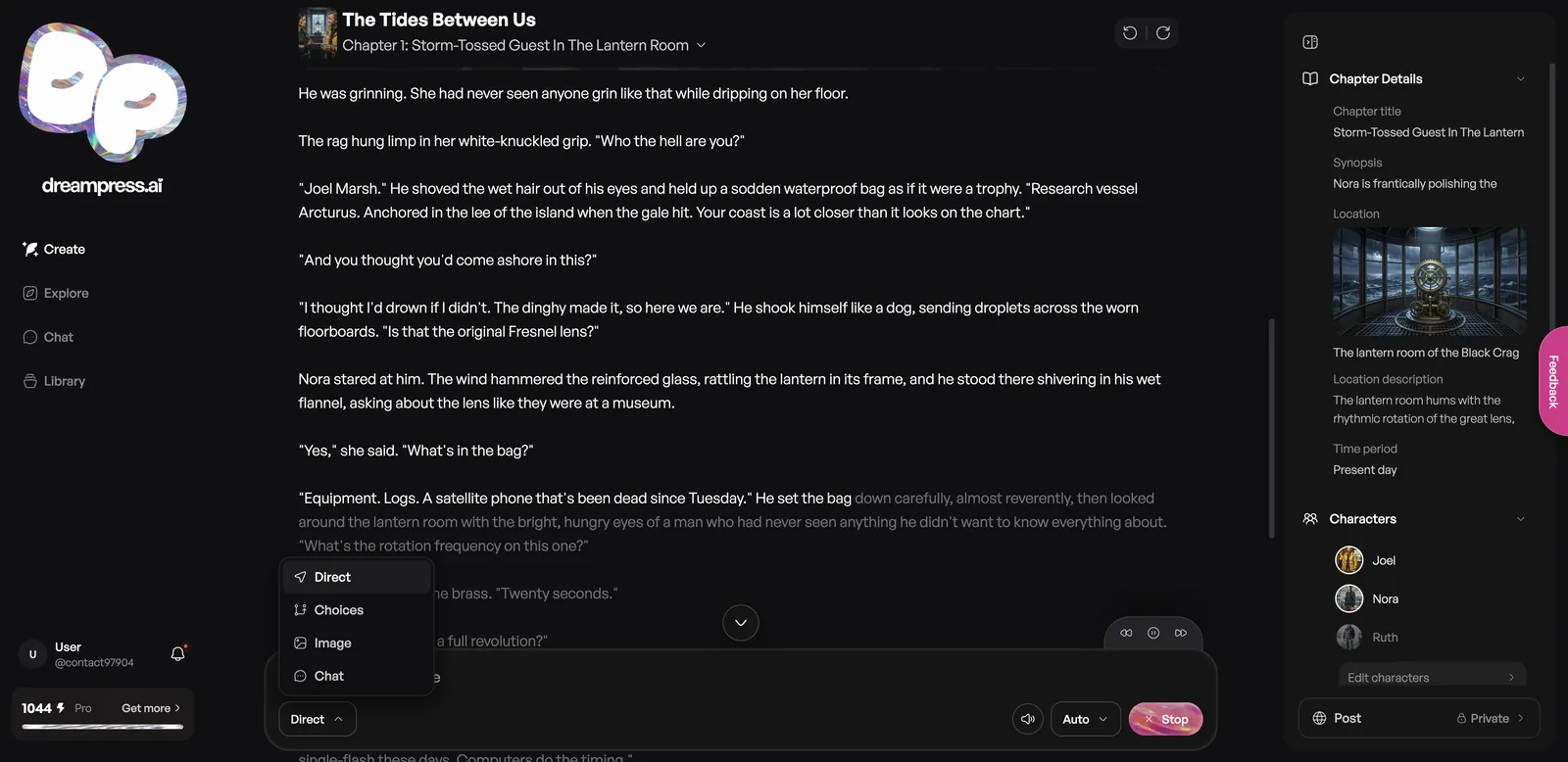
The right-hand panel covers Chapter Details (synopsis, location with its own image, time period), Characters, World, Memory, Writing Style, Audio, Images, Notes and Story Settings. Writing Style lets you set the spice level, point of view and POV character. A Post button shows whether the story is private or published.
How to steer a DreamPress story
- Let the first section finish (or press Stop to end the narration).
- Choose Direct and type what should happen, or tap one of the suggested next steps.
- Press Enter. DreamPress writes the next section in the same voice.
- Adjust spice level, POV or memory in the side panel whenever you like.
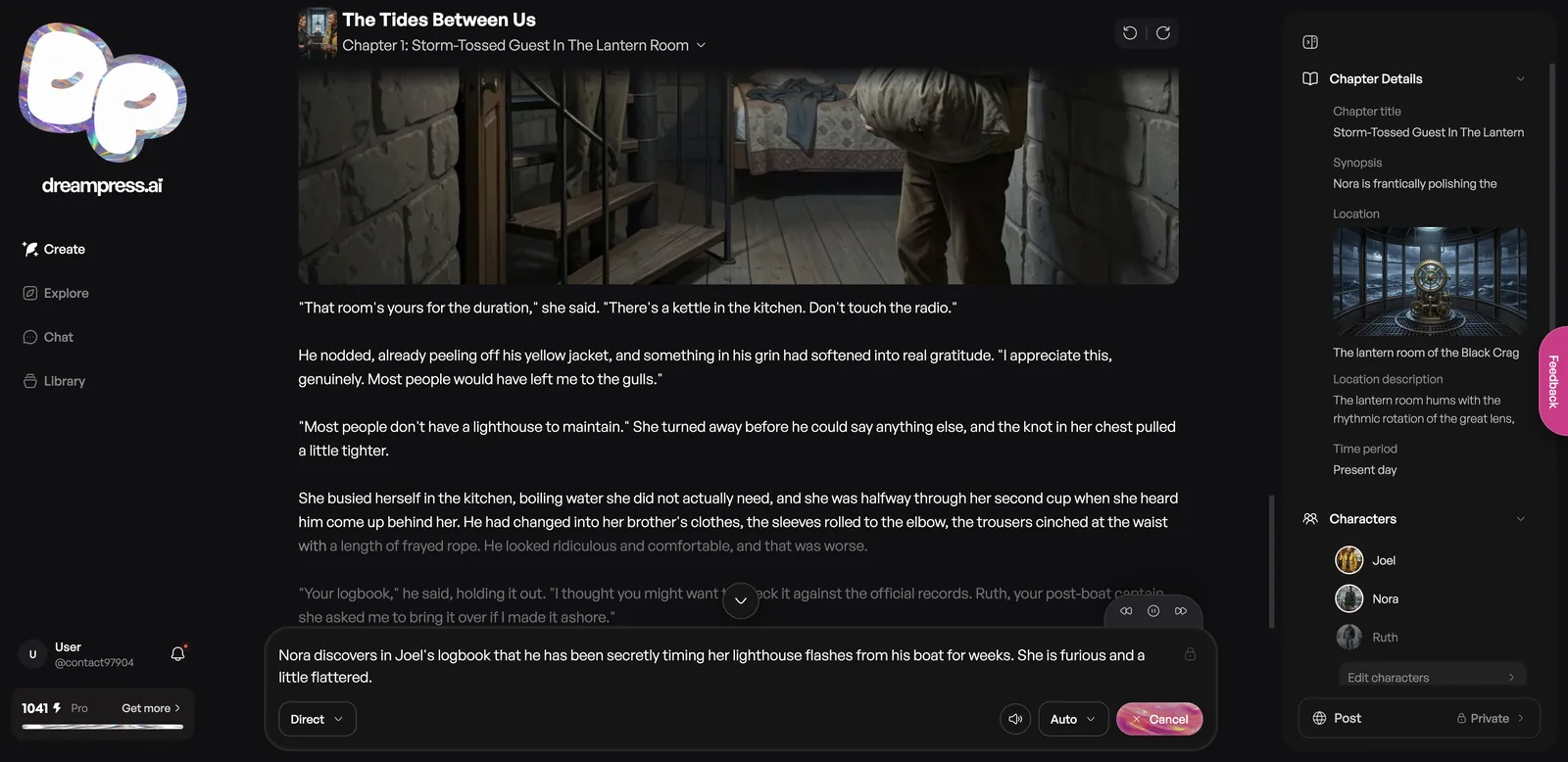
My direction was: Nora discovers in Joel’s logbook that he’s been secretly timing her lighthouse flashes from his boat for weeks, and she’s furious and a little flattered. DreamPress delivered exactly that, with Ruth the boat captain as the reason the logbook reached Nora, and dated log entries in italics (“Nov 3. Double-flash at :02 and :18”).
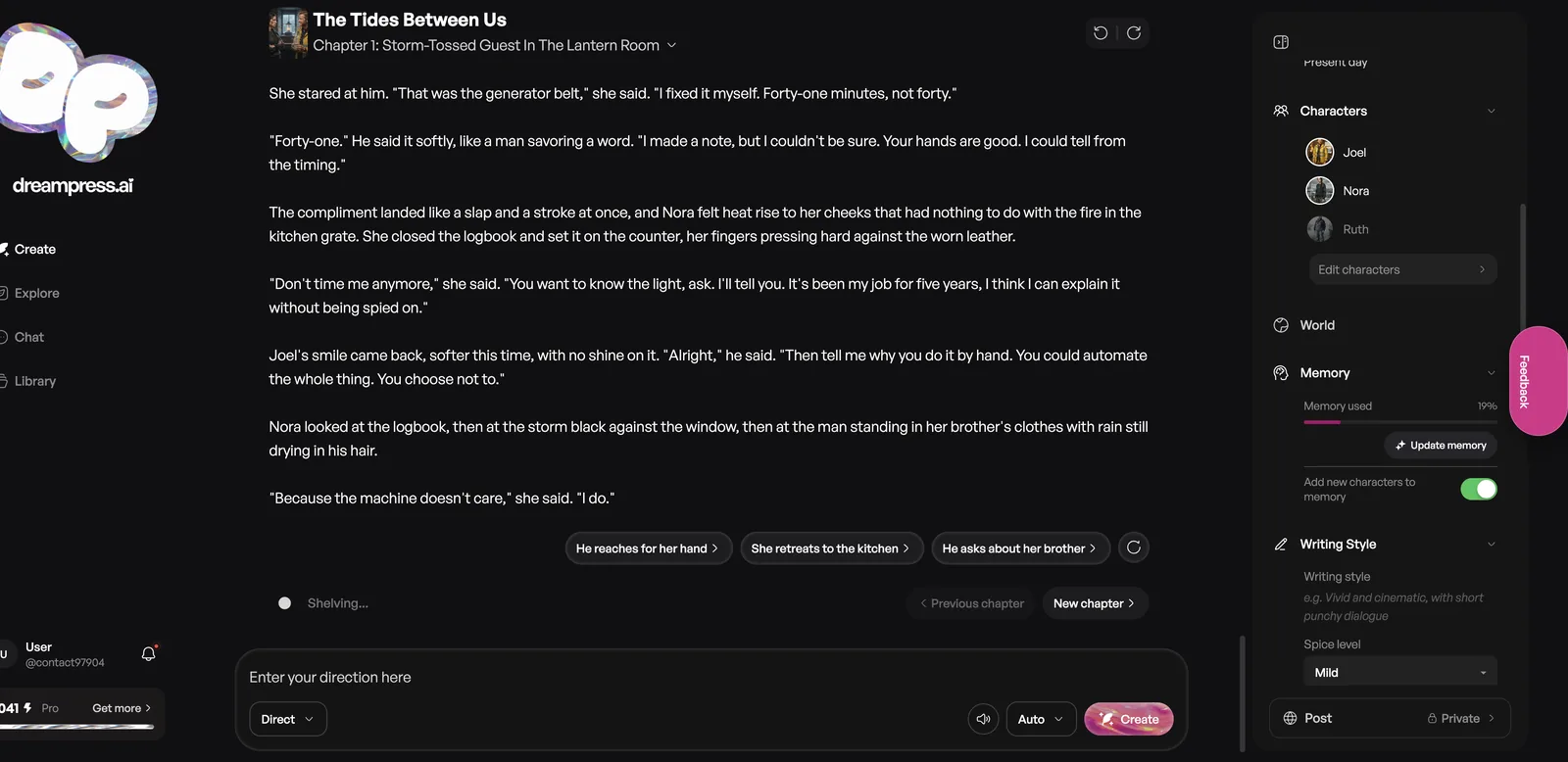
At the end of each section, three suggested next steps appear as buttons, such as “He reaches for her hand,” “She retreats to the kitchen” and “He asks about her brother.”
How good is DreamPress writing?
Very good. The prose read like a competent romance novel, not a chatbot. The first section ran to about 600 words, and the whole chapter passed 1,400 after my direction.
The opening placed Nora polishing brass in the lantern room while a two-day storm raged, and introduced Joel through specific, funny details: soaked, grinning, asking about the lens’s rotation frequency. The dialogue had bite. When Joel noted that most lighthouses let computers handle the timing, Nora answered, “I do the timing.” That’s the grumpy-sunshine dynamic I asked for, without me spelling it out.
Two things slowed me down. Text appears at narration pace while the voice reads it, so a long section takes a couple of minutes to finish. And with Auto mode on, the editor sometimes kept writing after a section ended, so I had to press Cancel before leaving the page.
Does DreamPress remember long stories?
Yes, and you can see exactly what it remembers. The Memory panel shows how much of the story memory is used (12% after one chapter), whether it’s up to date, and an Update memory button. A toggle adds new characters to memory automatically.
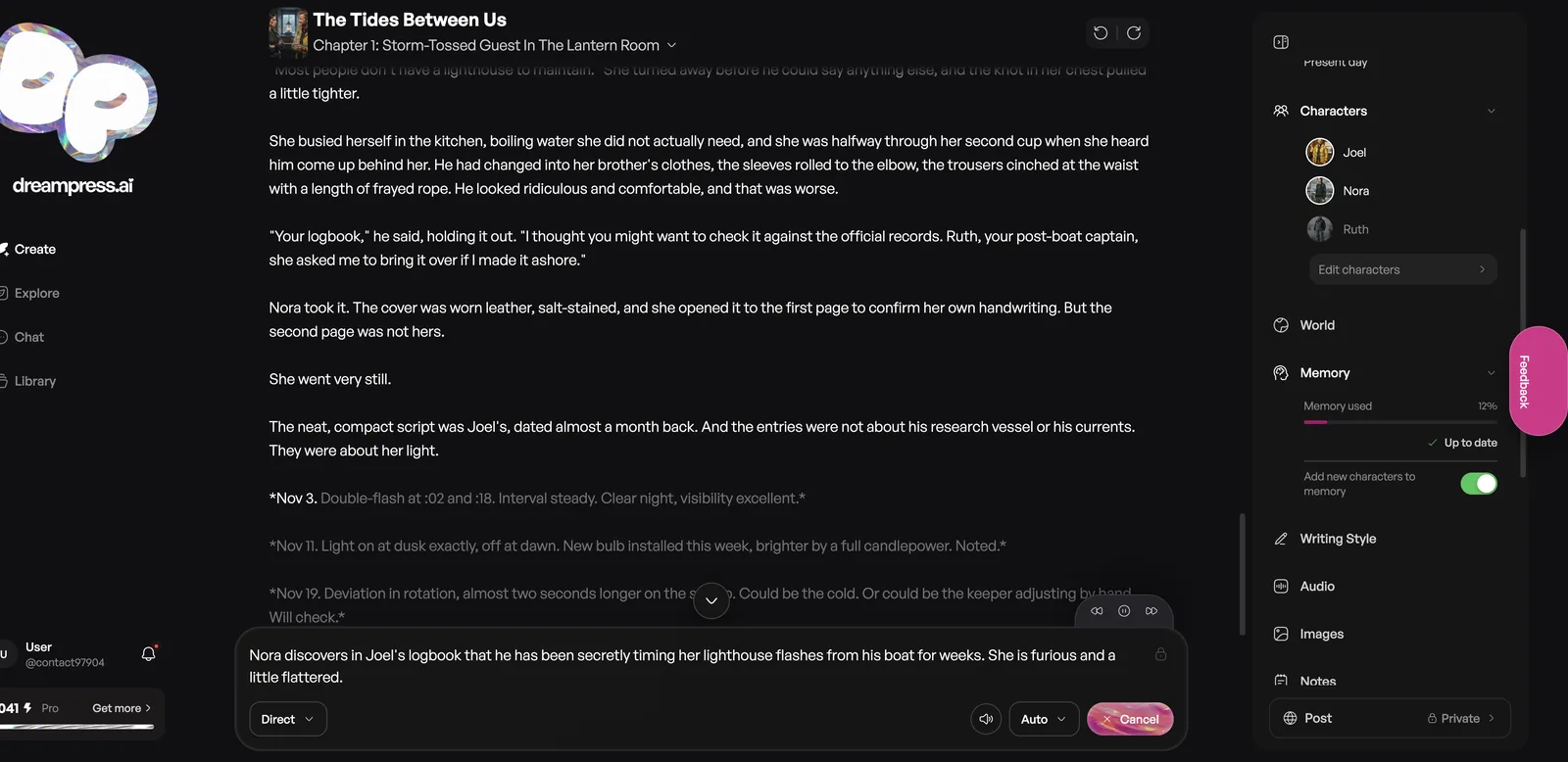
DreamPress says its memory tracks chapters, characters, relationships, events and world lore, and that all of it stays visible, editable and undoable. In practice, the second section picked up details from the first (the borrowed clothes, the generator, the double-flash timing) without me repeating anything.
How does DreamPress character chat work?
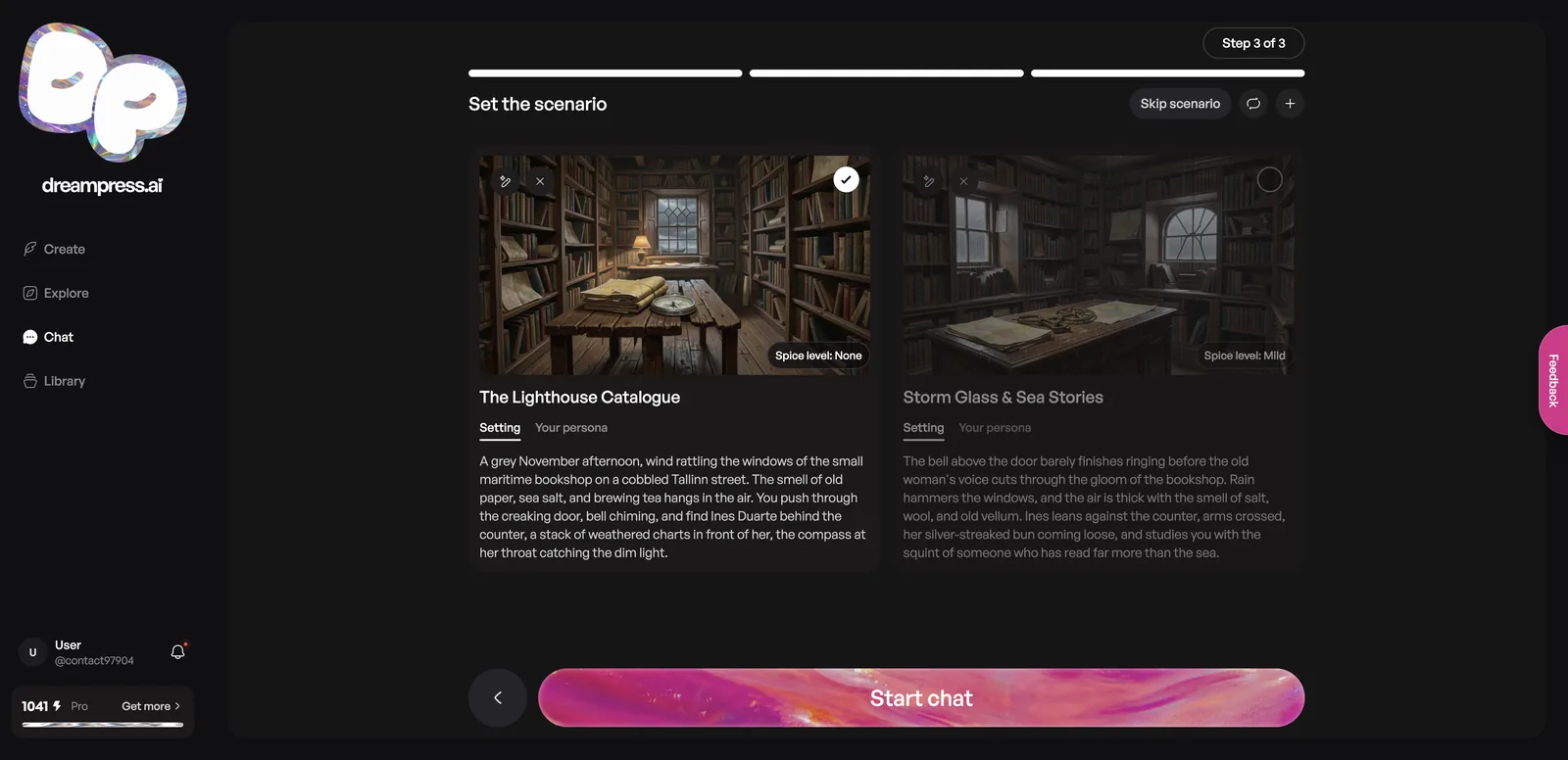
Chat lets you describe any character or scenario and roleplay with them, with narration, images and memory. Setup is a three-step version of the story wizard: name and style, cast, then a scenario with a spice level.
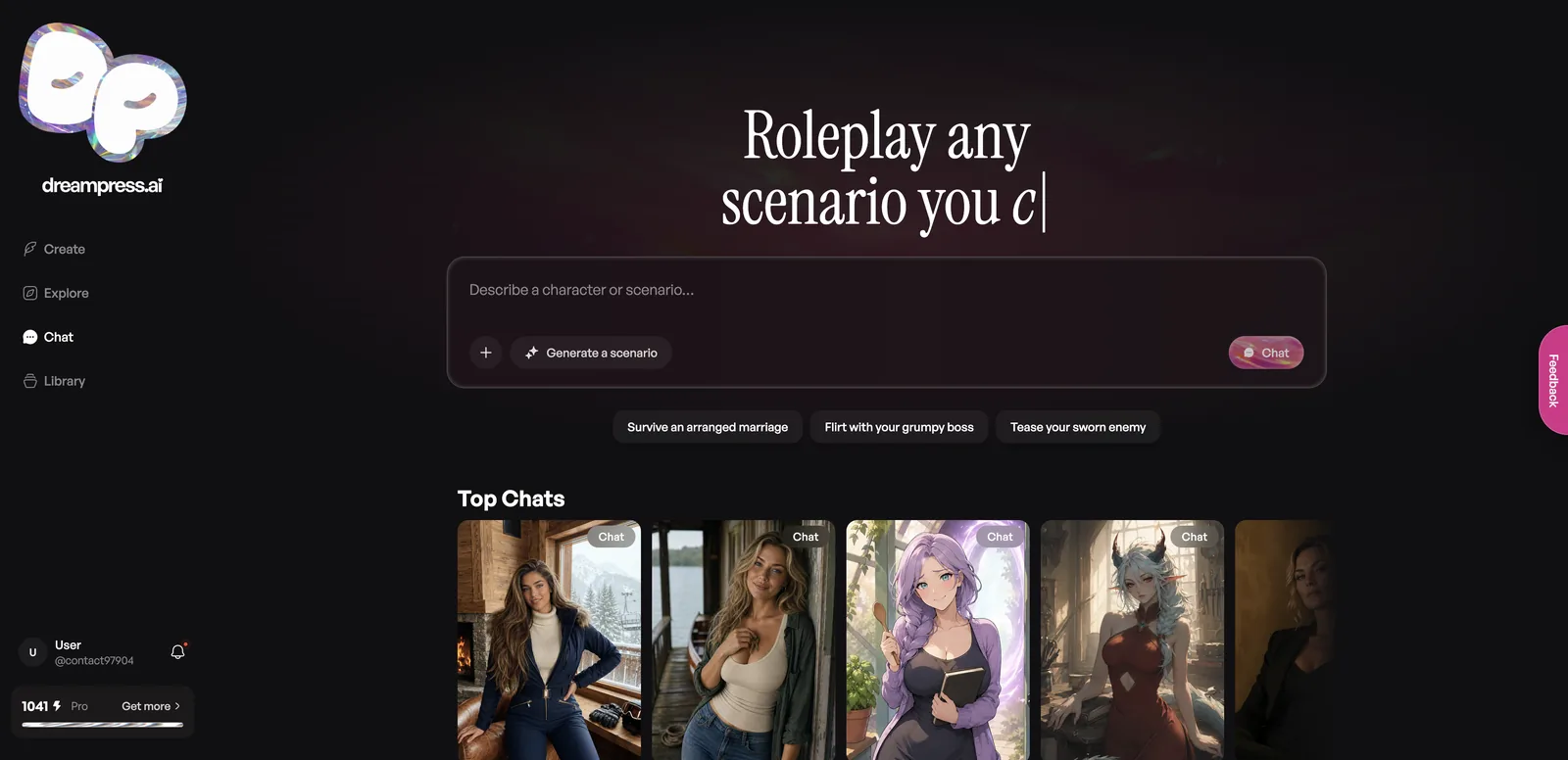
I described Captain Ines Duarte, a retired Portuguese sea captain running a maritime bookshop in Tallinn. DreamPress offered two opening scenarios, each with a painted setting and a spice level.
Her replies were long and atmospheric, mixing action and dialogue. I told her my grandfather Tadhg kept the Fastnet Rock light in 1951 and that I teach geography in Cork. After one unrelated question, I asked for all four details back. She answered: “Fastnet Rock, 1951, Tadhg by name, and you teach geography in Cork.” Then, in the same reply, she called me “the history teacher,” a small slip right after getting it right.
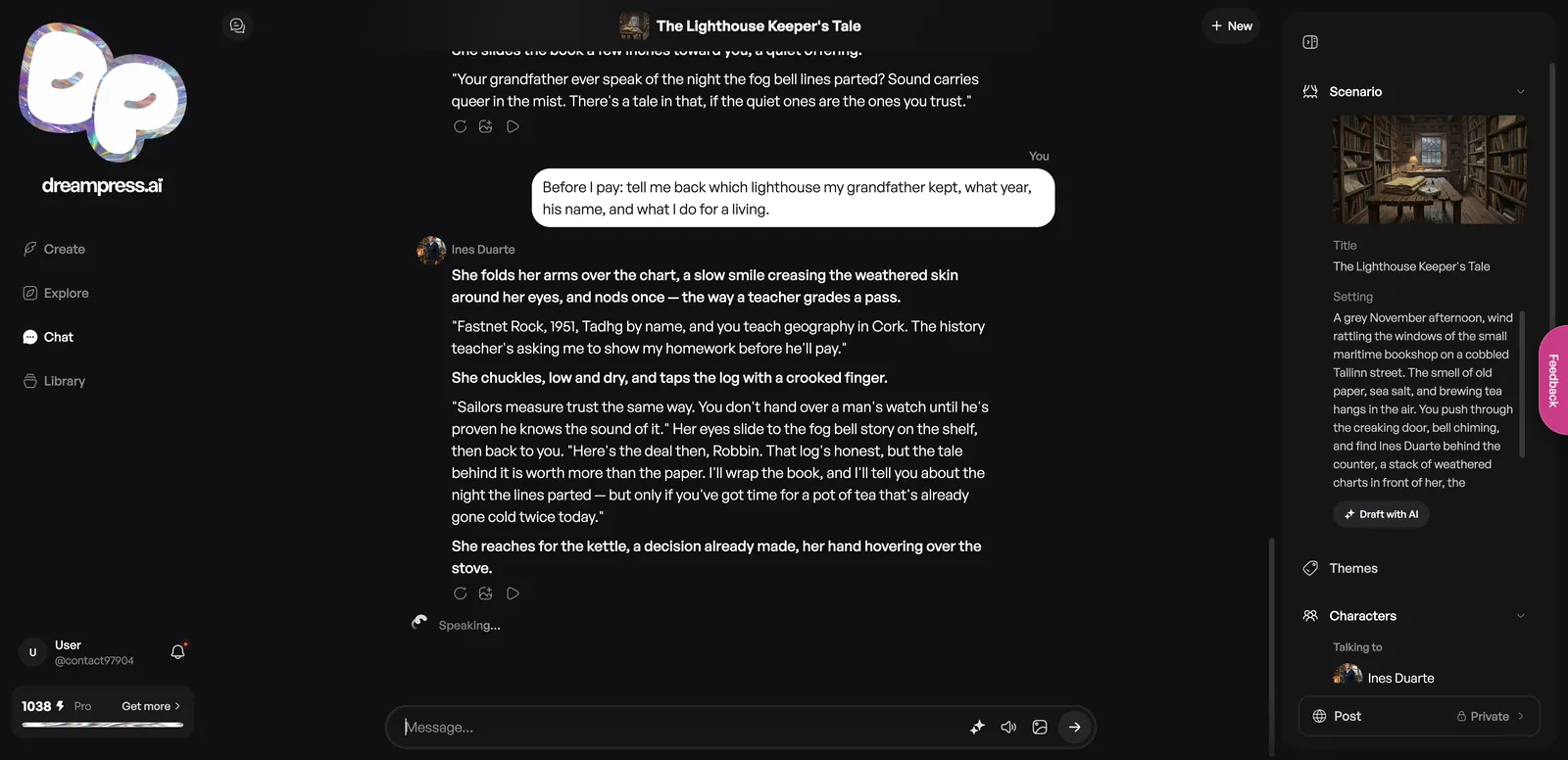
One practical note: you can’t send a new message while the character is still being narrated aloud. My first attempts at quick follow-ups simply didn’t send until she finished speaking.
What can you read on DreamPress?
Explore has featured and top stories across 14 categories, from Romance and Fantasy to Werewolf, Billionaire, Mafia, Sci-Fi and LGBTQ+. Tags range from #slowburn and #sliceoflife to explicit ones.
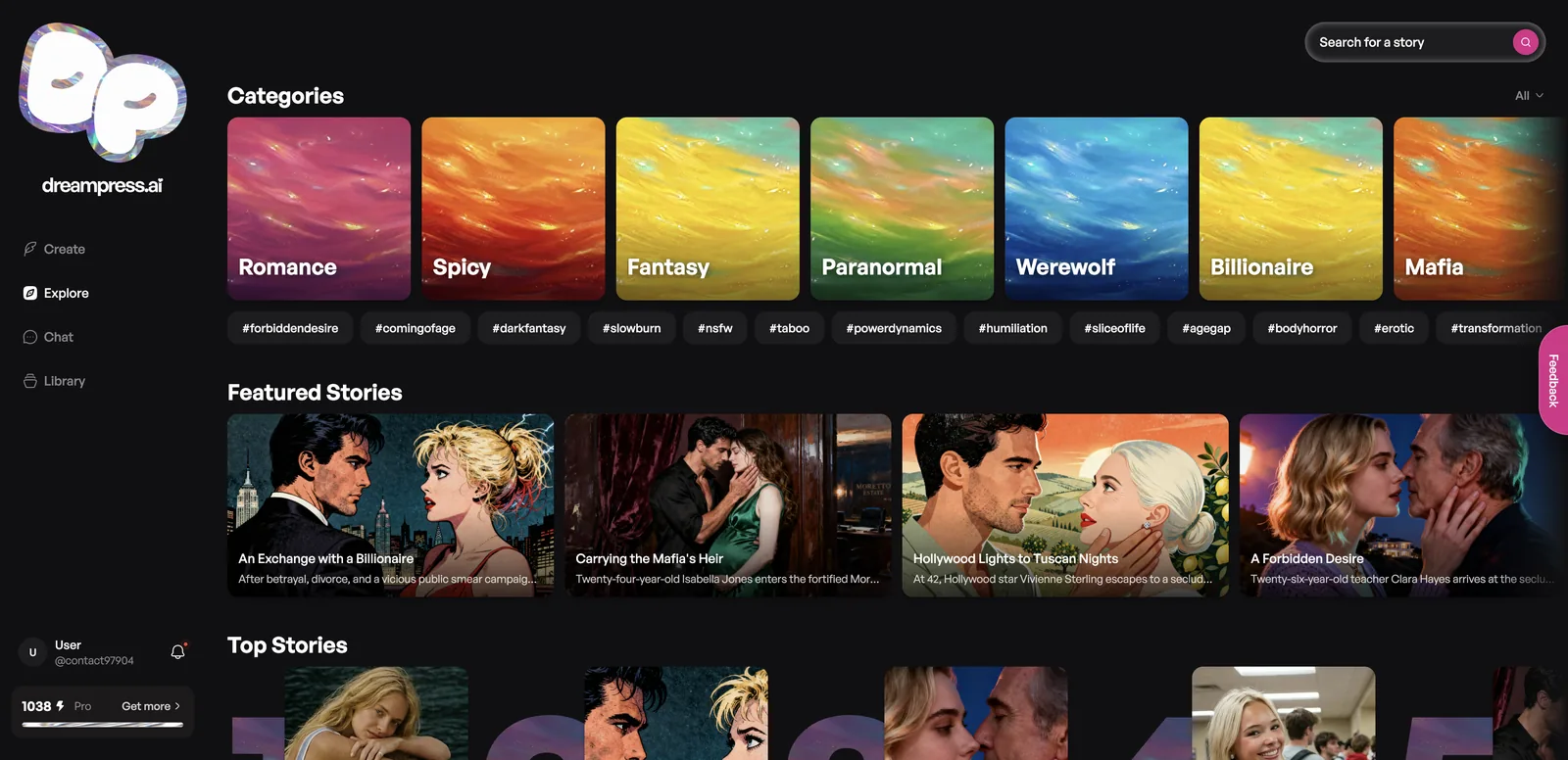
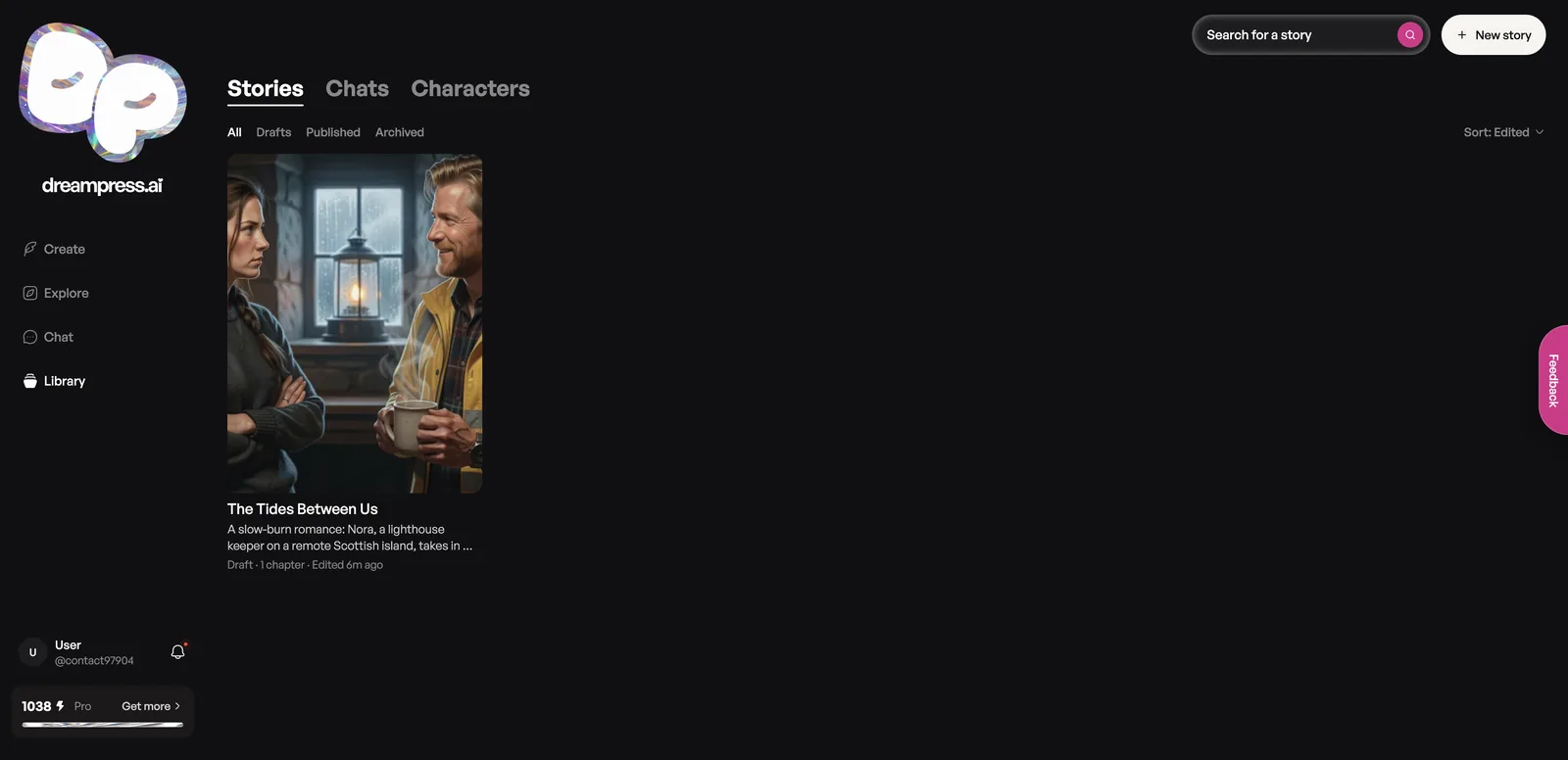
DreamPress says you can publish your own stories for readers, or remix someone else’s with its chapters, characters and lore intact. Your own work lives in the Library, split into Stories, Chats and Characters, with Drafts, Published and Archived filters.
Is DreamPress safe and private?
New stories and chats start as private drafts, and nothing is published unless you choose to. The Library confirmed my story was saved as a draft.
Public chat scenarios include visible rules stating that all characters are adults at their stated ages and that the player is 25 or older, and featured scenarios frame attraction as optional. That’s more explicit guardrail text than most adult fiction tools show. Explore still includes taboo and age-gap tags, so filter if those aren’t for you.
DreamPress pros and cons
Pros
- Strong, novel-quality prose and dialogue
- Story wizard builds title, cast, cover and chapter in about two minutes
- Narration included, with several voices or a custom blend
- Visible, editable story memory
- Character chat passed my memory test
- Credits are cheap to use and purchased credits never expire
- Stories start private
Cons
- Generation runs at narration speed
- Wizard renamed one of my characters
- Can’t send chat messages while the narrator is speaking
- Auto mode can keep writing after a section ends
- Pro price not visible to subscribers
DreamPress vs alternatives
DreamPress is the most complete story platform among the erotica writers I’ve tested.
| Platform | Best for | How it compares |
|---|---|---|
| DreamPress AI | Illustrated, narrated interactive stories | Most features, slower generation |
| DreamGen | Power-user creative writing | More model control, less polish |
| RedQuill | Quick erotic stories | Simpler and faster, no chat |
| AI Smut Writer | Writing-first erotica | Fewer media tools |
| My Spicy Vanilla | Erotic story generation | Lighter feature set |
DreamPress FAQ
Is DreamPress AI free?
You can browse and read for free. Generating needs an account, and Pro removes the limits on standard writing.
What do DreamPress credits pay for?
Premium models, images and other credit-priced actions. Standard story and chat writing is unlimited on Pro.
Does DreamPress read stories aloud?
Yes. Narration plays as the story generates, and Pro includes replays. You can pick a voice or blend up to three.
Can DreamPress write explicit stories?
Yes, for adults. Each story and scenario has a spice level, and you can change it in Writing Style.
Can I edit what DreamPress remembers?
Yes. The Memory panel shows what’s stored, and DreamPress says memory is editable and undoable.
Can I publish my DreamPress stories?
Yes. Stories start as private drafts, and you can publish them for readers or let others remix them.
Do DreamPress credits expire?
Purchased credits never expire. The 1,000 monthly Pro credits renew each billing cycle.
Final thoughts: who should use DreamPress?
DreamPress is for people who want a story, not just a chat. The new wizard, illustrated chapters, narration and visible memory make it one of the most complete AI fiction tools around, and the writing quality backs it up. Be patient with the generation speed and double-check character names after the wizard, and it’s an easy recommendation for romance and erotica fans.