Frosting AI is a bit of a change of pace from the companion apps I usually put through their paces. It is an image generator first, a social network second, and it wears its Stable Diffusion roots on its sleeve. If you have ever wanted the control of a proper diffusion setup without installing anything, this is squarely aimed at you. I spent time in the generator to see how much power it hands over and where the free ride ends.
Top AI Girlfriend Platforms — Our Picks

Hyper-realistic AI companions with adaptive memory that recall your past conversations.


Build a custom AI companion and bring her to life with chat, images, and video.

Create a custom AI girlfriend with her own personality, generated images, and ongoing chat memory.

Characters that hold memory and context, so the relationship builds over time instead of resetting.

Chat with a fully custom AI girlfriend — choose her personality, outfits, and more.

Personalized AI companions for ongoing roleplay, with a simple, discreet signup.

Build a custom AI girlfriend, boyfriend, or anime character — choose the look and personality.

Customizable AI girlfriend personalities with realistic, ongoing conversations.
What Frosting AI is
At heart, Frosting is a browser-based AI art platform with a community layer wrapped around it. The bottom navigation gives it away: there is a Home feed where you follow creators, a Multiverse tab that is a shared gallery of what everyone is making, a Dreams section that holds your own generations, a chat area, and a profile. So it is not just a tool you fire and forget, it is a place where people post, browse, and follow each other’s work. Think of it as a social feed built on top of an image generator.
The generator itself is called Dream, and it is where I spent most of my time.
The generator is built for people who like knobs
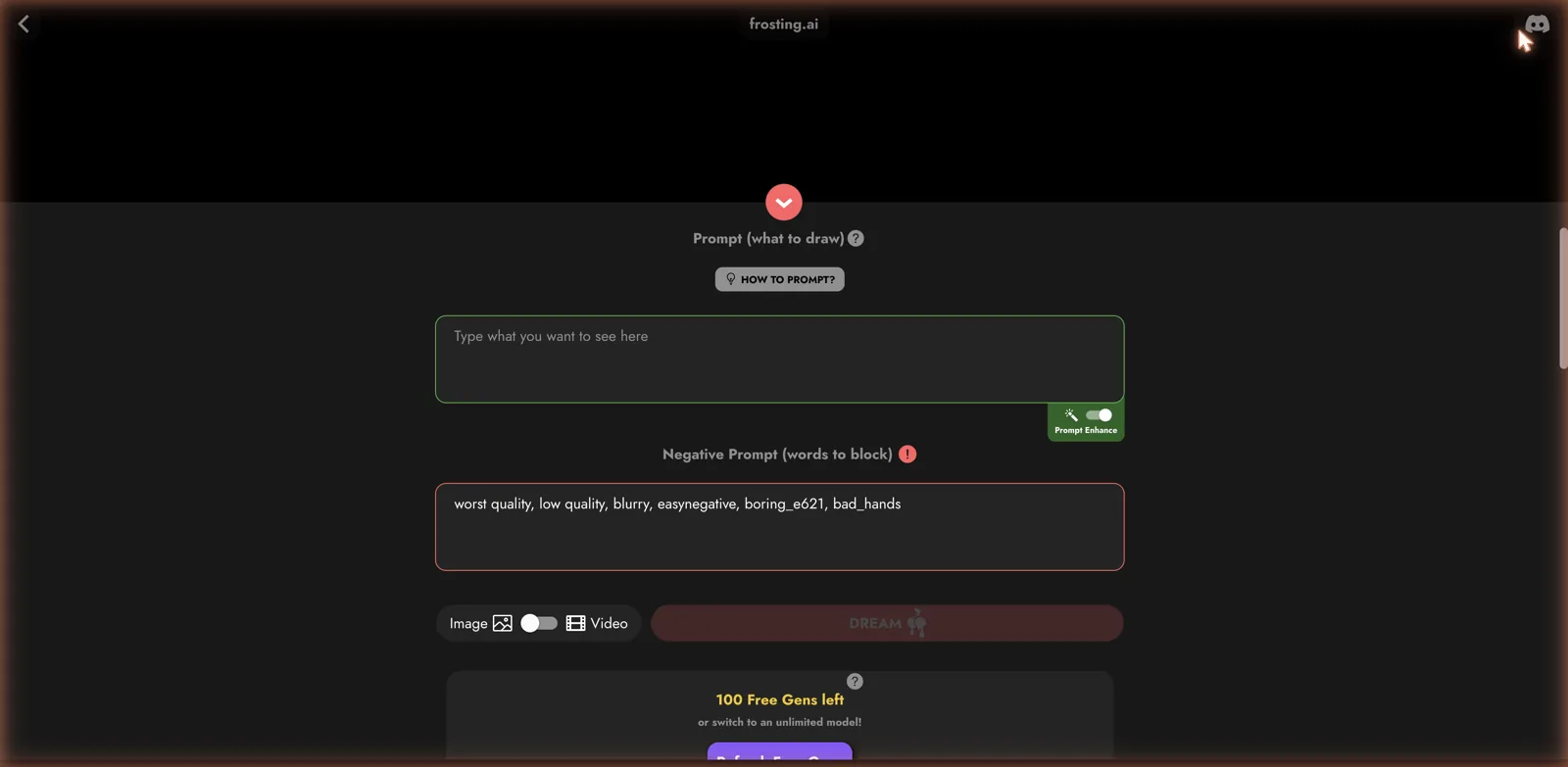
Open Dream and you get a real prompt box plus a separate negative prompt field, which already tells you this is aimed at people who understand how diffusion models work. The negative prompt even comes pre-filled with the usual quality-control tags like worst quality, blurry, and bad hands, so beginners get sensible defaults while power users can rewrite them. There is a Prompt Enhance toggle that will beef up a lazy prompt for you, and a switch to generate video instead of a still image.
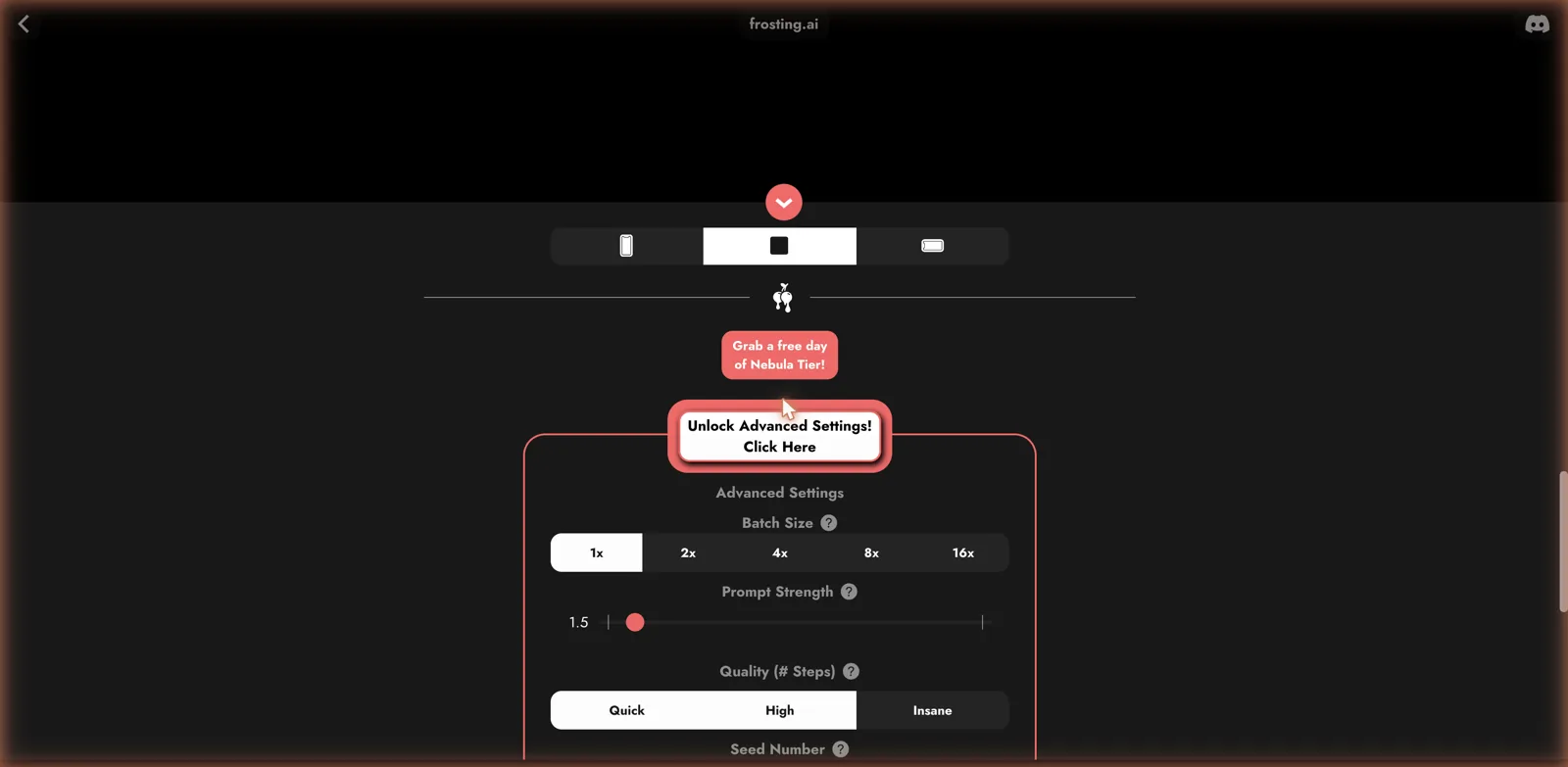
Dig into the advanced settings and it keeps going. You get a batch size that scales from 1x all the way to 16x, a prompt strength slider for controlling how hard the model sticks to your words, a quality setting labeled Quick, High, and Insane that maps to sampling steps, and a seed number field for reproducibility. This is the vocabulary of Stable Diffusion, laid out in a friendly interface. If you have used a tool like BasedLabs or a local diffusion setup, you will feel right at home. If you have not, the labels and help bubbles ease you in.
Models and image-to-image
Frosting lets you pick your model rather than locking you to one engine. I saw options like a Lite Dreamshaper XL with a photoreal tag, and the platform is built around swapping between different checkpoints depending on whether you want photoreal, anime, or something stylized. The negative-prompt defaults hint at anime and booru-trained models under the hood, so this leans more toward the illustration and anime crowd than pure photorealism, though it can do both. Looking for a character to chat with instead? Here are the companion apps that held up in our testing.
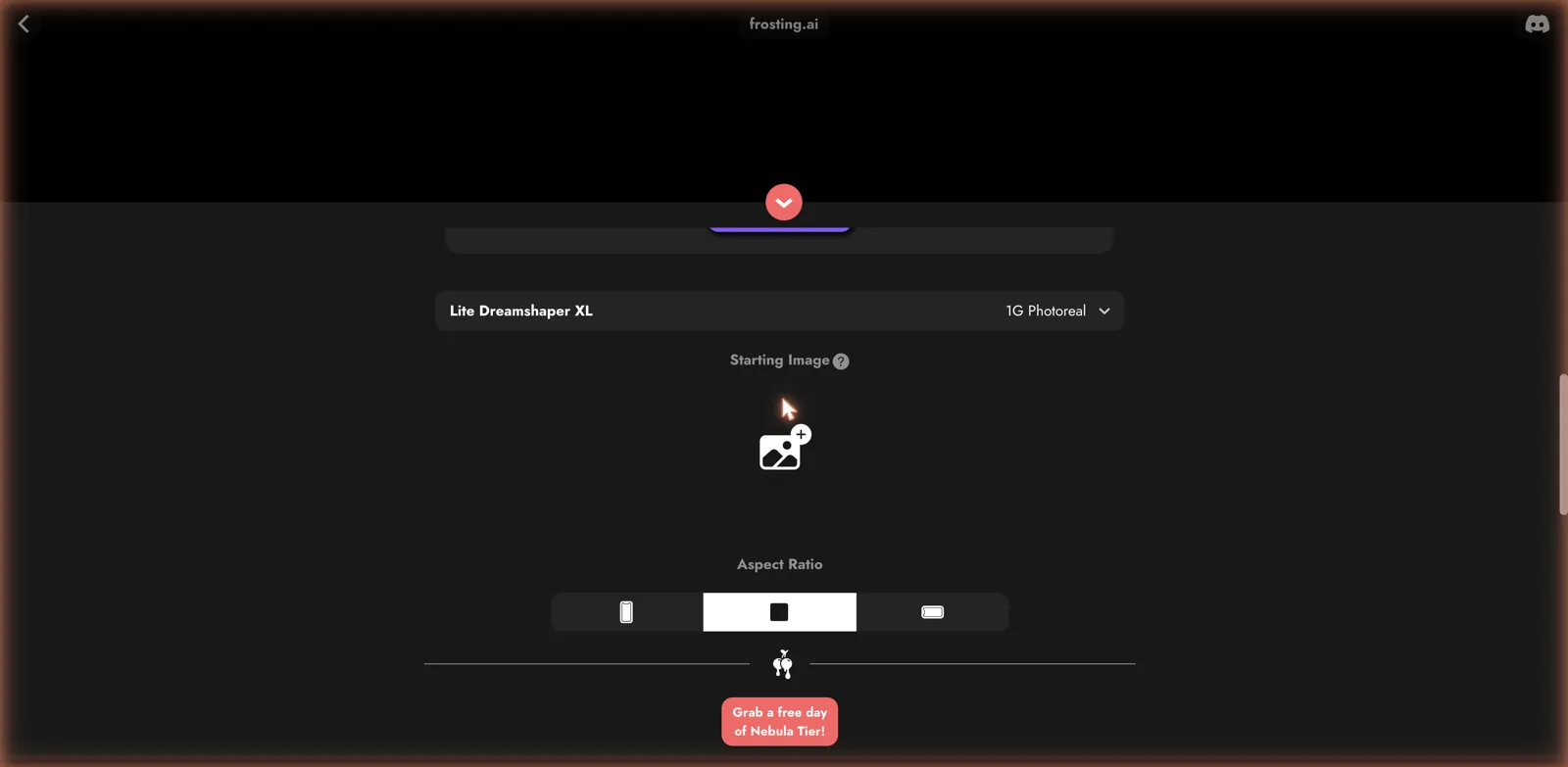
There is also a Starting Image slot for image-to-image work, so you can feed in a reference and have the model riff on it, plus the standard portrait, square, and landscape aspect ratios. Between model choice, img2img, and the advanced sliders, you have most of what a diffusion power user actually reaches for. It reminded me of the flexibility on an anime-focused platform like AnimeGenius, just with a slicker social wrapper.
Free gens, unlimited models, and Nebula Tier
The money side is refreshingly simple to start with. You get a pool of free generations, 100 when I looked, and the interface offers to refresh them or let you switch to an unlimited model. On top of that sits a premium called Nebula Tier, which the site pushes with a free-day trial offer. Paying gets you the unlimited models, faster and higher-quality generation, and the advanced settings unlocked without limits.
I could not pull up a clean, itemized pricing table during my visit, since the upgrade prompts are scattered through the interface rather than parked on one page, so I am not going to invent numbers. The shape is clear enough: generous free generations to pull you in, with a subscription that removes the caps and speeds everything up. Check the current Nebula Tier terms in your account before committing.
The content question
Frosting sits in an interesting spot on the content spectrum. It is not a dedicated adult site the way a lot of what we review is, but it is a community generator that permits mature and NSFW output, so the Multiverse feed can range from clean fan art to explicit work depending on what people post and how you filter. In that community-driven, anime-friendly sense it echoes Yodayo. That makes it more of a general creative tool that happens to allow adult content than an adult platform per se. If your interest is purely explicit generation, a specialist tool will be more direct, but if you want a flexible art generator that does not slam the door on NSFW, Frosting fits.
The community layer, and whether you need it
The social side of Frosting is either a big draw or clutter you will ignore, depending on how you use it. The Multiverse feed and the ability to follow creators turn the app into something closer to an art community than a private tool, and there is real value in that: you can see what prompts and models produce good results, borrow techniques, and get inspiration when your own ideas run dry. For anyone still learning how to prompt a diffusion model, watching what works for other people is one of the fastest ways to improve.
That said, if you just want to generate and go, the feed is noise. The good news is that nothing forces you to engage with it, and you can treat Frosting as a pure generator and never post a thing. I appreciate that the community is offered rather than imposed, which is more than you can say for some platforms that shove social features in your face.
Video, and the practical limits
The image-or-video switch is easy to overlook, but video generation is a meaningful addition, and it puts Frosting ahead of the many tools that still only do stills. In practice, video costs far more compute than a still image, so expect it to draw down your free generations quickly and to lean on the premium tier if you want to make much of it. Set your expectations accordingly: this is a capable image generator that also does video, rather than a dedicated video studio, and the free tier is really built around still images with video as an occasional treat.
One more practical note on getting good results. Because the model heritage leans anime and illustration, your prompts will behave differently here than on a photo-first tool. Leaning on the pre-filled negative prompt, experimenting with prompt strength, and trying a couple of different models on the same idea is the workflow that pays off, and it is exactly the kind of tinkering Frosting is built to reward. If you treat it like a one-tap generator you will be underwhelmed; treat it like a diffusion sandbox and it opens up.
The good and the not so good
On the plus side, the generator is powerful and honest about it, exposing real diffusion controls instead of hiding them behind a single button. Model choice, image-to-image, batch generation, and video are all here, the free tier is generous, and the community layer makes it easy to find inspiration and prompts from other creators. For anyone who likes to tinker, it is one of the more capable free tools around.
On the downside, all those knobs can overwhelm a newcomer who just wants a quick picture, the pricing is not laid out cleanly, and the social features, while nice, mean the experience is busier than a plain generator. The anime-leaning model defaults also mean pure photoreal results take a bit more prompt work than on a photo-first tool.
Where it sits against the polished studios
It helps to be honest about the trade Frosting makes versus the slicker mainstream studios. The polished creative suites tend to hide the machinery, giving you a clean, one-button experience and hand-holding presets, which is great if you want a result and do not care how you got it. Frosting goes the other way, exposing the diffusion controls and trusting you to learn them. That makes it more powerful in the right hands and more intimidating in the wrong ones, and which camp you fall into should decide whether it is for you. Neither approach is wrong, they just serve different people, and Frosting is unapologetically for the ones who like to fiddle.
The community angle also gives it a different flavor from a private tool. A studio is somewhere you go alone to make a thing; Frosting is somewhere you go to make a thing and see what everyone else is making. For creators who feed on inspiration and enjoy the social loop of sharing and following, that is a genuine plus. For those who find other people’s feeds distracting, it is something to tune out. The important point is that the power-user generator underneath is strong enough to justify the visit either way.
The free tier in practice
A last practical note on the economics. A hundred free generations is a lot to start with, and refreshing them keeps the free experience alive longer than most, so you can get a real sense of the tool before deciding whether Nebula Tier is worth it. The catch, as always, is that the best models and the uncapped settings sit behind the paywall, so the free tier is best understood as a generous demo rather than a permanent home. Treat it as a chance to learn the controls and find out whether the anime-leaning models match your taste, and upgrade only once you know you will use the extra headroom.
Who it is for
Frosting AI is a strong pick if you want diffusion-level control in the browser, if you enjoy a community feed to browse and share in, and if you like switching models and dialing in settings rather than pressing one button. The generous free gens make it easy to try, and the anime and illustration crowd in particular will feel at home.
It is less ideal if you want a simple one-tap generator, a clean subscription with visible pricing, or a dedicated companion chat. For a polished mainstream creative studio, OpenArt covers images and video with less clutter, and for a broad professional suite GetImg goes wider. But as a free, control-rich, community-driven image generator, Frosting AI punches above its weight, and the tinkerers among you will love it.