WaifuXL is a refreshing change of pace from most of what I cover. It is not a companion, not a chatbot, and not a generator. It is a free, open-source tool that does one job well: take an anime-style image and make it bigger and sharper, right in your browser, without uploading anything anywhere. If you make or collect AI anime art, it is exactly the kind of quiet utility that fills a real gap. I spent time with it to see how it works and where it fits. Here is the rundown.
Top AI Girlfriend Platforms — Our Picks

Hyper-realistic AI companions with adaptive memory that recall your past conversations.


Build a custom AI companion and bring her to life with chat, images, and video.

Create a custom AI girlfriend with her own personality, generated images, and ongoing chat memory.


Characters that hold memory and context, so the relationship builds over time instead of resetting.

Chat with a fully custom AI girlfriend — choose her personality, outfits, and more.

Personalized AI companions for ongoing roleplay, with a simple, discreet signup.

Build a custom AI girlfriend, boyfriend, or anime character — choose the look and personality.

Customizable AI girlfriend personalities with realistic, ongoing conversations.
What WaifuXL is
WaifuXL, at waifuxl.com, is a local-first upscaler built specifically for anime-style art. The premise, in the site’s own words, is simple: drop a file, choose a scale, download the result. You point it at an image, it enlarges it while cleaning up the detail, and you save the higher-resolution version. There is no account, no subscription, and no queue.
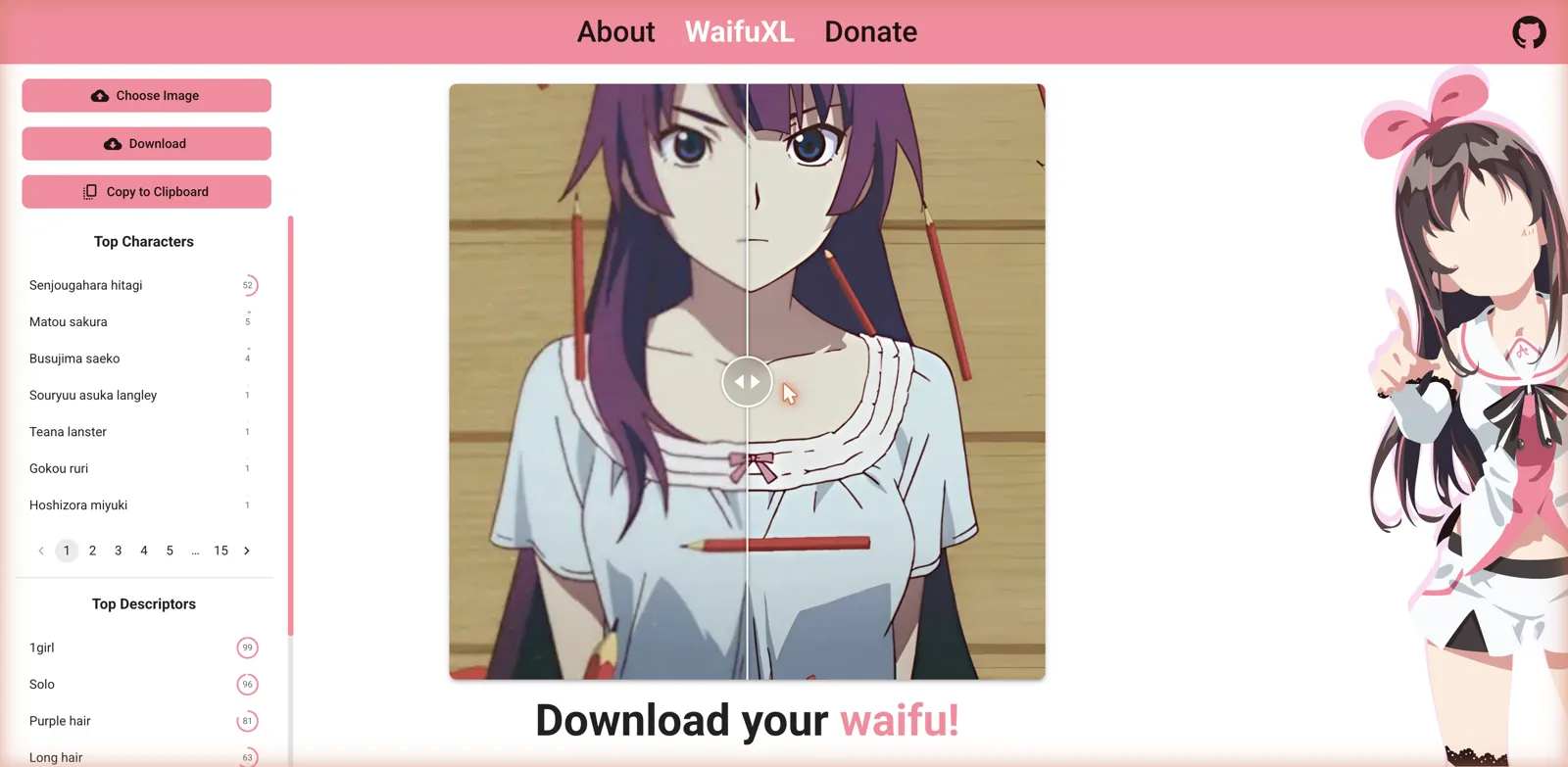
The homepage shows the tool in action with a before-and-after slider on an anime image, alongside buttons to choose an image, download the result, or copy it to the clipboard. It is a single-purpose tool with a clean interface, which after a parade of feature-stuffed companion apps is genuinely pleasant. You are not being funneled toward a paywall or upsold on gems; you are just being handed a working upscaler. If you do want one of those, the AI girlfriend picks in my main ranking are where I would start.
The standout: it runs entirely in your browser
The most important thing about WaifuXL is where the work happens. The upscaling runs entirely in your browser, on your own device, which means your images never leave your computer. There is no server upload, no cloud processing, and therefore no question of what some company is doing with your files. The About page underlines the point with three plain badges: local-only, no signup, runs in browser.
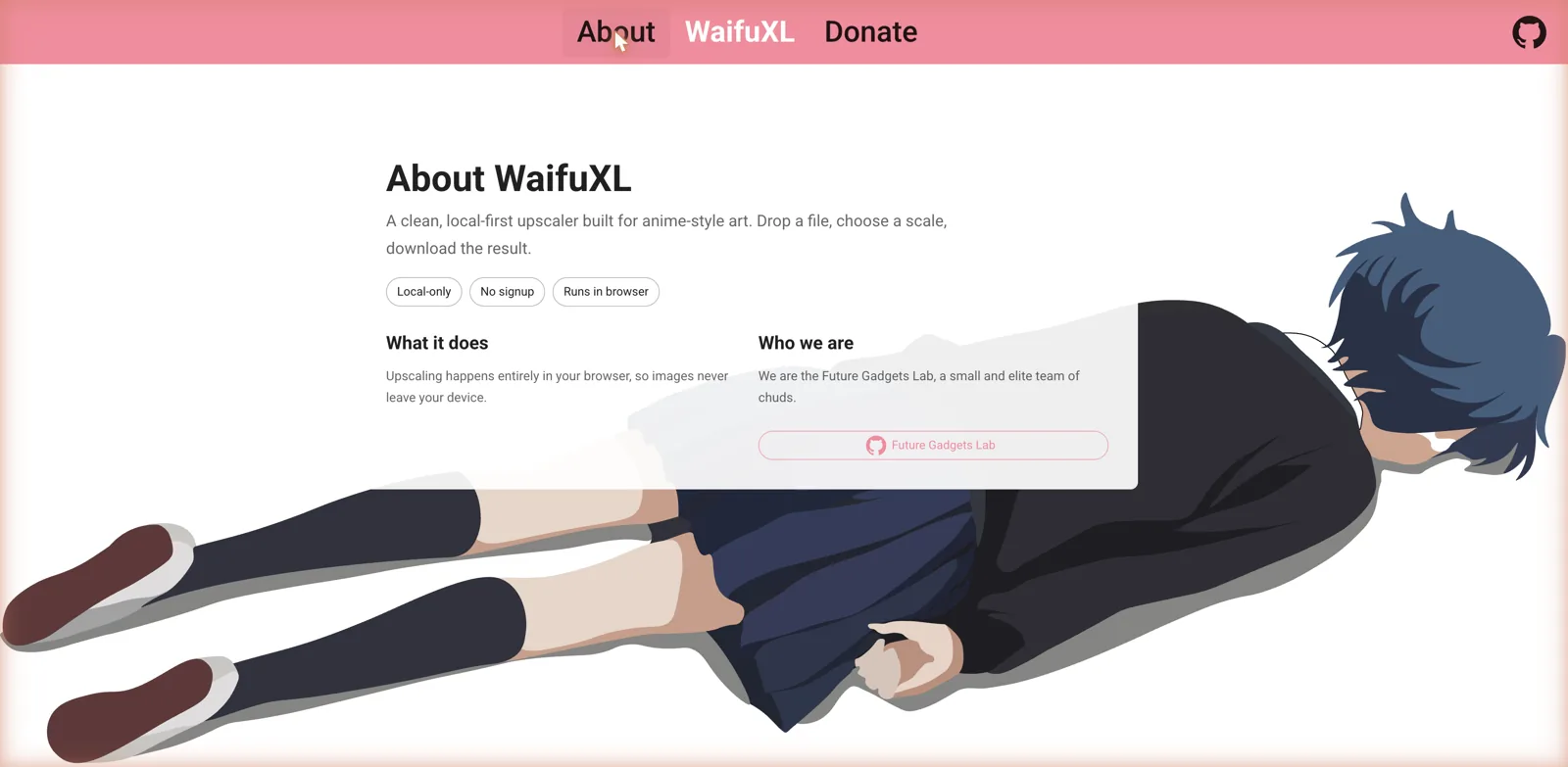
For anyone who cares about privacy, and especially for anyone working with art they would rather not upload to a stranger’s server, this is a big deal. Most image tools in this space send your files off to be processed remotely, which is fine until you think about it. WaifuXL sidesteps the whole concern by doing everything client-side. The trade-off is that processing speed depends on your own hardware rather than a beefy server, but the privacy win is well worth it for most people.
The character and tag recognition
WaifuXL is not only an upscaler. Feed it an image and it also runs recognition on it, producing two lists. Top Characters attempts to identify which anime characters appear, complete with confidence scores, and in the demo it flagged names like Senjougahara Hitagi with a percentage next to each guess. Top Descriptors does the same for booru-style tags, listing things like 1girl, solo, purple hair, long hair, blue eyes, and school uniform, again with confidence numbers, and both lists page through many entries.
This tagging is a genuinely useful bonus. If you are organizing a collection, hunting for the right tags to describe an image, or just curious what a model thinks it is looking at, the recognition gives you a quick, structured read on any anime picture. It effectively bundles a DeepDanbooru-style tagger into the same tool that upscales, so you get both jobs done in one drop.
Open source and community-run
WaifuXL is open source, with a GitHub link right in the corner, and it is made by a small self-described team who keep the tone light on the About page. That openness matters for a couple of reasons. First, you can actually see how it works and verify the local-only claim rather than taking it on faith. Second, it signals that this is a passion project supported by donations rather than a business trying to extract money from you, which is why there is a Donate link instead of a pricing page.
That community, no-strings model is increasingly rare, and it is the whole character of the tool. There is nothing to sign up for, nothing to cancel, and no premium tier dangling better results behind a paywall. You get the full tool for free, and if you find it useful, you can chip in to support it. It is a wholesome corner of a space that is usually anything but.
Testing and quality
The before-and-after demo on the homepage tells the story well: the upscaled side shows crisper lines and cleaner detail than the original, which is exactly what a good anime upscaler should deliver. Anime art is a particularly good fit for this kind of model, since the flat colors and clean linework of the style upscale more predictably than photographs do, and specialized anime upscalers have long produced better results on this content than general-purpose ones.
Because everything runs locally, the practical experience will vary with your device and the size of your image, and very large images will take longer on a modest machine. But the core function is straightforward and the output is aimed squarely at making small or low-resolution anime images usable at larger sizes, whether that is an old avatar, a cropped screenshot, or a piece of AI art that came out smaller than you wanted.
Where it fits
WaifuXL is a companion tool rather than a destination, and it pairs naturally with the AI art generators that dominate this space. Plenty of anime image generators output at modest resolutions, so a free local upscaler is the obvious next step to get a generated piece up to a size you can actually use or print. If you generate anime characters on a platform like ChatRule or an anime-focused generator like AnimeGenius, running the results through WaifuXL afterward is a sensible finishing step.
It also complements tools like BetterWaifu for anyone building up a library of anime-style images, and it stands in useful contrast to paid platforms such as Sexy.ai, which bundle upscaling behind a subscription. Where those charge for the feature, WaifuXL gives you a dedicated, privacy-respecting version for nothing. It is not competing with the generators; it is the free utility you reach for once you already have an image in hand.
Where it sits on the content spectrum
WaifuXL itself is content-neutral. It is a utility that processes whatever anime image you give it, so it is not an adult platform in the way a companion or generator is, and it has no characters, chat, or generated content of its own. That said, because it will upscale and tag any anime image you feed it, people working with adult anime art can use it just as easily as anyone working with safe-for-work pictures. The tool does not care either way; it just makes the image bigger.
That neutrality is part of its appeal. There is no gate, no filter, and no judgment, just a tool that does exactly what you ask with whatever you give it, entirely on your own device. For a lot of people, that combination of capability and privacy is precisely the point.
Getting the most out of it
Since WaifuXL is free and local, the best advice is simply to fold it into your workflow as the last step. Generate or download your anime image first, then run it through WaifuXL to bump it up to a usable resolution before you save or share it. Because the processing happens on your device, you can do this as many times as you like without worrying about credits or limits, so there is no reason to ration it the way you would a paid upscaler.
Keep the hardware reality in mind: if you are working on a slower machine or with very large images, give it a moment, and consider upscaling in a sensible step rather than pushing an already-large image to an enormous size in one go. And because the tool doubles as a tagger, it is worth dropping in an image just to see the character and descriptor guesses when you are trying to remember what something is or find the right tags for it. Treat it as two free tools in one, and it earns a permanent bookmark.
Why anime upscaling is its own thing
It is worth understanding why a tool built specifically for anime art exists at all, rather than just using any old upscaler. Anime and illustration have very different visual properties from photographs: flat regions of color, hard clean outlines, and relatively little fine texture or noise. General photo upscalers, which are trained to invent plausible skin pores and fabric detail, often make anime art look muddy or add strange artifacts along the crisp lines. Models trained on anime, by contrast, learn to keep those lines sharp and the color fields clean, which is exactly what the style needs.
That specialization is the whole reason a dedicated anime upscaler tends to beat a generic one on this kind of image, and it is a lineage that goes back years in the anime art community. WaifuXL carries that idea into a modern, browser-based, no-install form, so you get the benefit of a purpose-built model without having to set up any software or send your files to a server. For a lot of people that combination, a specialized model that runs privately and for free, is the sweet spot, and it explains why a single-purpose tool like this still has a clear reason to exist alongside the big all-in-one platforms.
The bundled tagger fits the same philosophy. Recognizing anime characters and booru-style descriptors is a task that general image classifiers handle poorly, because it depends on a very specific body of training data. By building that in, WaifuXL again does one niche thing properly rather than a dozen things adequately, which is a theme worth appreciating in a space full of platforms trying to be everything at once.
The good and the not so good
On the plus side, WaifuXL is free, open source, and requires no account, it runs entirely in your browser so your images stay private, and it does a genuinely useful job of upscaling anime art. The bundled character and tag recognition is a smart bonus, the interface is clean and single-purpose, and the donation-supported model means there is no paywall or upsell anywhere. It is exactly the kind of honest, useful tool the space needs more of.
On the downside, it is narrow by design, so if you want generation, editing, or anything beyond upscaling and tagging you will need other tools. Running locally means performance depends on your own hardware rather than a fast server, large images can be slow on a modest machine, and there are none of the bells and whistles a paid service might offer. But those are the natural trade-offs of a focused free utility, not real flaws.
Who it is for
WaifuXL is for anyone who works with anime-style images and wants a free, private way to enlarge and sharpen them. If you generate AI anime art, collect it, or just have a favorite picture that is too small, this is the tool to reach for, and the fact that it runs locally means you can use it on anything without a second thought about where your files are going. The character and tag recognition is a handy extra for anyone organizing a collection.
If you want a tool that also generates or edits images, this is not that, and you will pair it with a generator rather than replace one. But as a free, open-source, privacy-first anime upscaler, WaifuXL is close to ideal, and there is no catch to discover later because there is nothing to pay for in the first place. Bookmark it, and use it whenever an anime image needs to be bigger.