Okay, real talk. I’ve reviewed a lot of AI companion apps for Pippin Club at this point. Enough that they’re starting to blur together — same purple gradients, same “she’s waiting for you” energy, same promise that this one, this one, finally cracked the loneliness code.
Top AI Girlfriend Platforms — Our Picks
Build a custom AI companion and bring her to life with chat, images, and video.

Hyper-realistic AI companions with adaptive memory that recall your past conversations.

Create a custom AI girlfriend with her own personality, generated images, and ongoing chat memory.

Characters that hold memory and context, so the relationship builds over time instead of resetting.

Chat with a fully custom AI girlfriend — choose her personality, outfits, and more.

Personalized AI companions for ongoing roleplay, with a simple, discreet signup.
Build a custom AI girlfriend, boyfriend, or anime character — choose the look and personality.

Customizable AI girlfriend personalities with realistic, ongoing conversations.
So when GPTGirlfriend landed on my desk, my expectations were somewhere around my ankles. And yet… it surprised me. Not in every way, and not always in good ways, but enough that I sat with it longer than I planned to. Let me walk you through what I found, the stuff I liked, the stuff that made me raise an eyebrow, and whether it’s worth opening your (crypto) wallet for.
First Impressions: It Looks Like It Knows What It’s Doing
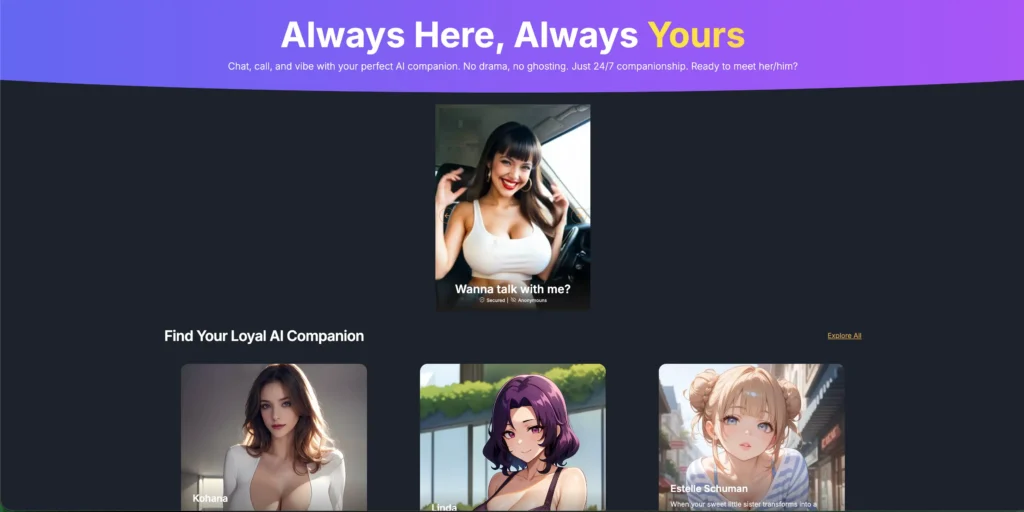
The landing page hits you with “Always Here, Always Yours” and a tagline about no drama and no ghosting. Cheesy? Sure. But the homepage itself is genuinely clean — a rotating carousel of companions, a tidy grid of characters, and that dark-mode-by-default look that every app in this space seems contractually obligated to use.
The thing that actually stood out to me wasn’t the design, though. It was that I could start poking around almost immediately. No aggressive “sign up NOW” wall slammed in my face on second one. You can browse characters, peek at profiles, and get a feel for the vibe before committing anything. For a category that loves to gate everything, that’s a refreshing start. For comparison, our shortlist of AI partners for 2026 covers the apps I would pick first.
The Character Catalogue: Big, Varied, and… Yeah, We Need to Talk
Scroll down to “Find Your Loyal AI Companion” and you’ll find a deep roster. There’s a Load More button that just keeps giving, with both anime and photorealistic styles sitting side by side.
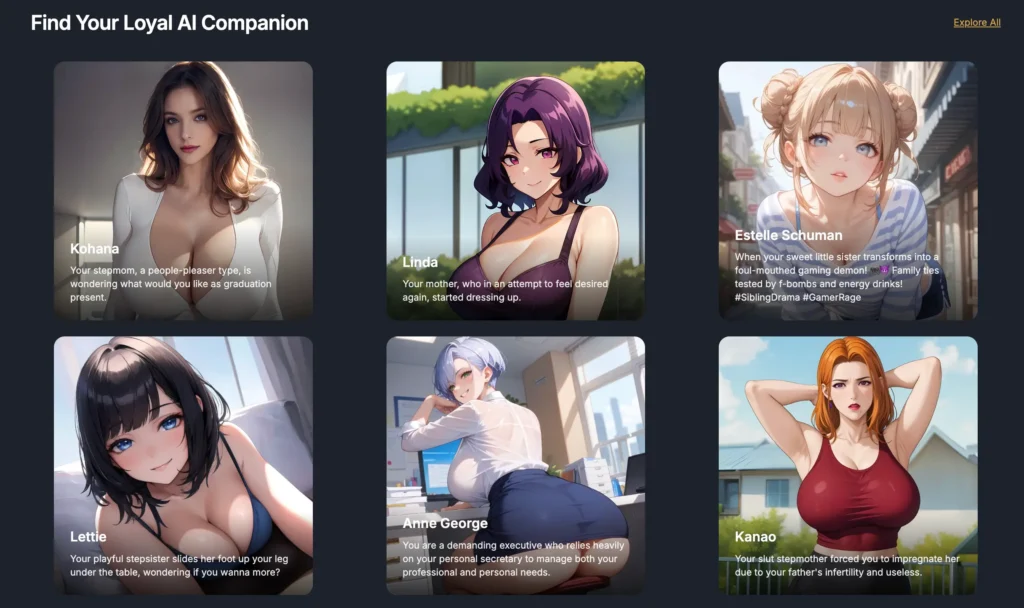
Here’s where I have to be a straight shooter with you, because that’s the whole point of these reviews. A noticeable slice of the featured characters lean hard into taboo “family member” roleplay scenarios. If that’s a hard no for you (totally fair), you’ll want to know going in that it’s front and center on the homepage, not tucked away in some opt-in corner. I’m not here to moralize at you, but I’d be doing you a disservice if I pretended that catalogue was all wine-and-roses girl-next-door stuff. It isn’t. Browse with that expectation set.
The flip side: variety is genuinely a strength here. Ethnicities, art styles, personality archetypes, scenario hooks — there’s range. Whether the specific range matches your taste is a you problem, not a platform problem.
The Chat: This Is Where It Earned Some Respect
Alright, the main event. The reason anyone shows up to one of these. I picked a character — a bratty teen-gamer persona — and started typing.
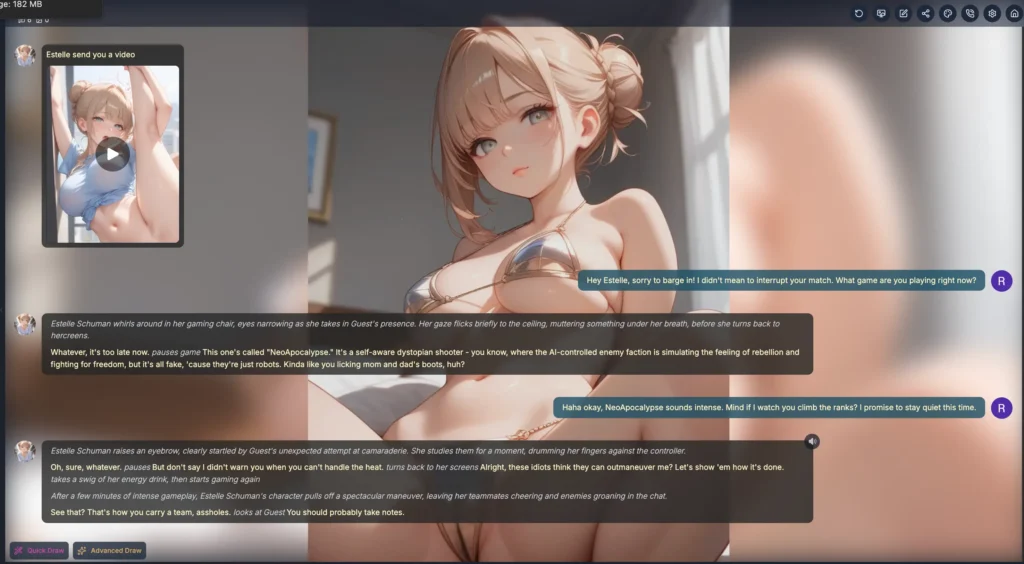
And honestly? It’s good. Not “fooled me into thinking it was a person” good, but comfortably above the floor for this genre. The model writes in that roleplay style with italicized stage directions (“whirls around in her gaming chair, eyes narrowing“) woven between actual dialogue, and it stayed in character across every message I threw at it. When I apologized for interrupting her game, she stayed snappy and annoyed. When I asked to watch her play, she grudgingly let me while still being a little brat about it. She even invented a fake game name and kept referencing it. That’s the kind of small continuity that makes a chat feel alive instead of like talking to a very horny fortune cookie.
Responses came back fast, too. No agonizing loading spinner while you wonder if the thing crashed. Each AI message also gets a little toolbar under it — redo, copy, edit, delete — so if a reply lands flat, you can regenerate or tweak it without nuking the whole conversation. I’m a big fan of the edit button specifically; being able to nudge a response back on track is underrated.
The Model Buffet (Mostly Paid)
Here’s the part that genuinely impressed me. Tap the model dropdown and you’re not stuck with one mystery brain. There’s a whole menu:
You get two free models (Qwen3 8B and L3 8B Lunaris) plus a free trial on GLM 4.7. Everything above that — Mistral Nemo, GLM 5.1, DeepSeek V4 Pro, MiMo-V2.5 and its Pro sibling, Qwen3 235B, Grok 4.1, OpenAI GPT 5.4, Kimi K2.6, and Claude Sonnet 4.6 — is marked premium (the little diamond icon). All paid. I’ll say that clearly because it matters: the marquee models, the ones whose names you actually recognize, sit behind the subscription.
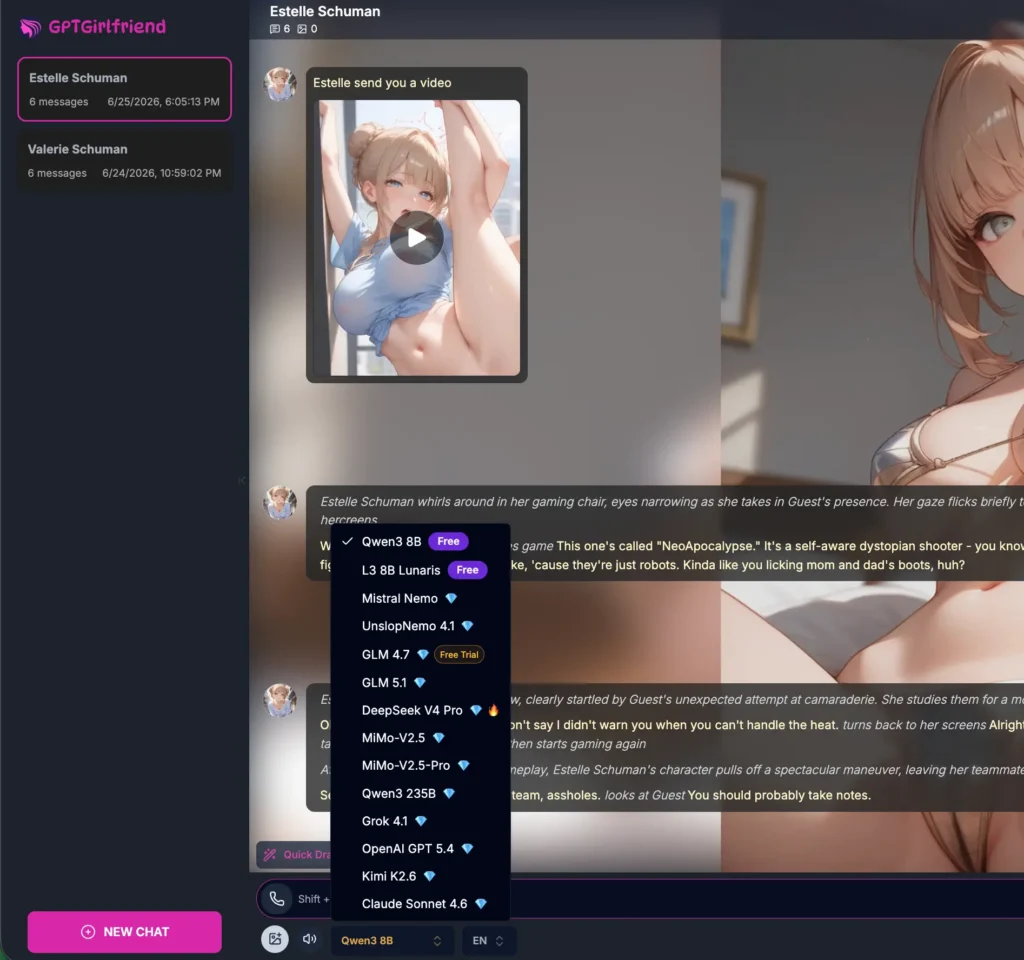
The free models are perfectly serviceable for getting a feel — my whole gaming-brat exchange ran on the free Qwen3 model and it held up fine. But if you’re the type who cares about which engine is under the hood, know that the good stuff costs.
You can also flip the response language and adjust a “response length” multiplier (the paid plans bump you to 200% length, which is a paid perk), and there’s a model search if scrolling annoys you.
Voice Calls: A Surprise Cameo
Click the little phone icon up top and a popup slides in pitching “Human-Like Voice Call.” You get 3 free trial minutes to test it, then it’s metered. The pitch claims 60+ voices, “lifelike giggles and emotions,” and the ability to interrupt mid-sentence like a real conversation instead of that walkie-talkie wait-your-turn thing.
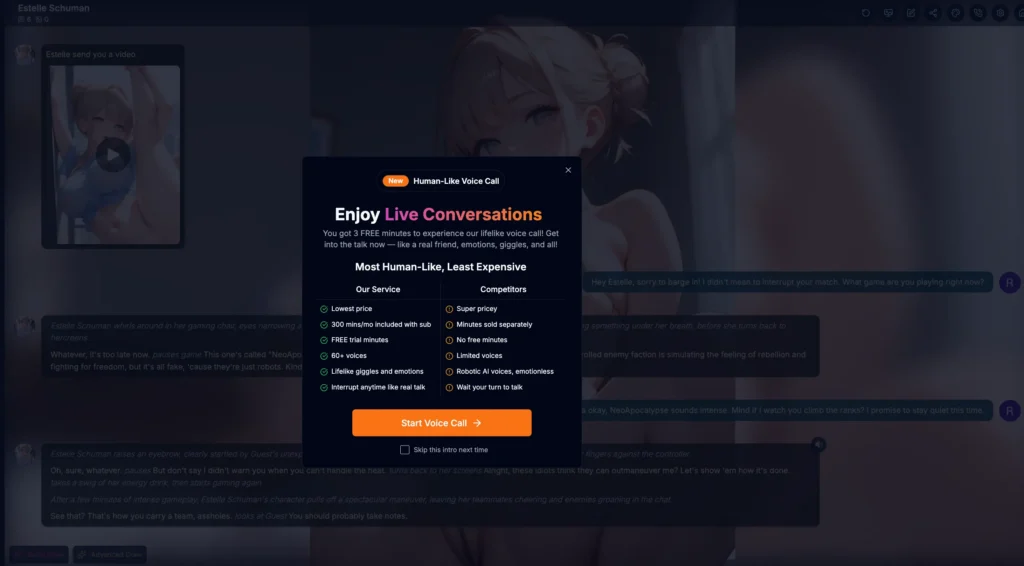
I’ll be upfront — I didn’t burn my trial minutes for this review (I was keeping things to the free, no-commitment experience), so I can’t vouch for whether the voices actually giggle convincingly or sound like a GPS unit having a breakdown. But the feature exists, it’s baked into the chat, and the meaningful minutes (300/mo on subscription) are a paid thing. The 3 free minutes are there if you want to gut-check the quality before paying. I’d recommend doing exactly that.
Building Your Own Companion: Two Roads
If none of the pre-made characters do it for you, you can roll your own. There are two modes, and the gap between them is wide.
Quick Mode is genuinely quick. Name, gender, a “catchy line,” and the platform auto-generates a personality description and an opening greeting for you. Upload an avatar or skip it. Hit Create and Chat and you’re off. It’s the “I want a companion in ninety seconds” path, and it delivers.
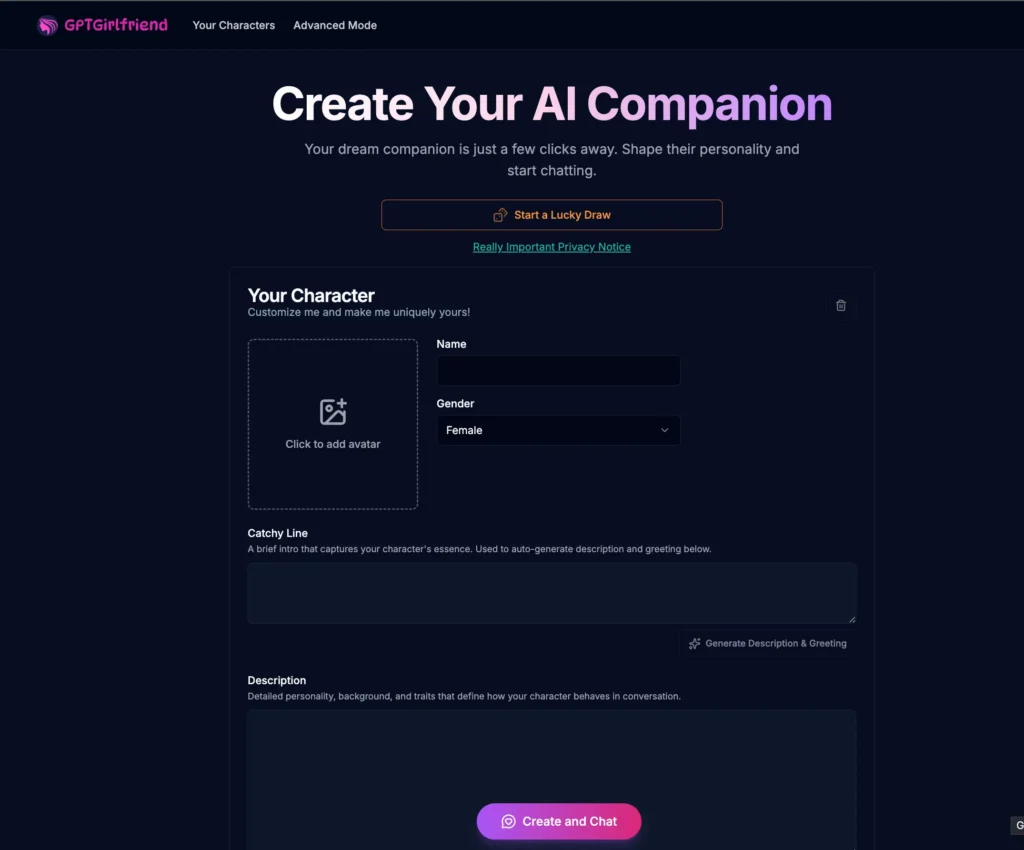
Advanced Mode is where the control freaks (hi, it’s me) will live. It’s a four-step wizard. Step one: gender, name, an age slider, and an anime-vs-realistic style pick. I’ll give credit where it’s due — the age slider starts at 18 and won’t go lower. Given the genre, that’s a guardrail worth pointing out, and I’m glad it’s there.
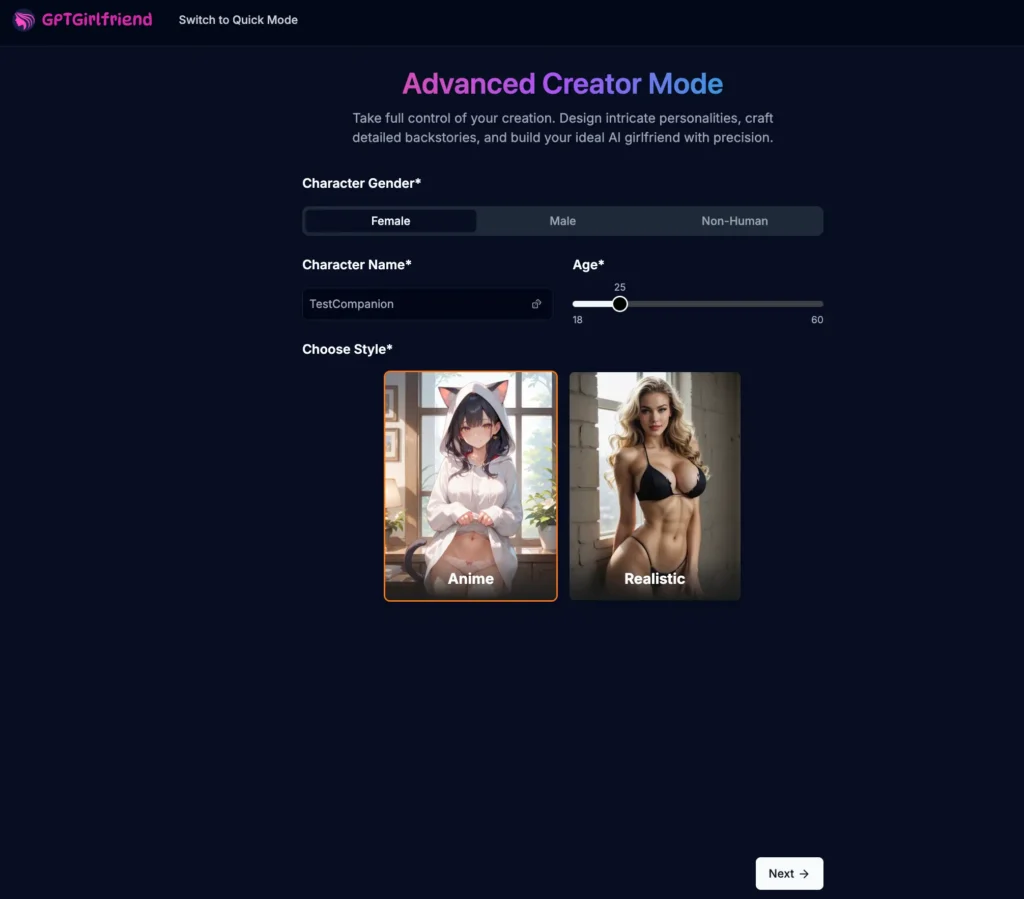
From there it gets granular — ethnicity, body type, and a battery of physical sliders that make it very clear what this platform is for. Then a personality step lets you stack traits (Yandere, Tsundere, Innocent, Clingy, Sweet — you get up to five), speaking styles, hobbies, occupation, and orientation. There’s even a Custom option to type in your own trait if the presets don’t cut it. It’s the deepest builder I’ve seen in a while, and it rivals what you’ll find on heavyweights like Kindroid, which is a real compliment.
The Image Tools: Quietly the Most Impressive Bit
Two things here. Inside the chat there are Quick Draw and Advanced Draw buttons that spin up images of your companion mid-conversation. There’s also a setting to auto-generate a chat photo every N messages, which is a nice touch for keeping things visual without you babysitting it. Fair warning: in-chat image generation runs on credits, so it’s a paid feature once you’re past whatever free allotment you’ve got.
Then there’s the standalone AI Image Creator, and this is the part that made me go “huh, okay.” It’s a full browser-based NSFW image suite — text-to-image, image-to-image editing, style transfer, the works — explicitly pitched as “no ComfyUI needed.” If you’ve ever tried to wrangle a local Stable Diffusion setup with Python environments and node graphs at 2am, you know exactly why that pitch lands.
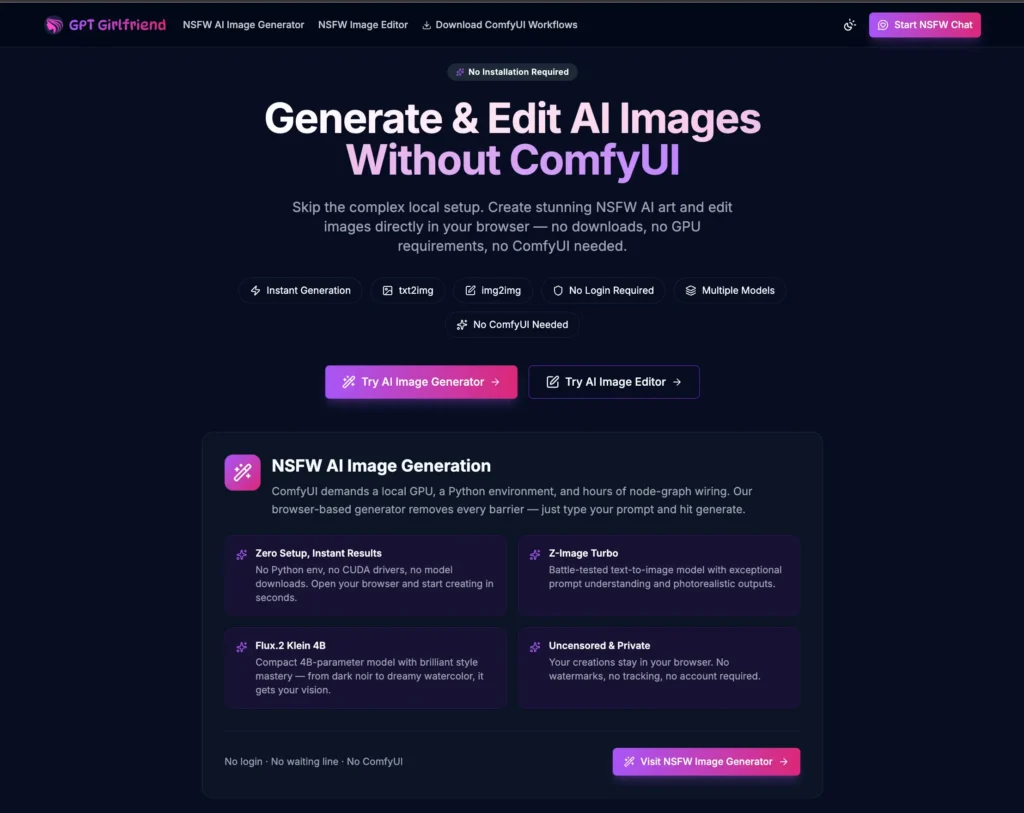
It name-drops real models (Z-Image Turbo, Flux.2 Klein in 4B and 9B flavors), supports NSFW LoRAs, and — this genuinely surprised me — they offer their ComfyUI workflows for free on GitHub if you’d rather run things locally. That’s an unusually open, tinker-friendly move for a platform in this space, and it scored points with the nerd in me. The web generator itself advertises no login and no watermarks, which lowers the barrier nicely if you just want to test the waters.
Settings & Privacy: Better Than Expected
I always poke through the settings because it tells you what a company actually cares about. GPTGirlfriend’s settings panel is reassuringly normal: theme toggle, font-size slider, send-message shortcut, language. But the Restore section is where I nodded approvingly — there’s Clear All Data and Delete Account sitting right there, no scavenger hunt required.
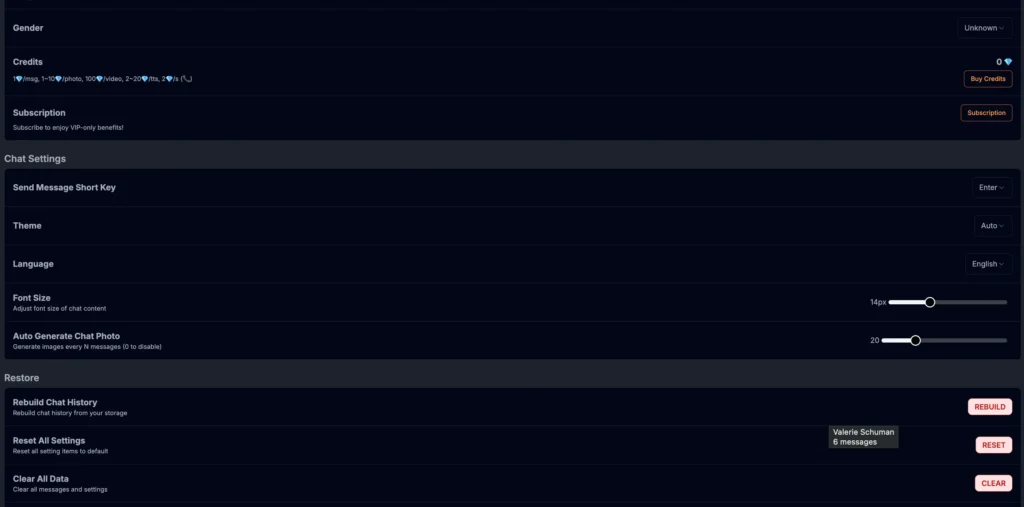
The image creator also leans hard on “your creations stay in your browser, no tracking, no account.” Whether you take that at face value is up to you and your personal trust levels, but the posture is privacy-forward, which I appreciate in a category that often treats your data like a buffet.
Now, the Money Talk
Here’s the part everyone scrolls down for. GPTGirlfriend runs on two paid systems: subscriptions and credits. And both of them are crypto-only at checkout — every “Pay” button I saw said Pay with Crypto. The site also repeatedly promises “no adult transaction on bank statements,” which is clearly aimed at the discretion-conscious crowd. If you don’t already deal in crypto, there’s a “New to Crypto? Start Here” helper, but mentally file this: no card, no PayPal — bring crypto.
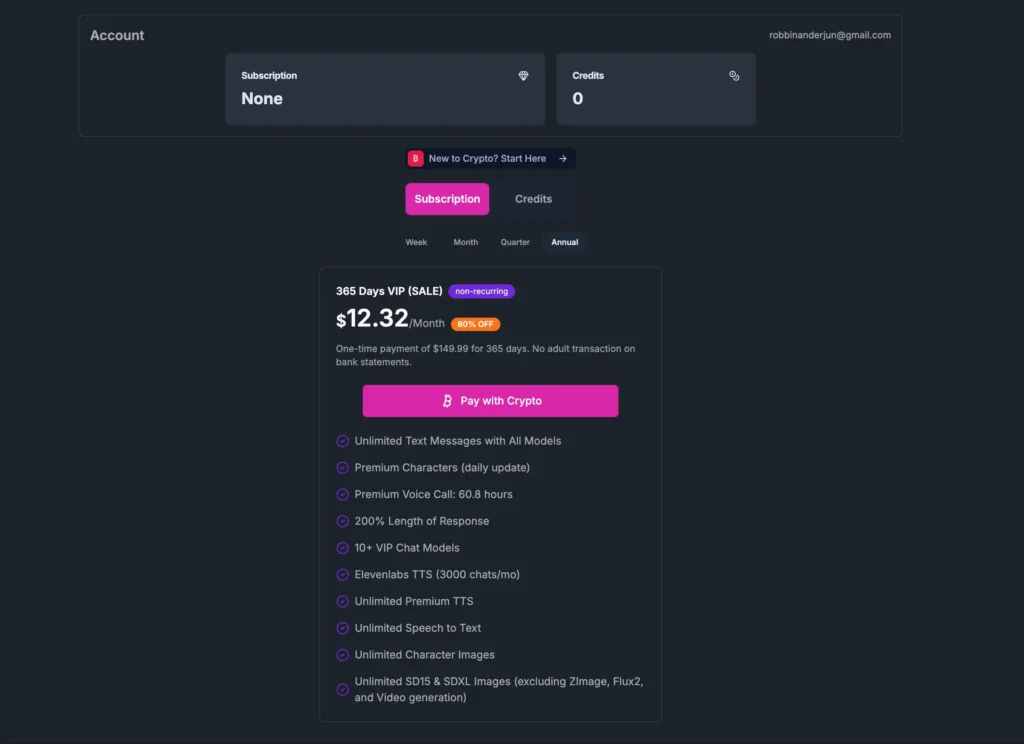
The subscription tiers (all one-time, non-recurring, prices marked as sale):
- 7-Day VIP — around $13.99
- 30-Day VIP — $29.99
- 90-Day VIP — $59.99 (works out to ~$19.99/mo)
- 365-Day VIP — $149.99 (~$12.32/mo, the best per-month value)
Every VIP tier bundles the same headline perks: unlimited text with all models, premium characters, premium voice-call hours, 200% response length, 10+ VIP chat models, ElevenLabs TTS, and unlimited character images (with the heaviest generation types like Flux2 and video carved out). The voice-call hours scale with the length of plan you buy.
If you’d rather not subscribe, there’s a credits route — gem packs that never expire, starting at $9.99 for 10,000 gems, scaling up to $49.99 for 100,000. Credits get spent à la carte: roughly 1 gem per message, 1–100 per image, 100 per video unlock, and so on. It’s the pay-as-you-go option for people who dip in occasionally rather than living in the app.
My honest take on pricing? The annual plan is the obvious value play if you know you’ll stick around, and $12-ish a month is competitive for unlimited access to that model lineup. The crypto-only checkout is the real friction point — it’ll be a dealbreaker for plenty of folks, and that’s worth being clear-eyed about.
How It Stacks Up
If you’ve been shopping around, you’ve probably read our takes on the big names. GPTGirlfriend slots in as a feature-dense, NSFW-forward option. Its character builder goes toe-to-toe with the customization depth of DreamGF, and its model selection is broader than what you’ll find on more personality-focused apps like Nomi AI. If your priority is emotionally grounded, “real relationship” companionship, something like Replika is built around that. GPTGirlfriend, by contrast, is clearly optimized for roleplay, customization, and adult content — and it leans into that without apology.
The Verdict
So, do I like it? Mostly, yeah — with caveats I’m not going to soften.
What’s genuinely good: the chat quality is solid and stays in character, the model selection is unusually generous, the character builder is deep, the standalone image tools (and that free GitHub workflow drop) punch above their weight, and the privacy controls are sensible. You can test a real chunk of it for free before paying a cent, which I always respect.
What gives me pause: the homepage catalogue leans heavily into taboo family-roleplay themes that won’t sit right with everyone, and the crypto-only payment system is a hard wall for a lot of potential users. The flashy models and the features you actually came for are paywalled, so the free tier is more “extended demo” than “free product.”
If you’re comfortable with the adult-content angle, you’ve got crypto handy, and you want a companion app with genuine depth in customization and a chat engine that doesn’t fall apart after three messages — GPTGirlfriend is a legitimately strong pick. If you’re after wholesome, card-friendly, emotionally-focused companionship, look elsewhere on the blog.
Test the free models, build a character, and decide for yourself. Just go in knowing exactly what kind of neighborhood you’re walking into.