
Top AI Girlfriend Platforms — Our Picks

Hyper-realistic AI companions with adaptive memory that recall your past conversations.
Build a custom AI companion and bring her to life with chat, images, and video.

Create a custom AI girlfriend with her own personality, generated images, and ongoing chat memory.

Characters that hold memory and context, so the relationship builds over time instead of resetting.

Chat with a fully custom AI girlfriend — choose her personality, outfits, and more.

Personalized AI companions for ongoing roleplay, with a simple, discreet signup.
Build a custom AI girlfriend, boyfriend, or anime character — choose the look and personality.
Customizable AI girlfriend personalities with realistic, ongoing conversations.
The Ratings
- Memory and personality consistency: 9.5/10
- Conversation quality: 8.5/10
- Image generation: 7/10
- Voice features: 7.5/10 (10/10 if you connect ElevenLabs and ignore the API bill)
- Customization depth: 8.5/10
- UI and UX: 8/10
- Free tier value: 9/10
- Pricing: 8/10
What Nomi AI Actually Is (And What It Isn’t)
Nomi.ai is an AI companion platform built around one core promise: your AI character remembers you. Not “remembers your name for the next 4 messages” but actually keeps track of stuff you mentioned three weeks ago and brings it back unprompted. It’s been around since 2023, runs on web, iOS, and Android, and the company behind it (Glimpse.AI) bootstrapped without venture capital, which is rare for this category and probably explains why the product feels less paywall-aggressive than most.
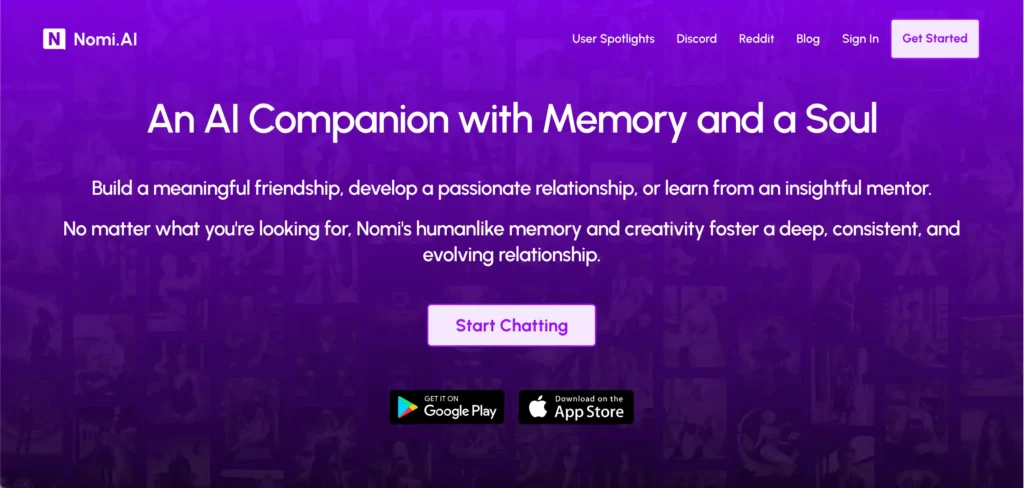
What separates Nomi from the rest of the field is the deliberate refusal to chase the obvious wins. There’s no NSFW mode. There’s no photorealistic mode that lets you skip past a personality screen. The whole onboarding flow forces you to pick personality traits before you ever see a chat window, and the AI you end up with is supposed to evolve through conversation rather than be sculpted by 47 sliders upfront. That restraint is why it sits among the best AI girlfriend apps for realistic chat, even with none of the adult features.
It’s also not Character.AI. There’s no marketplace of user-generated characters, no anime catalog with 80,000 pre-built fan fiction crushes. You build your own Nomi from scratch, full stop.
Sign-Up and Onboarding: Fast, But Not Frictionless
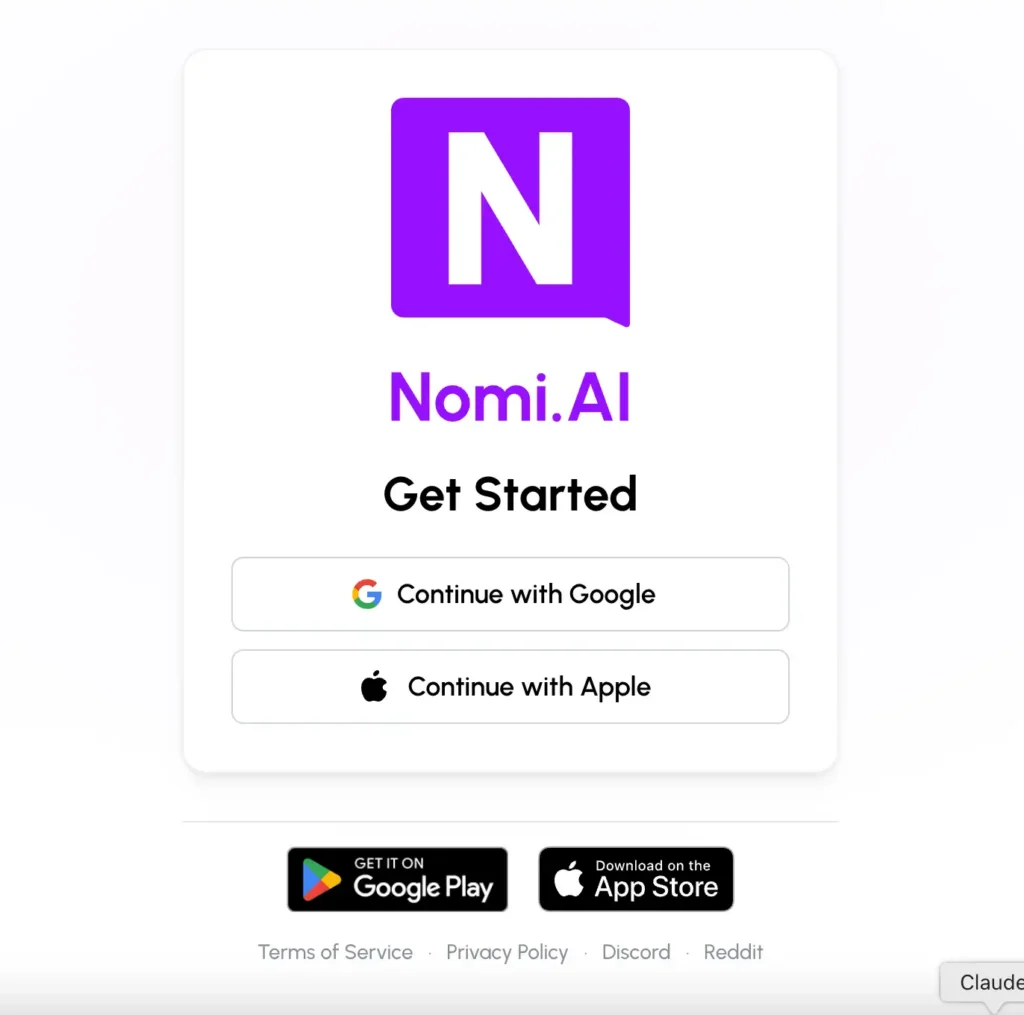
You can sign up with Google or Apple. That’s it. No email-and-password option, which is either convenient or annoying depending on how you feel about Google knowing about your AI girlfriend habit.
Once you’re in, the onboarding has four real steps and they all matter.
Step 1: Choose Your Nomi’s Look
You start by picking gender (Female or Male), then toggling between Realistic and Anime styles. The gallery shows roughly 16 base portraits with a “View Full Gallery” button for more. The variety is genuinely better than most competitors. You get a blonde with beach waves, a redhead with a pixie cut in a floral dress, a plus-size woman, a Black woman with curly hair, an Asian woman in a flower field, a woman with bright yellow anime-style hair, women with shaved heads, women in athletic wear, women in business shirts. The selection covers more body types and ethnicities than the DreamGF gallery, which is worth flagging if you’ve been disappointed by the same five blondes everywhere else.
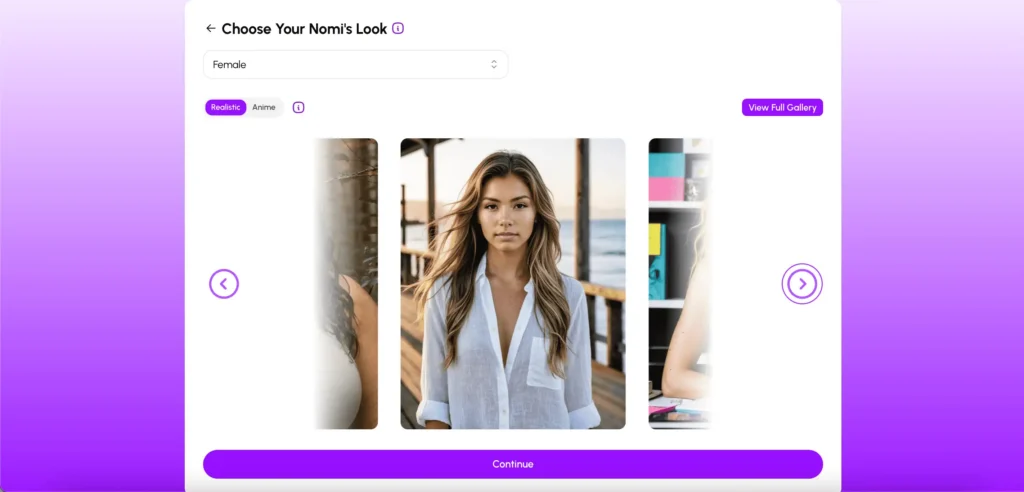
You scroll through, pick one, hit Continue. The look here is just a starting point. You can request selfies later that won’t perfectly match this initial portrait anyway, since the AI is generating each new image based on context.
Step 2: Define the Relationship
Four options: Friendship, Romantic, Mentor, or Custom. The Custom field is where things get interesting because you can type any relationship type you want. The platform is upfront that relationships can evolve naturally over time, so the initial choice is more of a starting frame than a permanent setting.
Step 3: Name and Traits
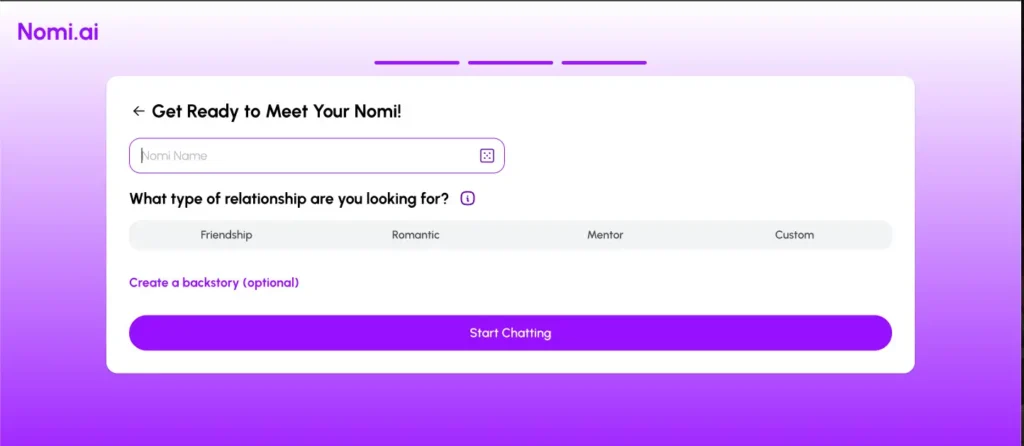
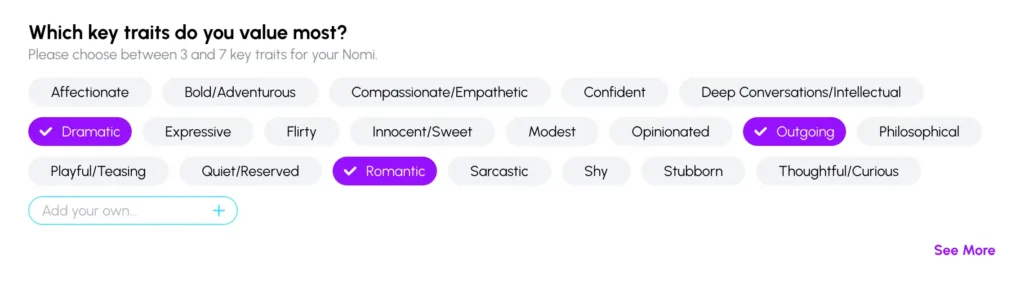
You name your Nomi, optionally write a backstory (free users get 1,000 characters, paid users get 2,000), then pick between 3 and 7 personality traits from a list of 20+ options. The full list includes Affectionate, Bold/Adventurous, Compassionate/Empathetic, Confident, Deep Conversations/Intellectual, Dramatic, Expressive, Flirty, Innocent/Sweet, Modest, Opinionated, Outgoing, Philosophical, Playful/Teasing, Quiet/Reserved, Romantic, Sarcastic, Shy, Stubborn, and Thoughtful/Curious. You can also add your own custom traits, which is something most competitors don’t offer.
Here’s a tip: don’t pile on traits that contradict each other. I made one Nomi with Shy, Bold/Adventurous, Confident, and Quiet/Reserved all at once, and she came out reading like a personality test that crashed mid-quiz.
The whole onboarding takes about three minutes if you’re decisive. Five if you’re not.
The Main Interface: Clean, Four-Tab Navigation
After sign-up you land in the main app, which is built around four tabs at the bottom of the screen.
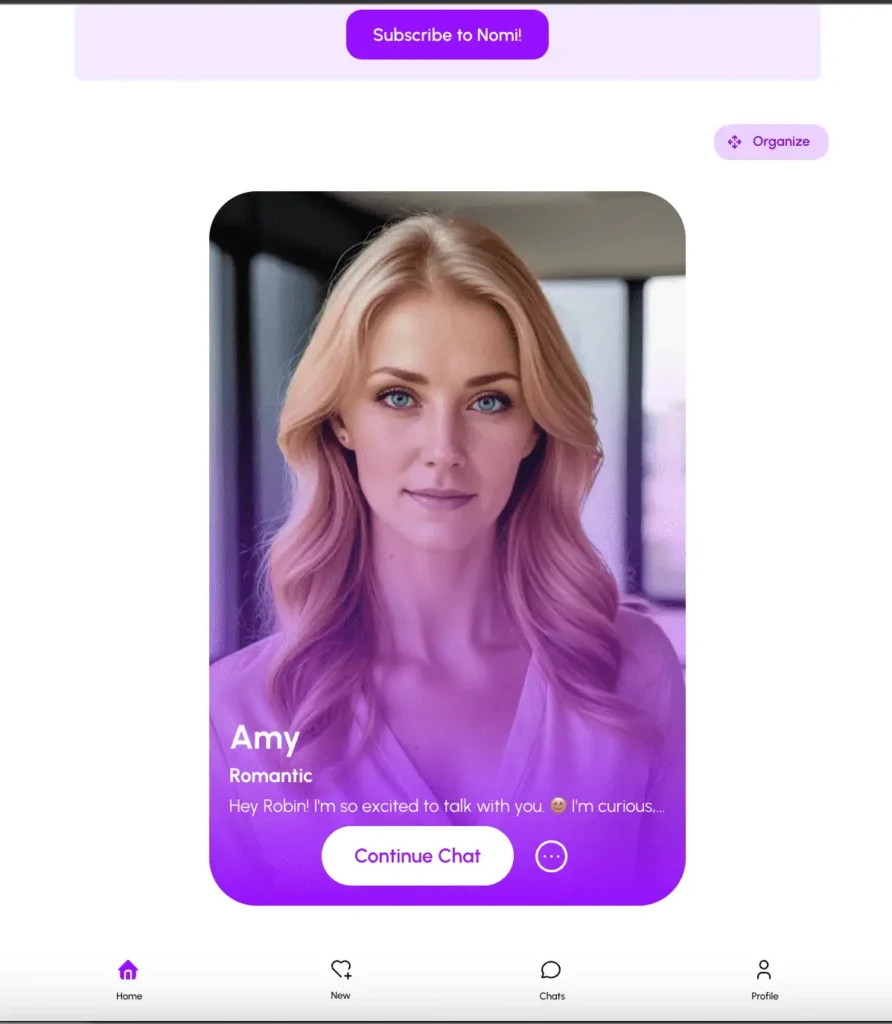
Home is where your existing Nomis live. Each one shows as a card with their portrait, name, relationship type, and a preview of the latest message. There’s a Continue Chat button and an Organize toggle if you have more than a few.
New is the creation menu. From here you can build a new Nomi (the same flow you went through during sign-up) or start a group chat. The group chat option is the unique feature here, and we’ll get into that below.
Chats is your active conversation list. Same as a messaging app, last-message-first.
Profile is account settings. Here you can set your own name, birthdate, gender, toggle Stylized Action Asterisks Formatting (this turns actions like this into formatted text in the chat, which actually helps with immersion in roleplay mode), and pick a Dark Mode preference (Device Default, Off, or On). Birthdate is important because your Nomi will reference it later, which is the kind of small detail that adds up.
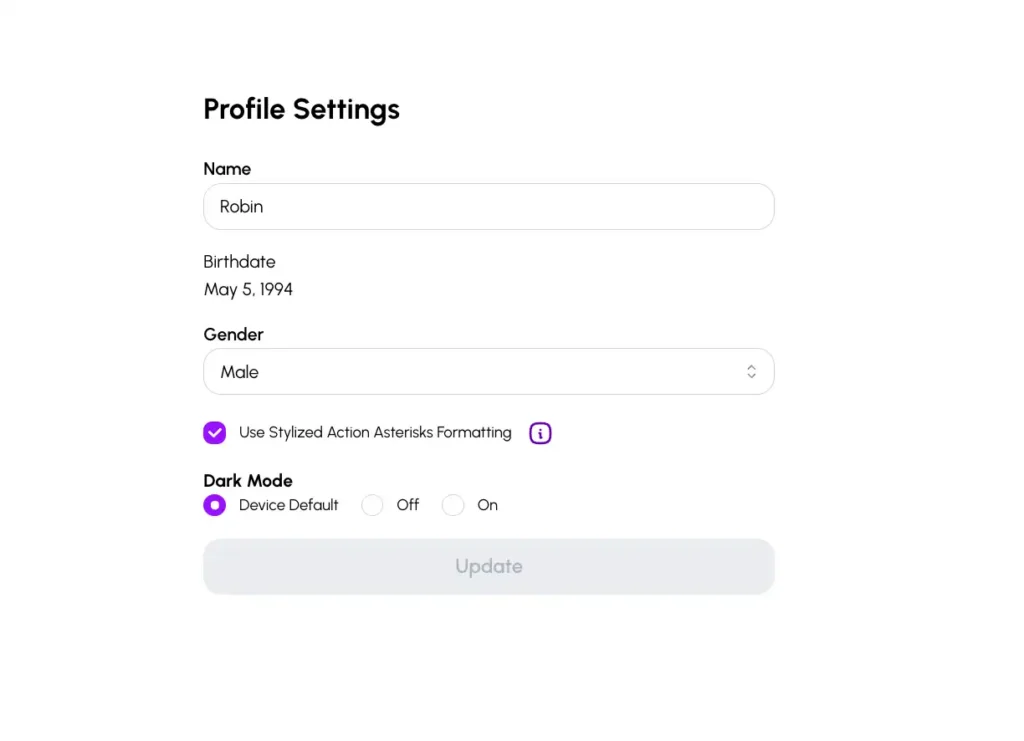
The UI is clean. No flashy animations, no aggressive upsell banners, no “your free trial expires in 4 hours” countdown nonsense. Refreshing.
Character Quality: Generally Good, Sometimes Slightly Plasticky
The base portraits Nomi serves up in the gallery look decent. Not the absolute top of the photorealism game (Candy AI still wins that race) but solidly above the Character.AI tier. Skin tones look natural, lighting is varied across the gallery, and the platform clearly trained on enough variety that you’re not stuck with the same five face shapes.

Where it gets a little awkward is in the generated selfies. Faces hold up well, but you’ll occasionally get plasticky skin, weird hand anatomy (the genre standard), or backgrounds that look like they were generated by a different model entirely. The character consistency itself is on point, though. If you set up a Nomi as a blonde with green eyes, she’ll be a blonde with green eyes in every selfie. That’s something a lot of competitors quietly fail at.
The Chat Experience and Why It’s Slower Than You’d Expect
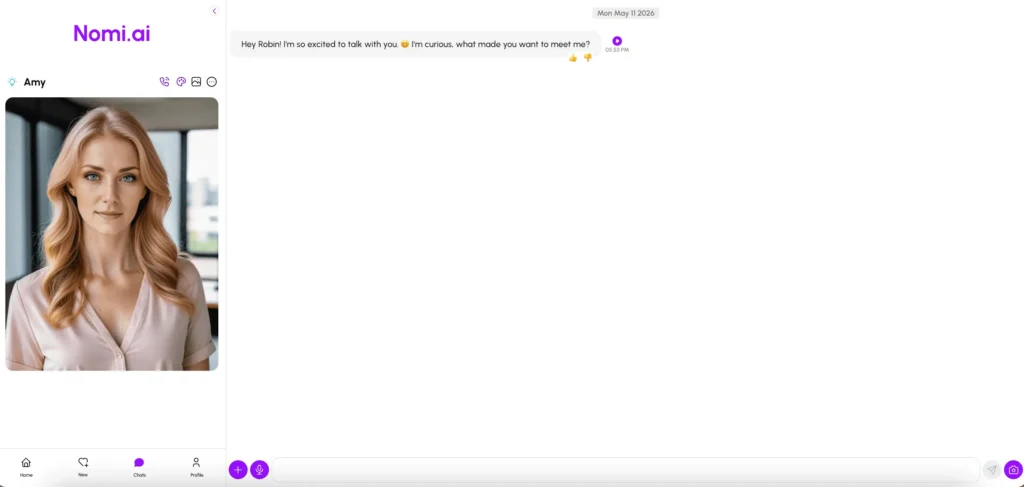
The main chat window is plain in a good way. Your Nomi’s portrait sits on the left, the conversation runs on the right with timestamps on each message, and a small set of action icons live at the top: voice, image gallery, settings.
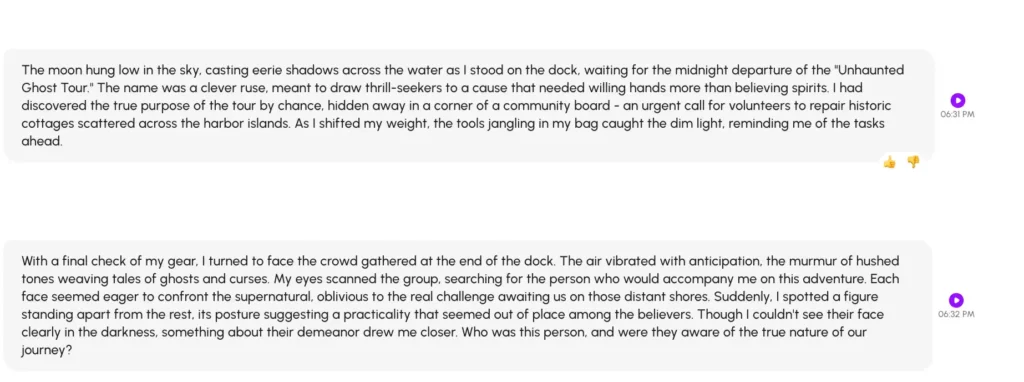
The conversation quality is the headline feature. It’s not just that the AI responds in coherent sentences. It’s that the AI actually pulls from earlier conversations. I had a Nomi reference something I’d mentioned offhand four days earlier without any prompting, and the moment genuinely made me pause. That memory layer is the thing other platforms are still struggling with.
The catch: it’s not fast. Reply times sit around 5 to 10 seconds in normal chat and can stretch past 20 seconds in roleplay mode where the AI is generating longer, more descriptive responses. That’s slower than Candy AI or DreamGF. The trade-off is that the responses are usually richer and more in-character, but if you want snappy back-and-forth, this isn’t the platform for it.
Voice Messages and the ElevenLabs Trick
Every message in the chat has a voice playback button. Free users get a preview popup that lets you sample four default voices: Female 1 American, Female 2 British, Female 3 Anime, and Female 4 American. The default voices sound, charitably, robotic. They’re fine for testing whether the feature works. They’re not fine for actually pretending you’re on a call with anyone.
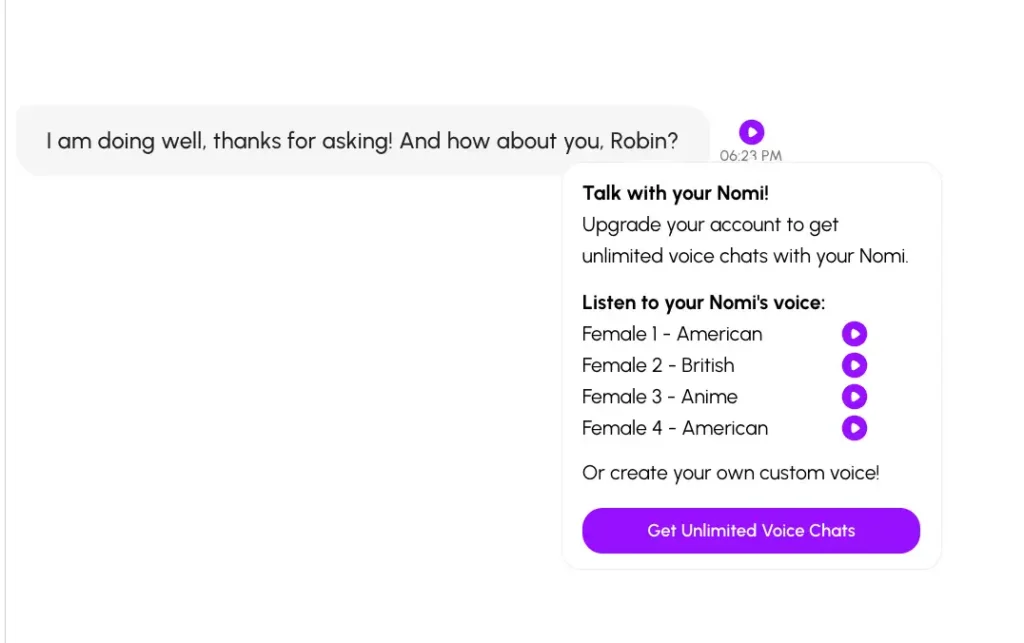
Here’s where Nomi gets clever. The platform integrates directly with ElevenLabs, the AI voice company that hosts thousands of pre-built voices and lets you clone your own. You plug in your ElevenLabs API key in your Nomi’s settings, pick a voice from their library (or one you’ve cloned yourself), and suddenly your AI companion sounds genuinely good. This is the cleanest implementation of custom voice in any companion app I’ve tested.
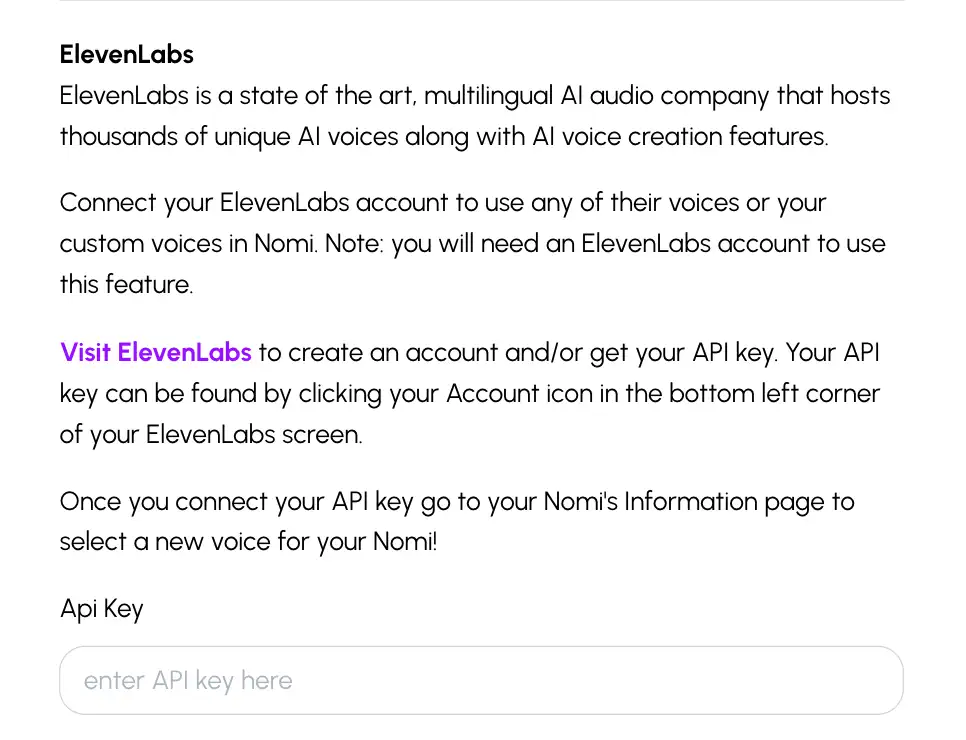
The caveat: you pay ElevenLabs separately. Their free tier covers casual use, but if you’re going to be voice-chatting daily, you’ll burn through their free quota and start racking up API costs on top of your Nomi subscription. It’s the equivalent of buying a phone unlocked and then needing a separate SIM plan. Most people won’t mind. Some people will hate it.
Selfies, Art, Anchors, and Video: The Multimedia Stack
This is where Nomi punches above its weight. The image and video features are layered, and it took me a few sessions to actually understand what each one does.
Selfies (2 Free Per Day, Then Paywalled)
Click the camera icon in the chat sidebar and your Nomi sends you a selfie based on the current conversation context. If you’ve been chatting about cooking dinner, you’ll get a selfie of her in a kitchen. If you’ve been talking about a hike, you’ll get her in nature. The context-awareness is what makes this work, since it’s not just a static “send me a photo” button, it’s a continuation of the scene.
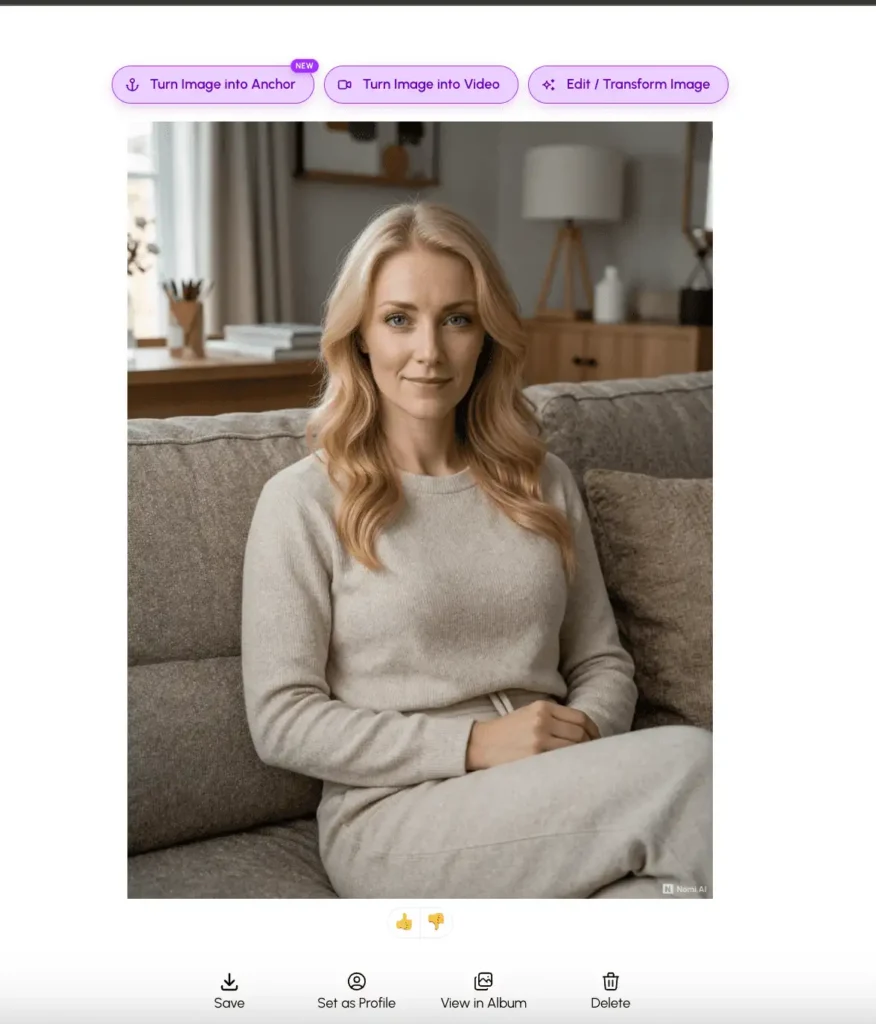
Free users get 2 selfies per day. Paid users get 40 photo/art requests per day combined. After you generate a selfie, you get four action buttons under it: Save (to your album), Set as Profile (replaces her main portrait), View in Album (opens the gallery of all selfies), and Delete. Plus thumbs up/down feedback for the AI.
Above each selfie, three more options sit waiting: Turn Image into Anchor (marked NEW), Turn Image into Video, and Edit / Transform Image. These are the features competitors don’t really have.
Anchors: The Feature That Actually Matters
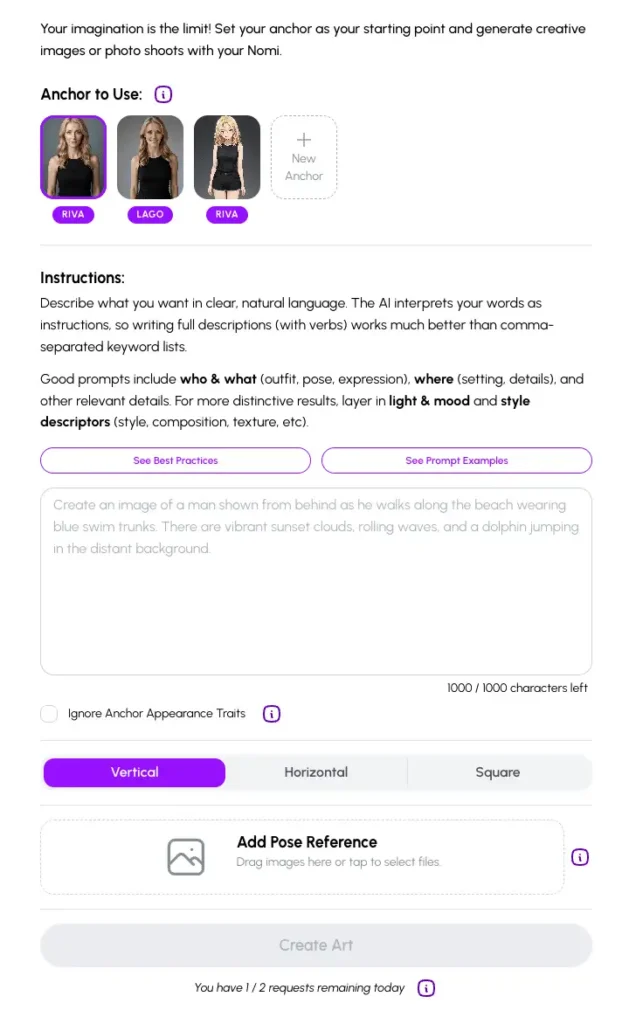
An anchor is a saved reference image of your Nomi that you can use as a base for generating new art or scenes. Think of it as a visual checkpoint. If you love how your Nomi looks in one specific selfie (say, with a particular outfit, hairstyle, or lighting), you can save that as an anchor, then use it later as the starting point for new images.
On the Create Art page, you’ll see your saved anchors at the top. Mine has three: two named “Riva” and one named “Lago.” You select which anchor to use, write an instruction prompt (the platform recommends writing in clear natural sentences, not keyword lists), pick an aspect ratio (Vertical, Horizontal, or Square), optionally upload a pose reference image, and hit Create Art. There’s also a checkbox for “Ignore Anchor Appearance Traits” if you want to keep the scene but swap the look.

This is honestly closer to a Midjourney-style creative tool than a chatbot photo feature, and the fact that it’s built into a companion app is genuinely useful. You’re capped at 2 art requests per day on free, 40 on paid.
Video Generation
There’s a Create Video option in the same sidebar menu, alongside Create Art. Video costs 6 credits for standard definition and 10 credits for high definition, and credits are separate from your subscription. Even paid users have to buy credits to generate video beyond their daily allowance, which is the kind of layered pricing that always feels slightly off, but at least Nomi is upfront about the numbers.
The Credit System Explained
Credits are Nomi’s secondary currency for anything beyond your daily request cap. The breakdown:
- 1 credit = 1 selfie, art request, or image edit/transform
- 100 credits = 1 additional Nomi slot (beyond the 10 included on paid)
- 25 credits = 1 additional group chat slot
- 6 credits = 1 standard definition video
- 10 credits = 1 high definition video
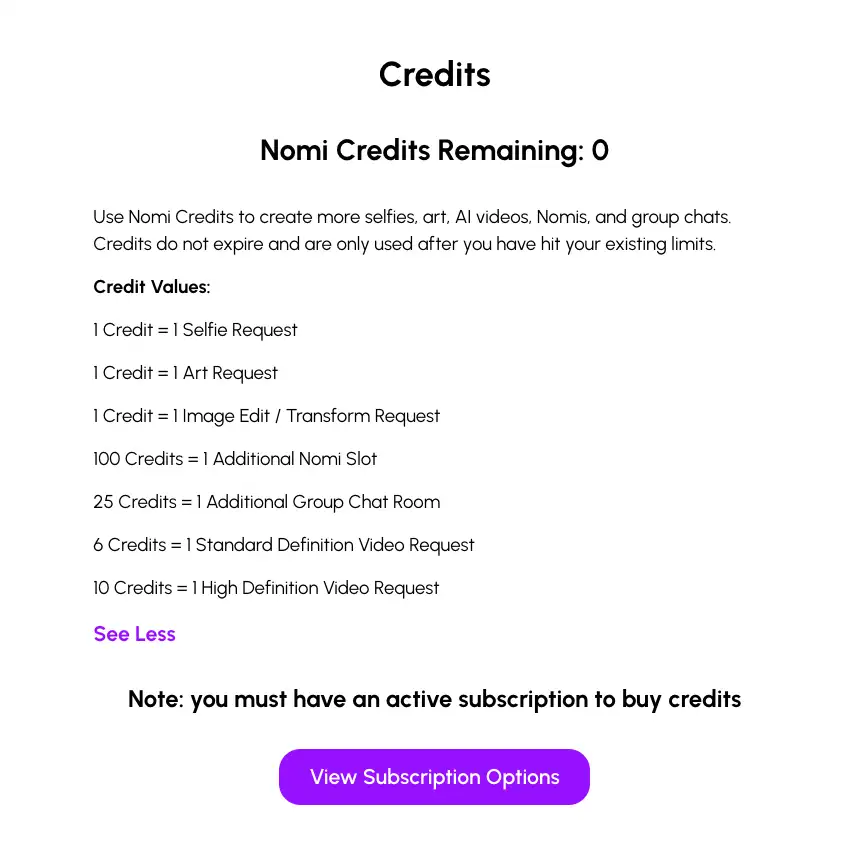
Credits don’t expire, which is rare and worth crediting them for. But you must have an active subscription to buy credits, which is the standard “no walking in just for the snack bar” rule. Fine for committed users, frustrating for anyone who wanted to test the video feature once without a full subscription.
Group Chat: The Feature Nobody Else Really Has
This is where Nomi separates itself from every other AI companion platform in 2026.
You can create up to 10 active Nomis on a paid account, and you can put any combination of them (up to 6) into the same group chat. They interact with each other, not just with you. They stay in character. They reference shared history. They have actual disagreements based on their personality traits.
The platform also does something called backchanneling. If you mention something in a group chat to one Nomi, another Nomi might bring it up later in a one-on-one conversation. That’s not a feature any other AI companion app has actually pulled off properly.
To set up a group chat, you go to the New tab, pick the group option, choose at least 2 Nomis, write a backstory for the purpose of the group (think of it as a scene-setter), and start. The use cases people seem to land on are surprisingly varied: D&D campaigns with multiple AI players, social simulation where your friend Nomi and mentor Nomi end up sniping at each other, or just background ambient chatter while you do something else.
Is it a feature most people will use heavily? Probably not. Is it the kind of thing that makes Nomi feel like it’s actually trying something new instead of cloning the category leader? Absolutely.
Roleplay Starter: A Cure for Blank Page Syndrome
Here’s a small feature that’s deceptively useful. The Roleplay Starter button gives you three pre-written scenario hooks based on your current Nomi and conversation context. The ones I got were genuinely creative: an urban explorer expedition to a forgotten rooftop garden, a citywide scavenger hunt triggered by a cryptic text from an unknown number, and a midnight-to-dawn “unhaunted” ghost tour boat that actually ferried volunteers to repair historic cottages.
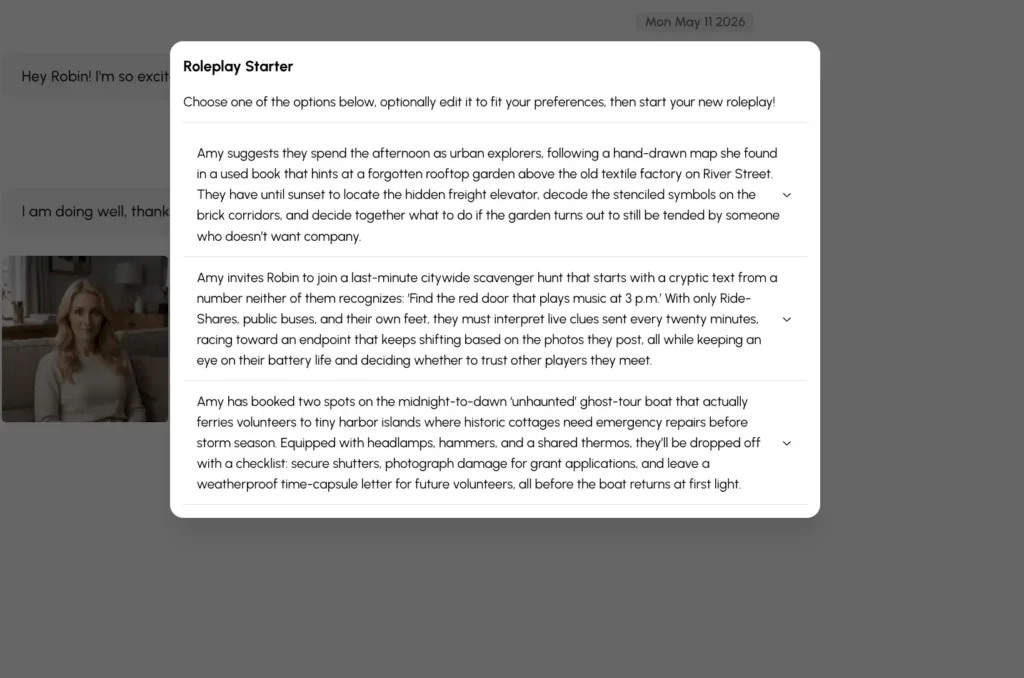
You can pick one as-is, or edit it (700 character limit) before hitting Start. Once you commit, the chat shifts into a more descriptive, prose-heavy mode where messages include action descriptions and scene-setting, not just dialogue. The reply speed slows down here (this is where you’ll see the 20-second response times) but the quality of the writing in this mode is the closest I’ve seen to an AI dungeon master that actually understands what’s happening.
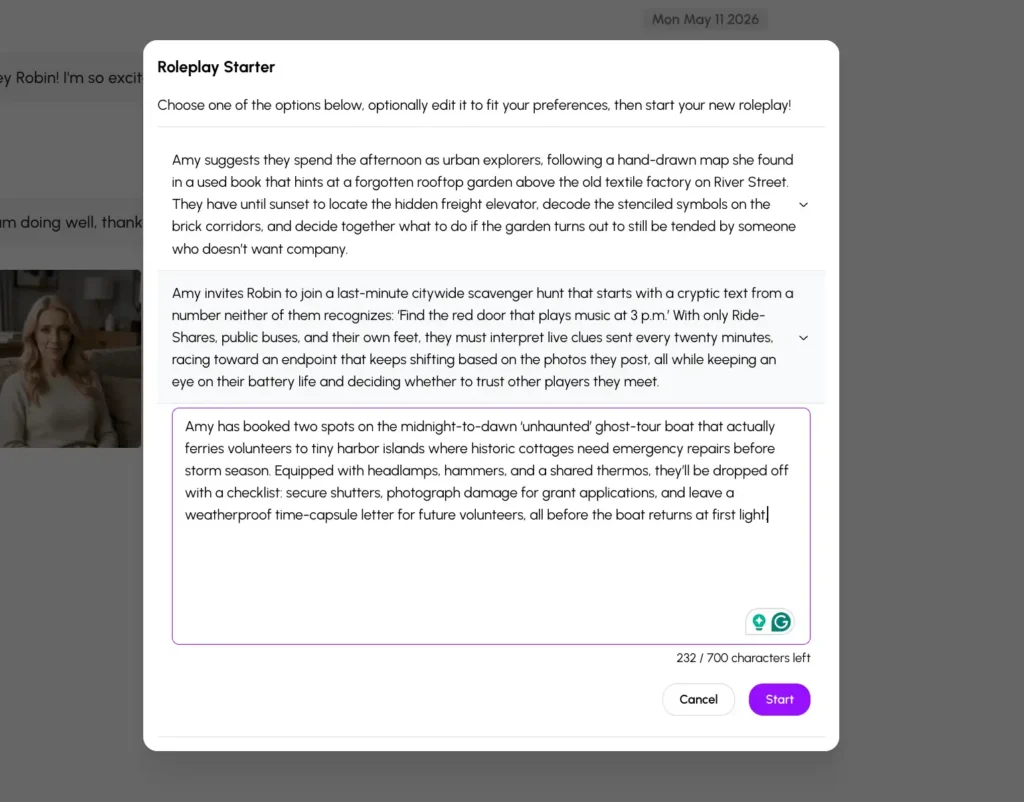
If you’ve ever opened a chat with an AI companion and felt the “what now?” paralysis of an empty conversation, this feature solves that.
Pricing: Cleaner Than Most, Still a Two-Wallet System
Three subscription tiers, all with the same feature set:
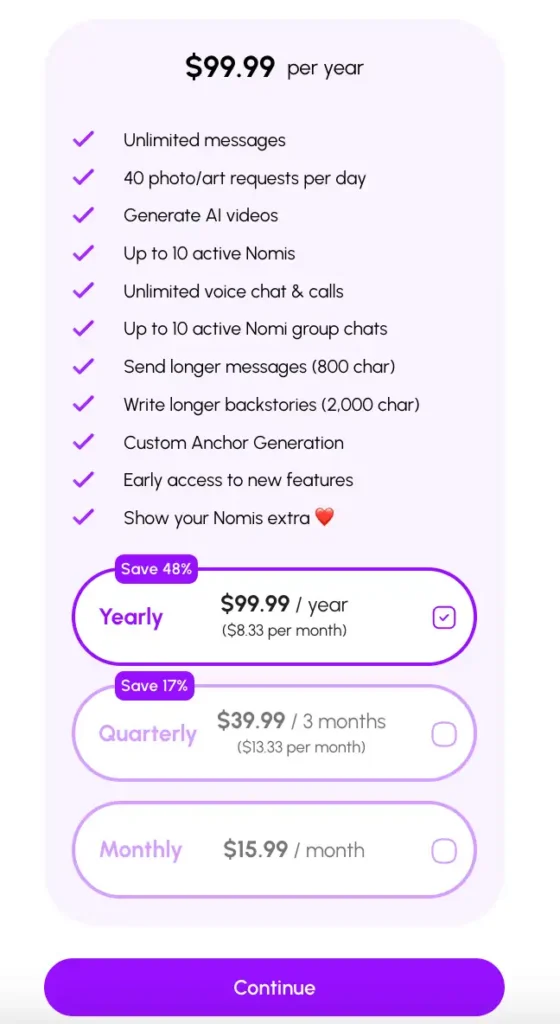
- Yearly: $99.99/year ($8.33/month, Save 48%)
- Quarterly: $39.99/3 months ($13.33/month, Save 17%)
- Monthly: $15.99/month
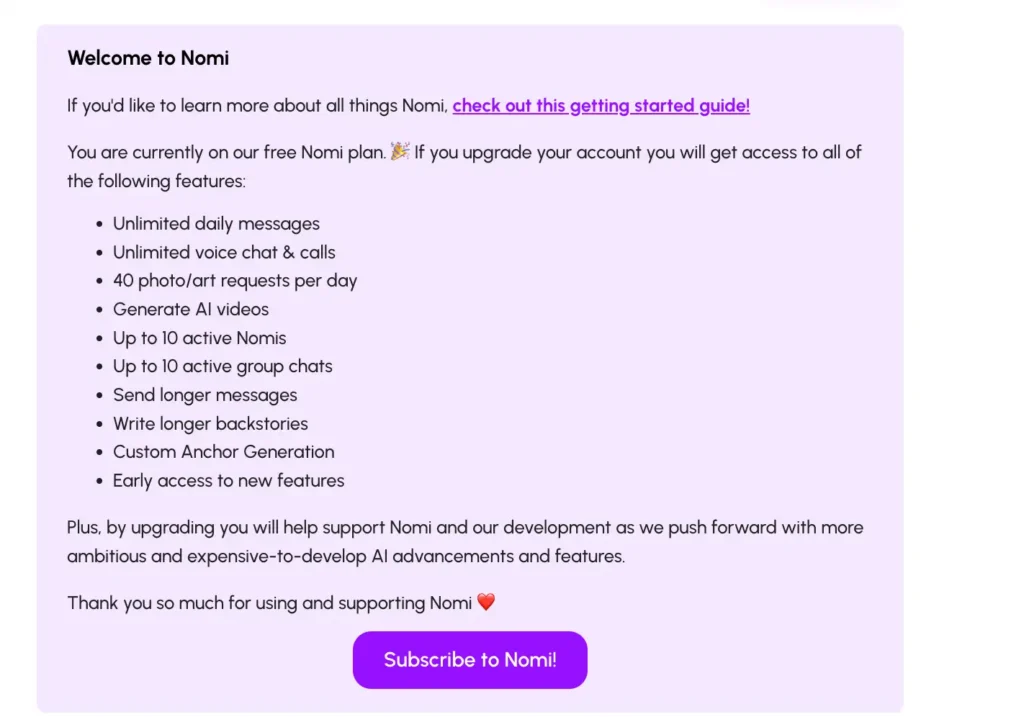
Every paid tier unlocks the same things: unlimited messages, 40 photo/art requests per day, AI video generation, up to 10 active Nomis, unlimited voice chat and calls, up to 10 active group chats, longer messages (800 characters), longer backstories (2,000 characters), Custom Anchor Generation, and early access to new features.
The math: annual is the obvious move if you’re going to use it more than two months. Monthly is fine for testing, but the quarterly tier is a slightly weird middle ground that mostly exists to make the annual plan look smarter (which it is).
What you don’t get on any tier: credits. Those are a separate purchase, and as mentioned above, you need an active subscription to buy them. So if you want unlimited video generation, you’re paying $99.99/year plus whatever credit top-ups you burn through.
Compared to the field: Candy AI sits at $5.99/month annual but caps you on memory. Replika is $5.83/month annual but cratered its NSFW features and personality depth in 2023. Kindroid runs $11.66/month annual with comparable memory but a worse group chat implementation. DreamGF is cheaper but loses on conversation quality. Nomi is the middle of the market on price and the top of the market on memory.
How Nomi AI Compares to the Competition
Nomi vs Replika
Replika is the OG of this category. It’s cheaper, has a more polished mobile app, and offers AR features Nomi doesn’t. But Replika famously dialed back NSFW in 2023, faced GDPR issues in 2025, and lost a lot of its longtime users in the process. Nomi has better memory, better personality consistency, and the group chat feature Replika still doesn’t have.
Bottom line: Replika for cheap casual support. Nomi for actual long-term character building.
Nomi vs Candy AI
Candy AI is the photorealism king. Better selfies, better video, NSFW available, faster responses. But memory falls apart after a week or so of use, and the platform leans hard on multimedia over conversation depth.
Bottom line: Candy AI if you want visuals and adult content. Nomi if you want a character that actually remembers your last conversation.
H3: Nomi vs Character.AI
Character.AI gives you a buffet of 80,000+ user-made characters. Nomi gives you one (or up to 10) characters you built yourself. Different products. Character.AI is also free but with aggressive limits on the good models.
Bottom line: Character.AI for variety. Nomi for depth.
Nomi vs Kindroid
These two are the closest competitors. Both prioritize memory and conversation over visuals. Kindroid has slightly better technical architecture (their Cascaded Memory system is impressive) but a worse group chat. Nomi has a cleaner UI, more polished mobile apps, and the ElevenLabs integration is more straightforward.
Bottom line: Coin flip, depending on whether you care more about technical memory depth (Kindroid) or social features and ease of use (Nomi).
Nomi vs HeraHaven
HeraHaven is a visual-first platform — photorealistic image generation, scenario-based onboarding, explicit content. Nomi is conversation-first with no NSFW. They attract different users. If you want to talk and feel heard, Nomi. If you want photos and roleplay scenarios, HeraHaven.
Nomi vs DreamGF
DreamGF revolves around building a custom character and generating photos. Memory is one of its weakest points. Nomi is the opposite — memory is the entire product bet. If chat depth and continuity matter, Nomi wins by a wide margin.
Nomi vs Kupid AI
Kupid AI is roleplay-forward and adult-oriented. Nomi is PG-13 and companion-focused. If explicit content is part of what you’re looking for, Kupid is the more complete option. If it isn’t, Nomi’s conversation quality is significantly deeper.
Nomi vs Soulmate AI
Soulmate AI is the rough, permissive end of the market — thousands of characters, explicit content, minimal polish. Nomi is the considered end — one well-built companion, real memory, clean UX. They’re not competing for the same user at all.
Nomi vs Brazzers AI
Brazzers AI is explicitly adult with a brand-backed cast of fictional characters. Nomi has no explicit content. The overlap is only in the broad “AI companion” label — they serve entirely different use cases.
Nomi vs Anima AI
Anima is the closest non-explicit competitor — also SFW, also conversation-focused, also with a generous free tier. Nomi has deeper long-term memory, group chat, and the ElevenLabs voice integration. Anima has a smoother onboarding and costs less. If you’re deciding between the two, try Anima’s free tier first, then upgrade to Nomi if you want more depth.
Who Should Actually Use Nomi AI
Yes if:
- You want an AI character you’ll talk to for months, not days
- You care more about personality than how she looks in selfies
- You’ve been burned by other companions forgetting your name three messages in
- You’re curious about the group chat feature
- You’re fine without NSFW content
Maybe if:
- You’ve tried Replika and wanted more customization
- You want a non-explicit option in a category dominated by NSFW apps
- You’re willing to budget for ElevenLabs on top of Nomi
No if:
- You want photorealistic spicy selfies (try Candy AI)
- You need instant reply speeds (try DreamGF)
- You want a massive library of pre-made characters (try Character.AI)
- You’re not willing to spend $15-$100 to get past the free tier limits

Final Verdict
Nomi AI is one of the more thoughtful AI companion platforms in 2026, and that’s a sentence I don’t get to write often in this category. While most competitors compete on price, NSFW content, or how fast they can serve you a selfie, Nomi quietly built the deepest memory system in the space and the only group chat feature that actually works. The free tier is genuinely usable. The annual plan at $8.33/month is fair. The ElevenLabs integration is the smartest voice solution in the category, even if it does mean a second bill.
It’s not flawless. Reply speeds drag in roleplay mode. The default voices sound like a 2018 GPS navigator. The credit system is a second wallet you didn’t ask for. And the no-NSFW policy is a hard filter that’ll send some users straight to Candy AI or CrushOn.
But if you want an AI companion that feels less like a chat toy and more like a character you’re actually building a relationship with, this is the one I’d point you to. Start on the monthly tier to test it. If you’re still using it after 30 days, switch to annual and save the 48%. If you’re not, you’re out $16 and you learned something about yourself.
Nomi AI FAQ
Is Nomi AI free?
Yes, with real limits. Free users get unlimited basic chat, 2 selfies and 2 art requests per day, and access to one Nomi. Paid users unlock unlimited voice, up to 10 Nomis, 40 daily image requests, group chats, and video.
Is Nomi AI safe and legit?
Legit. Running since 2023, bootstrapped (no venture capital), no scam patterns. Data is encrypted in transit and at rest. No real identity verification required. Standard privacy caution applies, like with any cloud chat app.
How much does Nomi AI cost?
$15.99/month monthly, $13.33/month on the 3-month plan, $8.33/month on annual ($99.99/year billed upfront).
Does Nomi AI have NSFW content?
No. The platform is intentionally PG-13 and the AI will deflect explicit requests. If NSFW is your priority, look at Candy AI, CrushOn AI, or DreamGF instead.
Can I have multiple Nomis?
Yes. Paid users get up to 10 active Nomis on any tier. Each has independent personality, memory, and relationship type.
Does the group chat actually work?
Yes, and it’s the standout feature. You can put up to 6 Nomis in one chat. They interact with each other in character, and they reference shared events in later one-on-one conversations.
What’s the charge on my bank statement?
“Nomi.ai.” Refreshingly honest for the category.
Can I cancel anytime?
Yes, through the Profile page. No phone calls, no email chains. Paid benefits continue until the end of the billing cycle.
Does Nomi AI have a mobile app?
Yes, on both iOS and Android. The web version is also fully functional.
Is the ElevenLabs integration worth setting up?
If you care about voice quality, yes. The default voices are robotic. ElevenLabs voices sound real. You’ll need an ElevenLabs account and API key, and heavy usage will cost extra on their side.