

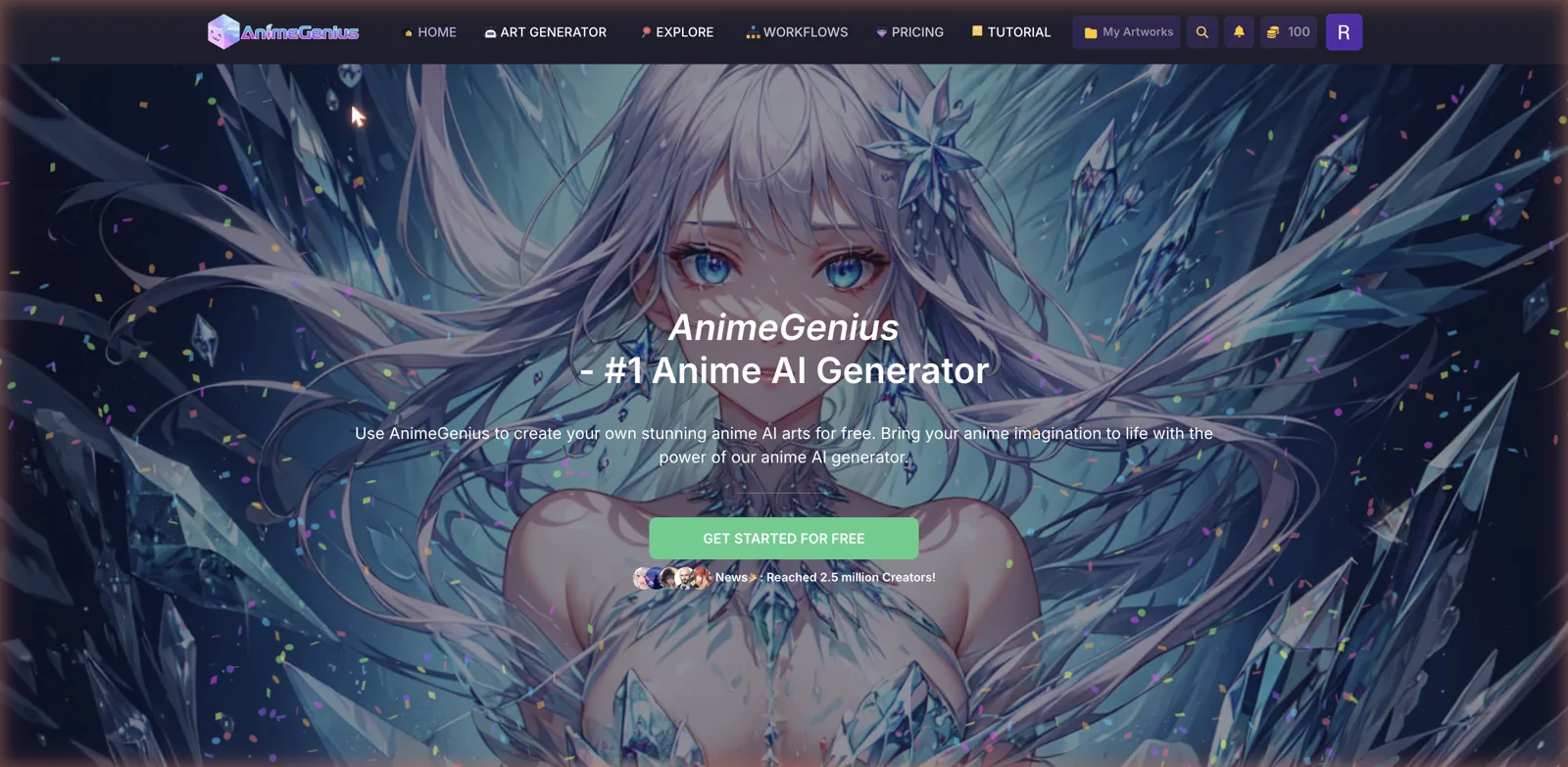
Not every platform I look at is a companion you talk to. Some are just tools, and AnimeGenius is one of the more capable ones in the anime corner. It is an image and video generator built by Live3D, the same team behind a popular VTuber app, and it wears the “number one anime AI generator” badge with a claim of two and a half million creators. There is no character to chat with here. You write a prompt, pick a model, and it draws you anime art. I spent an afternoon making pictures with it to see how good the results are and where the credit meter bites.
Top AI Girlfriend Platforms — Our Picks

Hyper-realistic AI companions with adaptive memory that recall your past conversations.

Build a custom AI companion and bring her to life with chat, images, and video.

Create a custom AI girlfriend with her own personality, generated images, and ongoing chat memory.

Characters that hold memory and context, so the relationship builds over time instead of resetting.

Chat with a fully custom AI girlfriend — choose her personality, outfits, and more.

Personalized AI companions for ongoing roleplay, with a simple, discreet signup.

Build a custom AI girlfriend, boyfriend, or anime character — choose the look and personality.

Customizable AI girlfriend personalities with realistic, ongoing conversations.
The short version is that it produces clean, consistent anime art quickly, the toolset is unusually broad for the category, and the free credits are enough to actually play with. It also has a couple of content categories that made me raise an eyebrow, which I will get to. If you want a girlfriend to text, this is the wrong tool. If you want to generate anime pictures and short clips, it is one of the better-built options I have tried. If texting is the goal, an AI girlfriend app from my eleven-app ranking fits better.

What AnimeGenius actually is
AnimeGenius is a browser-based anime art generator. The top navigation keeps it simple with Home, Art Generator, Explore, Workflows, Pricing, and Tutorial, plus a My Artworks folder for everything you make. The whole thing runs on a credit system, and the moment you land it nudges you to claim your free daily credits with a little coin mascot. I claimed mine and jumped straight into making something.
The Art Generator menu is where you see how much this thing actually does. On the generation side there is Text to Image, Image to Image with sketch coloring and realistic-to-anime conversion, an AI Image Editor, and Pose to Image. Then the video tools: Text to Video, Reference to Video, Image to Video, and Video to Video. Alongside those sit ready-made generate types for Character, Manga, Tattoo, Pokemon, Pixel, Fursona, and Wallpapers, plus simpler one-click tools like Photo to Anime, a Studio Ghibli style generator, an anime upscaler, and an OC maker.

That is a lot of surface area for a free tool. Most anime generators give you one text box and a couple of models. AnimeGenius is trying to be the whole studio, and the video generation in particular still puts it ahead of most of the pack.
Making my first image
The Text to Image page is the heart of it. On the left you get a prompt box that comes pre-loaded with quality tags like masterpiece and best quality, an Enhance button to expand your prompt, a Prompt Library, and a High Priority toggle for faster generation. On the right is a grid of models and a shelf of LoRAs. Each image costs ten credits, and the button tells you that before you spend.
The model lineup is genuinely varied. There is MeinaH, a general Anime model, a Realistic one, an illustrious NSFW model, plus newer heavyweights like GPT Image 2, Seedream 5, and Nano Banana, and an option to upload your own private model. Underneath sits a LoRA shelf where you can stack up to five style modifiers at once, things like character looks or a detail enhancer. It is more configurable than most casual generators without dumping you into a wall of sliders.
To keep my test clean I asked for a cheerful anime girl with short teal hair and green eyes in a cozy autumn sweater, sitting in a sunlit cafe by a window with a warm blurred background. About ten seconds later I had it, and it was good. The linework was clean, the composition matched what I asked for down to the autumn leaves outside the window, the hands were not a mangled mess, and it nailed the specific hair and eye colors I named.
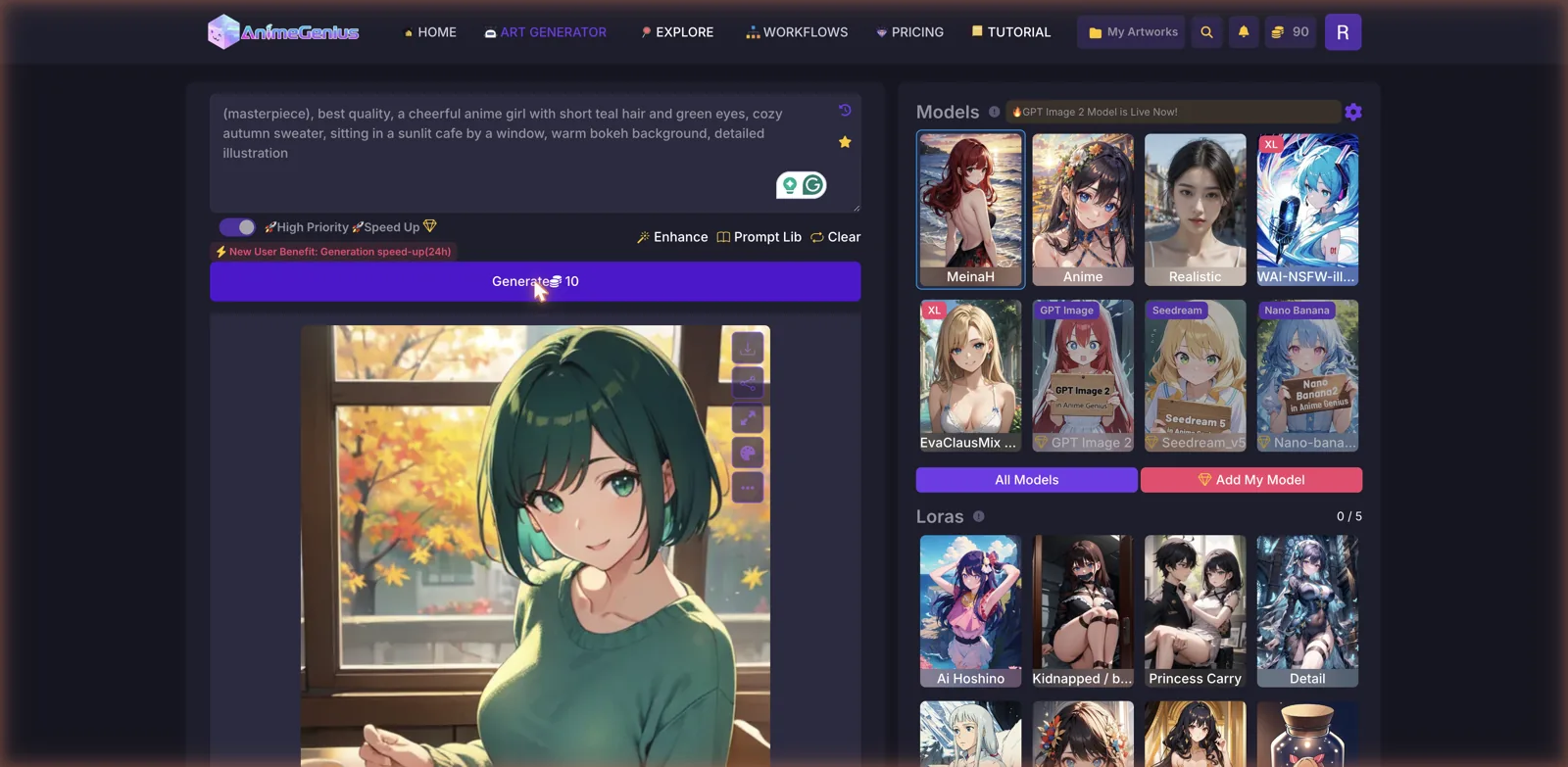
That is the thing about a dedicated generator like this. When it only has to draw a picture and not also hold a conversation and remember your name, it can put all its effort into the image, and it shows. Once a result appears you get buttons to download it, share it, upscale it, generate variations, and edit it further, so it is easy to iterate on something you like.
The little helpers around the prompt box matter more than they look. If you are not sure what to type, the Enhance button takes a rough idea and pads it out with the descriptive tags these models respond to, and the Prompt Library gives you working examples to start from. There is also a row of inspiration thumbnails with a Random button, so a blank page is never really blank. For someone new to prompting, that scaffolding is the difference between a frustrating first hour and actually getting a good picture on the second or third try.
Workflows, the OC maker, and the extras
Beyond the raw generators, AnimeGenius bundles a set of guided tools that lower the barrier if prompt writing is not your thing. The Photo to Anime tool turns a real picture into an anime version, there is a Studio Ghibli style generator for that specific soft look, an upscaler for cleaning up low-resolution art, and an Image to Prompt tool that reverse-engineers a prompt from an image you feed it. The OC maker is aimed at people building an original character, which ties into the community angle.
The Explore tab is a gallery of art other people have made, and it doubles as a place to find prompts and follow creators, since AnimeGenius leans on that two and a half million creator community as part of the pitch. Browsing other people’s work and lifting their prompts is honestly one of the faster ways to learn what the models can do, and it is the kind of feedback loop a lone text box never gives you. The Workflows section offers preset pipelines for more complex jobs where you want several steps chained together rather than a single generation. None of these are essential, but together they make the platform feel less like a bare text box and more like a place you could actually spend time learning.
The content side, and where I paused
This is an anime art tool, so it covers the full range of what people generate in that style, and that includes adult content. There is an uncensored model right in the default lineup, so the platform is NSFW capable even though the marketing and the front page lean toward broad, safe-for-work anime art rather than shoving explicit content at you. If you want clean wallpapers and character art, you can happily stay on that side.
Two things did give me pause. The generate types include a Shota category, and the LoRA shelf had a couple of edgy entries with names pointing at bondage and abduction themes. Shota in particular is the kind of youth-coded category that the more careful platforms deliberately avoid, and seeing it listed as a one-click option is worth flagging plainly. Like most open anime-art sites, the moderation of what users make and share is uneven, and the responsibility for staying on the right side of the line lands on you. There is a Content Policy page, and I would read it before you get deep into the community features.
Credits, plans, and the money math
AnimeGenius runs entirely on credits, and the free tier is more generous than most. You get fifty daily credits that you claim each day, and since an image costs ten, that works out to roughly five pictures a day before you are waiting for the reset at midnight UTC. The credits can stack if you forget to claim, and there are credit tasks you can complete to earn more, so a casual user can get real use out of it without paying a cent.

The subscriptions scale up the volume and unlock features. Basic runs nine dollars a month for eight thousand credits plus fifty a day, access to all models and LoRAs, and private model uploads, though notably it does not include video generation. Plus is the popular pick at twenty-nine dollars a month, bumping you to thirty thousand credits, a hundred and twenty a day, ten concurrent tasks, and the full video toolkit. Pro sits at fifty-nine dollars a month for sixty-five thousand credits and a hundred and eighty a day. All paid plans add commercial usage rights, which matters if you are making art to actually use somewhere.
There is also a stack of one-time credit packs, from ten dollars for seven thousand credits up to a hundred dollars for a hundred thousand, and those do not expire. That is a nice option if you generate in bursts rather than every day and do not want a subscription. The pricing page runs a monthly-versus-annual toggle with a discount for paying yearly. One thing I appreciated is that the pricing is laid out cleanly with no fake countdown timer screaming at you, which is more restraint than a lot of this category shows.
How it compares
The most direct comparison I have written up is BetterWaifu, which is also an anime and hentai image generator wrapped in a community imageboard, with a deep model library and tag-based prompting. If you are choosing between the two, they are close rivals, though AnimeGenius pulls ahead on the video side while BetterWaifu goes deeper on its tagging system and community feed. Reading them side by side will tell you which workflow suits you.
If the video side is what tips it for you, CreateHentai and its GIF tools are worth adding to that shortlist, since it animates too and goes deeper than either on character customization.
For a broader creative suite, Yodayo is the one to know, since it pairs a huge anime companion library with image, video, music, and voice generation plus LoRA training, so it does even more than AnimeGenius if you want everything under one roof. On the companion side, Soulkyn is worth a look because its image generation is a real strength and it ties pictures directly into chat, which is the opposite approach to AnimeGenius keeping the art standalone.
The eHentai.ai companion app runs in the other direction again, built chat-first with image generation and custom characters attached, rather than an art tool with a roster on the side.
If the video generation is what caught your eye, SoulFun AI and DarLink AI both build video generators into companion platforms, so they are the ones to weigh if you want the moving-image feature attached to a character you can also talk to rather than a pure art tool.
What I liked and what I did not
On the plus side, the image quality is genuinely good, and it comes out fast and clean even from a simple prompt. The toolset is wide, with image, video, editing, and a pile of guided one-click tools, and the video generation still sets it apart. The free tier of fifty daily credits actually lets you make things, the model and LoRA selection is deep, private model uploads and one-time non-expiring credit packs are welcome touches, and the pricing page is refreshingly free of fake urgency.
The downsides start with the credit math. Ten credits an image means the free fifty runs out after about five pictures, so heavy sessions will push you toward paying. Video generation is locked out of the cheapest Basic plan, which feels like a miss given it is the headline feature. The focus is squarely anime, so despite a realistic model on the menu this is not the tool for photoreal work. And the Shota category plus a few edgy LoRAs are a content-moderation concern I would not gloss over.
Who it is for
AnimeGenius is for people who want to generate anime art and short clips, not chat with a character. If you are an artist looking for reference or inspiration, a hobbyist who wants to see your original character drawn, or someone who just likes making anime wallpapers, it does that well and lets you do a fair amount for free. The breadth of tools and the quality of the output make it an easy one to recommend sampling in that lane.
If you came looking for a companion to talk to, this is not that, and a chat platform will serve you better. And if you plan to wander into the adult or community side, go in with your eyes open about the moderation and the content categories on offer. But taken for what it is, a focused, capable, surprisingly complete anime generator, AnimeGenius earns its spot. Claim your daily credits, start on the free tier, and see how far the pictures get you before you decide whether a plan or a credit pack is worth it.






