The first time I reviewed AIMOUR, I spent most of my time in the character builder and couldn’t test much else. This time I had a test account with 2,560 tokens, so I spent them. I chatted, ran a memory test, requested photos, edited one with a text prompt, turned it into a video, built a character from scratch and checked every menu in between.
Top AI Girlfriend Platforms — Our Picks

Hyper-realistic AI companions with adaptive memory that recall your past conversations.

Story-driven AI roleplay with characters you shape, plus images generated right in the chat.

Uncensored AI chat with customizable characters and on-demand image generation.


An AI girlfriend for flirty chats and custom photos, ready whenever you are.

Create a custom AI girlfriend with her own personality, generated images, and ongoing chat memory.

Build a custom AI companion and bring her to life with chat, images, and video.

Personalized AI companions for ongoing roleplay, with a simple, discreet signup.

Build a custom AI girlfriend, boyfriend, or anime character — choose the look and personality.

Customizable AI girlfriend personalities with realistic, ongoing conversations.
Short version: AIMOUR is a fully adult AI companion platform with better image tools than I expected and a token economy you need to understand before you buy. Here’s the full picture, with step-by-step guides and exact token costs.
Heads up: AIMOUR is 18+ and explicit almost everywhere you look, including the browse grid, the Feed and parts of the character builder. I kept my own tests tame and blurred or skipped anything explicit in the screenshots below.
Is AIMOUR worth it? The short answer
AIMOUR is worth it if you want an uncensored companion with strong photo editing and video, and you’re fine paying per action with tokens. Chat is cheap at 1 token per message, memory held up in my test, and the photo editor is one of the best I’ve used. Video and custom characters are expensive, though, and the platform pushes explicit content hard.
- Best for: adults who want realistic or anime companions, inclusive options (female, male, trans) and visual extras
- Price: token packs from $5.90 for 600 tokens to $23.90 for 5,000
- Standout features: text-prompt photo editing, image-to-video, 9-step builder, 15 chat languages
- Biggest annoyance: explicit content is front and center, with no safe-for-work browsing mode that I could find
What’s in this review
- What is AIMOUR?
- How much does AIMOUR cost?
- What does each feature cost in tokens?
- How do you find a character on AIMOUR?
- How good is AIMOUR’s chat?
- How do AIMOUR’s relationship levels work?
- Can AIMOUR characters send photos?
- How do you edit a photo on AIMOUR?
- How do you turn a photo into a video?
- How do you create your own AIMOUR character?
- What are the Feed and Media sections?
- How do you earn free tokens on AIMOUR?
- AIMOUR pros and cons
- AIMOUR vs alternatives
- AIMOUR FAQ
What is AIMOUR?
AIMOUR (app.aimour.ai) is an uncensored AI companion platform where you chat with realistic or anime characters, request photos and videos, and build your own companions. It’s operated by Ads boost ltd. in Nicosia, Cyprus, and it’s strictly 18+.
What sets it apart from most rivals is inclusivity. Female, male and trans characters are all first-class options, and the homepage banners openly feature LGBTQ+ couples. If you’ve been frustrated by apps that only serve straight men, AIMOUR treats everyone as a customer.
The left sidebar has six sections: Feed, Models, Create character, Chats, Media and My Collections. Your token balance sits at the top right.
How much does AIMOUR cost?
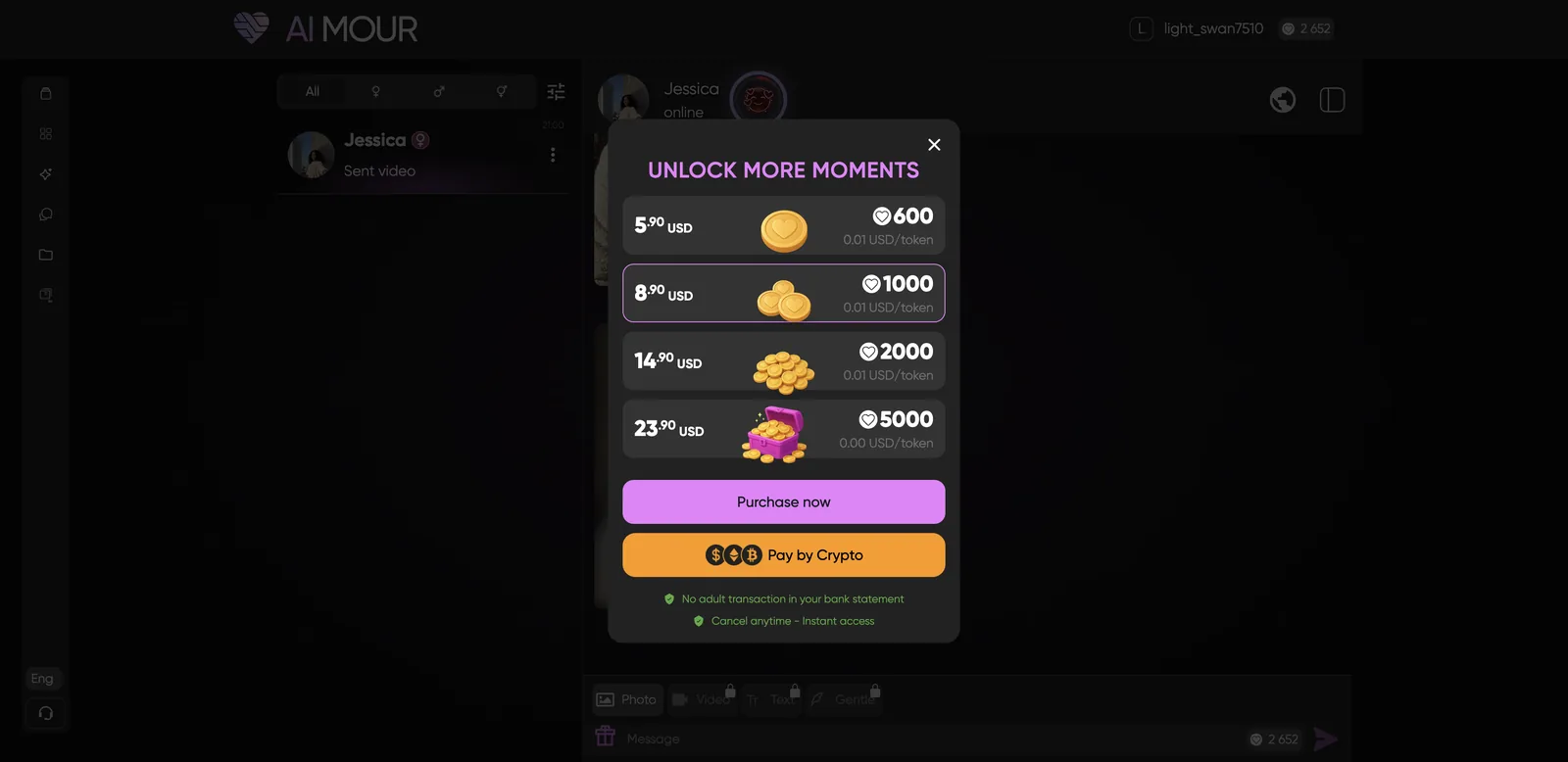
AIMOUR runs on tokens, sold in packs from $5.90 (600 tokens) to $23.90 (5,000 tokens). That works out to roughly half a cent to one cent per token. My test account showed a Trial subscription, but the main buying flow is the token pack popup.
| Pack | Tokens | Price per token |
|---|---|---|
| $5.90 | 600 | ~$0.010 |
| $8.90 | 1,000 | ~$0.009 |
| $14.90 | 2,000 | ~$0.007 |
| $23.90 | 5,000 | ~$0.005 |
You can pay by card or crypto. AIMOUR says no adult transaction shows on your bank statement and you can cancel any time. Some chat features (Video, Text and Gentle modes in the chat bar) stay locked until you make a purchase.
What does each feature cost in tokens?
Chat is cheap, visuals are expensive. Here’s what I actually paid during testing:
| Action | Cost | In dollars (approx.) |
|---|---|---|
| Chat message | 1 token | under 1 cent |
| In-chat photo | Free on my account | $0 |
| Edit a photo with text | 30 tokens | $0.15 to $0.30 |
| Create photo in Media | 30 tokens | $0.15 to $0.30 |
| Image-to-video | 200 tokens | $1 to $2 |
| New custom character | 500 tokens | $2.40 to $5 |
| Make a character private | +100 tokens, chat costs 1.5x | $0.50 to $1 |
| Unlock a locked media item | 200 to 400 tokens | $1 to $4 |
| Unblur all of a model’s media | 3,400+ tokens | $16 to $34 |
Over the whole session I spent 733 tokens and earned 135 back from bonuses. On the $8.90 pack, 1,000 tokens buys roughly a character, a video, a handful of edits and a few hundred messages. That’s fair for the chat and editing, steep for video, and the locked media unlocks add up very fast.
How do you find a character on AIMOUR?
Open Models and filter by style, source, gender and popularity. The filters are:
- Style: All, Anime or Realistic
- Source: All, Premium (made by AIMOUR) or Community (made by users)
- Gender: All, female, male or trans
- Sort: Trending or Recently Added
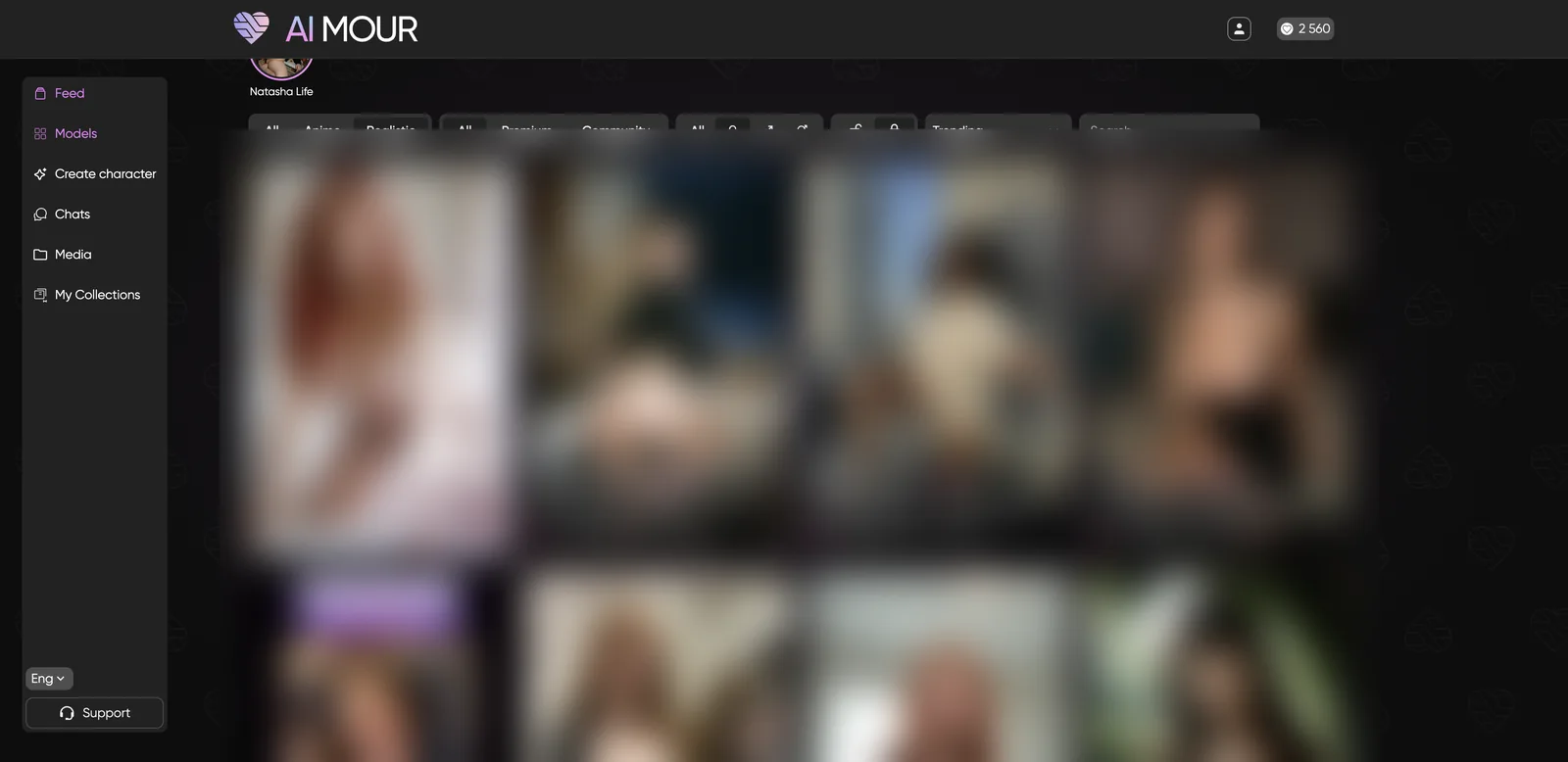
The search bar suggests attribute tags as you type, like hair color, eye color, body type and ethnicity, so you can search by look rather than name. Fair warning: most of the browse grid is fully explicit (I’ve blurred it above).
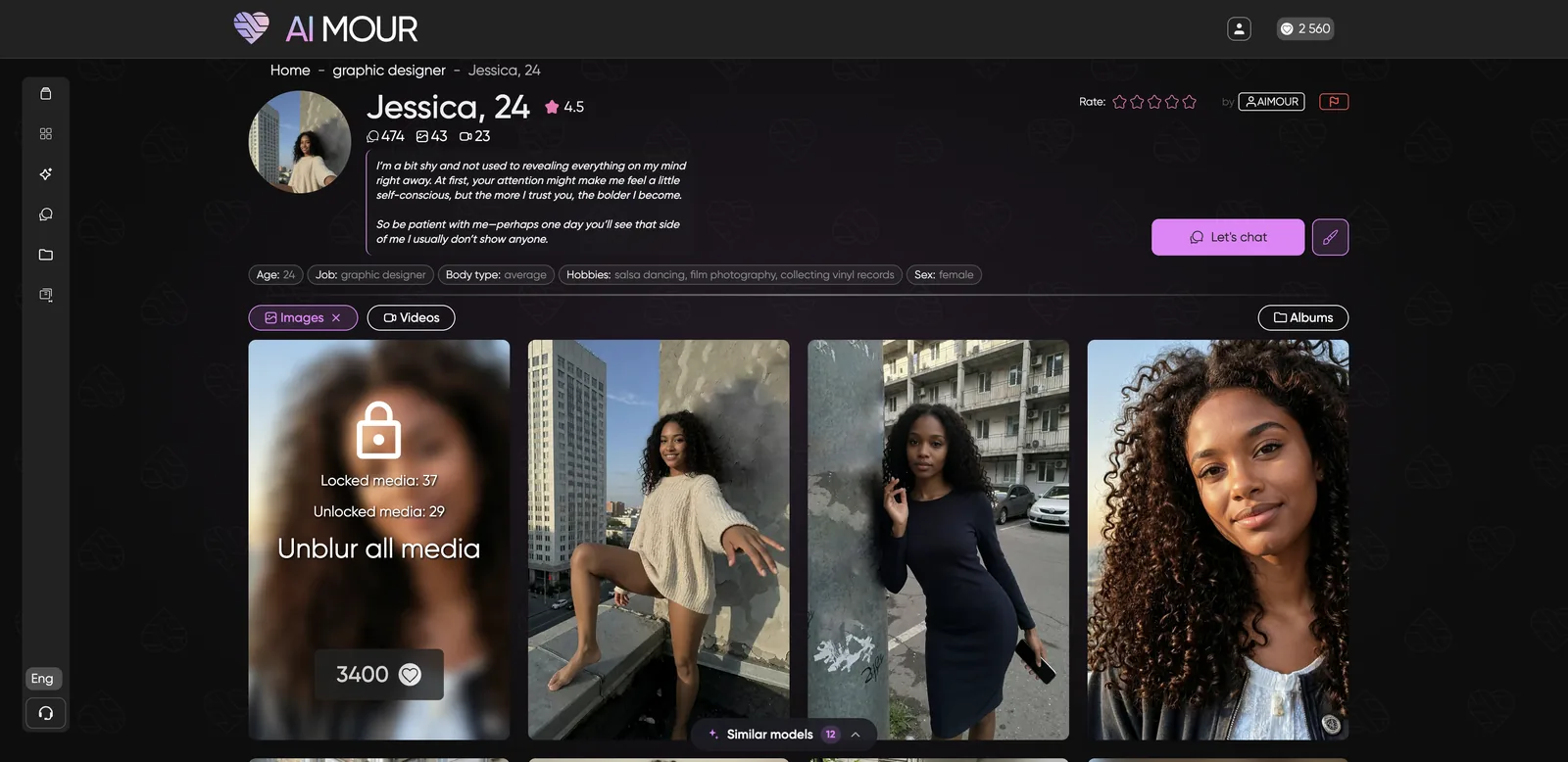
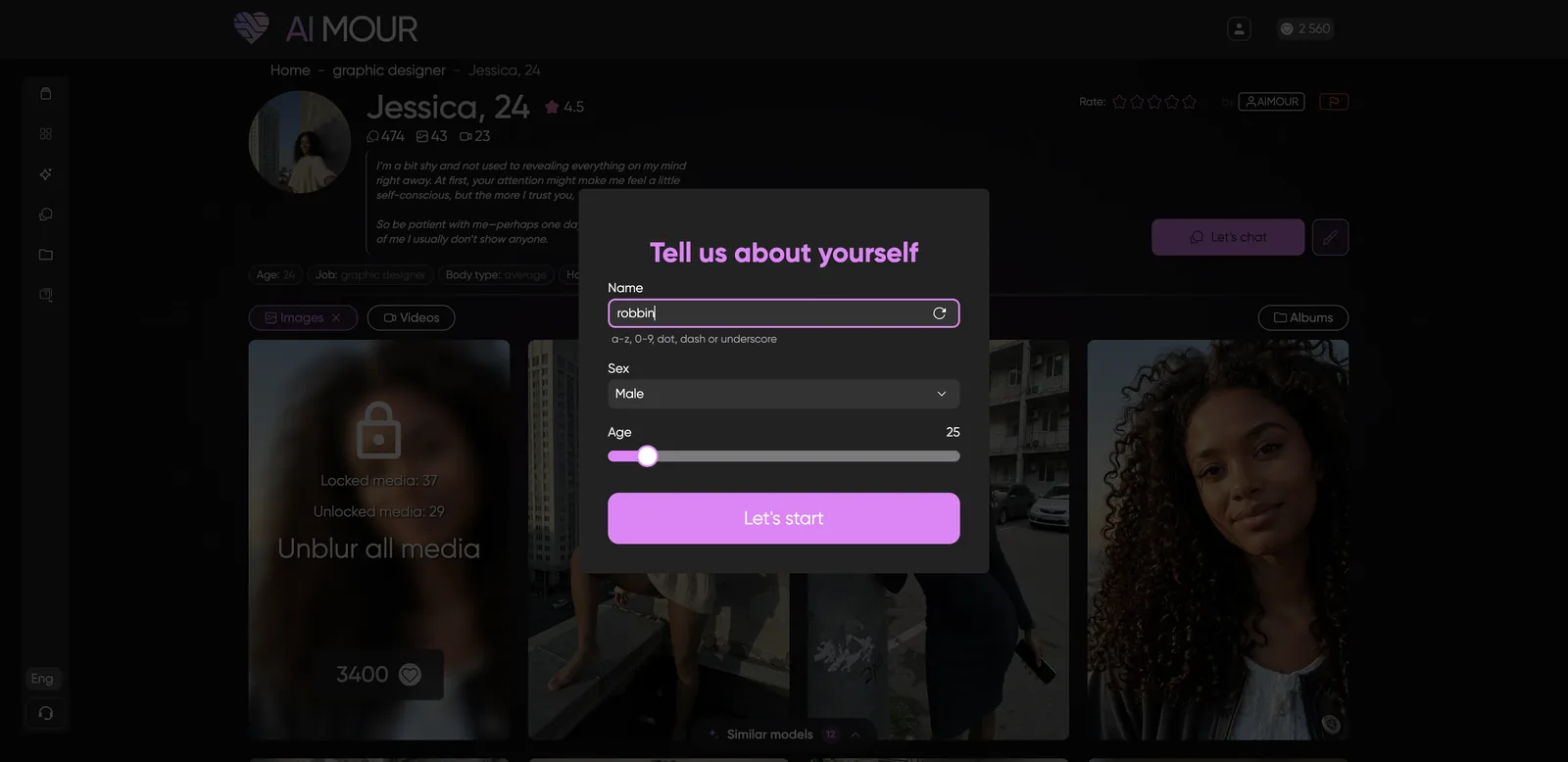
Each character has a profile with a bio, job, hobbies, body type, ratings, chat count and media counts. Jessica, the graphic designer I chatted with, had a 4.5 rating, 474 chats, 43 images and 23 videos. The profile’s media gallery mixes free photos with locked ones you can buy for 200 to 400 tokens each, or unblur everything at once for 3,400. Some of the locked categories go further than most readers will want, so browse with that in mind.
How good is AIMOUR’s chat?
AIMOUR’s chat is short, flirty and consistent, and it passed my memory test. It’s built for quick back-and-forth texting rather than long roleplay scenes.
How to start a chat
- Open a character’s profile and click Let’s chat.
- Fill in the “Tell us about yourself” card: your name, sex and age.
- Click Let’s start. You get 50 bonus tokens for your first chat.
- Type your message. Each one costs 1 token.
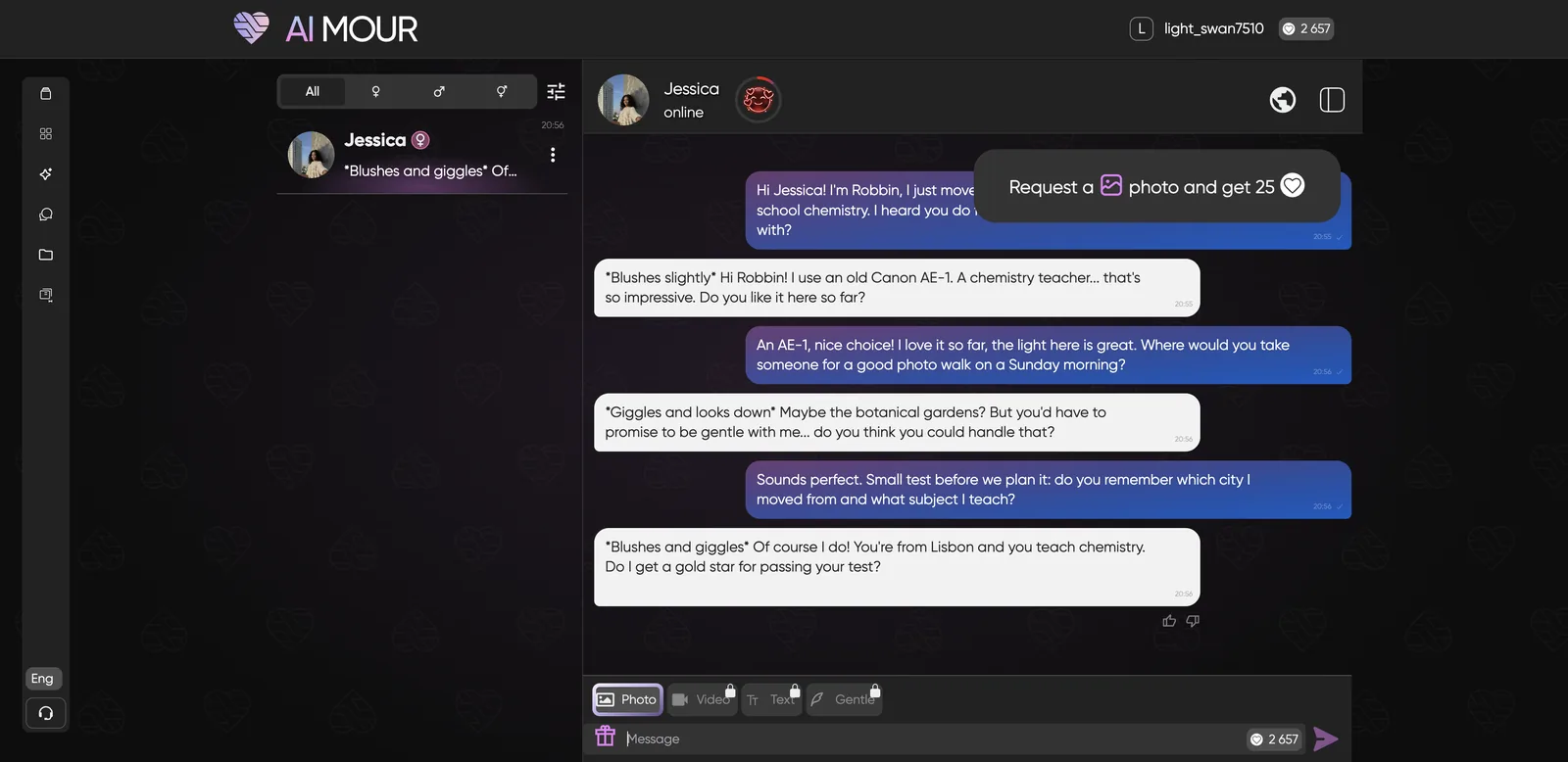
I introduced myself to Jessica as Robbin, a high-school chemistry teacher who’d just moved from Lisbon, and asked what camera she shoots with (her profile lists film photography). She answered “an old Canon AE-1”, which is a real and fitting film camera, and stayed in her shy persona with lots of blushing.
When I asked for a Sunday photo-walk tip, she suggested the botanical gardens and then turned flirty right away. That’s the nature of the platform: characters steer toward romance quickly, even in Level 1.
Memory test: on my third message I asked if she remembered my city and subject. Her reply: “Of course I do! You’re from Lisbon and you teach chemistry. Do I get a gold star for passing your test?” Pass.
Can you chat in other languages?
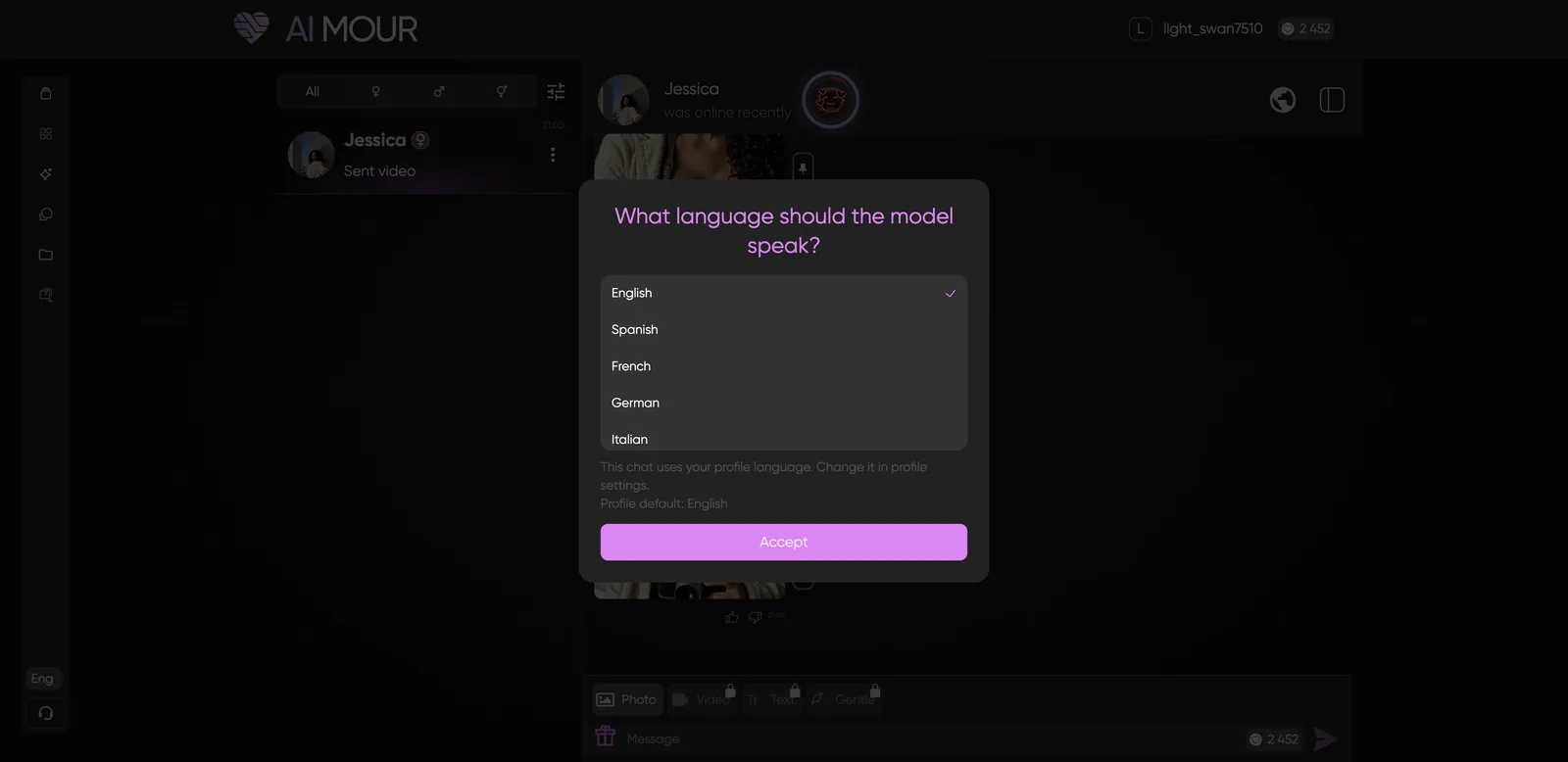
Yes. The globe icon in the chat header sets the language for that conversation. There are 15 options: English, Spanish, French, German, Italian, Portuguese, Russian, Japanese, Korean, Chinese, Turkish, Arabic, Hindi, Vietnamese and Persian. You can also set a default chat language in your profile.
How do AIMOUR’s relationship levels work?
Each chat has four levels, and higher levels unlock more intimate content. Click the level badge next to the character’s name to see what each level allows.
| Level | Name | What it unlocks |
|---|---|---|
| 1 | Icebreaker | Text messages, casual selfies, image to video |
| 2 | Sympathy | Flirty texts, new avatars |
| 3 | Chemistry | Romantic talk, sending your own photos, lingerie photos, voice messages |
| 4 | No limits | Fully explicit content and voice |
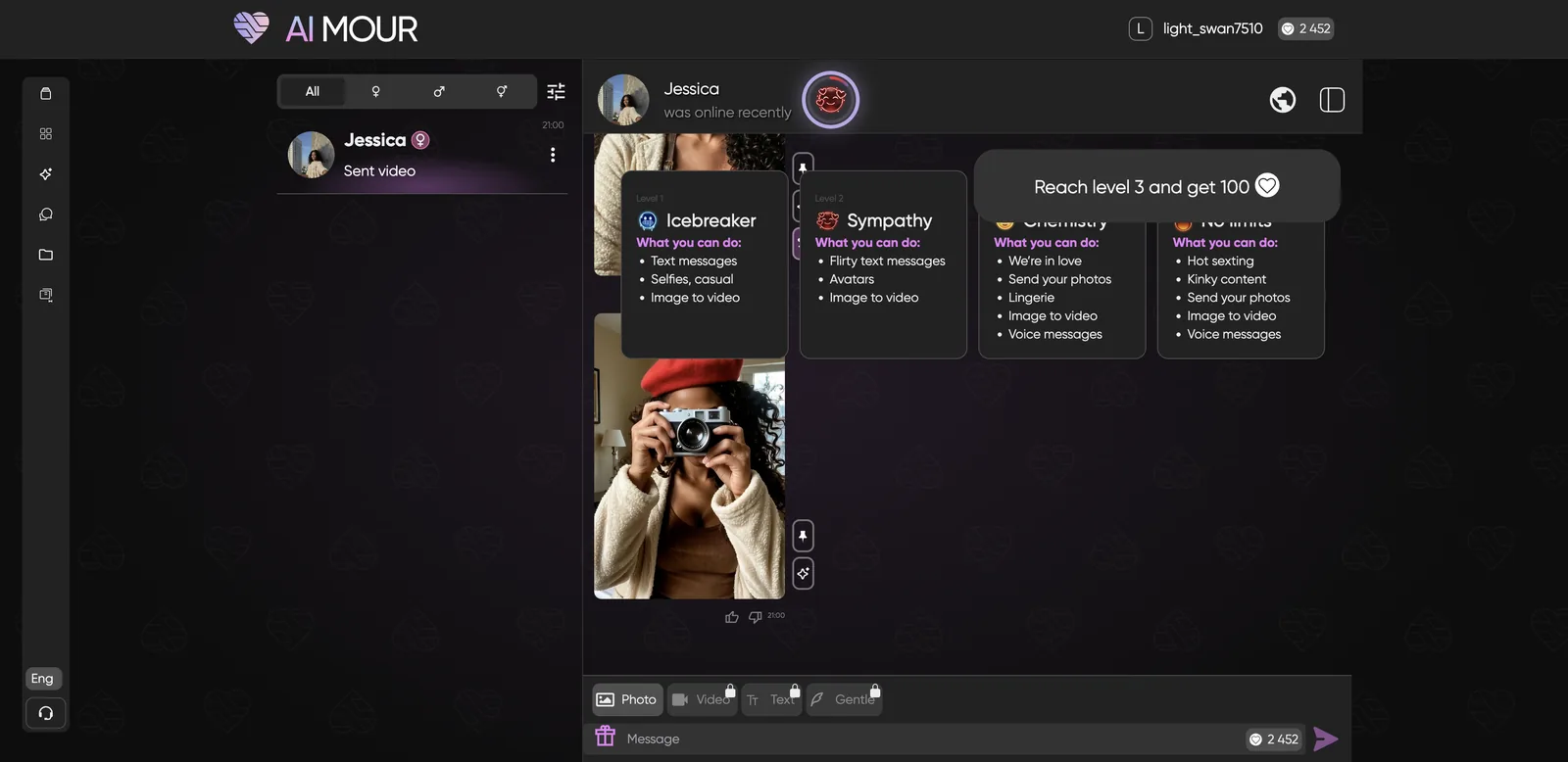
Leveling is fast. I hit Level 2 after three messages and got 50 tokens for it. The chat also shows little quests, like “request a photo and get 25” and “reach level 3 and get 100”, which is a smart way to hand out free tokens while teaching you the features.
Can AIMOUR characters send photos?
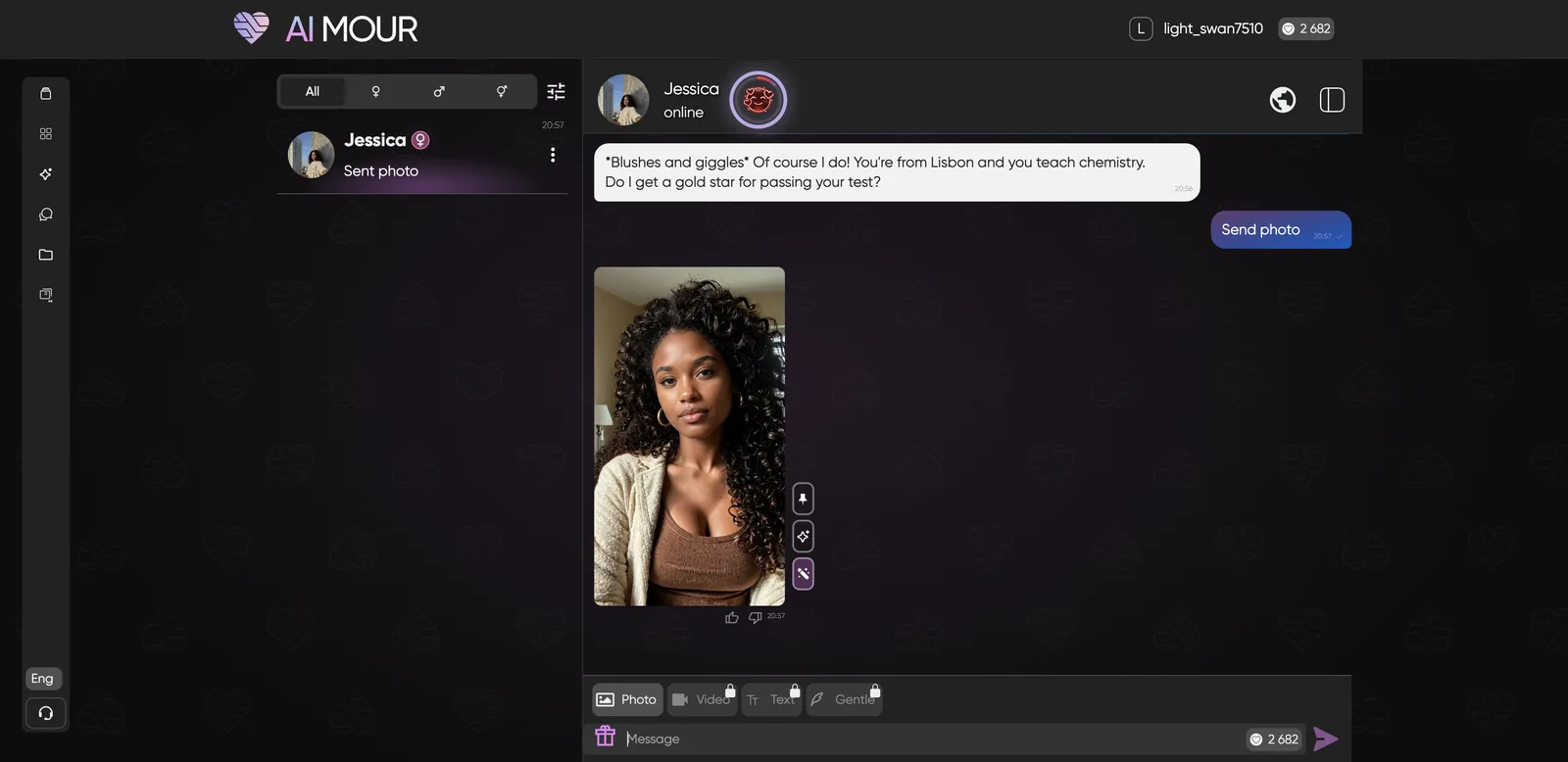
Yes. Tap Photo in the chat bar and the character sends a new picture in about 20 seconds. On my account it cost nothing, and I got 25 tokens back for completing the photo quest.
At Level 2, Jessica sent a casual selfie: cream cardigan, brown top, big curly hair, same face as her profile. It looked like a real phone photo. Each photo gets three buttons on the side:
- Save to album keeps it in your collections.
- Generate Video animates it (200 tokens).
- Edit Photo changes it with a text instruction (30 tokens).
How do you edit a photo on AIMOUR?
Click Edit Photo, describe the change in plain English, and pay 30 tokens. This was my favorite feature on the platform.
- Hover over a photo in chat and click the Edit Photo button (the wand icon).
- In the “Change” box, describe what to change (up to 500 characters).
- Click Change, 30 tokens and wait about 25 seconds.
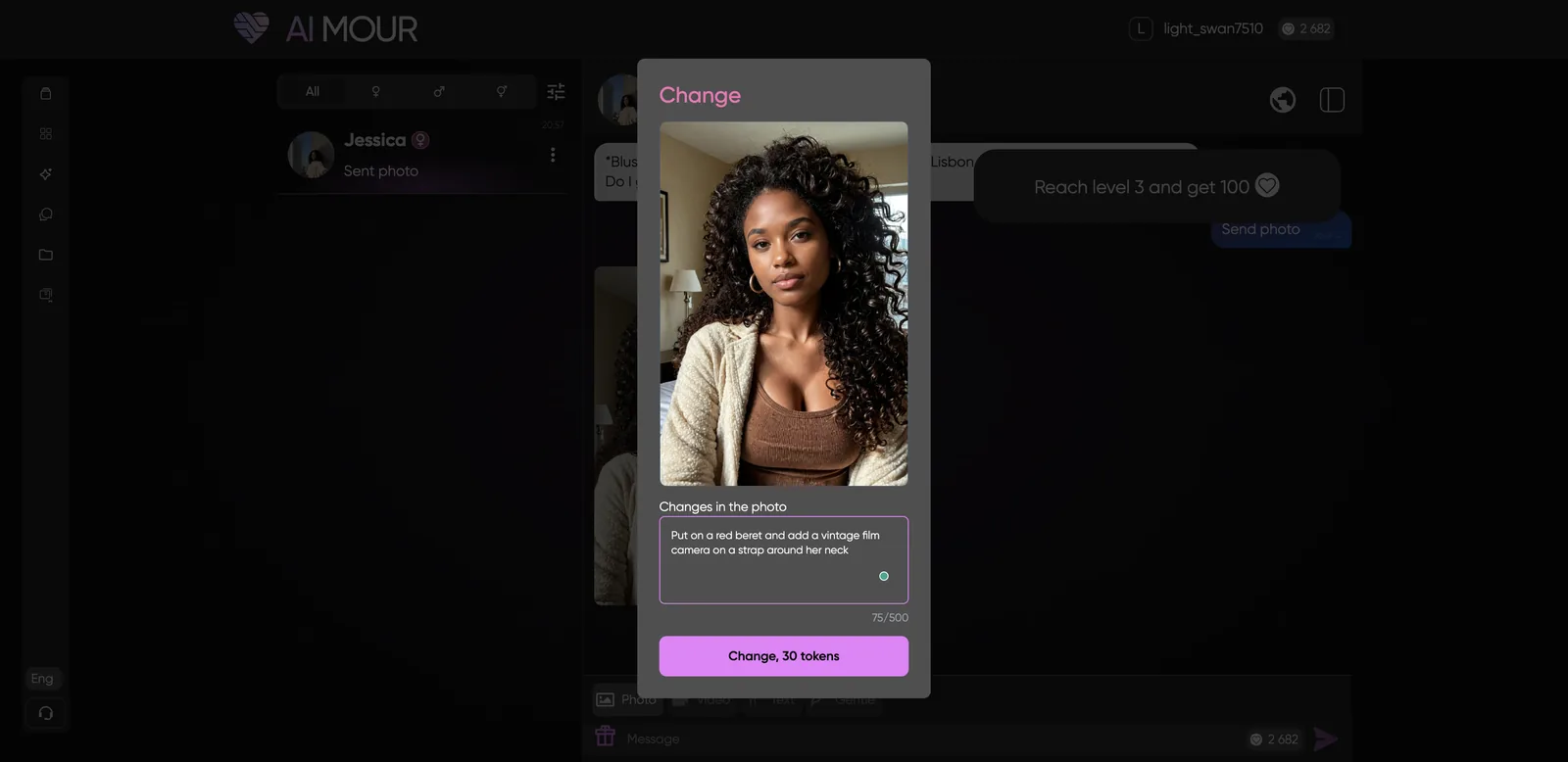
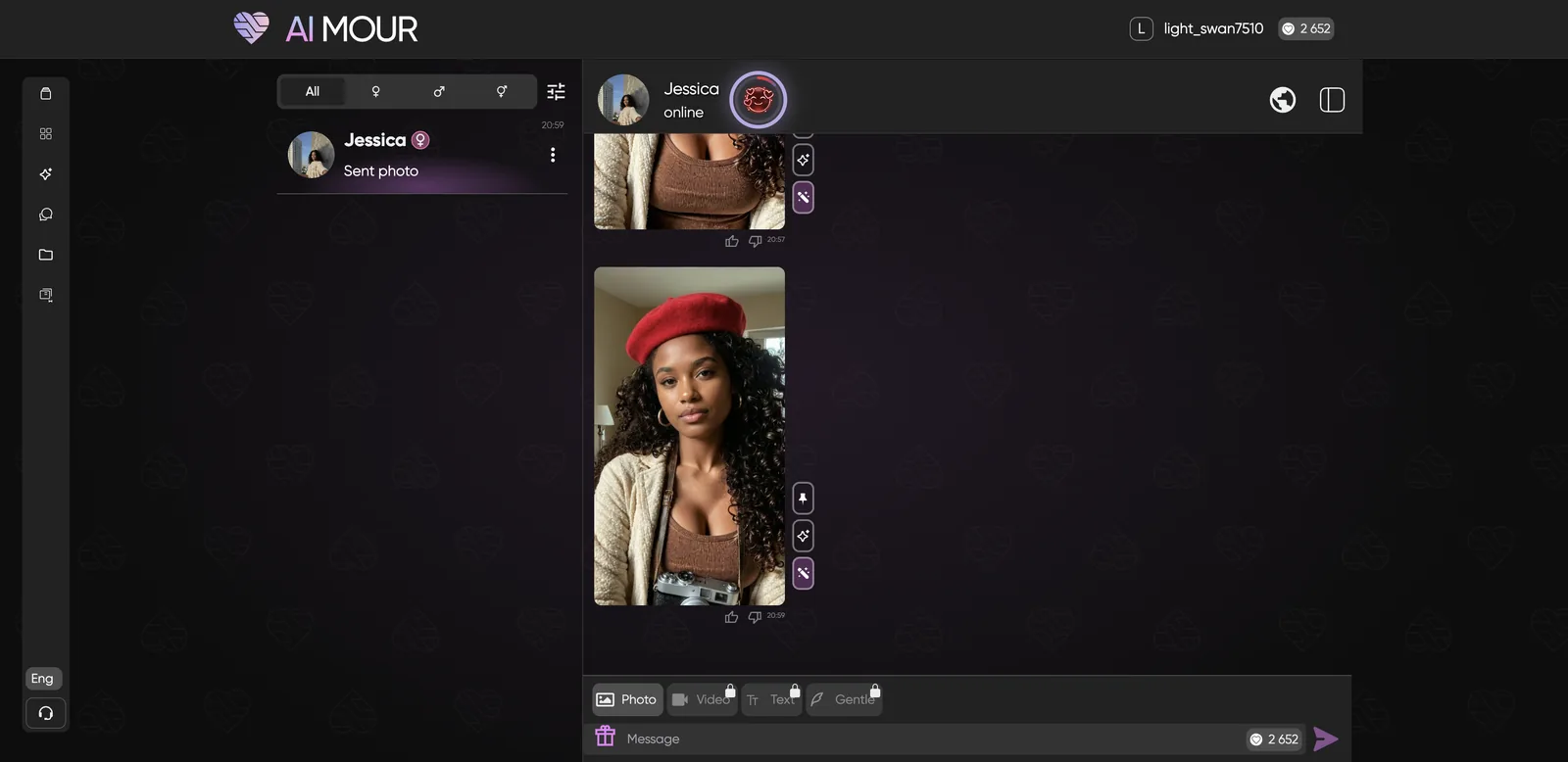
I asked for “a red beret and a vintage film camera on a strap around her neck.” The edit came back with exactly that: a red wool beret, a silver rangefinder-style camera hanging at her chest, and everything else unchanged. Same face, same cardigan, same room. Plenty of apps can generate a new photo, but keeping the original intact while adding two specific objects is harder than it looks, and AIMOUR got it right on the first try.
How do you turn a photo into a video?
Click Generate Video on any photo, write what should happen (or use Auto prompt), and spend 200 tokens.
- Click the Generate Video button next to the photo.
- Leave Auto prompt on to let AIMOUR decide, or turn it off and describe the scene.
- Click Generate, 200 tokens. Mine took about a minute.
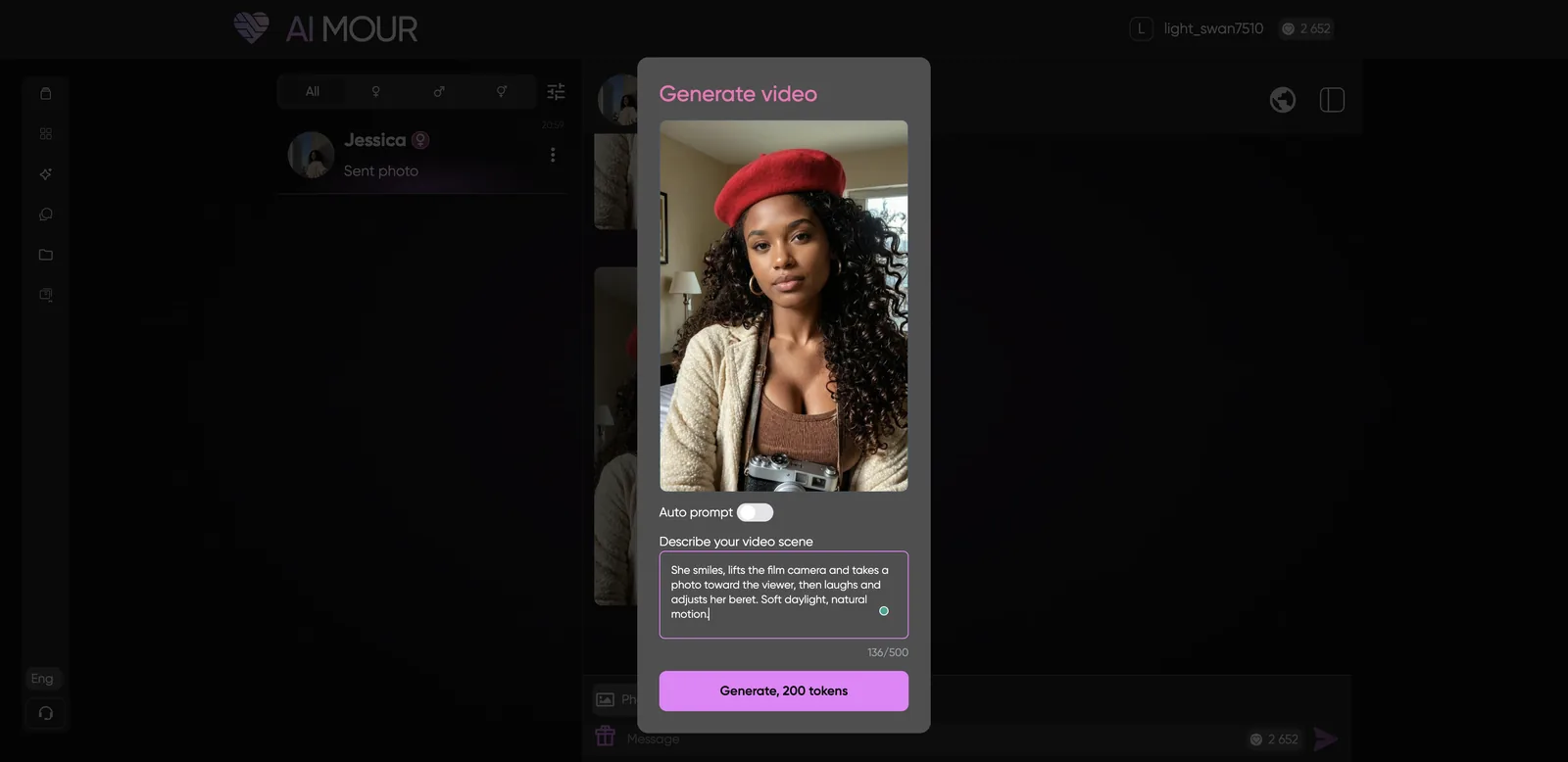
I turned Auto prompt off and wrote: “She smiles, lifts the film camera and takes a photo toward the viewer, then laughs and adjusts her beret.” The result was a 5-second vertical clip (784×1176). She smiles, raises the camera to her eye as if snapping a picture of me, then lowers it and touches her beret. It followed the prompt closely, the face stayed stable, and the motion looked natural.
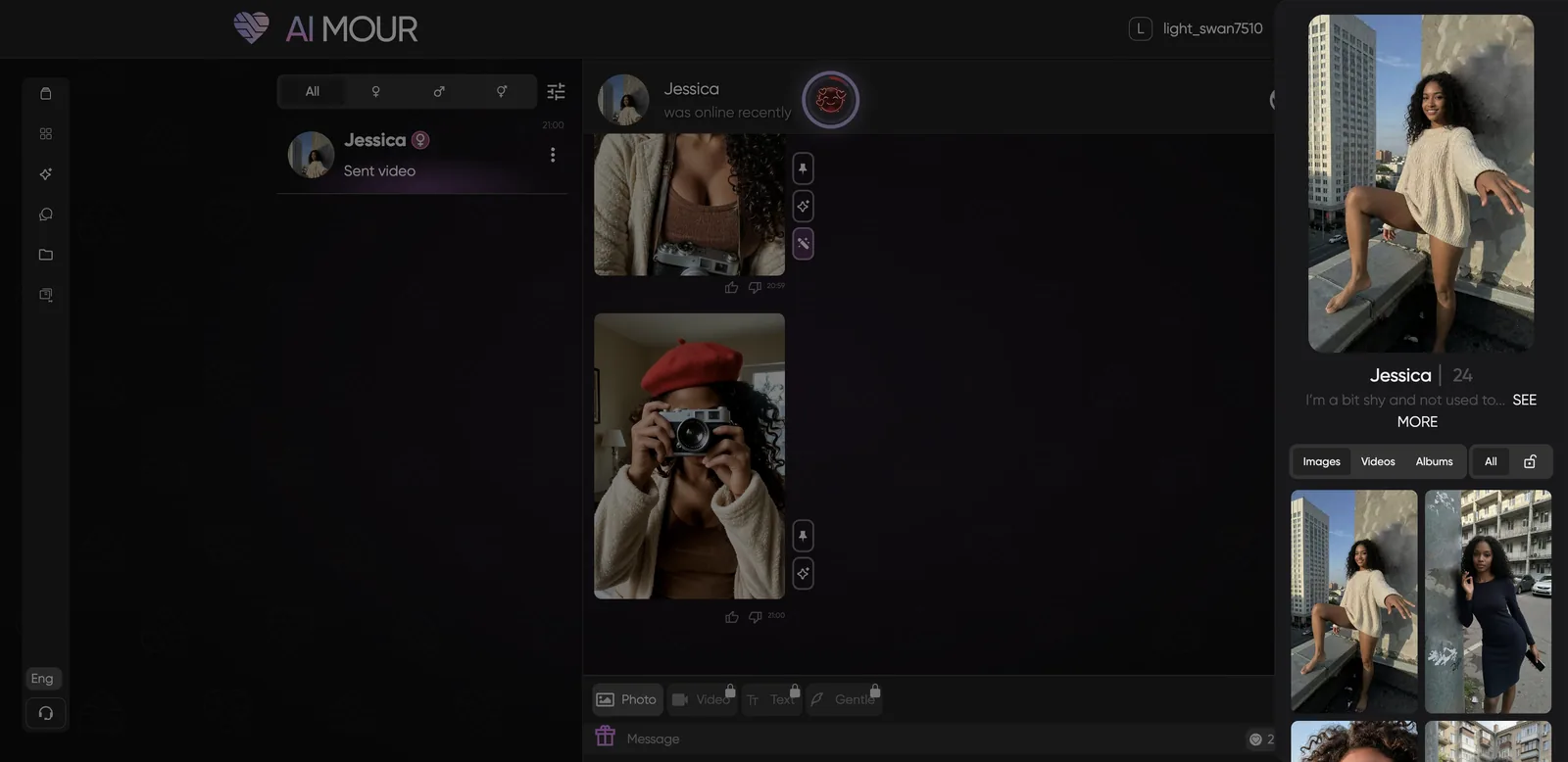
The panel on the right of that screenshot is the chat side panel, which shows the character’s profile and media without leaving the conversation.
How do you create your own AIMOUR character?
AIMOUR’s builder has nine steps and costs 500 tokens to generate. You can drag along the progress bar to jump between steps. Here’s the full walkthrough.
Steps 1 to 5: Looks
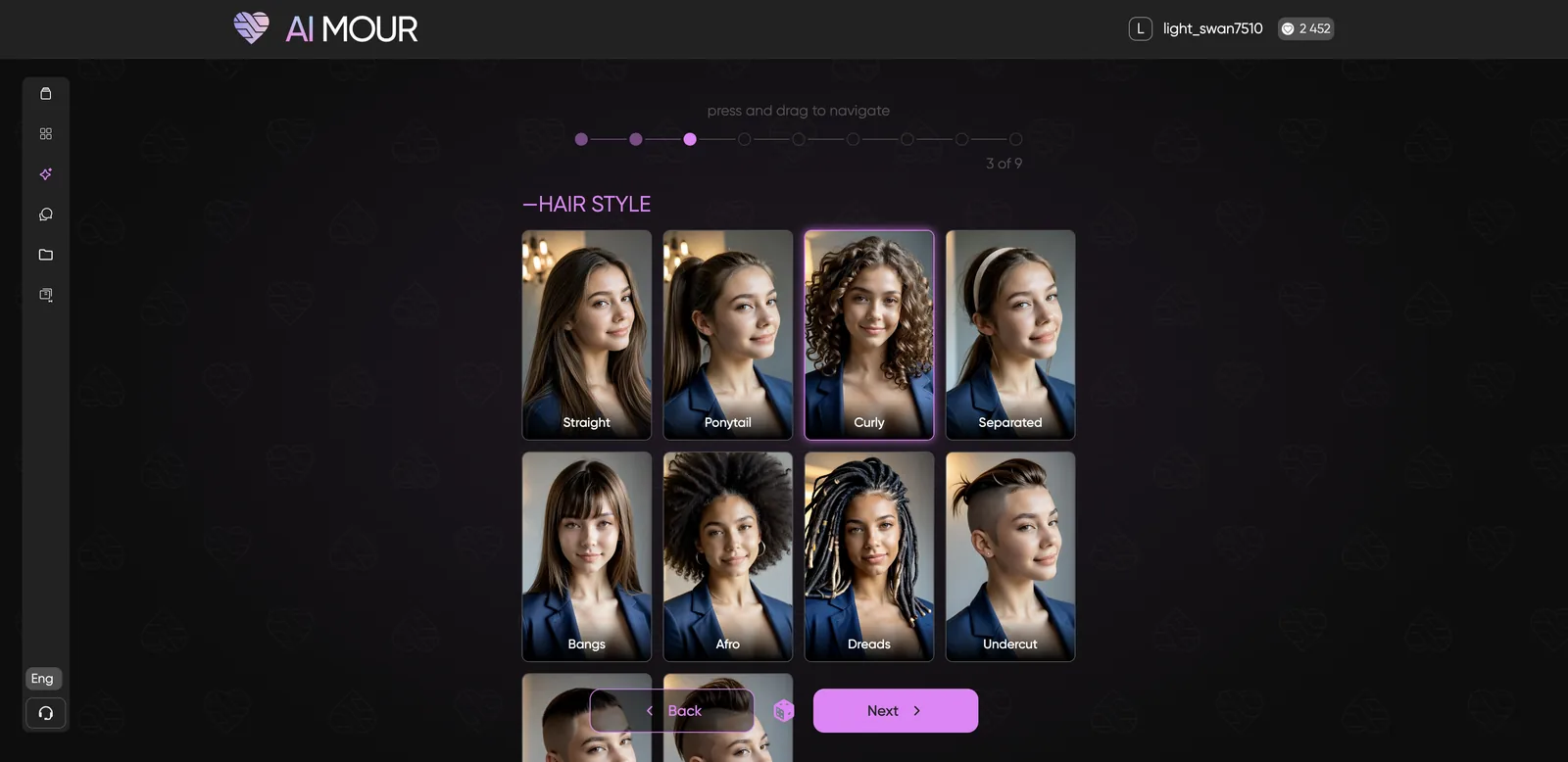
- Gender and style: Female, Male or Trans; Realistic or Anime; photo style Regular or Noir.
- Skin tone and age: Caucasian, Latina, Asian, Arab, Black or Indian, plus an age slider from 18 to 99.
- Hair and eyes: ten hair styles (including Afro, Dreads, Undercut, Buzz Cut and Mohawk), hair color and eye color.
- Body type: Slim, Athletic, Average, Curvy, Chubby or Muscular.
- Proportions: explicit body sliders. This step, like several others, uses explicit preview images.
Step 6: Voice
Choose from six voices with audio previews. The voice names are as explicit as the rest of the builder.
Step 7: Temperament, relationship and fandom
This is the step that shapes how the character treats you:
- Temperament: Gentle, Submissive or Dominant
- Relationship: Stranger, Step sister, Girlfriend, Boss, Colleague, Wife or Step mom
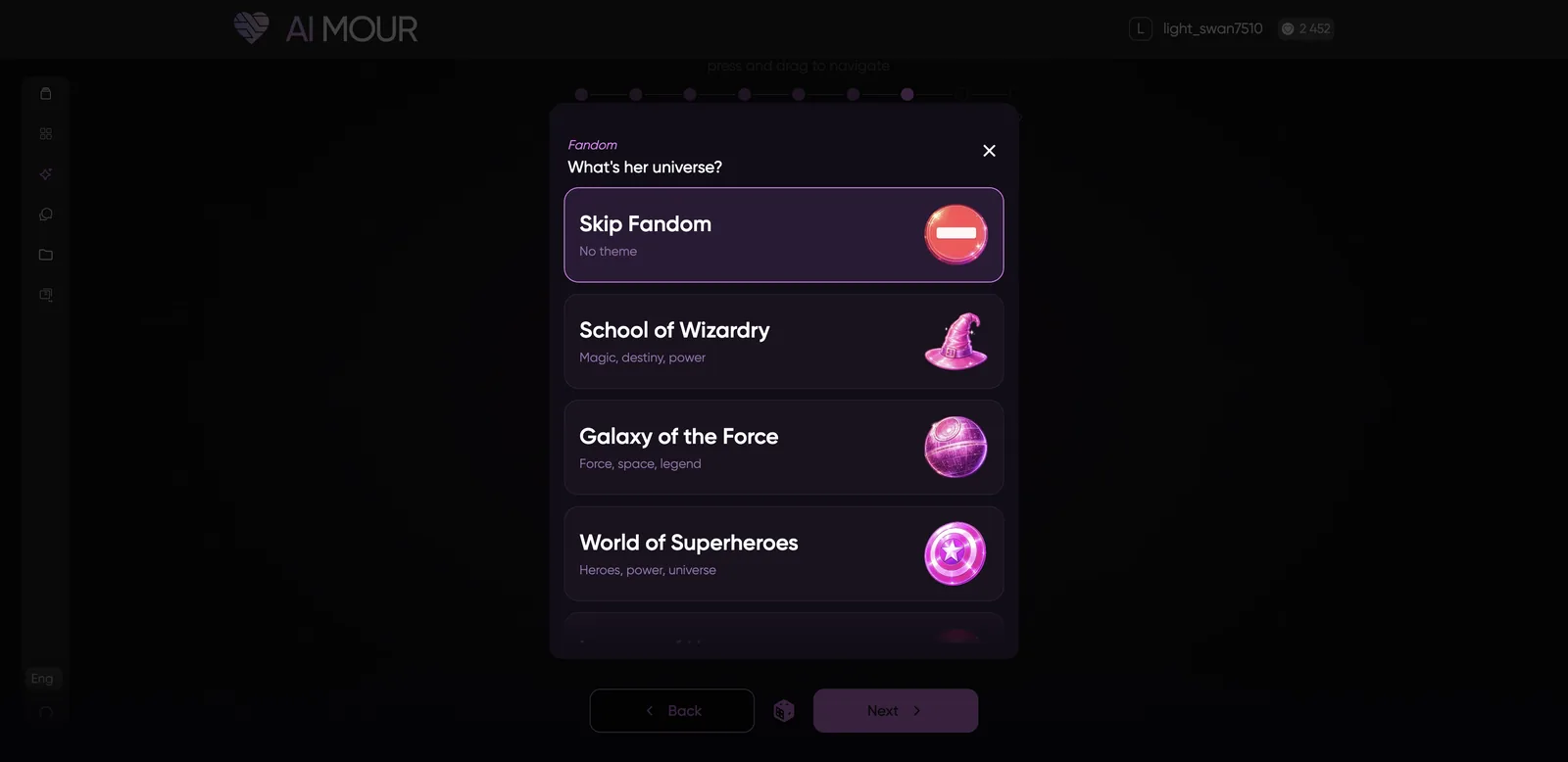
- Fandom: skip it, or set her in a themed universe like School of Wizardry, Galaxy of the Force, World of Superheroes, League of Heroes, Space Exploration Fleet or Seven Kingdoms
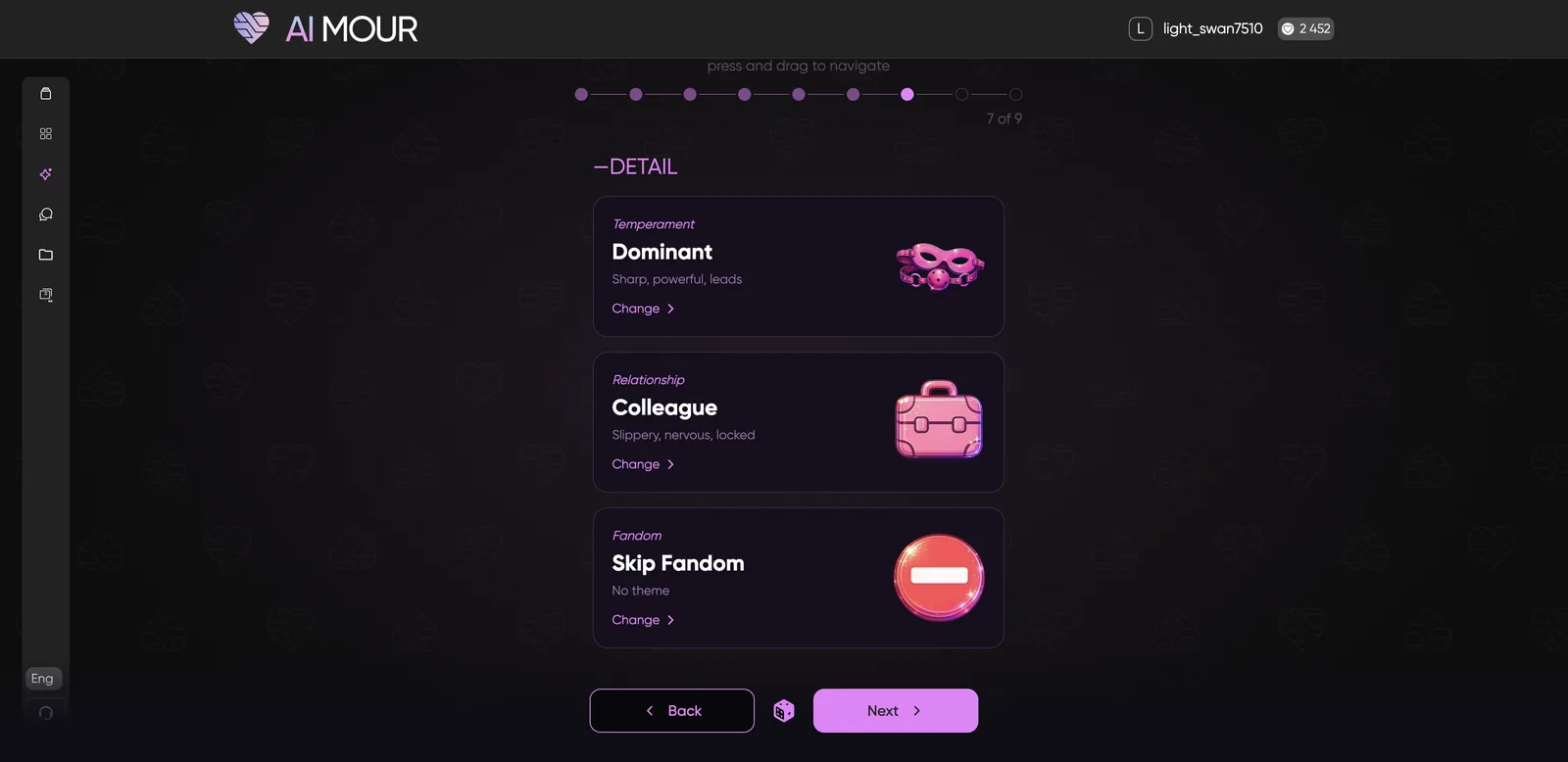
The fandom themes are a fun extra, though a couple of them looked unfinished (one had a broken image and one was greyed out).
Step 8: Name, job and personality
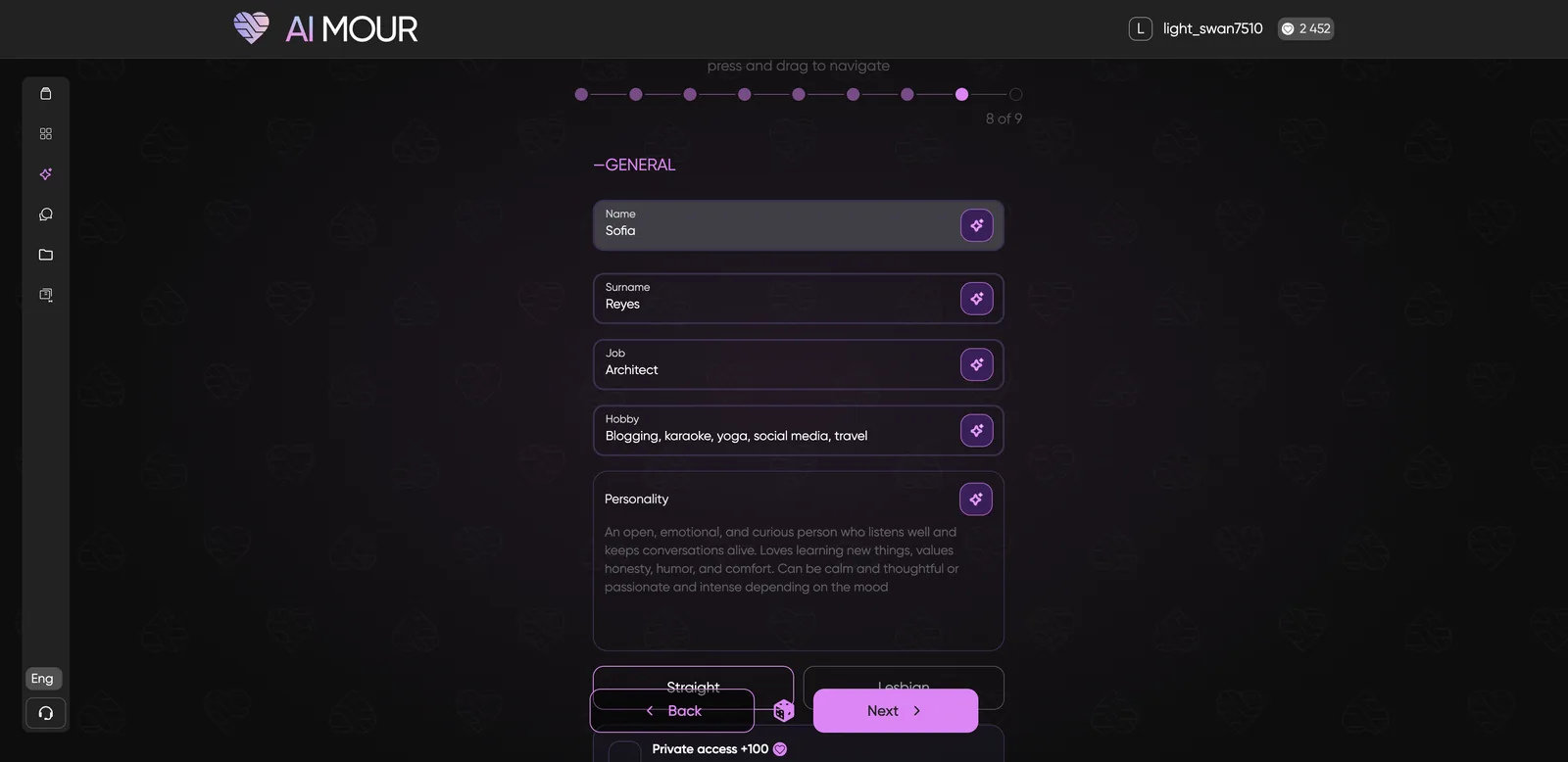
Fill in name, surname, job and hobbies, or tap the magic wand next to any field to have AI fill it in. A personality paragraph comes pre-written and is editable. You also pick Straight or Lesbian, and whether to make the character private.
Odd moment: I typed “Sofia” and got a “Contains a celebrity name” error. Sofia is one of the most common names in the world. I used the AI wand instead and got “Kinsley”.
Step 9: Summary and visibility
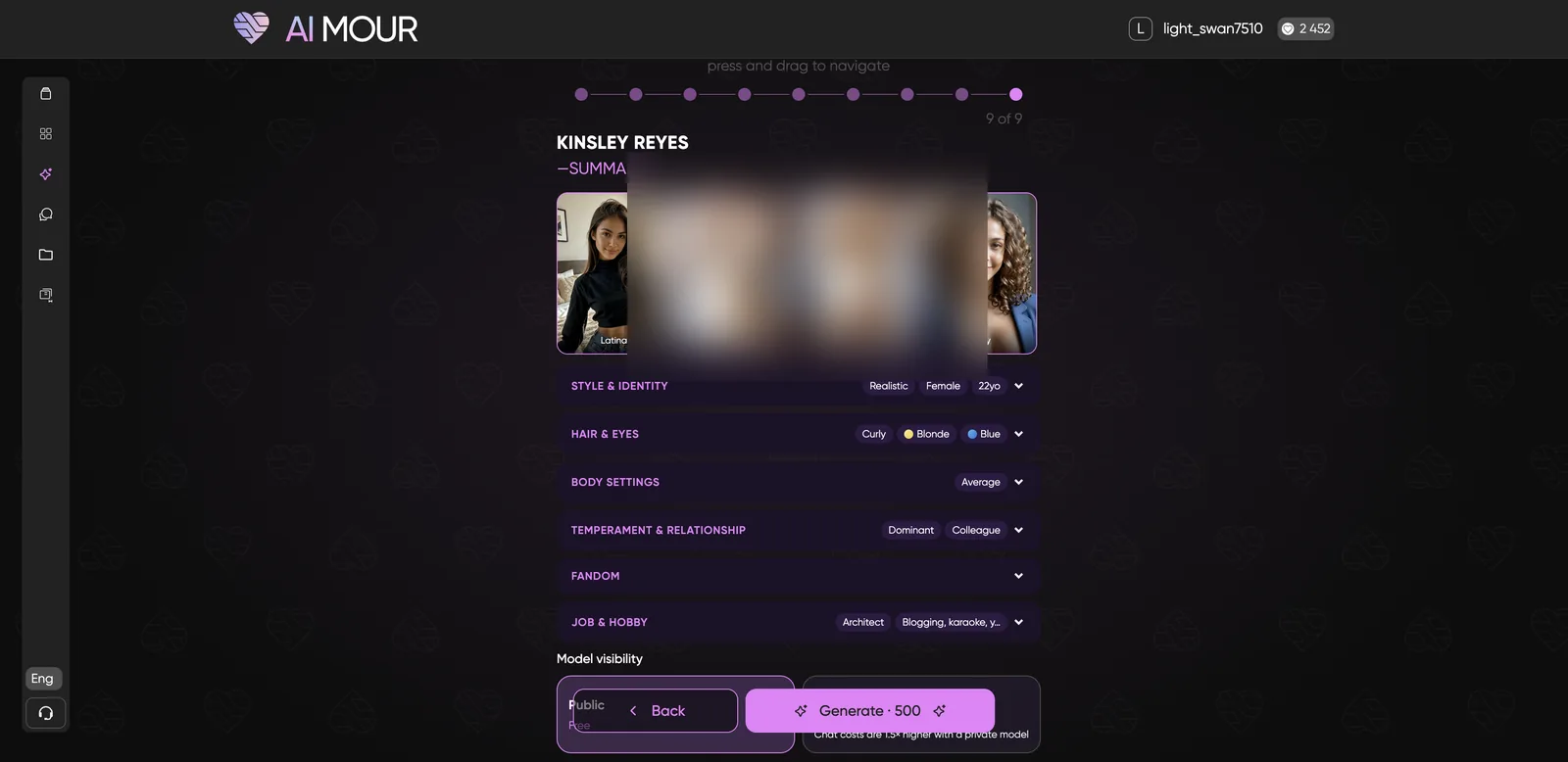
The summary shows all your choices. Then choose Public (free, others can chat with her) or Private (+100 tokens, only you can see her, and chats cost 1.5x more). Click Generate · 500.
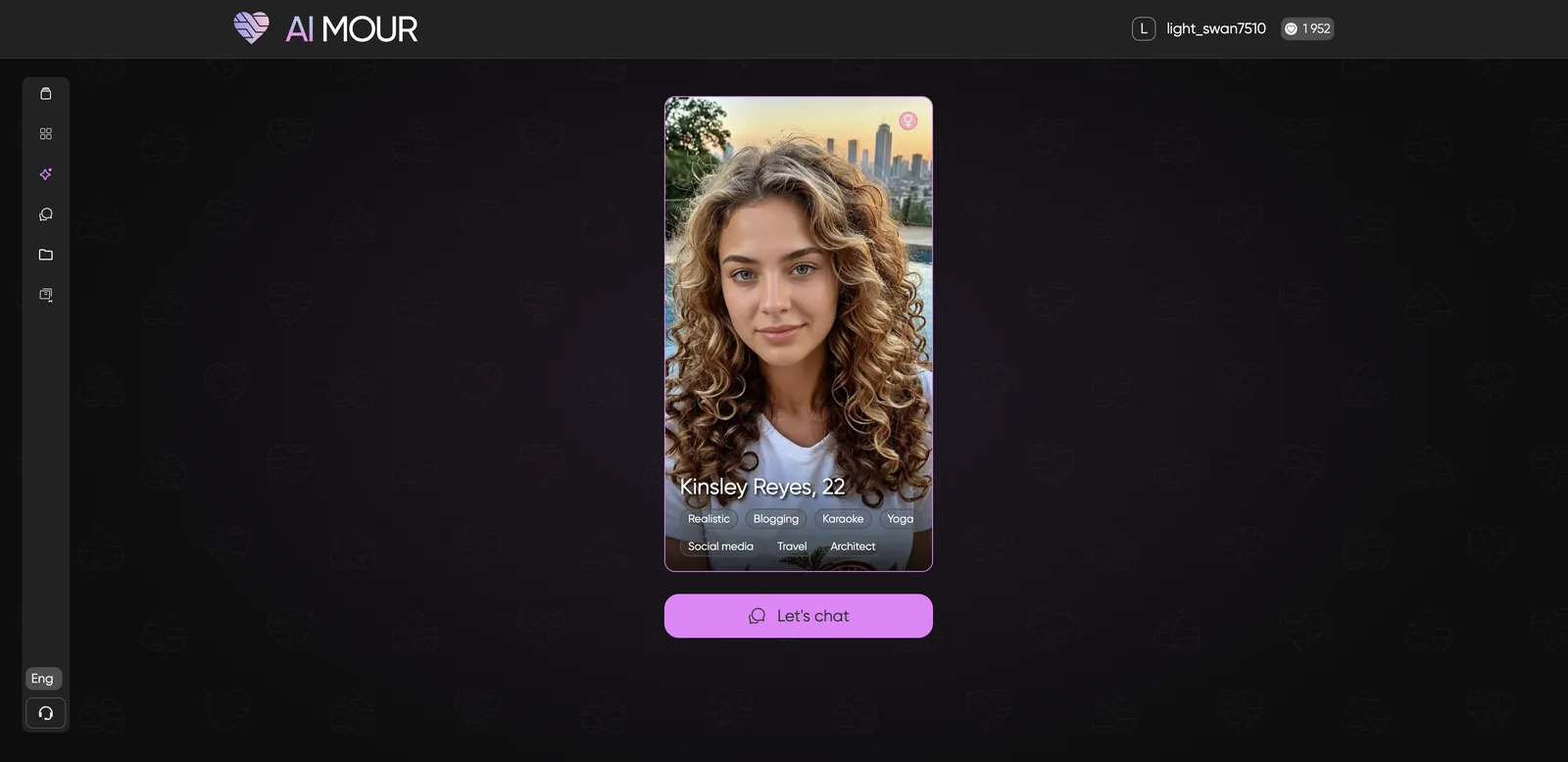
Generation took about a minute and a half, with “Generation takes a bit longer” messages while it worked. The result was a realistic portrait of Kinsley Reyes, 22, an architect: curly hair, a white top, a city skyline behind her. Clean, believable and ready to chat.
What are the Feed and Media sections?
The Feed is a TikTok-style vertical scroll of character posts, and Media is a hub for each character’s photos and videos.
The Feed lets you swipe up and down through images from different characters, like and share them, and jump into a chat. It’s free to scroll (my balance didn’t move), but it’s almost entirely explicit, so it’s not something to open in public.
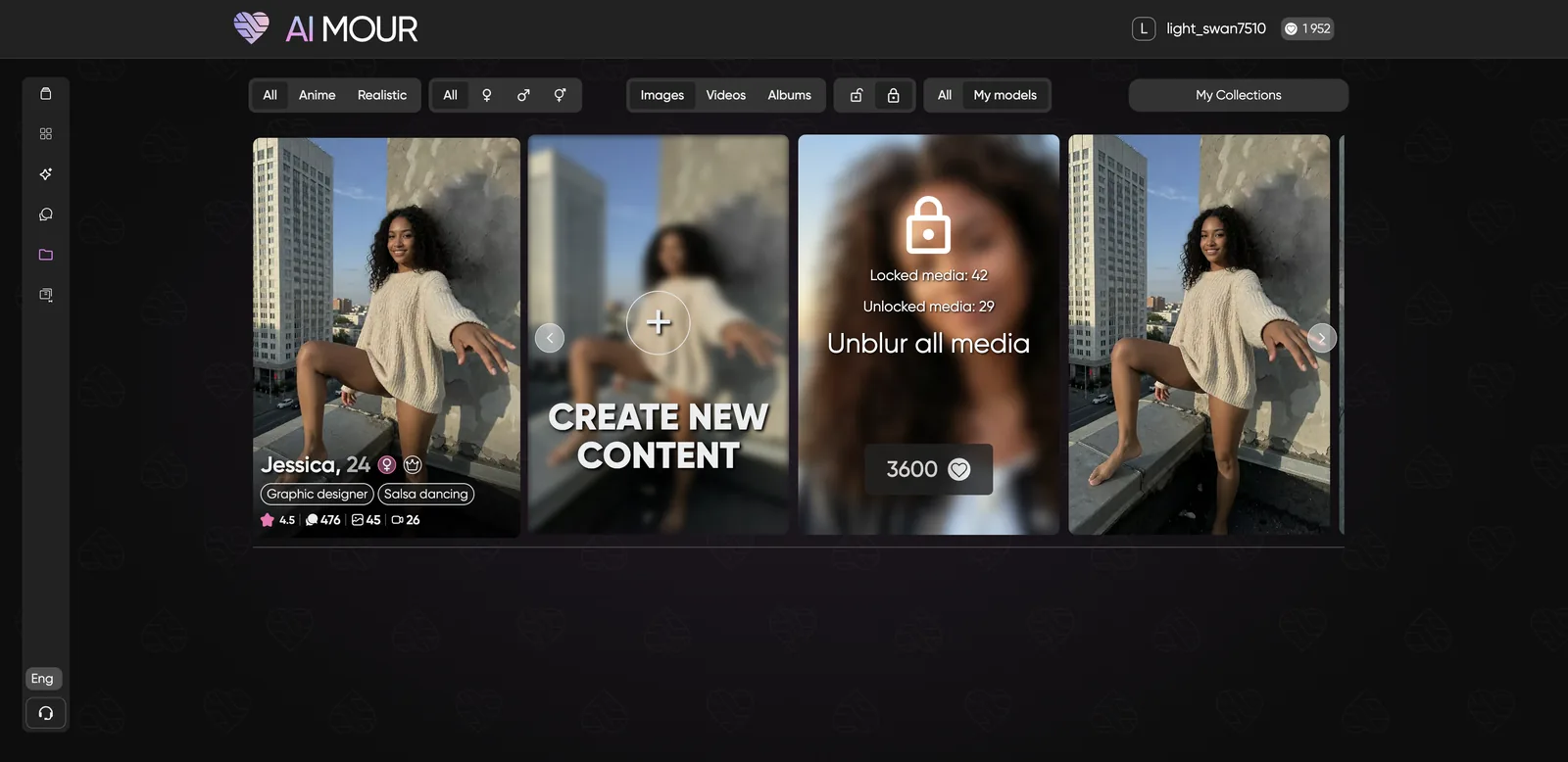
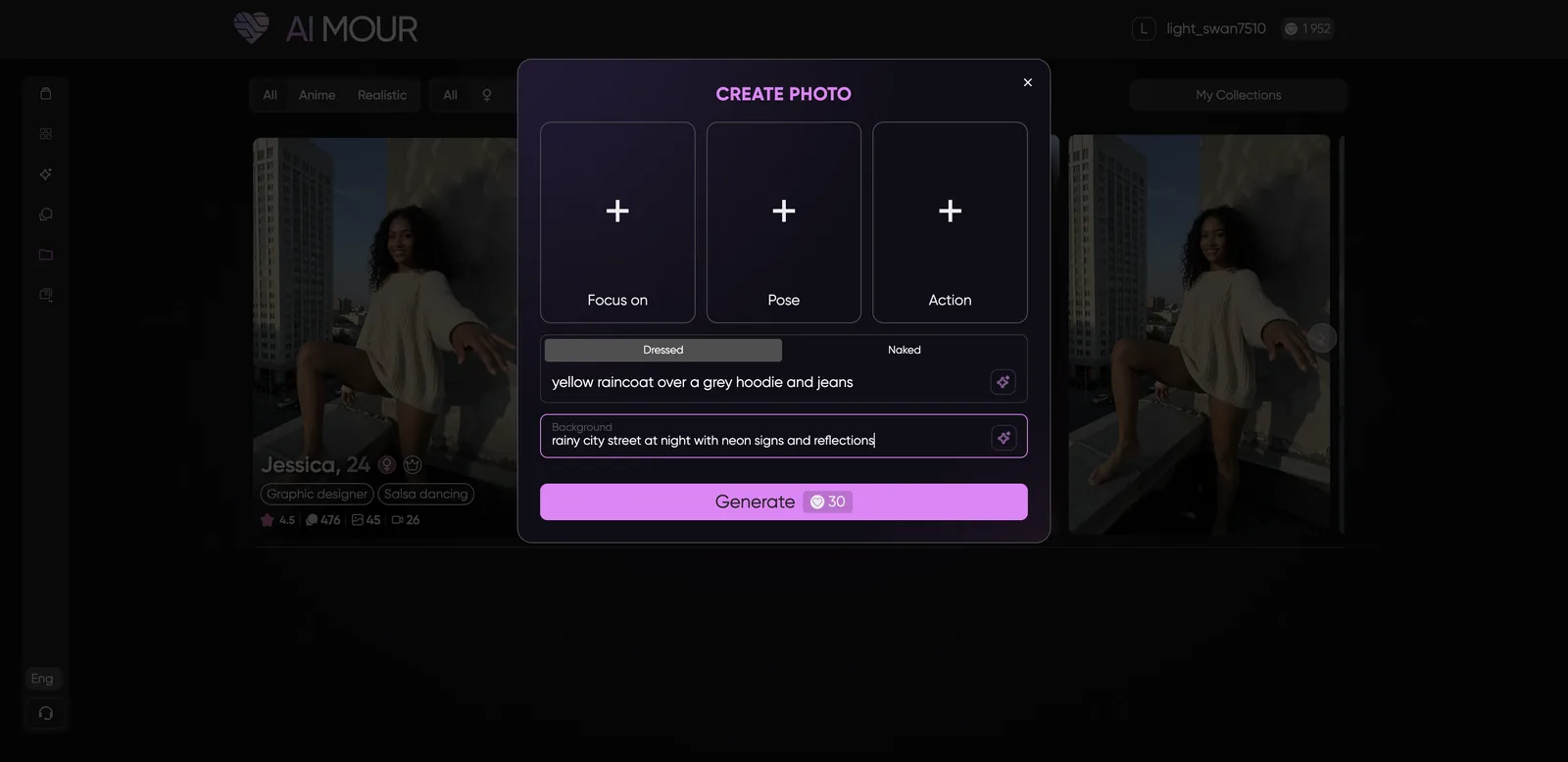
Media groups content by character, with Images, Videos and Albums tabs and a My Models filter. Each character has a Create New Content tile that opens a photo generator with Focus (eight camera angles, including Selfie and POV), Pose, Action, a Dressed or Naked toggle, and Clothes and Background fields. It costs 30 tokens per photo.
I filled in a yellow raincoat and a rainy neon street, but the generator wouldn’t run until I picked an Action, and every Action option is explicit. So there’s no safe-for-work path through this tool. If you want clothed photos, the in-chat Photo button and the Edit Photo tool are the way to go.
How do you earn free tokens on AIMOUR?
You earn tokens from chat quests and a 7-day login streak. In one session I picked up 135 free tokens:
- 50 for starting my first chat
- 50 for reaching Level 2
- 25 for requesting a photo
- 10 for day one of the daily streak
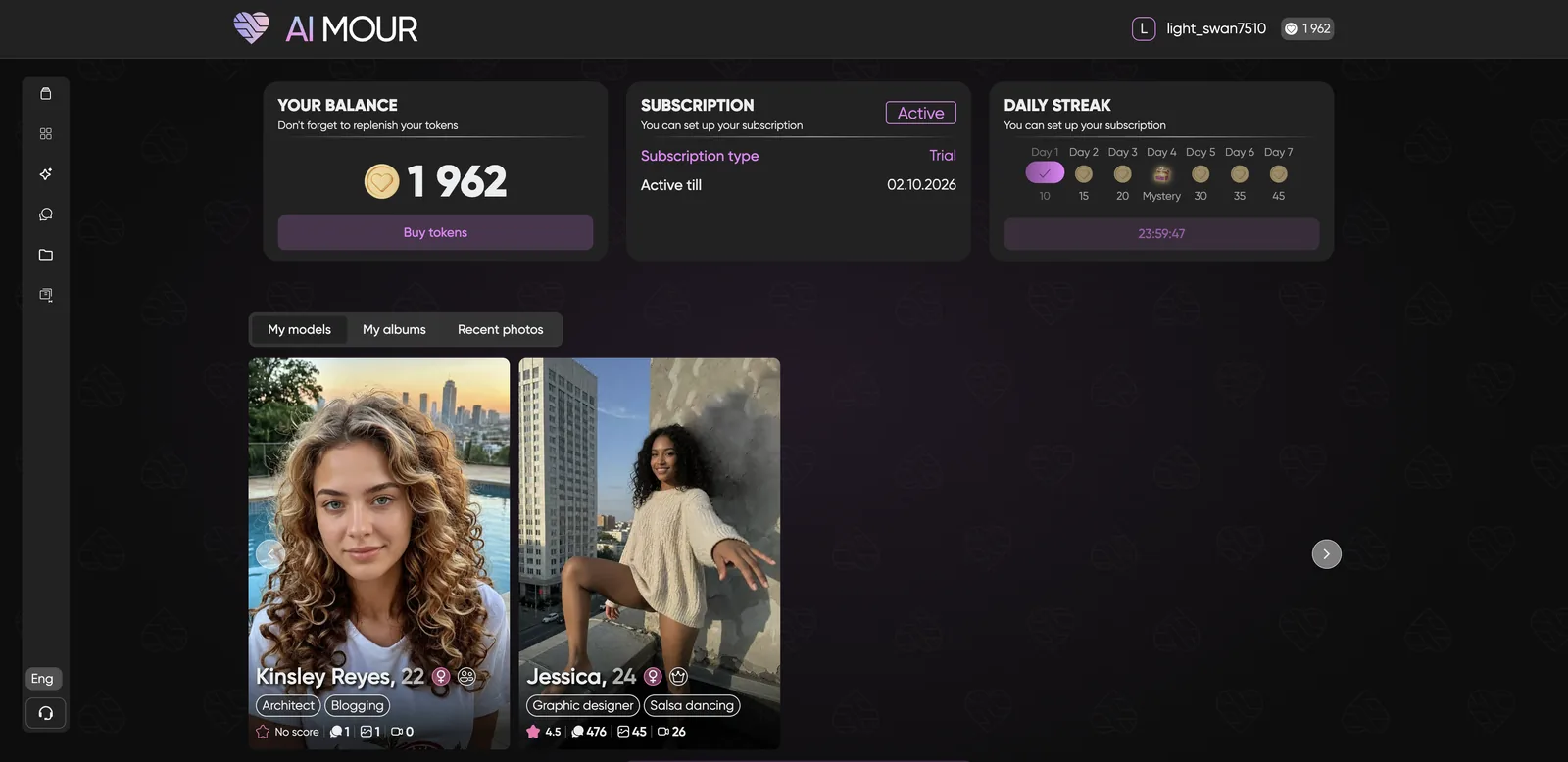
The Daily Streak on your profile pays 10, 15, 20, a mystery reward, 30, 35 and 45 tokens over seven days. Your profile also shows your balance, subscription status, your custom models, albums, recent photos, and settings for chat language, push notifications and a Lite mode.
AIMOUR pros and cons
Pros
- Female, male and trans characters, with LGBTQ+ representation built in
- Chat is cheap at 1 token per message and passed my memory test
- Photo editing with plain-English instructions is excellent and keeps the face intact
- Image-to-video follows your prompt and looks natural
- Deep 9-step builder with temperament, relationship and fandom options
- 15 chat languages, set per conversation
- Generous quest and streak bonuses
- Card or crypto, with discreet billing
Cons
- Explicit content everywhere, including the browse grid, Feed and builder previews
- Video (200 tokens) and new characters (500 tokens) are expensive
- Locked media unlocks add up fast, and some categories are extreme
- The Media photo generator has no safe-for-work option
- Characters push toward romance very quickly
- Overzealous name filter and a few unfinished fandom options
- Persistent “unable to charge payment method” banner on my test account
AIMOUR vs alternatives: how does it compare?
AIMOUR’s edge is its photo editor and its inclusivity. Its weakness is how aggressively explicit it is. Here’s how it compares with other platforms I’ve reviewed:
- Candy AI is more polished and has a Guys tab, but it doesn’t have AIMOUR’s text-prompt photo editing, and it runs a subscription plus tokens.
- DarLink AI is the closest match for photo and video in one app, with a similarly deep builder. Pick it if you want a cleaner browsing experience.
- Secret Desires AI leans more premium, with stronger long-form chat and more granular appearance controls.
- Kink AI also serves men and trans users with dedicated sections, and focuses on Dom/Sub dynamics if that’s what you want.
- Soulkyn is the feature-maximalist pick, with in-chat scene images and an RPG mode.
AIMOUR FAQ
Is AIMOUR free?
You can sign up and earn tokens from bonuses, but realistically you’ll need a token pack. The smallest is $5.90 for 600 tokens, which covers hundreds of messages or one character plus some edits.
Is AIMOUR safe and discreet?
AIMOUR says purchases don’t show as adult transactions on your statement, and it accepts crypto. Your profile lets you cancel your subscription and delete your account. It publishes a privacy policy, a content removal policy and an AI safety and monitoring policy. Use a separate email if privacy matters to you.
Does AIMOUR have male and trans characters?
Yes. Gender filters cover female, male and trans, and the builder supports all three. You can also choose Straight or Lesbian orientation for female characters.
Can AIMOUR characters send voice messages?
Voice messages unlock at relationship Level 3 (Chemistry). Every character has a voice, and the builder lets you pick one of six for your own.
How long does AIMOUR take to generate content?
In my tests: chat replies in a few seconds, photos in about 20 seconds, edits in about 25 seconds, videos in about a minute and new characters in about a minute and a half.
Who owns AIMOUR?
AIMOUR is operated by Ads boost ltd., based in Nicosia, Cyprus. Support is at support@aimour.ai, and there’s also a Discord and a Telegram channel.
My final take on AIMOUR
AIMOUR surprised me. I expected another explicit companion site, and I got a photo editor that’s better than most dedicated image apps and a video tool that followed my instructions. Chat is cheap and remembers you. The inclusive approach is real, not just a banner.
But you have to be comfortable with how explicit it is. There’s no quiet corner here: the grid, the Feed and the builder all put adult content in your face from the first click. If that’s what you came for, AIMOUR is one of the better token-based options in 2026. Start with the $8.90 pack, collect your quest bonuses, and spend on edits and chat before you splurge on video.