

I first reviewed Anione months ago and called it an anime art generator with a chat feature bolted on. After a second, much longer session with a test account, I need to walk part of that back. The chat side has grown up: there’s a relationship system, in-chat photos, voice calls, a five-step character creator, and a daily reward wheel. The image generator is still the best thing here, but it’s no longer the only reason to sign up.
Top AI Girlfriend Platforms — Our Picks

Hyper-realistic AI companions with adaptive memory that recall your past conversations.
Build a custom AI companion and bring her to life with chat, images, and video.

Create a custom AI girlfriend with her own personality, generated images, and ongoing chat memory.

Characters that hold memory and context, so the relationship builds over time instead of resetting.

Chat with a fully custom AI girlfriend — choose her personality, outfits, and more.
Personalized AI companions for ongoing roleplay, with a simple, discreet signup.
Build a custom AI girlfriend, boyfriend, or anime character — choose the look and personality.
Customizable AI girlfriend personalities with realistic, ongoing conversations.
Below is everything I tested, what each feature costs in tokens, step-by-step guides for the main tools, and the gotchas I hit along the way.
Is Anione worth it? The short answer
Yes, if you want anime specifically. Anione is one of the better anime-only platforms I’ve tested in 2026. The image quality is excellent, character chat stays in character and remembers details, and the free tier lets you try every feature at least once. The catch is that the free allowance is tiny (15 messages, 3 image tokens, 5 voice minutes) and the paid plans lock you into a 3-month minimum.
- Best for: anime fans who want art and character chat in one place
- Price: free to start, Silver $9.99/mo or Gold $29.99/mo (3-month minimum), or $5 token packs
- Standout features: 1980s/1990s style presets, relationship levels, motion-transfer video
- Biggest annoyance: generated images are not saved unless you click save
What’s in this review
- What is Anione?
- Is Anione free? What you actually get
- How much does Anione cost?
- How does the Daily Wheel work?
- How many characters does Anione have?
- How good is Anione’s AI chat?
- How do relationship levels work?
- Can Anione characters send photos and call you?
- How do you create your own Anione character?
- How good is the Anione image generator?
- Can Anione turn images into video?
- Anione pros and cons
- Anione vs alternatives
- Anione FAQ
What is Anione?
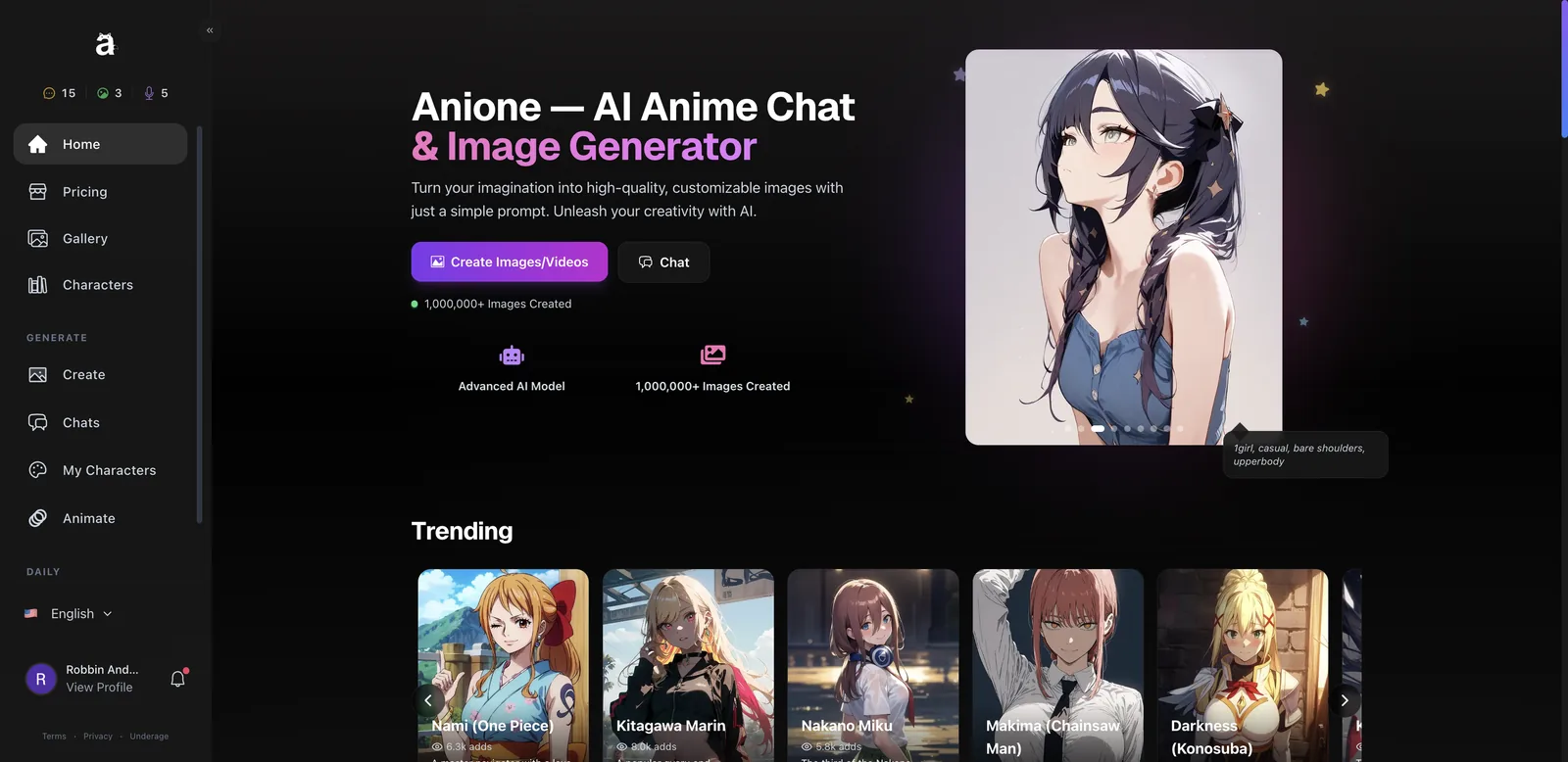
Anione (anione.me) is an AI anime platform that combines character chat, an anime image generator and an image-to-video animator. It’s run by MakeItAI LLC, says it has over 1 million images created, and supports seven interface languages. Everything is anime, from the characters to the art styles.
The sidebar splits into two halves. Browsing covers Home, Pricing, Gallery and Characters. Creating covers Create (the image generator), Chats, My Characters and Animate. A Daily section holds the reward Wheel. Up top you always see three balances: text messages, image tokens and voice minutes. That three-currency setup matters, because each feature drains a different pot.
One thing to know up front: the roster leans hard on existing anime and game characters. Eula from Genshin Impact, Nami from One Piece, Makima, Mikasa, Zero Two. That’s the draw for a lot of people, but it means much of the platform runs on copyrighted characters, which is common in this corner of the market but still worth knowing.
Is Anione free? What you actually get
Anione is free to start, but the free allowance is small. My account showed 15 text messages, 3 image tokens and 5 voice call minutes, plus one active chat slot. The Daily Wheel adds a few tokens every 18 hours.
Here’s how fast that goes. Each chat message costs 1 text token. An image costs 2 image tokens, whether you make it in the generator or request it in chat. A character preview image costs 1. Video costs 20. In one session I used 4 messages, one in-chat photo, one preview and one generator image, and my image balance hit zero. You can sample everything, but you can’t settle in without paying.
How much does Anione cost?
Anione’s subscriptions are $9.99/month (Silver) and $29.99/month (Gold), both with a 3-month minimum. If you don’t want a subscription, you can buy one-off packs starting at $5.
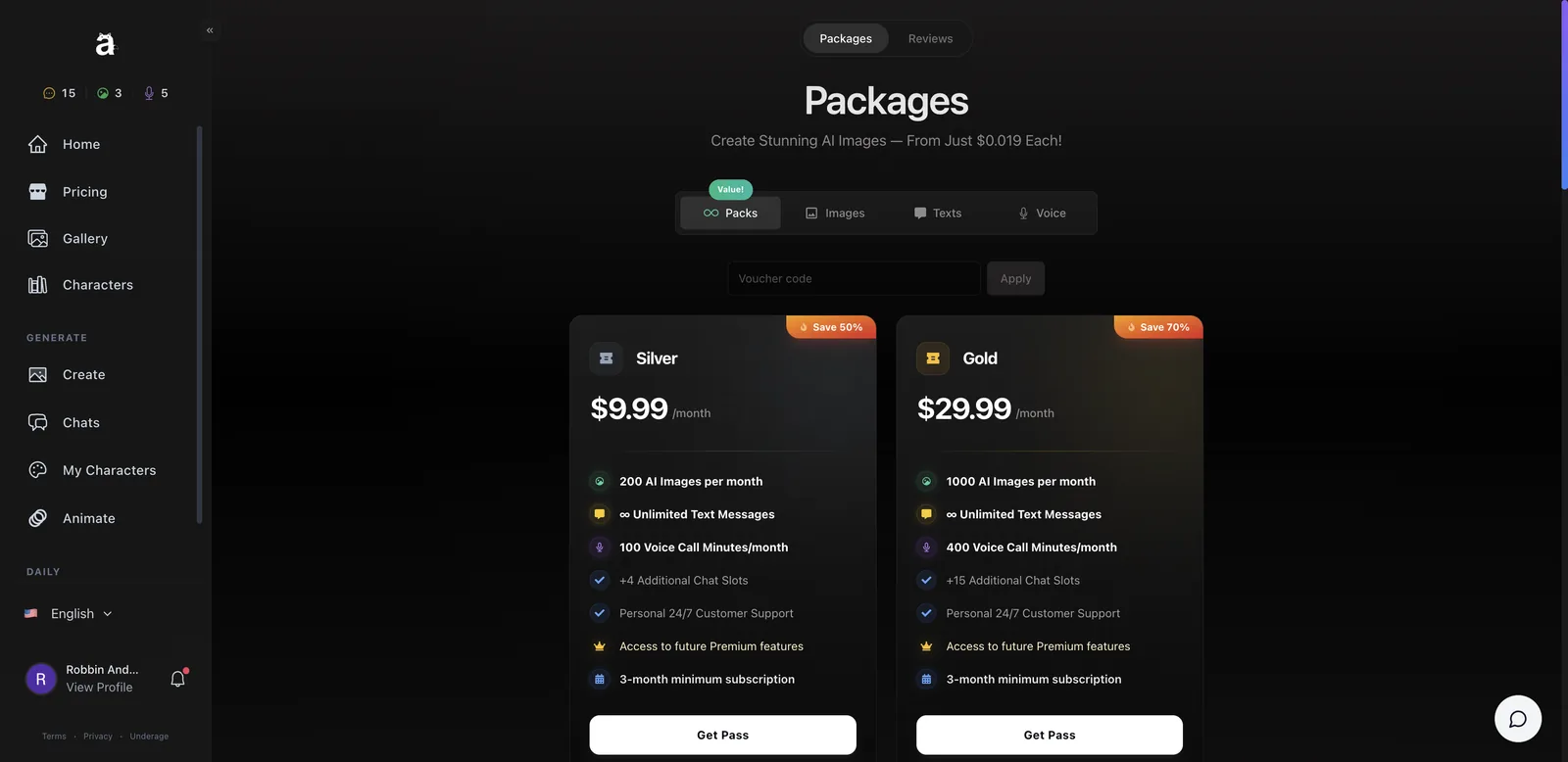
| Plan | Price | Images | Text | Voice | Chat slots |
|---|---|---|---|---|---|
| Free | $0 | 3 tokens + wheel | 15 messages | 5 minutes | 1 |
| Silver | $9.99/mo | 200/month | Unlimited | 100 min/month | +4 |
| Gold | $29.99/mo | 1,000/month | Unlimited | 400 min/month | +15 |
The a la carte packs are sliders. 50 images cost $5, 100 text messages cost $5, and 25 voice minutes cost $5, with bigger discounts as you slide up toward 1,000 images, 2,000 messages or 500 minutes. There’s a voucher field, and checkout takes Visa, Mastercard, Apple Pay and Google Pay.
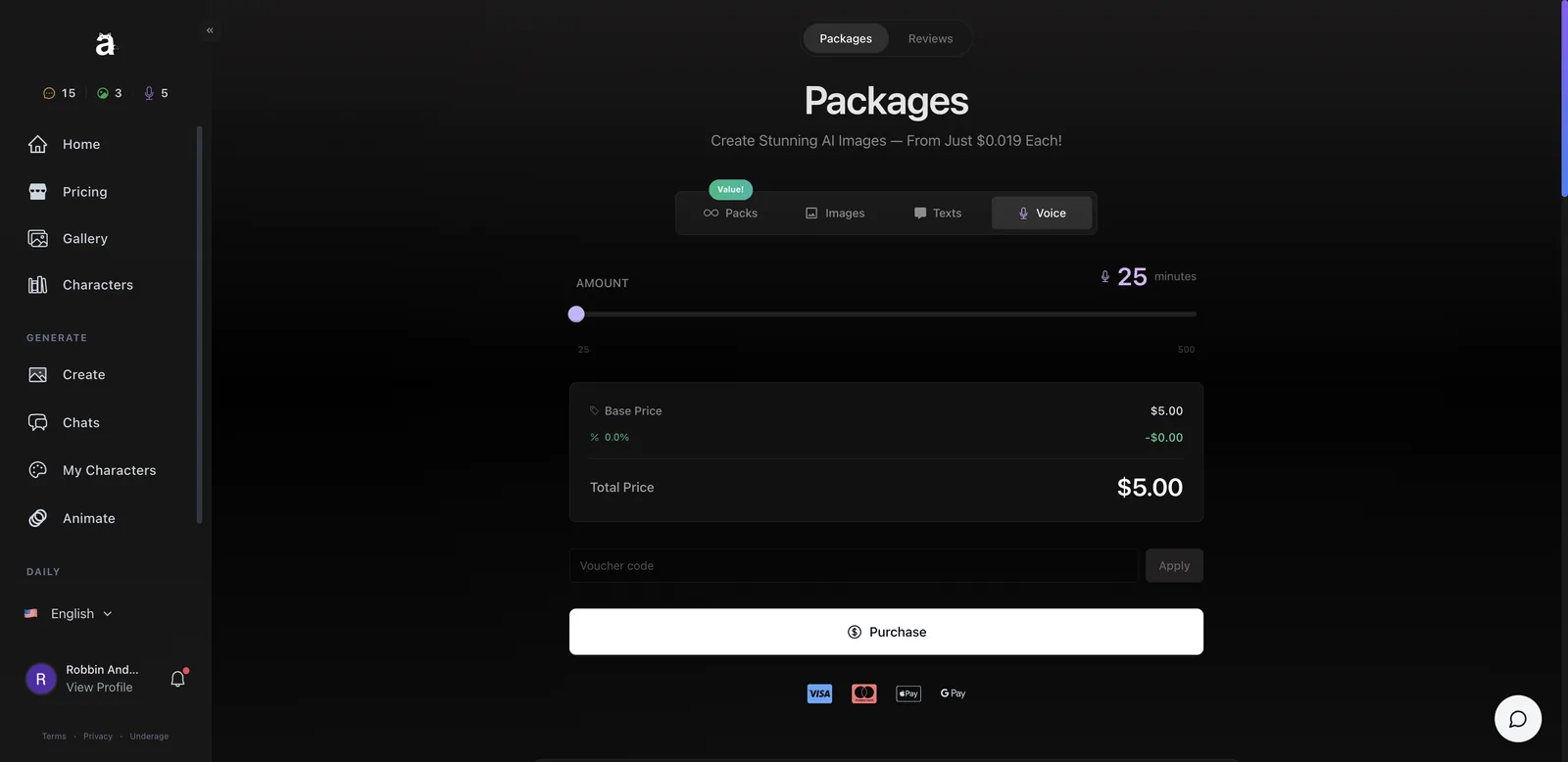
My take: Silver is the sensible plan. Unlimited text removes the biggest pain point of the free tier, and 200 images is plenty for most people. Just remember the 3-month minimum: Silver is really a commitment of about $30, not $9.99. Any purchase also unlocks better rewards on the Daily Wheel.
How does the Daily Wheel work?
The Daily Wheel is a free spin you get every 18 hours that pays out tokens or discounts. Before spinning, you pick which currency you want to win: image tokens, text tokens or voice minutes.
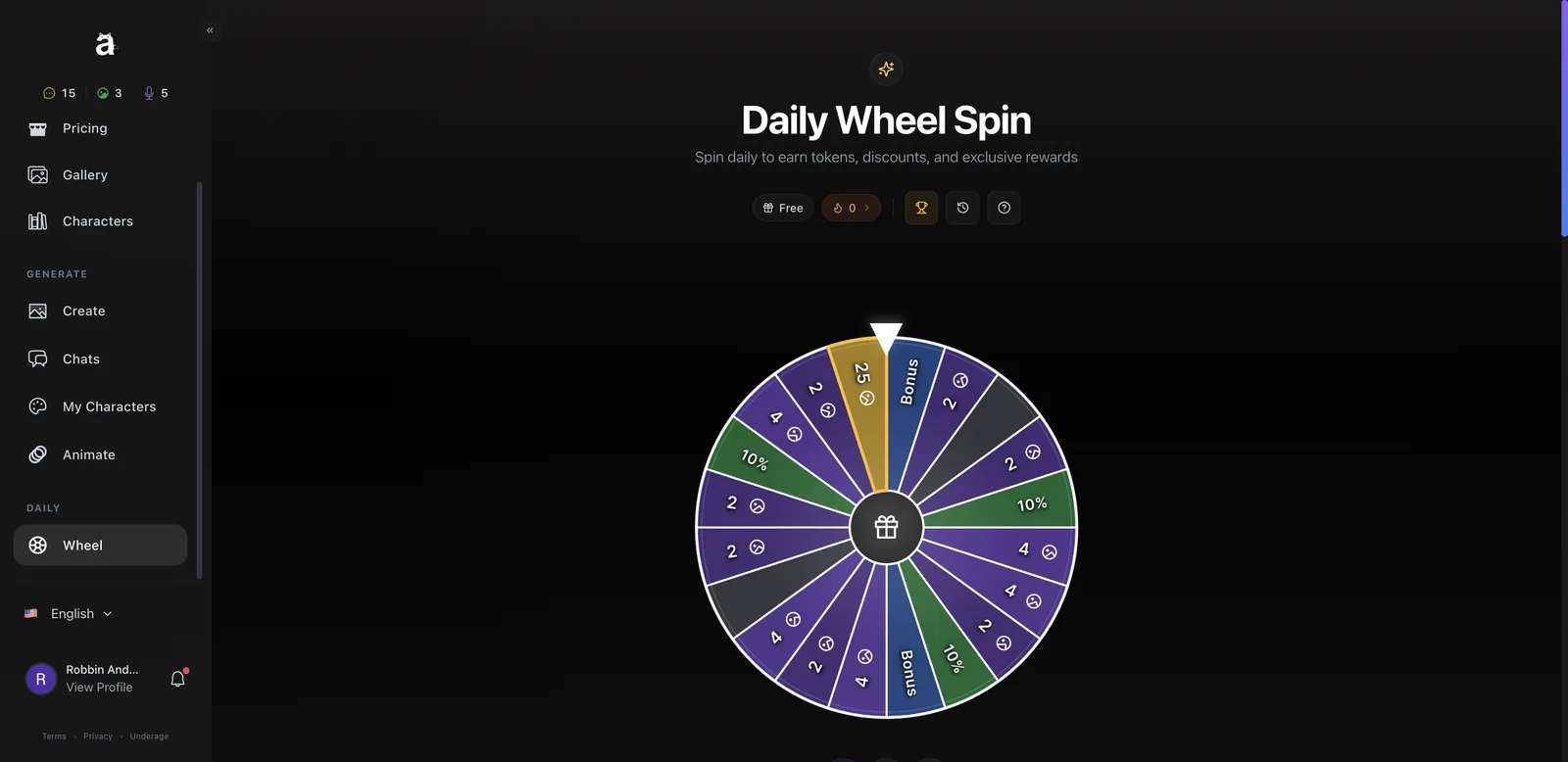
- Open Wheel under Daily in the sidebar.
- Pick the reward type under the wheel (image, text or voice).
- Hit Spin and wait a few seconds.
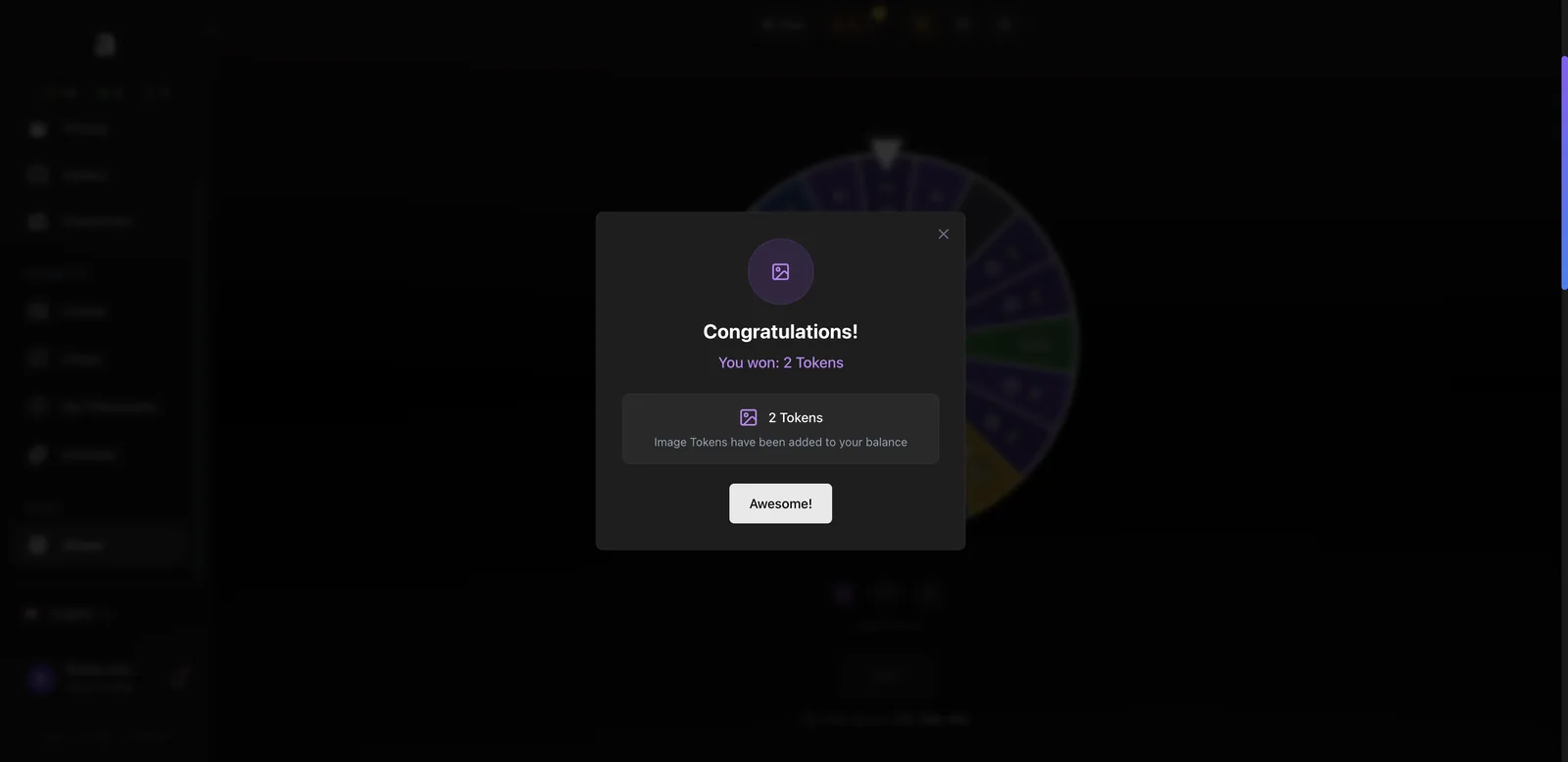
- Claim the prize from the popup. It lands in your balance right away.
The segments are mostly 2 or 4 tokens, with one 25-token jackpot, a couple of 10% discount slices and a Bonus slot. I won 2 image tokens, which is exactly one image. It’s a small daily habit hook, but it does stretch the free tier.
How many characters does Anione have?
Anione has 500+ pre-made anime characters from 110+ series, and you can create up to 50 of your own. Every character is labeled 18+.
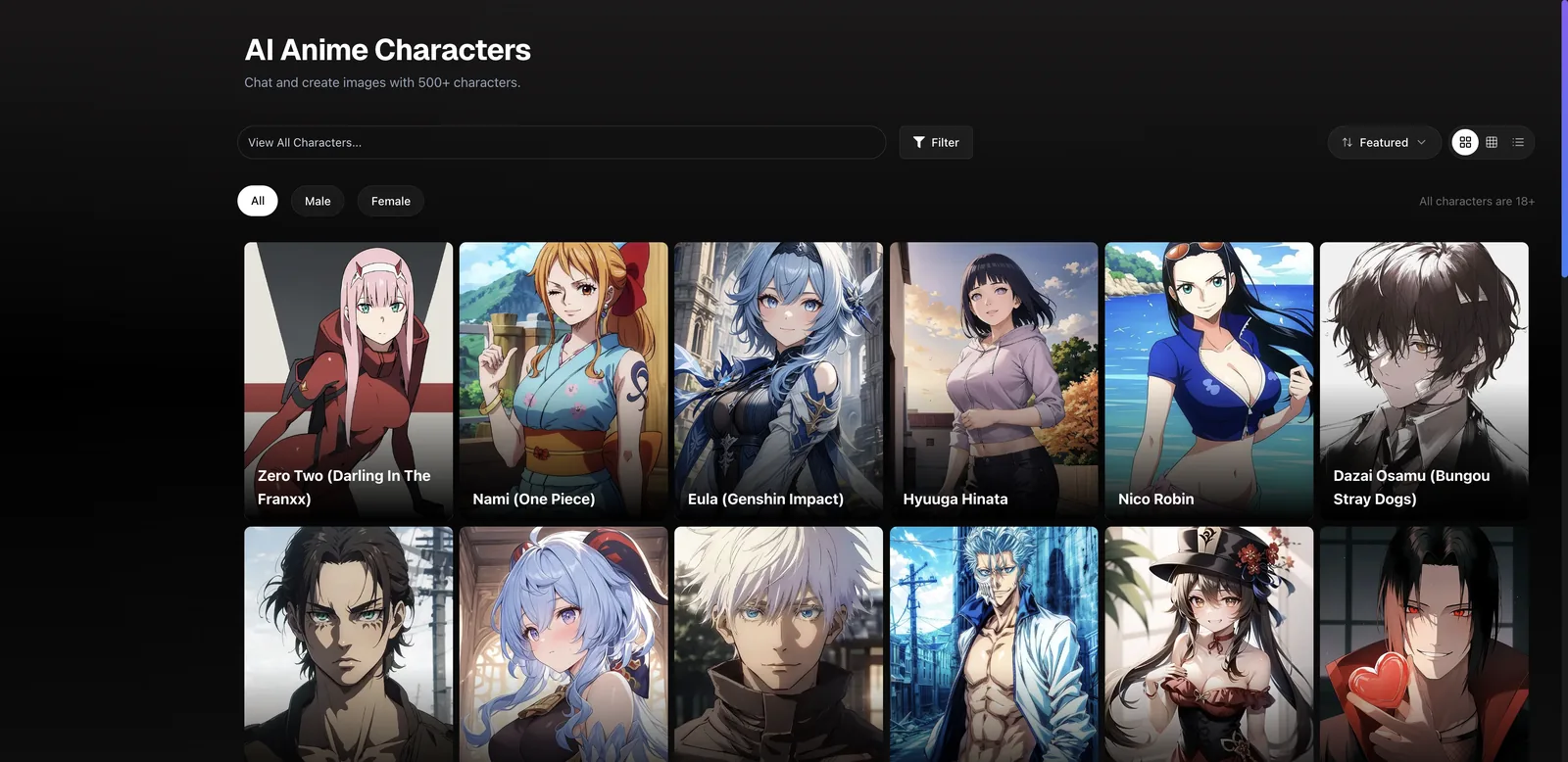
The library has All, Male and Female filters, a search bar, a Featured sort and grid or list views. There are also themed Collections on the home page (Blue Archive, Naruto, One Piece, Attack on Titan, Genshin Impact, Jujutsu Kaisen, Bleach) if you’d rather browse by series.
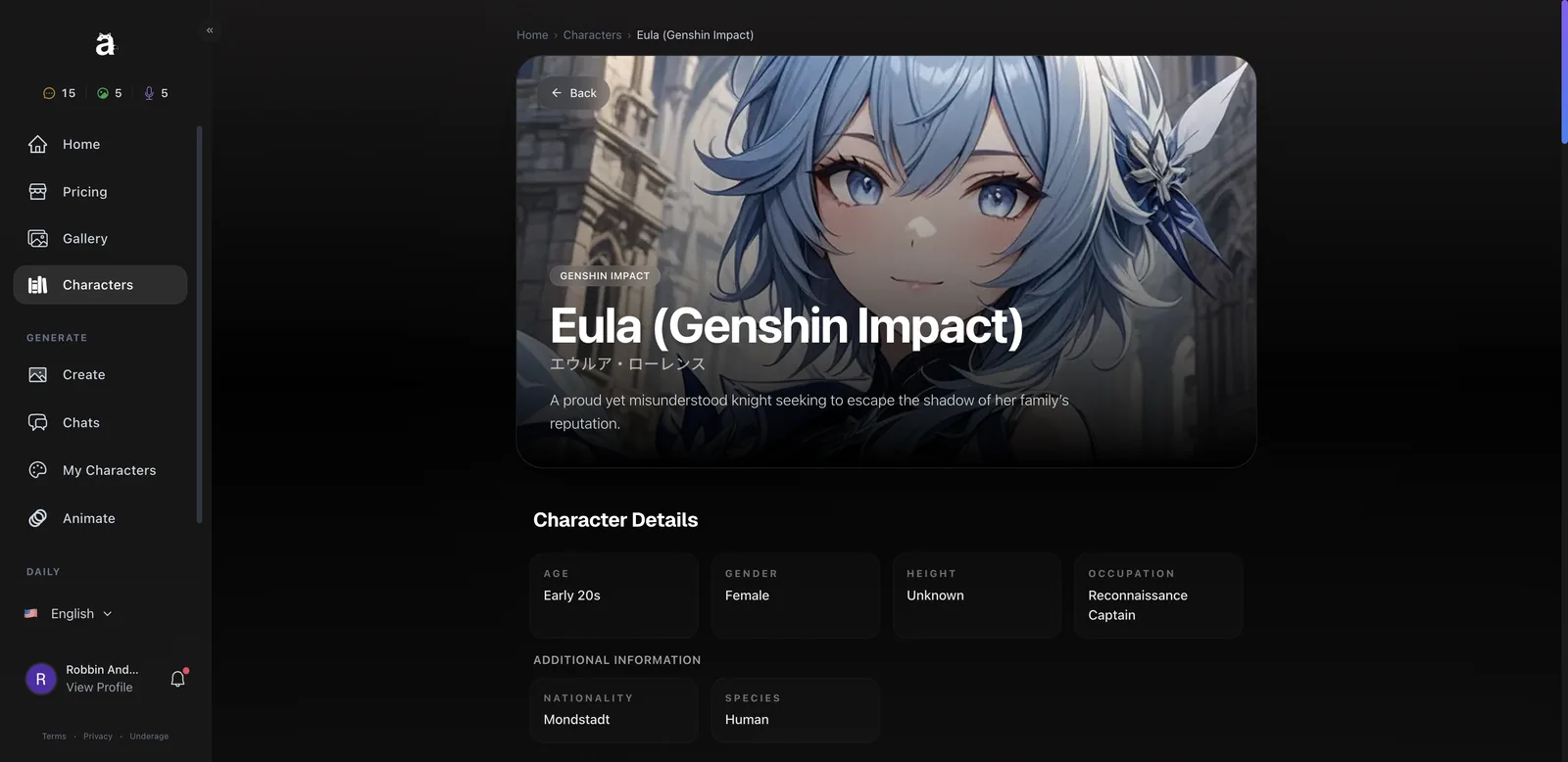
Each character has a proper profile page with age, gender, occupation, nationality, personality, likes and dislikes, plus two buttons: Create Art and Start Chat. Eula’s page showed 5.4k chats. These pages are well written and clearly built for search traffic too, each with its own FAQ.
How good is Anione’s AI chat?
Anione’s chat is good: characters stay in voice, use lore correctly and remember what you told them. It’s not long-form novel writing, but replies are lively and short enough to feel like a real back-and-forth.
When you open a new chat, Anione asks how you want to start:
- Casual is texting mode, like messaging a friend.
- Scenario is roleplay mode, with actions and a scene.
- Random lets the AI invent a surprise scenario for you.
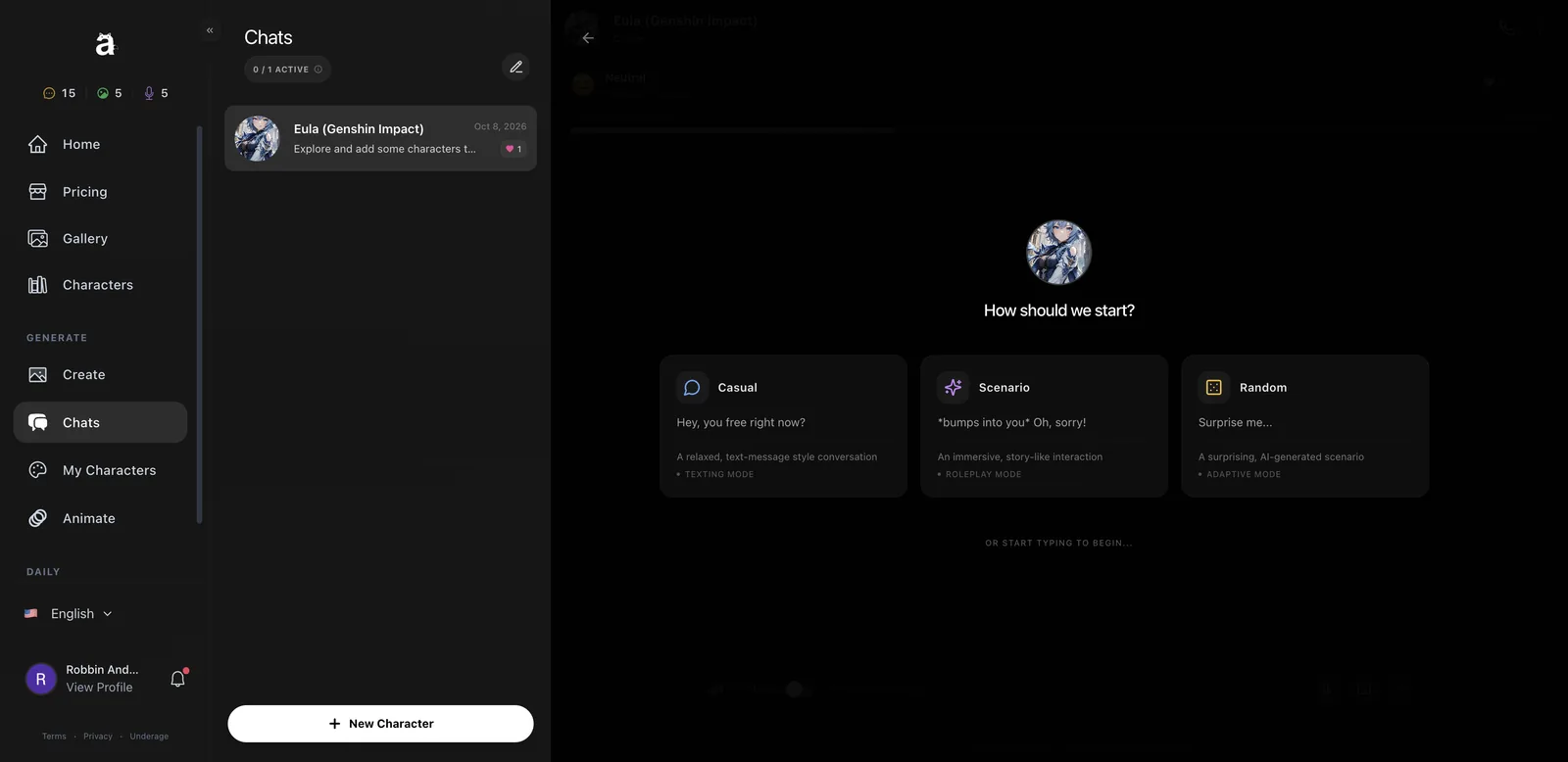
I picked Scenario with Eula. My opener was a simple “*bumps into you* Oh, sorry!” and she came back flustered and proud, exactly like the character. I told her I was Robbin, a cartographer who had just moved to Mondstadt from Liyue and kept getting lost. She gave me directions based on the wind and mentioned Windrise, which is a real location in the game.
Then the memory test. Two messages later I asked if she remembered where I came from and what I did for work. Her answer: “You’re testing me? Hmph. You said Liyue, and you’re a cartographer. I… happen to pay attention.” Correct on both counts, and in character while doing it.
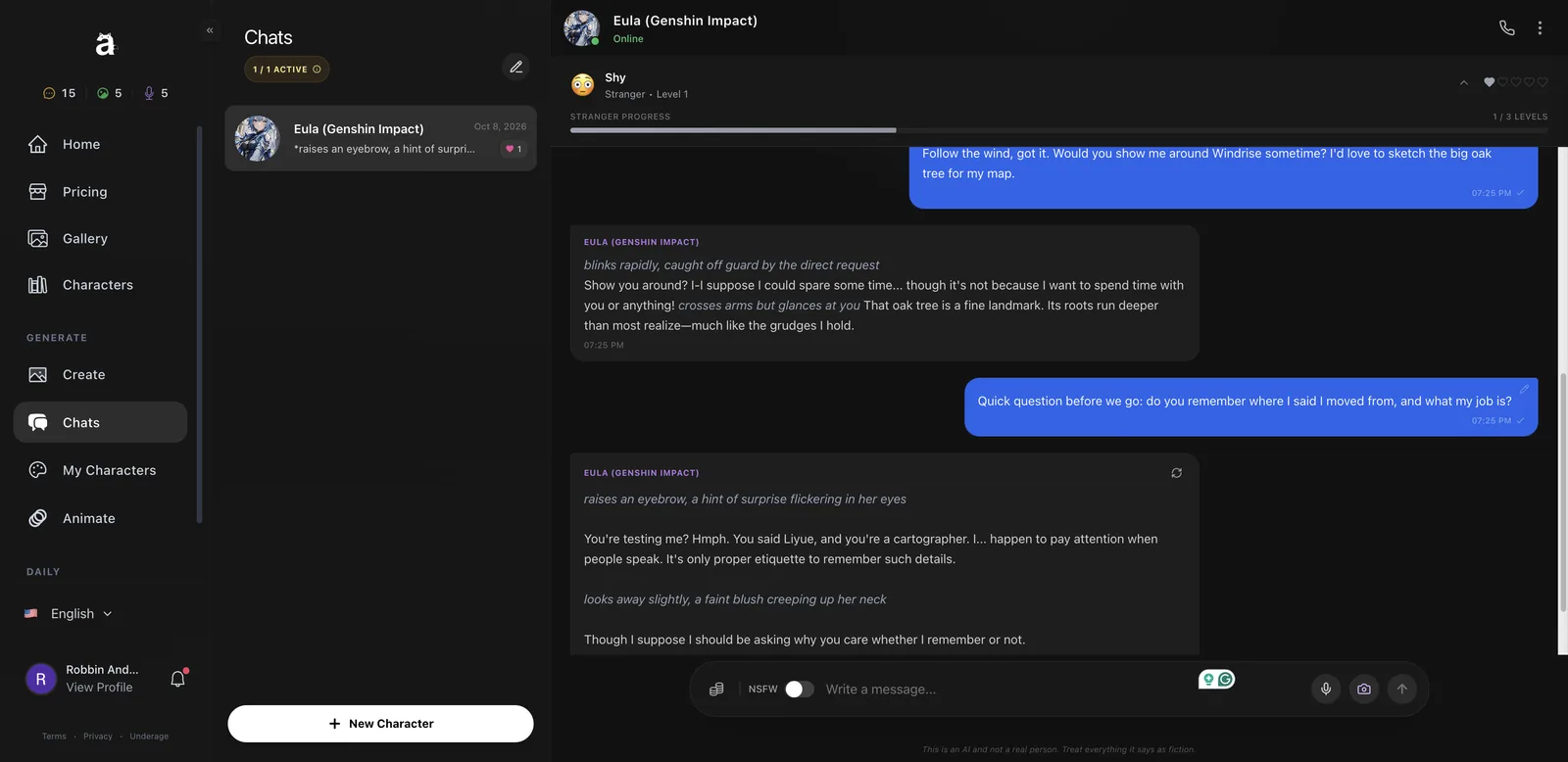
A few small touches I liked: a tip popup explaining that *asterisks* mark actions, a mood indicator that changed from Shy to Neutral as we talked, and a regenerate button on every reply. The chat menu also has a Guide, a profile link and a Reset Conversation option. There’s an NSFW toggle in the chat bar, which I left off.
How do relationship levels work?
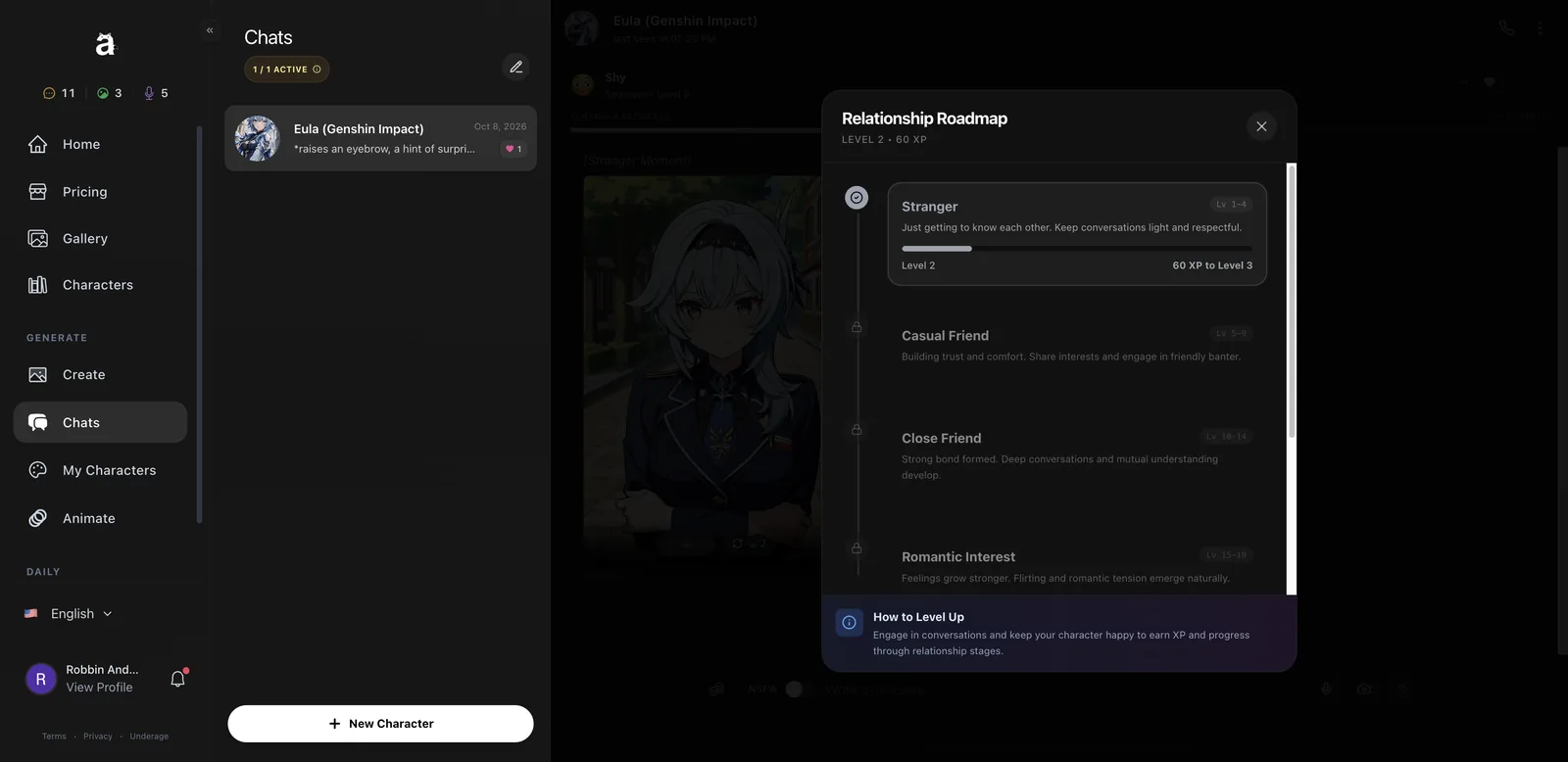
Every chat earns XP, and characters move through six relationship stages as you level up. You start as strangers and the character opens up over time, which changes both how they talk and which photos they’ll send.
| Stage | Levels | What changes |
|---|---|---|
| Stranger | 1-4 | Light, polite conversation |
| Casual Friend | 5-9 | Shared interests, friendly banter |
| Close Friend | 10-14 | Deeper conversations |
| Romantic Interest | 15-19 | Flirting and romantic tension |
| Dating | Higher levels | An established relationship |
| Inseparable | Final stage | The closest bond |
Four messages took Eula from Level 1 to Level 2. That pace is fine if you’re paying for unlimited text, but on 15 free messages you’ll barely get out of the Stranger stage. I like this system more than I expected. It gives conversations a sense of progress, and it’s the same idea behind the better slow-burn apps.
Can Anione characters send photos and call you?
Yes. Characters send in-chat photos for 2 image tokens, and you can voice call them using your voice minutes.
Tapping the camera icon in the chat bar asks the character for a photo. About 20 seconds later Eula sent a “Stranger Moment”: a clean, on-model picture of her in uniform with her arms crossed, in a Mondstadt street. The face and outfit matched her profile art exactly. The photo’s content follows your relationship stage, so early photos stay modest. Each photo has a regenerate button (2 tokens) and a convert-to-video button (20 tokens).
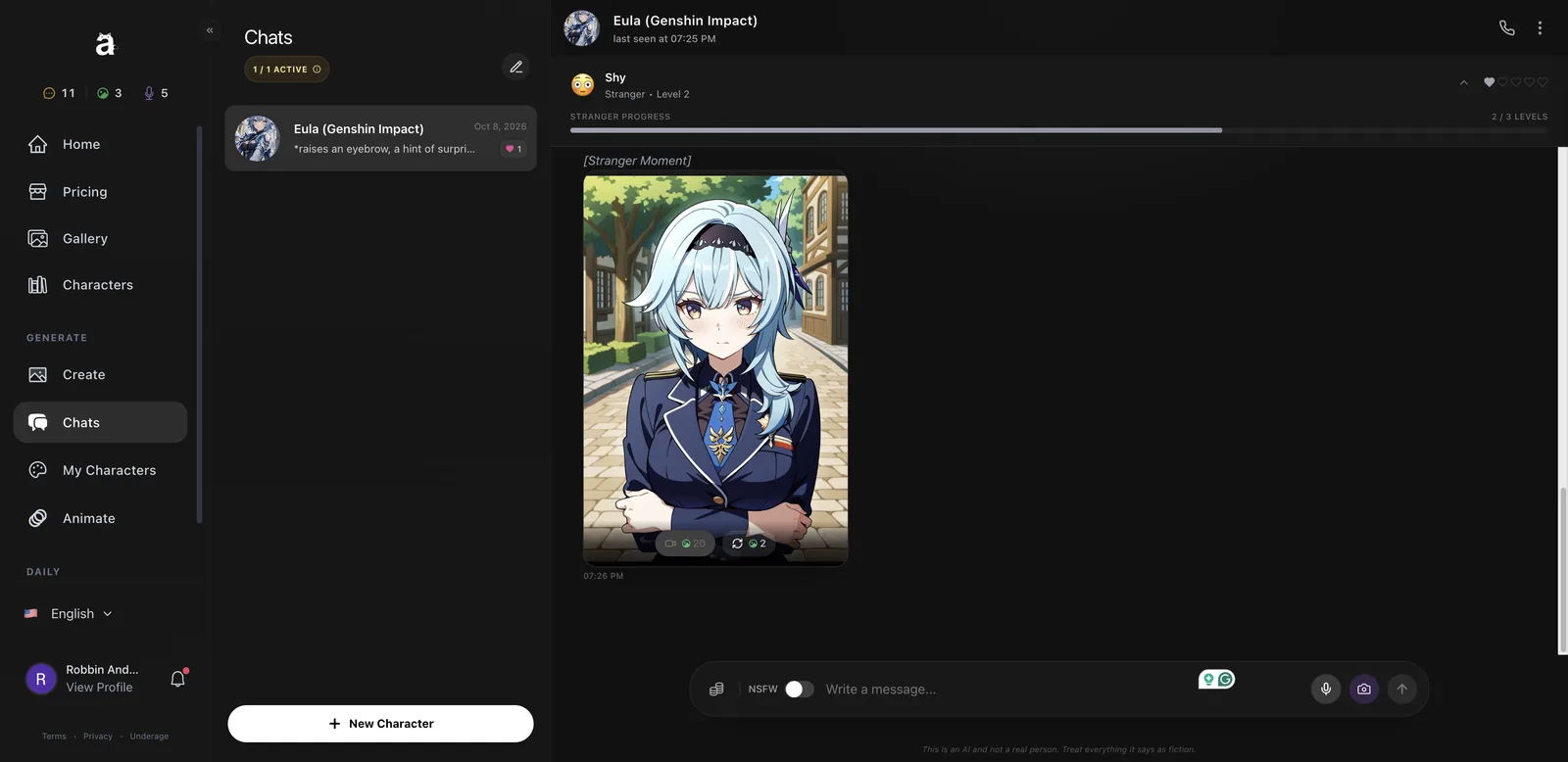
The phone icon at the top starts a voice call. Mine rang, showed a “Connecting” screen, then dropped because my browser had no microphone access. It still took 1 voice minute off my balance, so allow mic access before you tap call. Your custom characters get to pick from five voices, which are used for these calls.
How do you create your own Anione character?
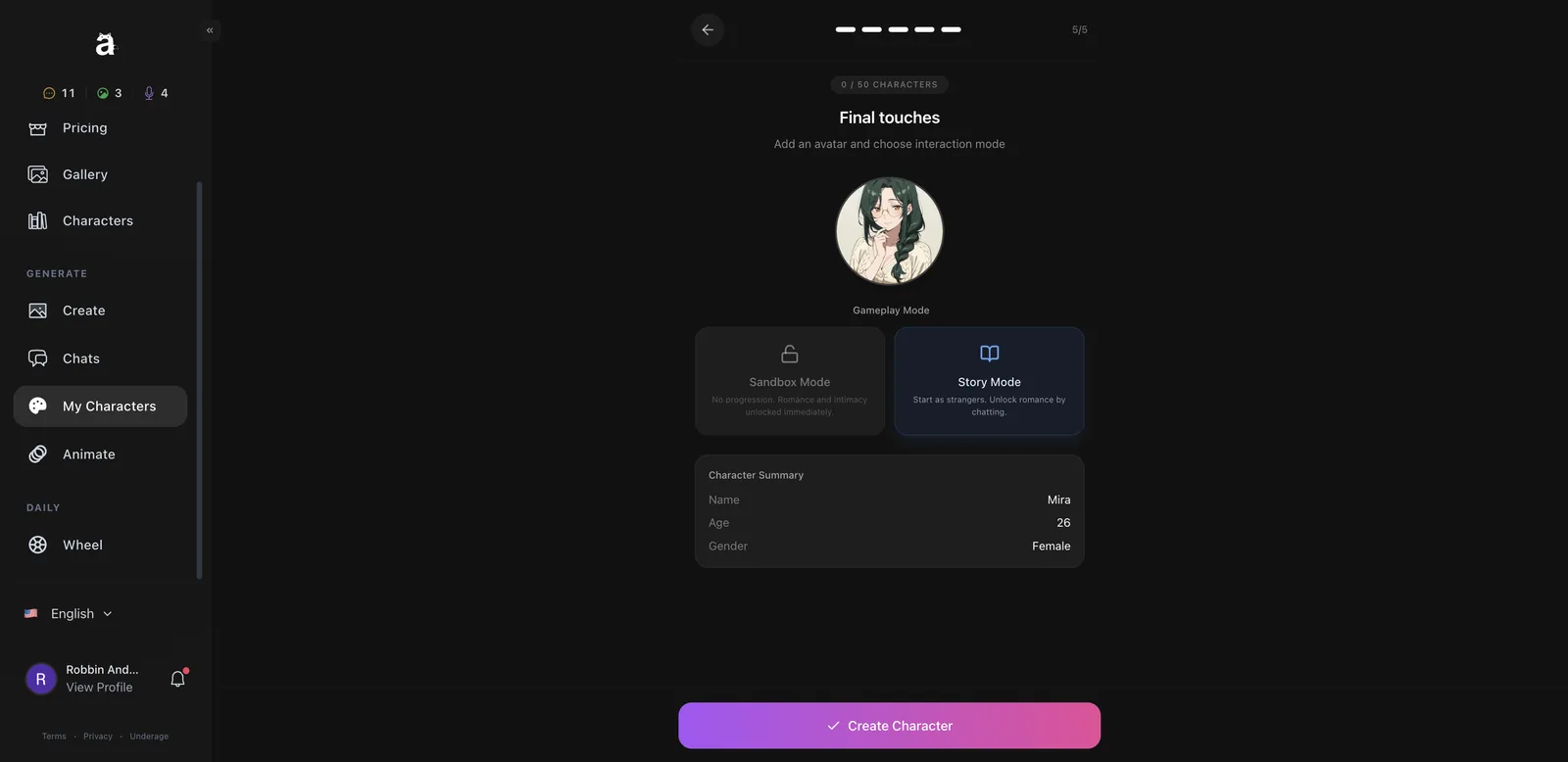
Anione’s creator is a five-step wizard: basics, personality, appearance, voice and gameplay mode. It took me about four minutes and one image token.
Step 1: Name, age and gender
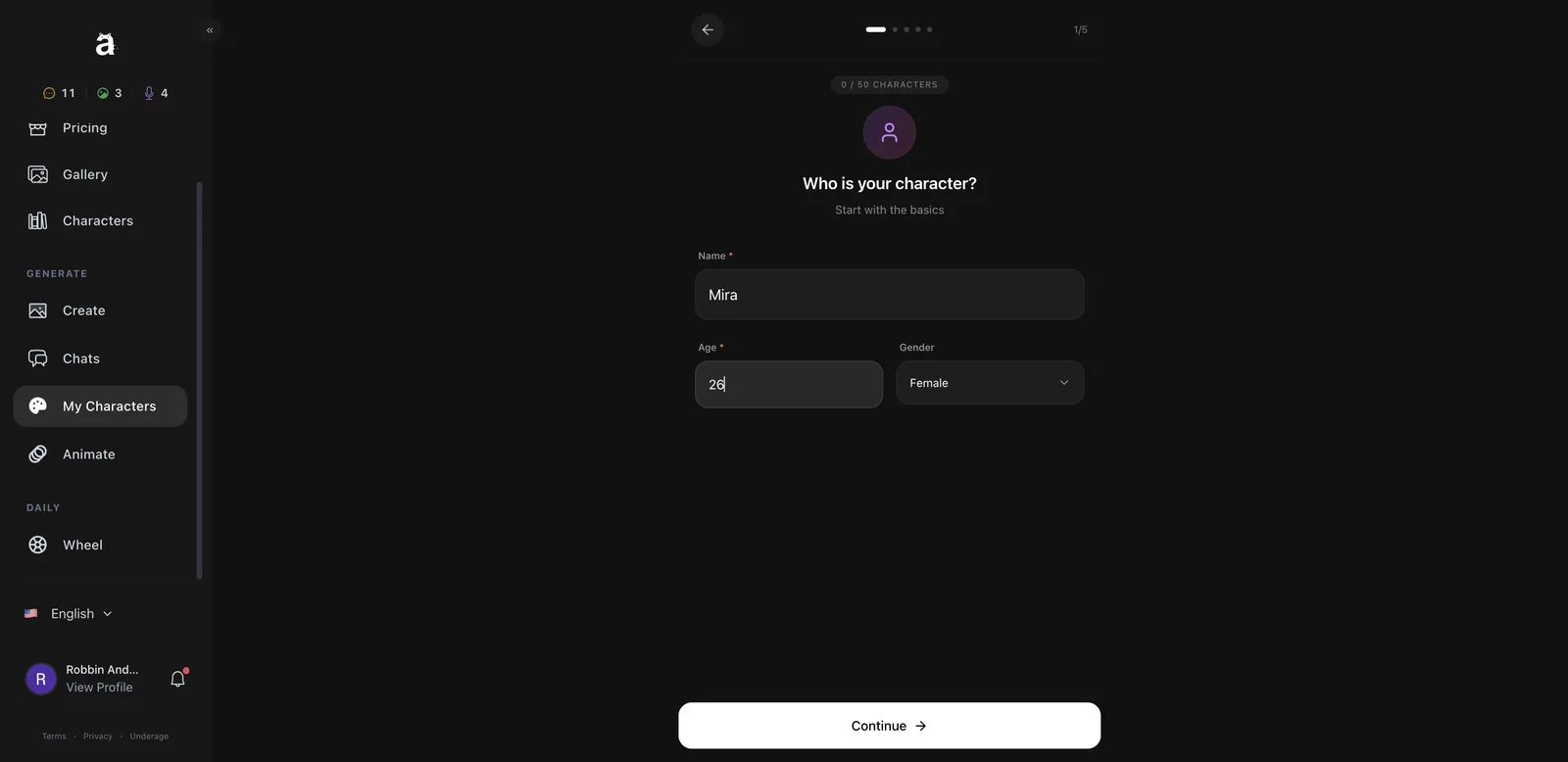
Go to My Characters and click Create Character. Enter a name, an age (18+ is enforced) and a gender. The counter at the top shows how many of your 50 slots you’ve used. I made Mira, a 26-year-old librarian.
Step 2: Personality and story
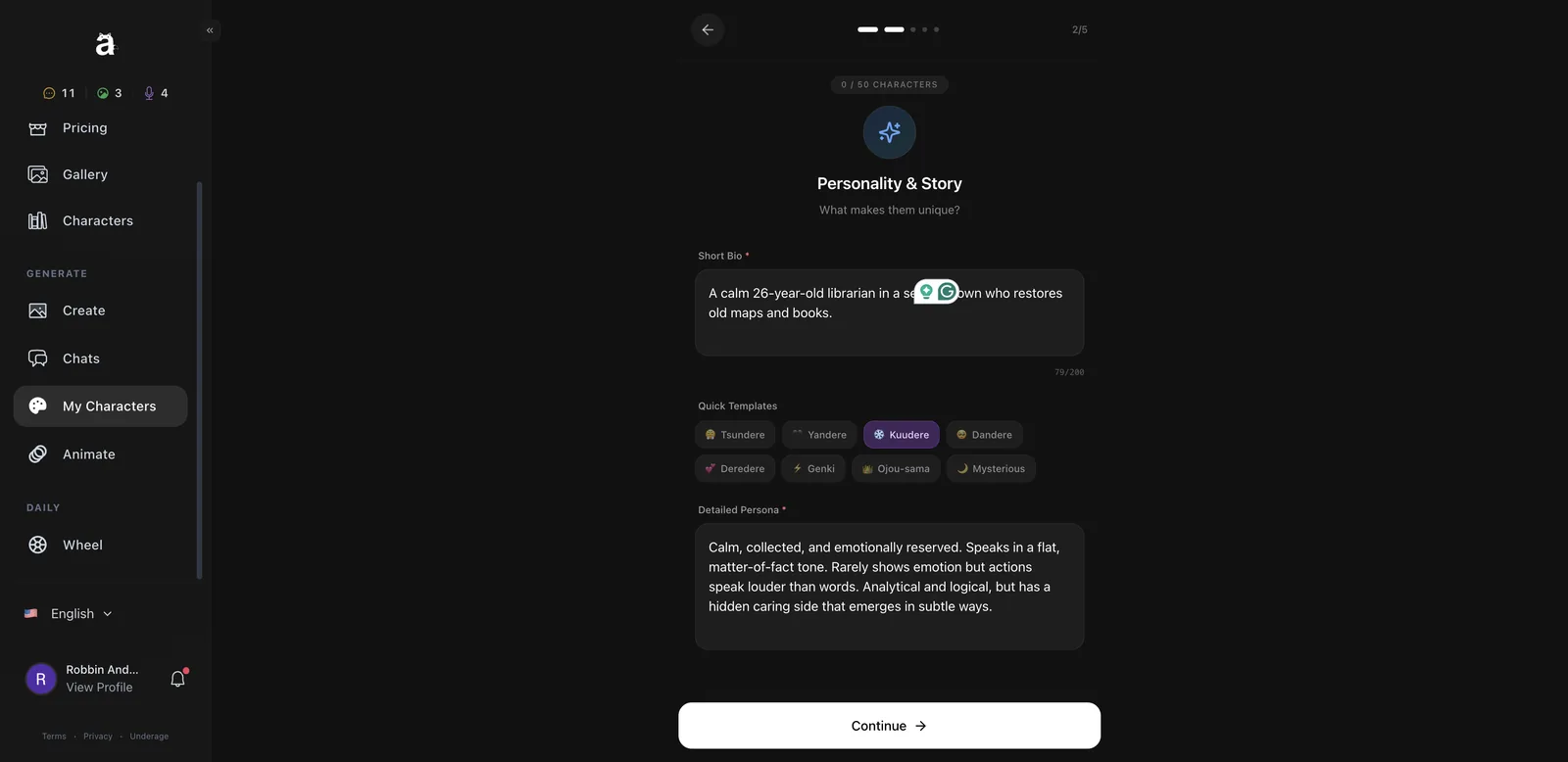
Write a short bio (200 characters max), then either write a detailed persona yourself or click a quick template. The templates are anime archetypes: Tsundere, Yandere, Kuudere, Dandere, Deredere, Genki, Ojou-sama and Mysterious. Clicking one fills in a full persona you can edit. I picked Kuudere and got a calm, reserved personality description with a hidden caring side.
Step 3: Appearance and traits
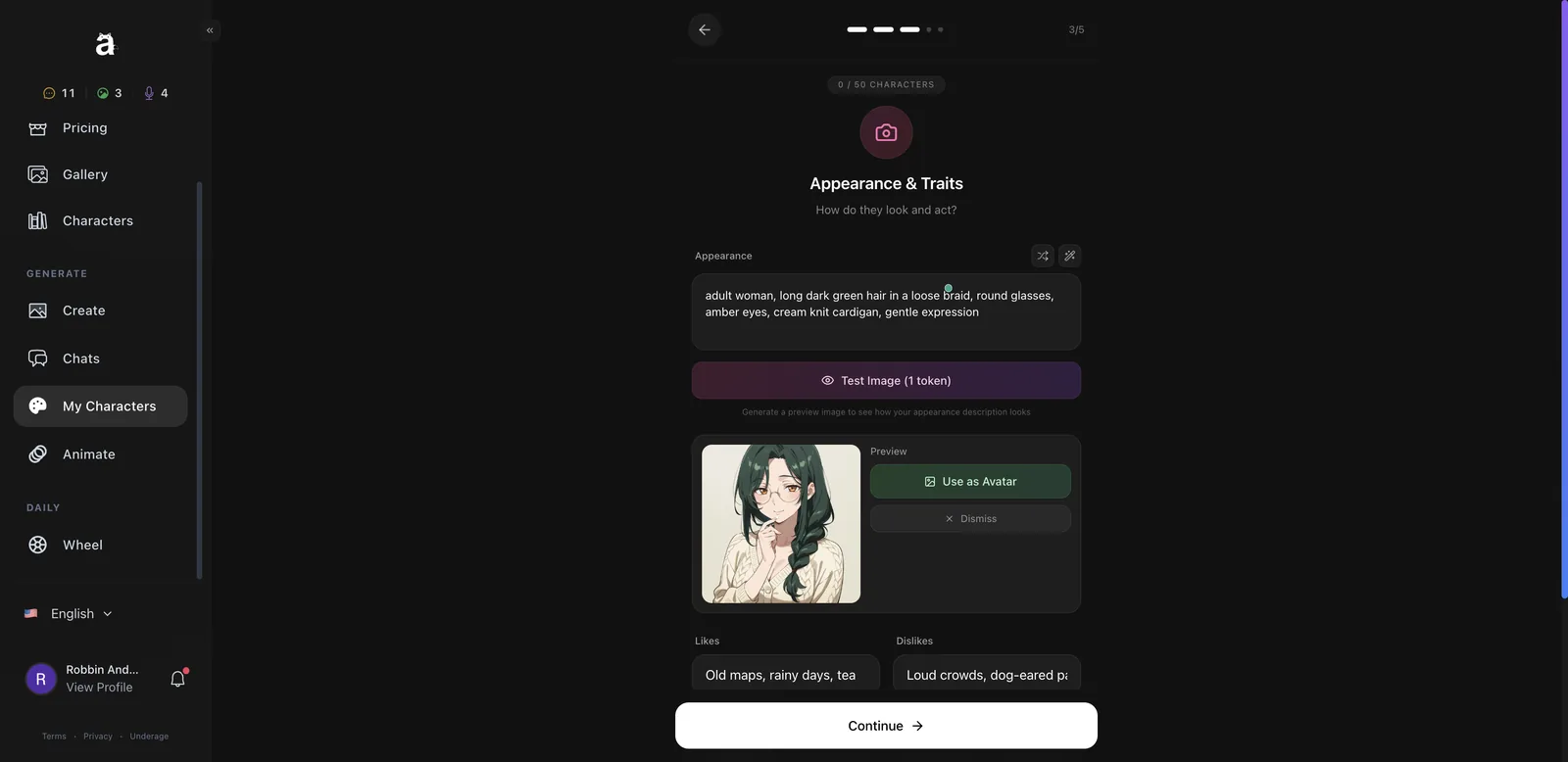
Describe how they look, then click Test Image (1 token) to preview it. If you like the result, click Use as Avatar. You also add likes, dislikes and a speech style (Casual, Formal, Archaic, Cute, Cool, Playful, Poetic or Blunt). My description asked for long dark green hair in a braid, round glasses, amber eyes and a cream cardigan, and the preview nailed every detail.
Step 4: Voice
Pick one of five voices (my female character got Female Voice 1 to 5). Each has a play button so you can hear it first. The voice is used in calls.
Step 5: Gameplay mode
This is the interesting choice. Sandbox Mode skips progression, so romance is unlocked from the first message. Story Mode starts you as strangers and makes you earn it through the relationship levels. I chose Story Mode, then clicked Create Character.
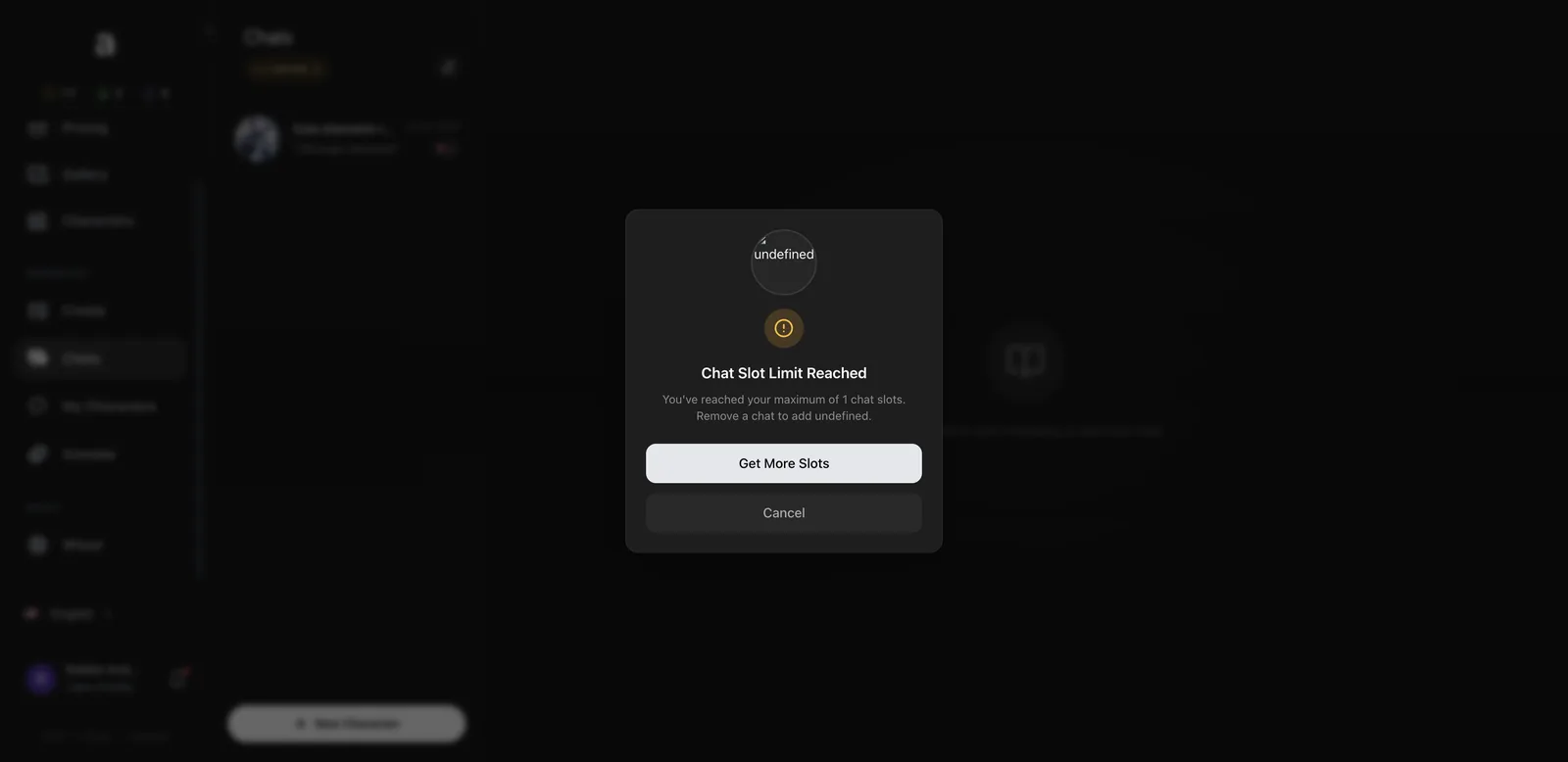
One problem: when I clicked Chat Now, I got a “Chat Slot Limit Reached” popup, because free accounts get just one active chat and Eula was using it. The popup also said “Remove a chat to add undefined”, which is a small but sloppy bug. To talk to a new character on the free tier, you have to delete an existing chat first. Paid plans add 4 or 15 extra slots.
How good is the Anione image generator?
It’s the best part of the platform. The v2 model produces clean, detailed anime art from plain-English prompts, and the style presets give you looks that most anime generators can’t do.
How to make an image on Anione
- Open Create from the sidebar.
- Choose Natural mode for plain sentences or Tag mode for comma-separated tags.
- Type your prompt, or pick a character from the grid to add them to it.
- Pick a Style and Background from the dropdowns.
- Leave the NSFW toggle off for safe-for-work art.
- Click Generate (2 tokens) and wait around 15 seconds.
- Click the save icon on the result before you leave the page.
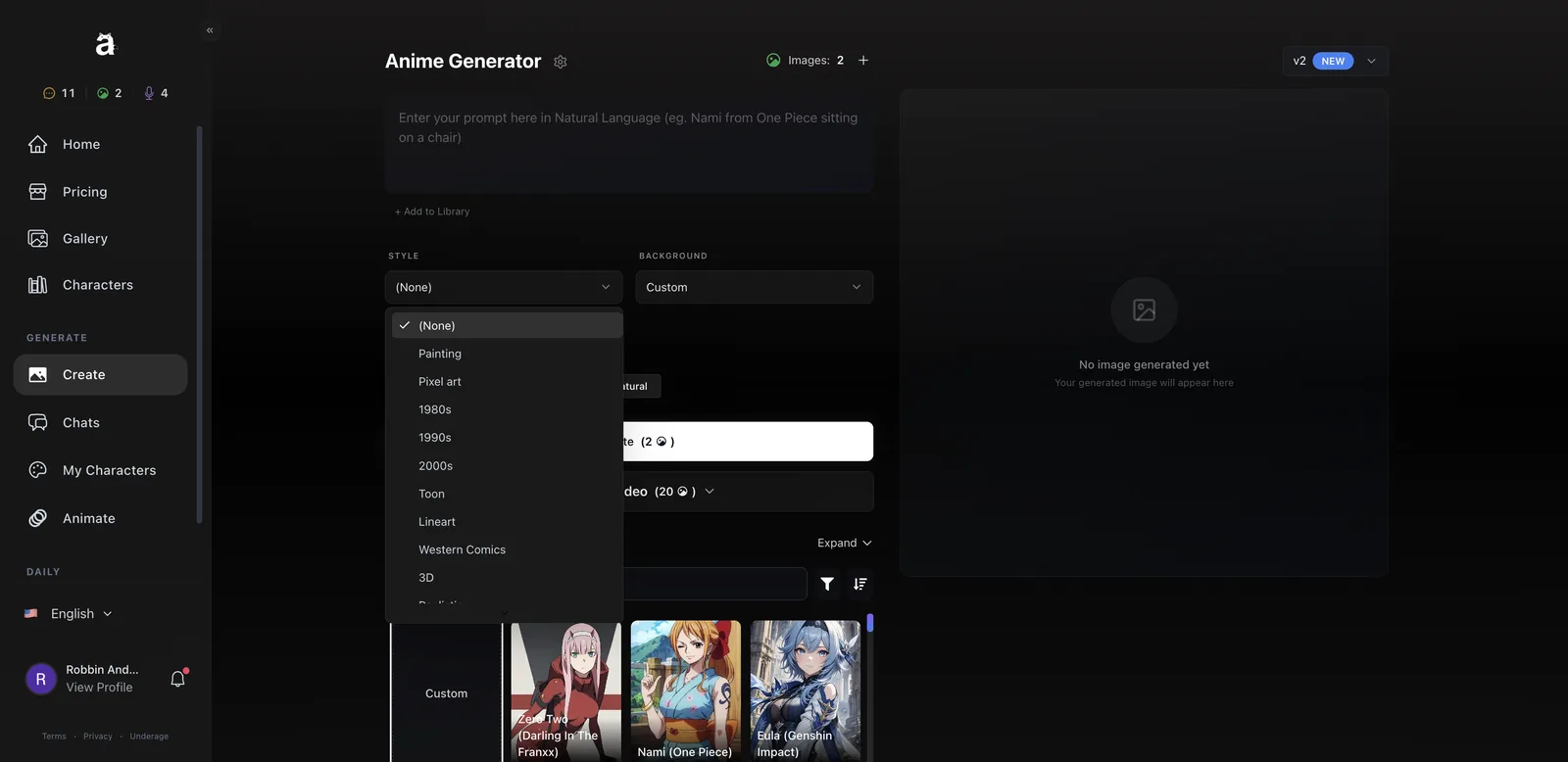
The Style list is where Anione stands out: Painting, Pixel art, 1980s, 1990s, 2000s, Toon, Lineart, Western Comics, 3D, Realistic and Neonpunk. The decade presets are a great idea for anime fans, because they change the whole drawing style rather than just the color palette.
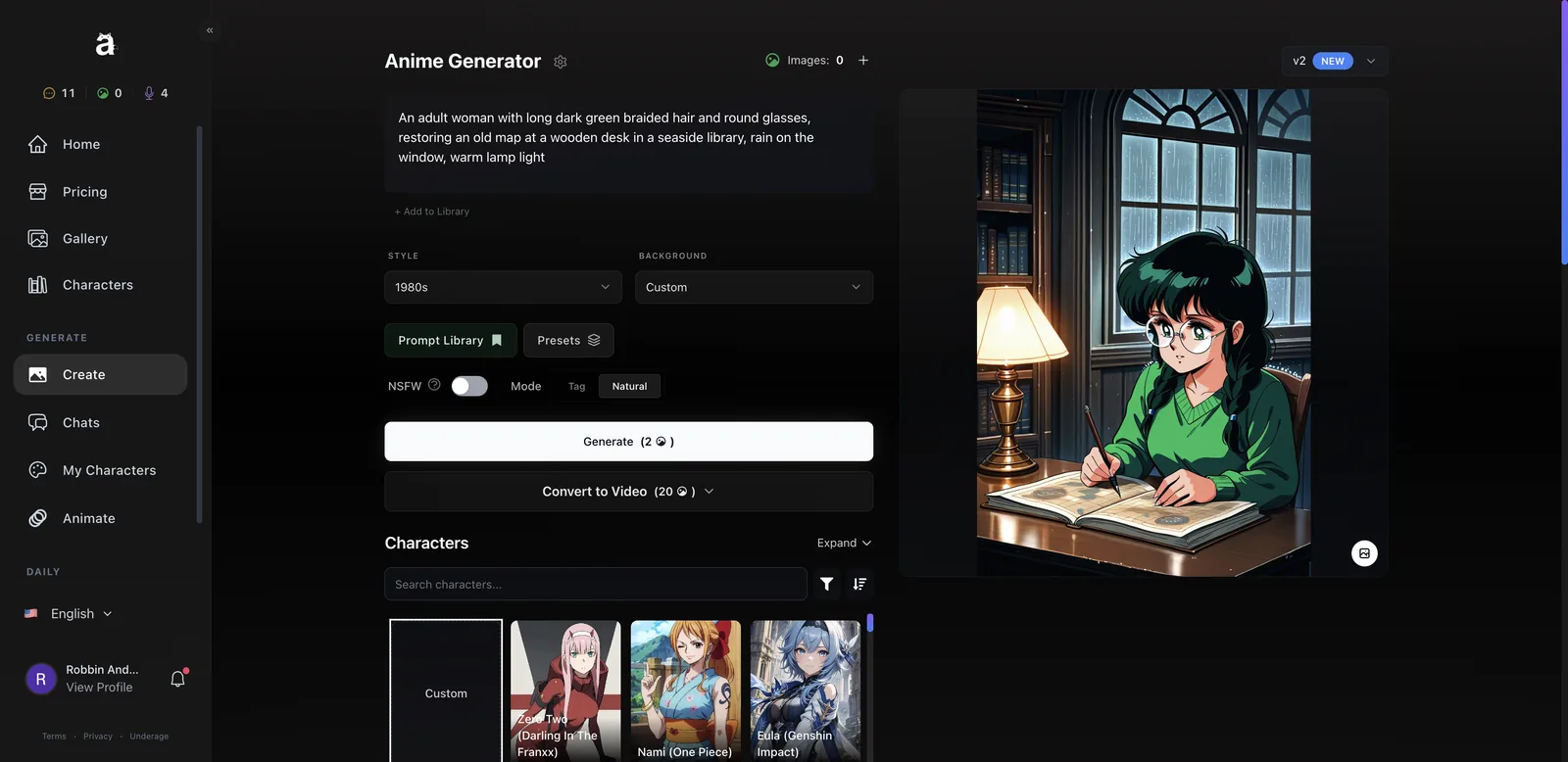
I tested the 1980s style with my librarian Mira: an adult woman with dark green braided hair and round glasses, restoring an old map at a wooden desk, rain on the window, warm lamp light. The result looked like a frame from an 80s OVA. Cel-shaded skin, soft retro colors, rain streaking down an arched window, a lamp with a proper glow, and a map spread across the desk. It’s the best single image I’ve made on any anime generator this year.
Other tools in the generator:
- Prompt Library with My Library, a Tag Library, and an Explore tab of shared prompts from other creators.
- Presets that save your current settings (up to 30) so you can recreate a look later.
- Convert to Video right below the Generate button, for 20 tokens.
Big gotcha: your images are not saved automatically. I left the Create page to check the Gallery, and the image was gone. The Gallery (now a private space with Generations, References, Chats and folders) was empty. Always click the save icon on the image first.
Can Anione turn images into video?
Yes. The Animate section has two video tools, and both cost 20 image tokens.
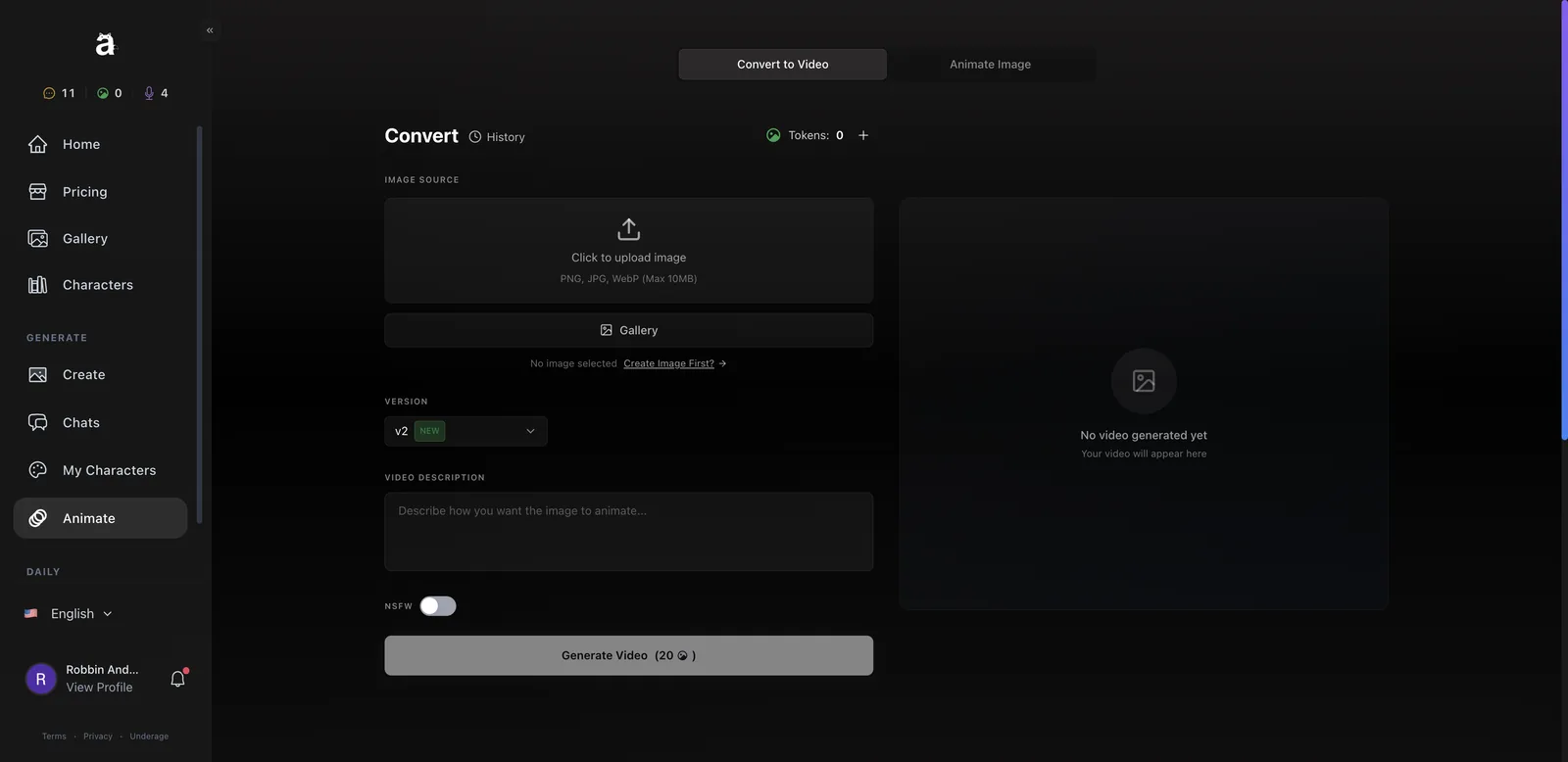
Convert to Video takes one image (uploaded, or picked from your gallery), a text description of the motion, and the v2 model. You write something like “she looks up from the map and smiles while rain streaks down the window” and it animates the still. The example clips on the page are 720p.
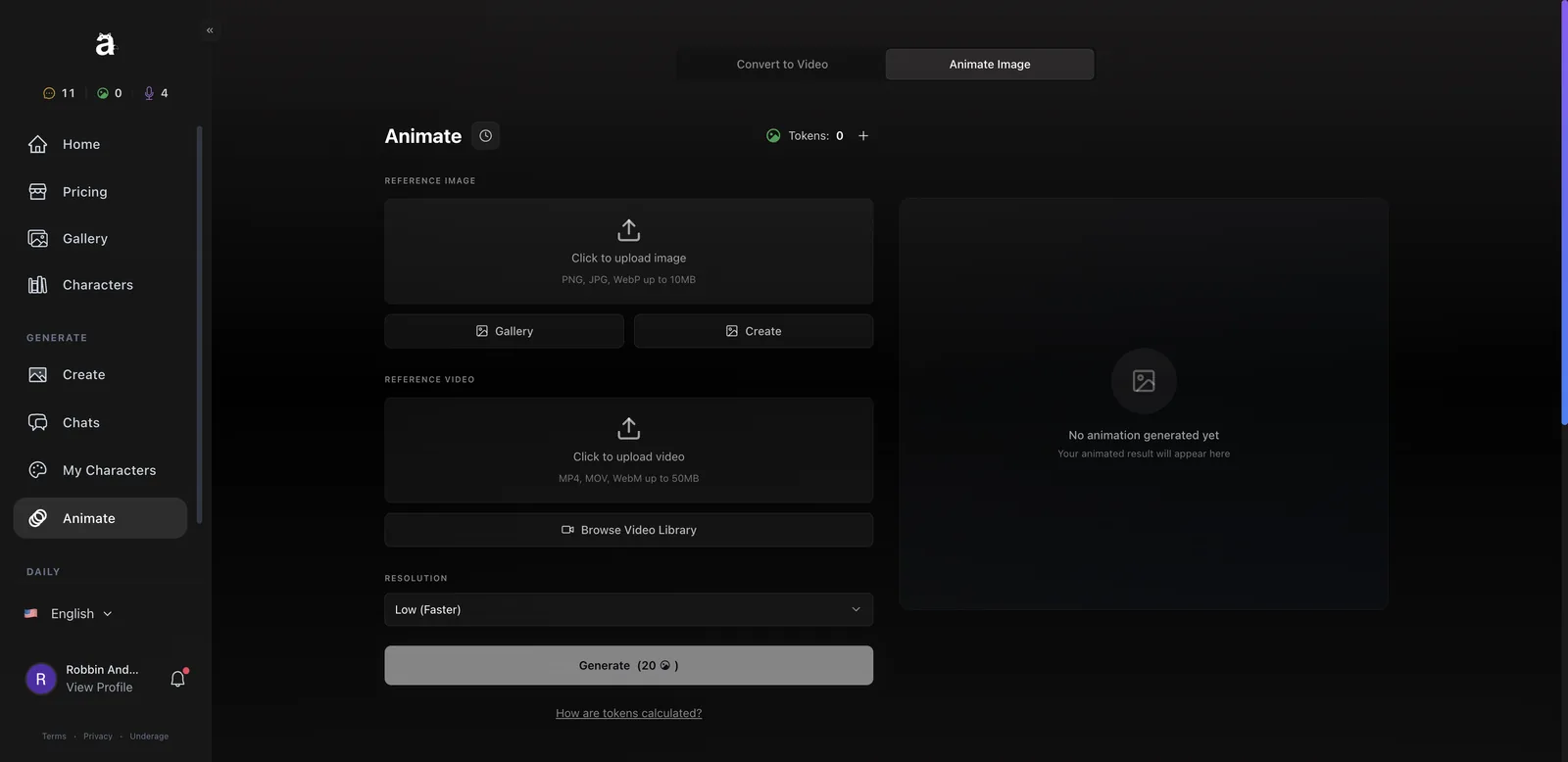
Animate Image is motion transfer. You give it a reference image and a reference video, and it makes your character copy the movement. There’s a library of 10 dance motion clips (5 to 11 seconds), or you can upload your own MP4, MOV or WebM up to 50MB. You can pick a lower resolution for faster results.
I ran out of image tokens before I could render a video, so I can’t judge the output from my own test. At 20 tokens, one video costs the same as ten images, so on the free tier you’d need to save up wheel spins or buy the $5 image pack. On Gold’s 1,000 images, it’s an easy add-on.
Anione pros and cons
Pros
- Excellent anime image quality from plain-English prompts
- Decade style presets (1980s, 1990s, 2000s) that really change the art style
- Characters stay in character and passed my memory test
- Relationship levels give chats a sense of progress
- In-chat photos stay consistent with the character’s look
- Thoughtful five-step creator with archetype templates and a 1-token preview
- Sandbox vs Story mode lets you choose slow burn or instant romance
- Two video tools, including dance motion transfer
Cons
- Free tier is tiny: 15 messages, 3 image tokens, 1 chat slot
- Subscriptions require a 3-month minimum
- Three separate currencies to track
- Generated images vanish if you don’t save them
- Voice calls charge a minute even if they fail to connect
- Minor UI bugs (“Remove a chat to add undefined”)
- Roster relies heavily on copyrighted characters
Anione vs alternatives: how does it compare?
Anione sits between pure anime image generators and anime chat apps, and does both better than most. Here’s how it stacks up against other anime platforms I’ve reviewed.
- BetterWaifu is a pure anime image generator with more model choices and LoRAs, but no chat at all. Pick it if you only want art and like fiddly controls.
- AnimeGenius is another art-and-video generator. Anione’s decade styles and chat give it more personality.
- Yume AI is a stronger pick if chat matters more than art. Its roster is curated and the roleplay is deeper.
- Pinku mixes fandom roleplay with in-chat images like Anione, using a tag system for photo requests.
- Candy AI’s anime lane is more polished overall and mostly original characters, but it’s a pricier, broader platform.
Anione FAQ
Is Anione safe to use?
Anione says it’s PCI-DSS certified for payments, and it’s run by MakeItAI LLC with a published contact address (contact@anione.me). Your settings let you turn NSFW content off globally and delete your account. As with any AI chat app, don’t share real personal details in chats.
Does Anione allow NSFW content?
Yes. There’s a global NSFW toggle in your profile settings and separate toggles in the chat bar and the generator. With them off, images and text stay safe for work. All characters are listed as 18+.
Does Anione remember past conversations?
Yes, within a chat. In my test Eula correctly recalled my hometown and job after two more messages. Relationship XP and level also carry over between sessions.
Can I use Anione images commercially?
Anione’s pricing page has an FAQ on commercial use. Check the current terms before using art in anything you sell, especially when it shows copyrighted characters, which you shouldn’t sell regardless of what the platform allows.
Is there an Anione app?
Anione runs in the browser on desktop and mobile. Check its FAQ page for the latest on iPhone and Android apps.
What languages does Anione support?
Seven languages, which you switch from the language picker at the bottom of the sidebar.
My final take on Anione
Anione earned a better write-up this time. The image generator is still the headline, and that 1980s librarian image will stay in my head for a while. But the chat is now a real product, with memory that works, a relationship system that gives you a reason to come back, and photos that look like the character you’re talking to.
Start on the free tier, spin the wheel daily, and spend your first tokens on the generator with a decade style. If you find yourself running out of messages in the first evening, Silver is the plan to get. Just remember to save your images.






