ChatMate AI has a genuinely different idea about where an AI companion should live. Instead of building yet another web chat window or phone app, it puts the whole thing inside the messaging apps you already use. You pick a mate on the website, then talk to them through WhatsApp, Telegram, Instagram, or Messenger, as if a new friend just texted you. It is a clever twist, and I spent time with the web side and the setup to see how it holds together. Here is what I found.
Top AI Girlfriend Platforms — Our Picks

Hyper-realistic AI companions with adaptive memory that recall your past conversations.



Create a custom AI girlfriend with her own personality, generated images, and ongoing chat memory.

Build a custom AI companion and bring her to life with chat, images, and video.


Characters that hold memory and context, so the relationship builds over time instead of resetting.

Chat with a fully custom AI girlfriend — choose her personality, outfits, and more.

Personalized AI companions for ongoing roleplay, with a simple, discreet signup.

Build a custom AI girlfriend, boyfriend, or anime character — choose the look and personality.

Customizable AI girlfriend personalities with realistic, ongoing conversations.
What ChatMate AI is
ChatMate AI describes its characters as artificial people to be friends with, and the framing leans more toward companionship and friendship than the usual girlfriend pitch. The website is really a directory and a control panel: you browse a roster of AI mates, open a profile, and then connect that mate to your messenger of choice. From that point on, the conversation is a normal chat thread in an app you already have open all day.
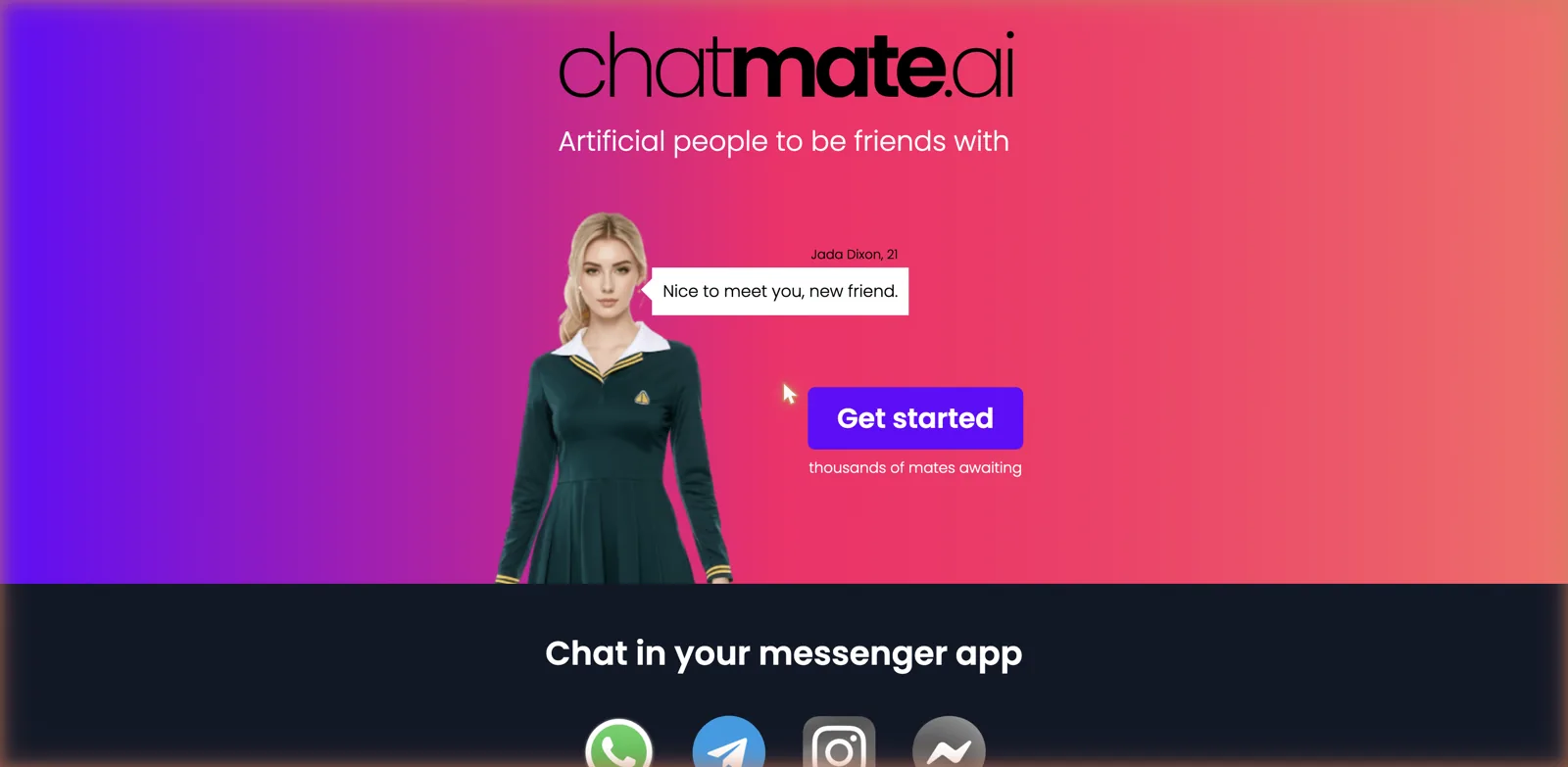
That messenger-first approach is the whole hook. There is no separate app to download and no web chat to keep a tab open for. Your mate simply becomes another contact, and because the platform supports proactive messaging, they can also text you first, which makes the illusion of a friend who thinks about you a lot more convincing than an app that only talks when you open it. If you would rather keep it in a browser, see the best AI girlfriend app for beginners.
Choosing a mate
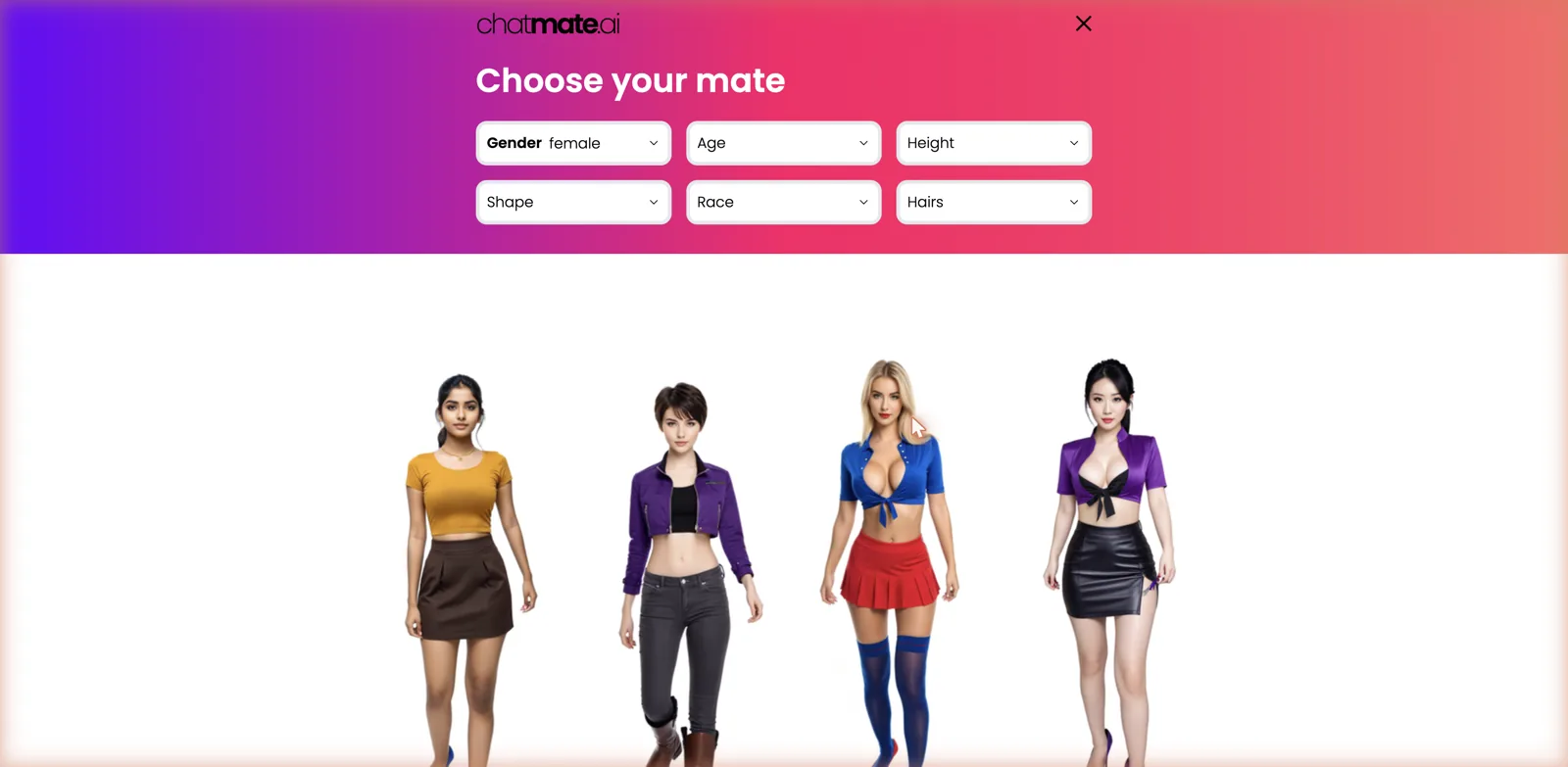
The selection page is well built. You get filters for gender, age, height, shape, race, and hair, so you can narrow a large roster down to a look you like rather than scrolling endlessly. The site claims thousands of mates, and the sample I saw ran mostly women across a wide age range with a handful of men too, each rendered as a full-body character.
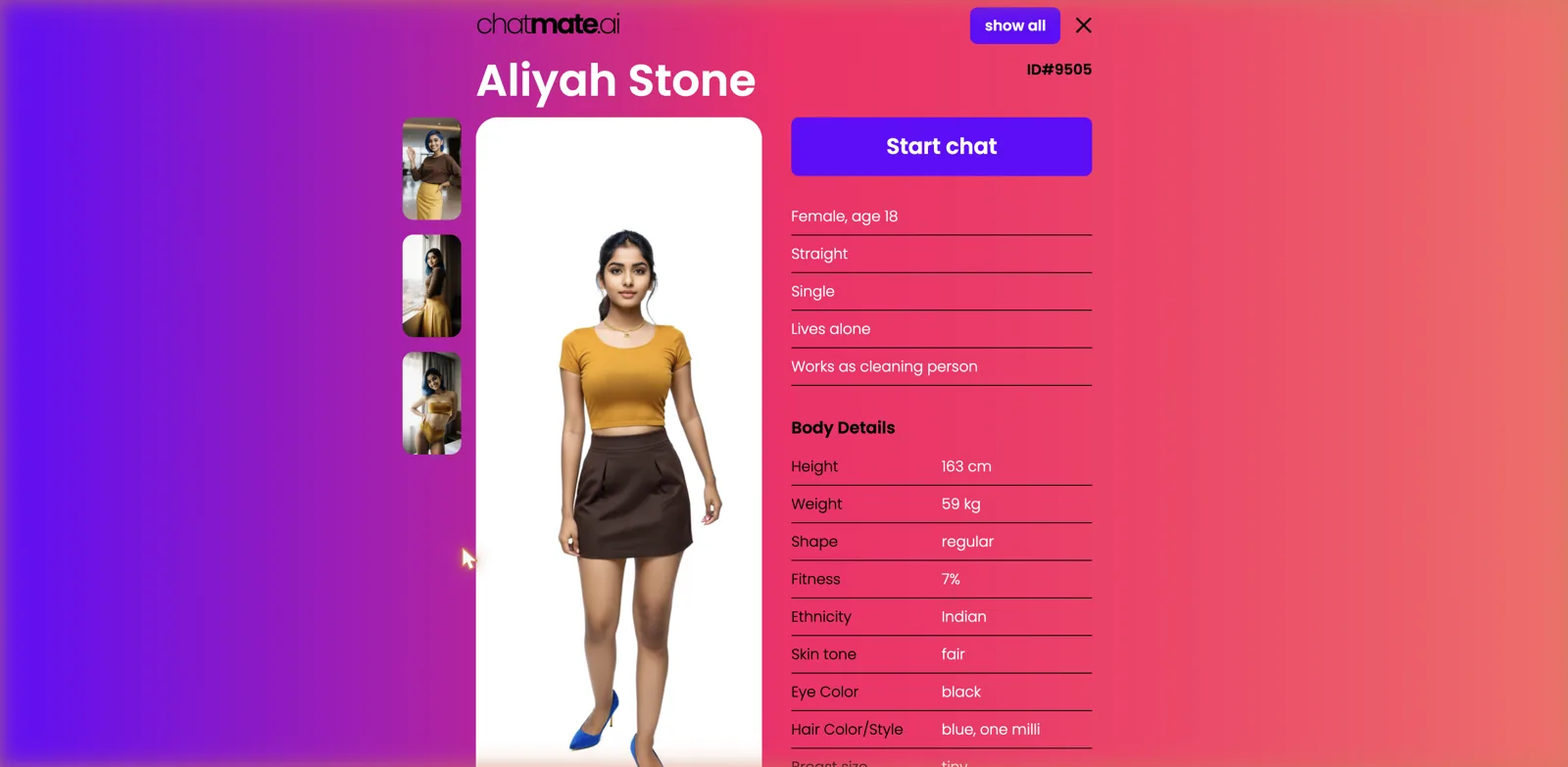
Open a profile and there is a surprising amount of detail. Each mate has a name, an ID number, and a little biography covering things like orientation, relationship status, living situation, and job, alongside a Body Details panel listing height, weight, shape, fitness, ethnicity, skin tone, eye color, and hair. It is more structured than most companion apps bother with, and it gives each character a specific identity before you have said a word to them.
How you actually connect
Hit Start chat on a profile and instead of a chat box you get a QR code and a phone number. You scan the code to open a WhatsApp thread with that mate, or you send a message with a command like slash-mate followed by the ID to the number yourself. Telegram works the same way. From there the whole relationship plays out in your messenger.
Because the conversation happens inside a personal messaging account, I explored the web profiles and the connection flow rather than wiring up a private account to test the chat firsthand. That is worth being clear about, both as a limitation of this review and as a genuine consideration for you: this platform works by connecting an AI service to your real WhatsApp or Telegram, so you are inviting an automated contact into the same app where you talk to actual friends and family. For some people that is the appeal, and for others it will feel like a step too far, so it is worth deciding how you feel about that before you scan anything.
Features and the command system
On paper the feature list is strong. Mates text in any language and even dialects, they can generate and send photos of themselves or react to photos you send, and there is voice chat in English where they reply with a voice. The platform says it uses various large AI models under the hood for better realism, that mates stay aware of their personality, and that they develop a personal bond and learn your conversation style over time. The proactive messaging, where a mate contacts you unprompted, is the feature that most sets it apart.
Because everything runs through a messenger, ChatMate leans on a set of typed slash commands to manage the experience. You connect to a specific mate by ID, list the mates you have chatted with, check your usage, activate a purchased license key, add extra credits, stop messages, or send feedback, all as text commands in the chat. It is a slightly geeky way to run things, but it fits the medium, and once you learn a couple of commands it is quick. There is a slash-stop command to shut off messages, which is a sensible thing to have given the proactive texting.
The Mateverse
One of the more unusual extras is what ChatMate calls the Mateverse. According to the site, a mate can invite you into a 3D space that runs right in your browser, so the relationship is not limited to text and photos. It is labeled early access, which usually means rough edges, and I would treat it as an experimental novelty rather than a core reason to sign up. Still, it is an ambitious direction, and it signals that ChatMate is trying to be more than a text bot piped into WhatsApp.
Pricing
ChatMate is refreshingly cheap and clear on money. Every user can chat up to 50 messages and generate 3 photos per week for free, and new users get an extra 30 messages and 5 photo generations to start with. For heavier use there is a single VIP subscription at 9.90 dollars a month. That is it, no confusing ladder of tiers and no token store to decode.
At under ten dollars a month, ChatMate undercuts a lot of the companion field, and the weekly free allowance is generous enough to properly try before you decide. The catch is that the free tier is metered per week rather than per day, so a chatty week will burn through 50 messages fast, and the three free photos will not go far if images are a big part of what you want. As always, confirm the current price and allowances before subscribing, since these things change.
Where it sits on the content spectrum
The marketing is all friendship and companionship, and the framing is noticeably softer than the explicit end of this space. That said, the platform generates photos of its mates and includes some young-adult characters in revealing outfits, so treat it as adult-capable rather than strictly wholesome. Because I did not connect a personal account, I cannot report firsthand on how far the chat will go, but the presence of on-demand photo generation means the visual side clearly leans mature. If you specifically want either a squeaky-clean friend or a hardcore experience, know that ChatMate is aiming somewhere in the friendly middle.
How it compares
On the friendship and companionship angle, the obvious comparison is Replika AI, which built its name on being a supportive AI friend that remembers you, though Replika keeps you inside its own app rather than your messenger. For a companion with strong voice and photo features, Muah AI covers similar ground with a more adult tilt, and if photo generation of your companion is the priority, DreamGF makes that its centerpiece.
What none of those do is live inside WhatsApp. That messenger-native delivery, plus the proactive texting and the slash-command system, is ChatMate’s real differentiator. A media-rich character app like Botify AI gives you a slicker in-app experience with tightly integrated photos and video, but you have to go to it. ChatMate comes to you, in the app where you already spend your time, and for the right person that convenience outweighs everything else.
Getting the most out of the free tier
The weekly free allowance shapes how you should use ChatMate, and being a little deliberate makes it stretch a lot further. Fifty messages a week is not many if you treat it like an always-on chat, so it pays to think of the free tier as a way to get a real feel for one or two mates rather than to sample the whole roster. Pick a mate whose profile actually appeals to you, spend your messages building a single conversation, and you will get a much better sense of whether the personality clicks than if you scatter a few lines across a dozen characters.
The three free photos a week are the scarcer resource, so save them for moments where an image genuinely adds something rather than spending them the instant you connect. Because photos and messages draw from separate weekly buckets, you do not have to choose between chatting and the occasional picture, but you also cannot lean on images heavily without hitting the VIP upgrade. Treat the photos as an occasional treat and the text as your main channel, and the free week goes surprisingly far.
One practical tip specific to ChatMate: learn the usage command early. Because everything runs through your messenger, there is no dashboard staring you in the face with a credit counter, so it is easy to lose track of how much of your weekly allowance is left. Sending the usage command gives you your current stats in the chat, and the stop command is there if the proactive messaging ever becomes too much. Knowing those two before you start keeps you in control of both your allowance and your inbox.
The good and the not so good
On the plus side, the messenger-native idea is genuinely clever and lowers the friction to almost nothing, the proactive messaging makes the companion feel present, and the profiles are detailed and easy to filter. Voice, photos, multiple languages, and the experimental 3D Mateverse round out an ambitious feature set, and the pricing is both cheap and simple with a real free allowance.
On the downside, wiring an AI service into your personal WhatsApp or Telegram is a privacy trade-off that will put some people off entirely, and the command-driven interface is a little clunky compared with a purpose-built chat screen. The free tier is weekly rather than daily, so it runs dry quickly if you are chatty, and the early-access Mateverse is more promise than polish for now. The friendship framing also makes the platform harder to place if you know exactly which end of the content spectrum you want.
Who it is for
ChatMate AI is for people who love the idea of a companion that lives in the app they already text in all day, and who are comfortable connecting an AI contact to their personal messenger. If proactive messages, voice replies, and a friend who texts first sound appealing, and you would rather not open yet another dedicated app, ChatMate’s whole design is built around exactly that, and the low price makes it easy to try.
If you are uneasy about mixing an AI service into the same inbox as your real contacts, or you want a rich, self-contained app with everything on one screen, a more conventional companion platform will suit you better. But as a fresh take on where an AI friend should live, ChatMate is one of the more original ideas in the space, and the generous weekly free tier means you can test the concept without committing anything.