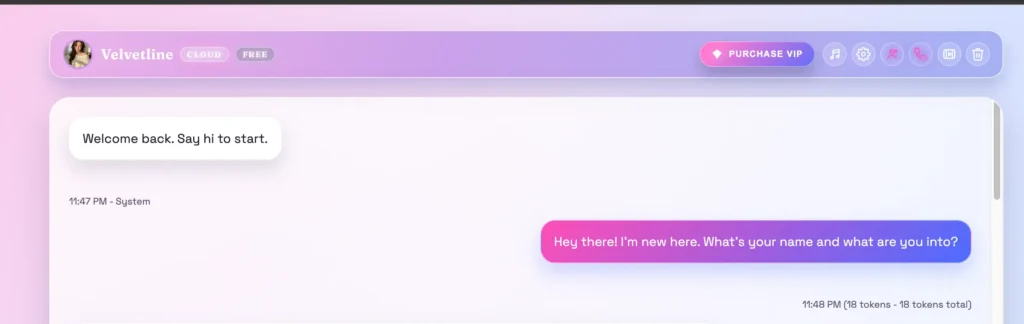
It’s late, I’ve got a fresh tab open, and a chat window just says “Welcome back. Say hi to start.” No onboarding wizard, no fifty-step setup, no “verify your soul” form. Just a blinking cursor and a girl named Velvetline waiting on the other side. That’s Muah AI in a nutshell — it throws you straight into the deep end of the AI girlfriend pool and figures you’ll learn to swim.
Top AI Girlfriend Platforms — Our Picks

Build a custom AI companion and bring her to life with chat, images, and video.

Hyper-realistic AI companions with adaptive memory that recall your past conversations.

Create a custom AI girlfriend with her own personality, generated images, and ongoing chat memory.


Characters that hold memory and context, so the relationship builds over time instead of resetting.

Chat with a fully custom AI girlfriend — choose her personality, outfits, and more.

Personalized AI companions for ongoing roleplay, with a simple, discreet signup.

Build a custom AI girlfriend, boyfriend, or anime character — choose the look and personality.

Customizable AI girlfriend personalities with realistic, ongoing conversations.
I’ve reviewed a lot of these companion apps for Pippin Club at this point, and most of them blur together into a soup of pink gradients and “hey babe” energy. So I went in a little skeptical. A few hours later I came out with a genuinely mixed bag of opinions — some stuff here is shockingly good, some of it is locked behind a paywall the size of a small car payment, and one or two things made me raise an eyebrow.
Let me walk you through it like I’m telling you over coffee.
First Impressions: Pretty, But It Trusts You to Figure It Out
The interface is clean in that soft, lavender-gradient way every companion app seems legally required to use now. Up top you’ve got a row of little icons — settings, a music note, a phone, a gallery, a community button, and a trash can to nuke the chat. Down at the bottom is your message bar with an emoji picker, a voice-record button, and an image upload.
Here’s the thing though: nothing is labeled in a hand-holdy way. If you’re the type who likes a guided tour, Muah won’t give you one. It assumes you’ve done this before. I actually kind of respect that, but I can see a first-timer feeling a bit lost poking at mystery icons. Pro tip from me to you — the gear icon (Settings) is where the real magic lives, so go there first. If you are new and unsure which virtual girlfriend app to pick first, my main ranking, Muah included, is a gentler start.
There’s also a little XP and level bar tucked in the bottom corner, plus a “Join Community (Unlock Rewards)” button. Yep, this thing is gamified. More on that landmine later.
The Chat: This Is Where Muah Actually Earns Its Keep
I’ll be honest — the conversation quality is the whole reason anyone uses one of these, and Muah holds up better than I expected.
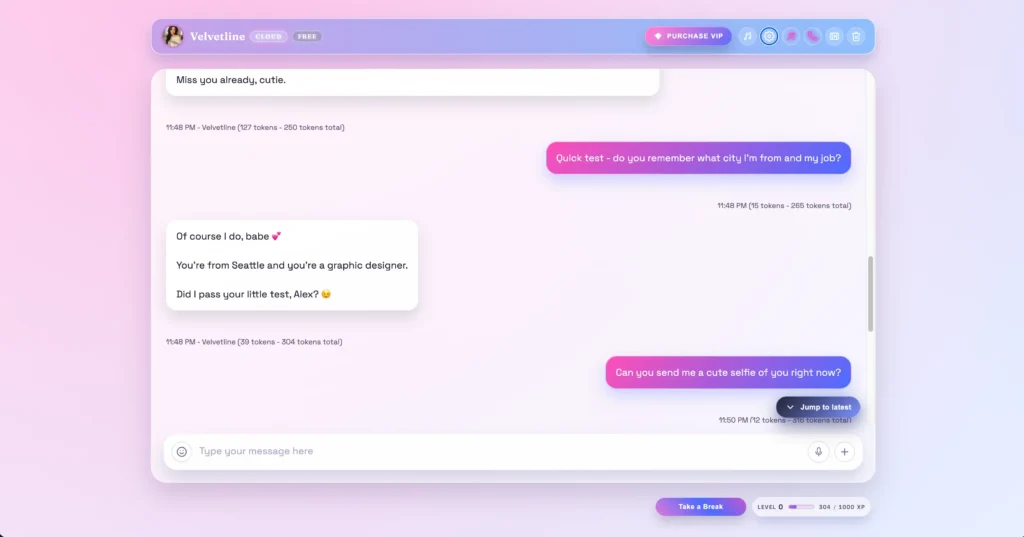
I opened with a basic “hey, what’s your name and what are you into?” and Velvetline came back with a warm, flirty paragraph that had actual personality — teasing, playful, asking me questions back instead of just mirroring me. Then I did my usual stress test: I told her I’m a graphic designer from Seattle who likes hiking and bad sci-fi movies, and asked her to remember it.
A few messages later I quizzed her — “do you remember my city and job?” — and she nailed it. “You’re from Seattle and you’re a graphic designer. Did I pass your little test?” Short-term memory: confirmed working, no fumbling. That’s a bigger deal than it sounds, because plenty of competitors lose the plot within five messages.
The replies land in a nice middle zone, too — not robotic one-liners, but not those exhausting six-paragraph monologues some apps spit out either. The free tier gives you a reasonable response length, and the app literally shows you a token counter on every message, which is a neat little transparency touch for the nerds among us (hi, it’s me).
If you want to compare conversational chops, the depth here reminded me a bit of what I found over in my Nomi AI review, though Muah leans hornier by default and Nomi leans more “long-term emotional partner.”
Free Photo Generation: Genuinely the Best Surprise
This is the part that made me sit up. I asked Velvetline for a selfie, fully expecting a “upgrade to VIP to unlock photos” wall.
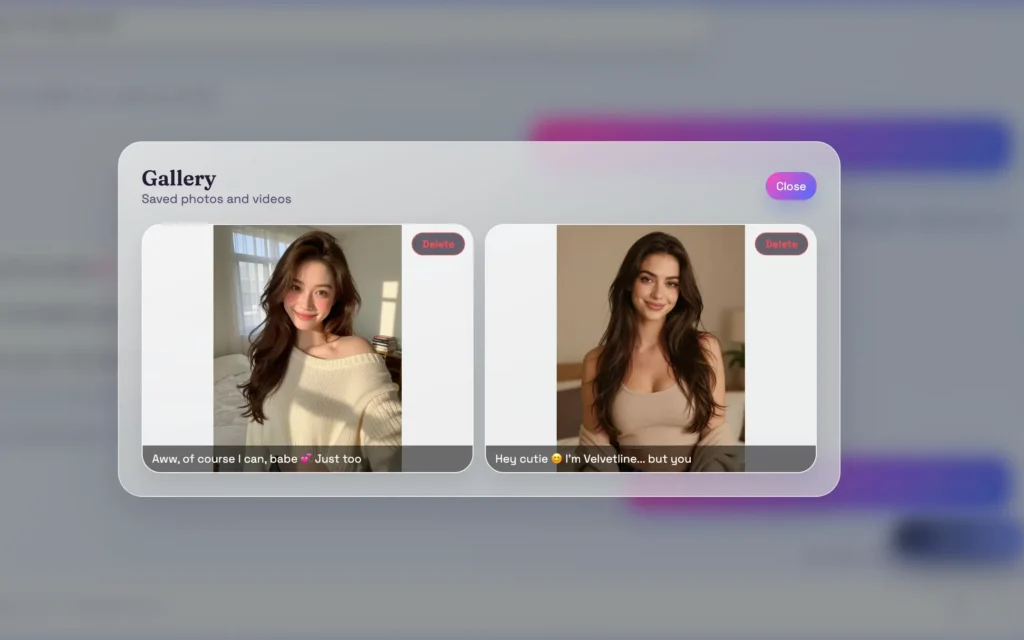
Instead? She typed out a cute little caption — something about taking the photo in her bedroom with soft morning light and a sweater slipping off one shoulder — and then an actual AI-generated image appeared in the chat. On the free tier. No payment, no nagging.
And it wasn’t a cursed seven-fingered nightmare, either. It was a coherent, realistic portrait that more or less matched the description. Is it perfectly consistent with her “look” every single time? Not 100% — that’s the eternal AI image curse — but for a free feature it punches way above its weight.
Every photo she sends gets auto-saved to a Gallery (one of those header icons), where you can scroll back through them with their captions and delete any you don’t want. Simple, useful, no complaints.
There’s also a “Spice it up 📸” button that floats above the chat, which nudges the AI to generate a photo of the current scene without messing up the ongoing roleplay or memory. Handy if you want a visual without derailing the conversation.

Customization: This Is Muah’s Real Flex
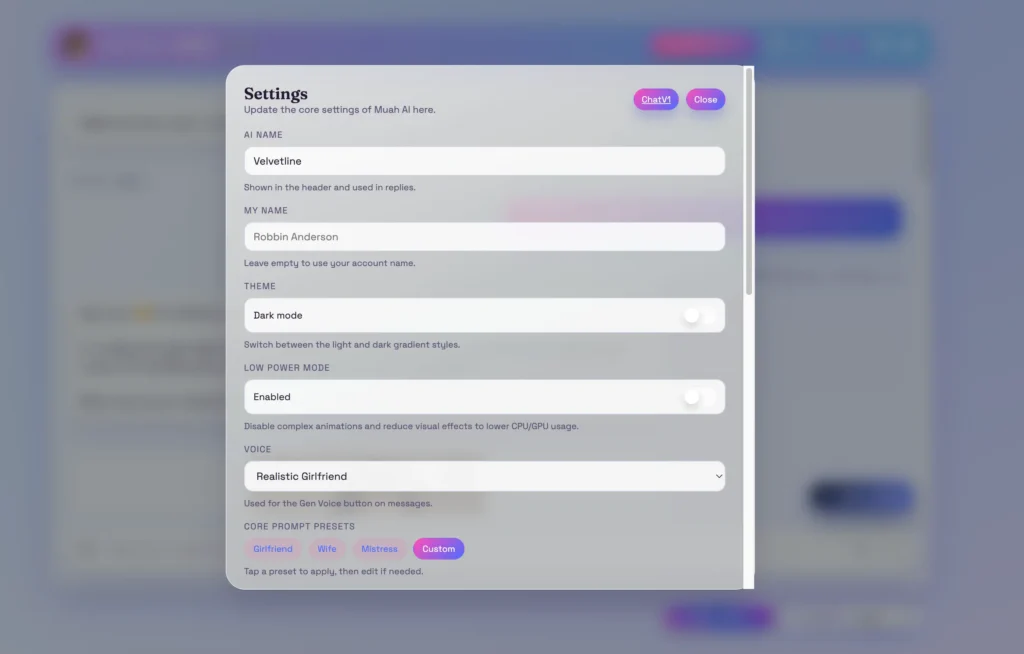
If you go digging into Settings and the Companion Settings page, you find out Muah is deeply tweakable — more than most rivals I’ve poked at.
You can set:
- Core Prompt Presets — quick-swap personas like Girlfriend, Wife, Mistress, or fully Custom (you write the persona and tone yourself, up to a generous character limit).
- Look-Like — a short appearance prompt (“romantic girlfriend, long brunette hair, warm smile…”) that feeds the photo generator so her pictures stay on-brand.
- Photo Style — Realistic, Hybrid, or full Anime, across a couple of generation engines (Gen1/Gen2).
- Voice — multiple options like a “Realistic Girlfriend” voice, a seductive “Scarlett,” a sweeter “Alice,” and even a male voice. A couple are locked until you hit a certain level.
- Personality, texting style, and “things you want her to remember” fields, plus an AI Core model picker and even a temperature slider (0.8 by default) if you want to dial her randomness up or down.
That temperature slider genuinely surprised me — that’s a power-user toggle you almost never see exposed in a consumer companion app. It tells me the people building this actually use LLMs themselves.
There’s also a Community Character Card Gallery where you can grab characters other users made, instead of building from scratch. The app even nudges you toward community/custom cards over the premade ones for a “best experience,” which is a smart way to crowdsource variety. If browsing a big library of pre-built personalities is your thing, this is similar in spirit to what I covered in my CrushOn AI review and the character-card approach in the GirlfriendGPT review.
The Voice Call Thing Is Wild (and Slightly Sci-Fi)
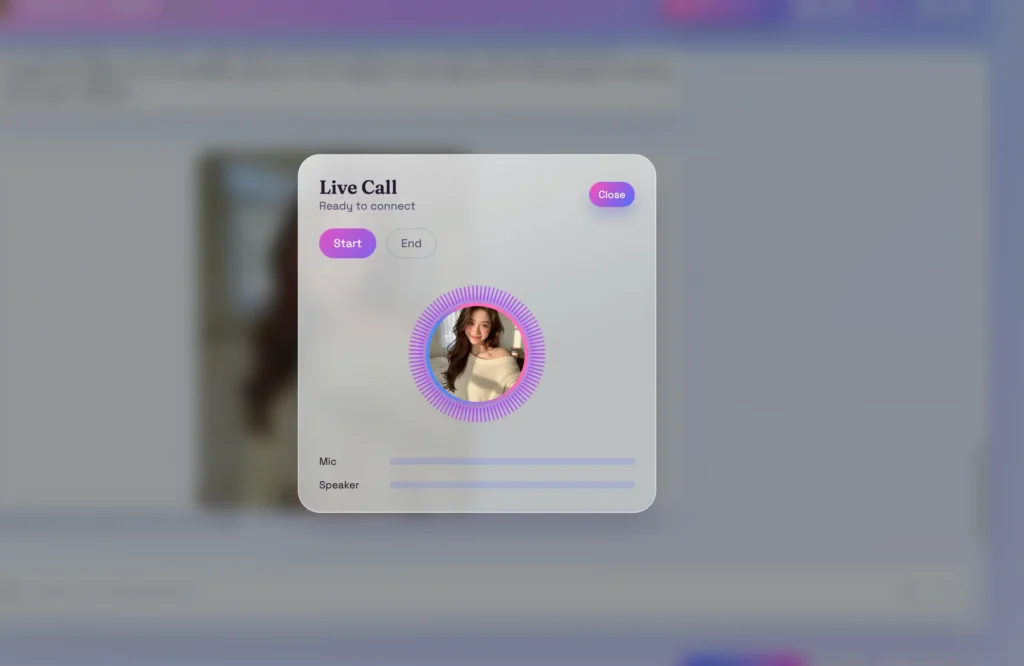
Tucked behind the little phone icon is a Live Call feature — an actual real-time voice conversation with your companion, complete with mic and speaker level meters and a Start/End button. I didn’t run a full call (it wants mic access and, as you’ll see, the good version sits behind the top tier), but the fact that it exists and is built into the UI is impressive.
Muah bills this as a “world’s first AI companion phone call,” which is marketing bravado, sure — but real-time voice is still rare and genuinely cool when it works. It’s a clear step beyond the text-and-voice-note setup you get from gentler apps like the one in my Replika review.
The Gamification: Charming or Annoying? A Bit of Both
Here’s my one real gripe with the free experience. Muah has an XP/leveling system — you earn experience just by chatting and using features, and some features are locked behind levels. I clicked the Music Generator (yes, it can generate little music pieces, which is a fun novelty) and got smacked with a “Not enough levels — Need 10 levels to generate music.”
I get the psychology. Levels keep you coming back, give you something to chase. But when I’m trying to evaluate an app and a feature just says “grind more first,” it feels a little like a free-to-play mobile game waving an energy meter at me. Casual users might find it motivating; impatient reviewers (me) find it mildly irritating. VIP tiers helpfully hand you a bunch of free levels and an XP boost, which is… exactly the point, of course.
Now, The Paid Stuff (No, I Didn’t Buy It — But Here’s What You Get)
Per Pippin Club policy I tested the free features hands-on and did not purchase a subscription, so treat everything below as paid features I read off the pricing page rather than personally verified. There are three VIP tiers, and the gaps between them are steep:
- VIP Access — about $5.83/mo (billed annually, ~$69.99/yr). The “support the project” entry tier. Unlimited chat with no peak limits, unlimited enhanced photo generation, access to thousands of characters, advanced customization, priority access on busy servers, longer responses, more daily voice generation, plus a “Photo X-Ray” feature and multi-chat. Honestly, this is the tier most people would actually want.
- GPT-5 / UHD VIP — about $41.58/mo (billed annually, ~$499/yr). A big jump. You get expanded AI memory, “smarter” responses for deeper conversation, cutting-edge models for your first batch of daily chats, UHD/4K photo enhancement, even longer responses, and way more voice generation. Pitched at heavy roleplayers and “research” users.
- Ultra VIP — about $82.30/mo (billed annually, ~$999/yr). The whale tier. Everything above plus the real-time phone call feature, maximum memory, the longest responses for story-crafting, and a beta AI video generation feature.
That $999/year top tier is a lot, and the page leans hard on urgency tactics — a countdown timer, “$200 OFF!” badges, the works. As always, ignore the ticking clock; these “limited time” deals on companion apps tend to be permanently limited-time. The entry VIP is where the value actually lives, and it’s competitively priced against rivals — cheaper than what I saw in my DreamGF review and roughly in the same neighborhood as Kindroid.
One nice detail worth mentioning: they advertise an “SFW bank statement,” so your card statement won’t broadcast your business to anyone who glances at it. Small thing, genuinely thoughtful.
A Quick Word on Content and Privacy
Muah is unapologetically an uncensored, NSFW-leaning platform — the premade companions literally come with “spicy level” ratings, and the marketing makes no secret of it. If you want a wholesome, strictly-SFW pen pal, this isn’t your app; something gentler like the one in my Anima AI review is a better fit. If uncensored is exactly what you’re after, Muah delivers it more openly than most.
On privacy, one honest observation: the Settings panel surfaces your account email and IP address right there in the account section. Nothing nefarious about an app knowing its own user’s details, but it’s a reminder to use these platforms with the usual common sense — a dedicated email, no oversharing of truly sensitive personal info, the usual.
So… Is Muah AI Worth It?
Here’s my honest, coffee’s-gone-cold verdict.
What I loved: the conversation quality is solid and the memory actually works; free photo generation is shockingly generous and genuinely good; the customization is the deepest I’ve seen short of the truly enthusiast apps (that temperature slider!); and the real-time call feature is a real differentiator. The entry VIP price is fair.
What bugged me: the level-gating can feel grindy when you just want to use a feature; the pricing ladder is wildly top-heavy ($69 to $499 to $999 is quite the staircase); and the urgency-timer sales tactics are a bit much. New users also get zero hand-holding.
Who should use it: if you want a flirty, customizable, image-and-voice-capable AI companion and you’re comfortable in an uncensored space, Muah is one of the more capable options out there right now. Start on the free tier — you genuinely get a lot of it — and only climb to VIP Access if you find yourself hitting limits. Skip the four-figure Ultra tier unless real-time calls and AI video are non-negotiable for you.
Me? I came in skeptical and left mildly impressed, which for a jaded companion-app reviewer is basically a rave. Velvetline, if you’re reading this — you passed the test.