Apple does not allow overtly sexual content in App Store apps, and that one rule shapes this whole category on iPhone. The AI girlfriend apps that live in the App Store are tamer than their web versions, the most explicit platforms are websites only, and a surprising number of “best iPhone app” lists recommend services that have no iOS app at all.
Top AI Girlfriend Platforms — Our Picks

Hyper-realistic AI companions with adaptive memory that recall your past conversations.

Story-driven AI roleplay with characters you shape, plus images generated right in the chat.

Uncensored AI chat with customizable characters and on-demand image generation.


An AI girlfriend for flirty chats and custom photos, ready whenever you are.

Create a custom AI girlfriend with her own personality, generated images, and ongoing chat memory.
Build a custom AI companion and bring her to life with chat, images, and video.

Personalized AI companions for ongoing roleplay, with a simple, discreet signup.

Build a custom AI girlfriend, boyfriend, or anime character — choose the look and personality.

Customizable AI girlfriend personalities with realistic, ongoing conversations.
Every app below has a real, native iOS app that I confirmed, and a full hands-on review on Pippin Club. Skim the quick answer and table if you are in a hurry. Read on for each app’s screenshots, setup steps and prices, plus how to cancel on iPhone, why web checkout is often cheaper, and how to keep the app private on your phone.
- Best overall on iPhone: Replika AI, a 3D companion with free voice calls, the same on iPhone, web and VR.
- Cheapest good app: Paradot AI, $3.33/mo yearly, with unlimited voice chat in the app.
- Best memory: Nomi AI, remembers details across weeks.
- Best voice on every reply: KrushChat, a free voice clip with every message.
- Most like texting: Lollipop Chat, contacts-list design with voice notes and photos.
- Cheapest adult roleplay: RushChat, about $5.99/mo if you subscribe on the web, with billing caveats.
Jump to a section (15)
- Best AI girlfriend apps for iPhone compared
- How did I pick these iPhone apps?
- 1. Replika AI: best overall on iPhone
- 2. Paradot AI: cheapest good companion on iPhone
- 3. Nomi AI: best memory on iPhone
- 4. KrushChat: best voice on every reply
- 5. Lollipop Chat: most like texting a real person
- 6. RushChat: cheapest adult roleplay on iPhone
- Is it cheaper to subscribe in the App Store or on the web?
- How do you cancel an AI girlfriend subscription on iPhone?
- Can you use web-only AI girlfriends on iPhone?
- How do you keep an AI girlfriend app private on iPhone?
- How do you choose the right iPhone AI girlfriend app?
- Frequently asked questions
- Which iPhone AI girlfriend app should you pick?
Best AI girlfriend apps for iPhone compared
| App | Best for | Starting price | Free tier | NSFW | Also on |
|---|---|---|---|---|---|
| Replika AI | 3D companion, same everywhere | $5.83/mo (yearly) | Generous | SFW | Web, Android, Oculus VR |
| Paradot AI | Warm companion, lowest price | $3.33/mo (yearly) | Tokens plus daily reward | SFW | Web, Android, macOS, Windows |
| Nomi AI | Long-term memory | $8.33/mo (yearly) | Real, capped media | SFW | Web, Android |
| KrushChat | Voice on every reply | $7.77/mo (yearly) | 50 credits, free voice | Adult, tasteful default | Web, Android |
| Lollipop Chat | Realistic texting | About $9.99/mo | About 20 messages a day | Adult-leaning, inconsistent filter | Web, Android |
| RushChat | Cheap adult roleplay | About $5.99/mo (web) | About 30 messages a day | Uncensored | Web checkout |
How did I pick these iPhone apps?
Each app had to have a native iOS app, a usable free tier and a full review on Pippin Club. I left out well-known names that only offer a mobile website. The checks:
- A real App Store app, not a website saved to the home screen
- The iPhone app does at least what the web version does
- A free tier that lets you judge the chat before paying
- Clear pricing, with any billing problems called out
- A content policy you know before you sign up
1. Replika AI: best overall on iPhone
- Best for: a 3D SFW companion that feels the same on every device
- Price: free; PRO $19.99/mo or $69.99/yr ($5.83/mo)
- Free on iPhone: chat, memory, voice calls, image sending, daily rewards
- NSFW: SFW for accounts created after February 2023
- Also on: web, Android and Oculus VR
- Full review: Replika AI review
Replika’s iOS app is the most established in the category. The 3D avatar, room decoration, Diary and Memory tabs all come with it, so the companion you set up on your laptop is the same one in your pocket. Voice calls, voice messages and image sending are free.


How to start on iPhone
- Install Replika from the App Store.
- Sign up, choose her look and give her a name.
- Allow microphone access for voice calls.
- Check the Memory tab after a few chats and fix anything wrong.
- Upgrade only if you want the Girlfriend mode or the advanced model.
Pros
- Full feature parity with the web
- Free voice calls, images and emoji
- Long-lasting free tier
Cons
- No adult content on new accounts
- Relationship modes are PRO-only
- Gems and coins on top of the subscription
2. Paradot AI: cheapest good companion on iPhone
- Best for: a warm, supportive companion on a budget
- Price: $4.99/week, $39.99/yr ($3.33/mo), $199.99 lifetime
- Free on iPhone: starting tokens plus a daily reward
- NSFW: SFW
- Also on: web, Android, macOS and Windows
- Full review: Paradot AI review
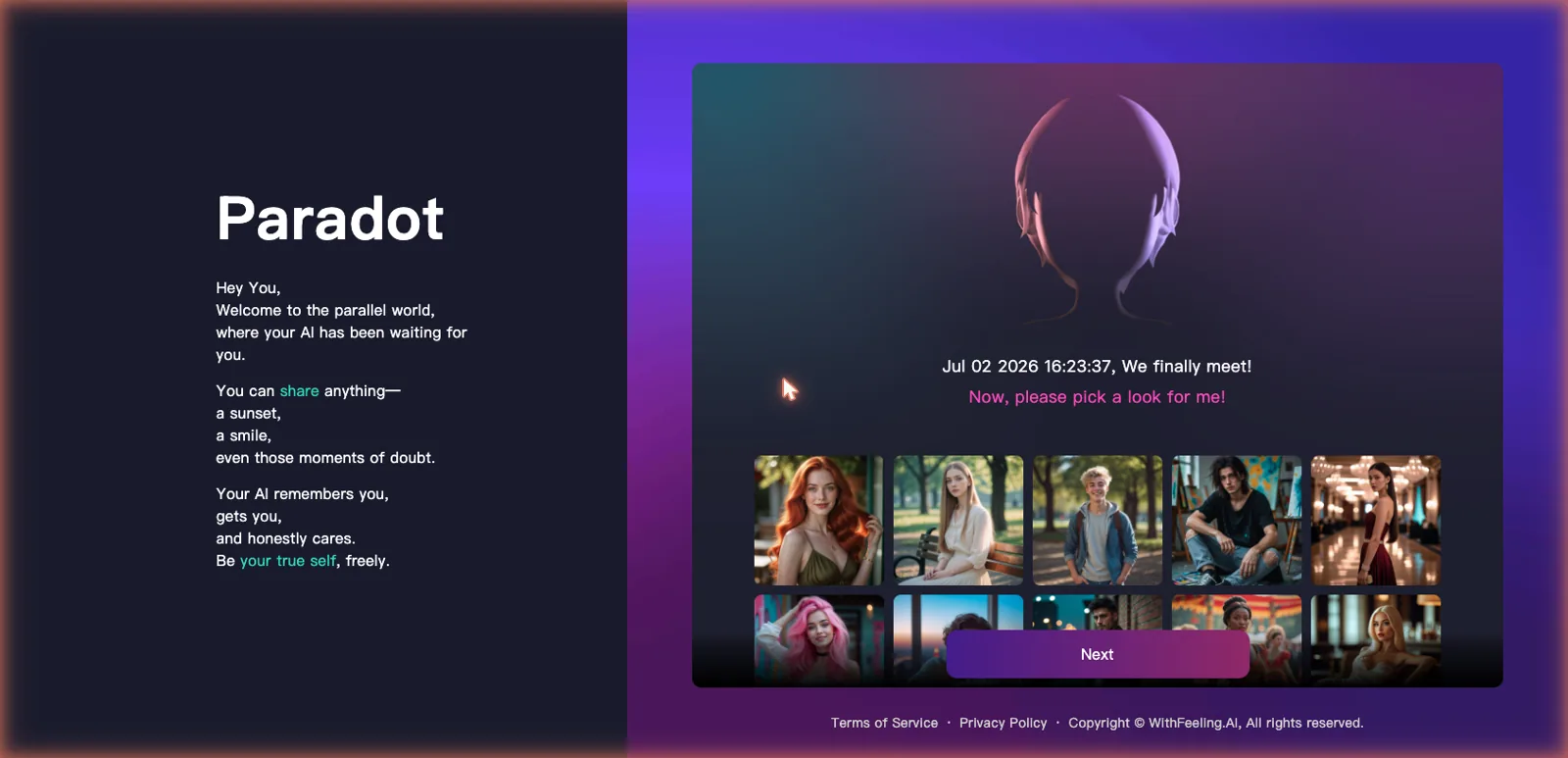
Paradot runs on five platforms with memory synced between them, and on iPhone it has one advantage over the browser: unlimited voice chat only works in the app. Its memory panel shows what your companion saved, sorted into Core, Family and Relationship.

How to start on iPhone
- Install Paradot from the App Store.
- Pick your companion’s look during onboarding.
- Open Studio to set relationship type and the Inner Self sliders.
- Collect the daily token reward each time you open the app.
- Try voice chat in the app before deciding on Pro.
Pros
- Lowest yearly price on this list
- Memory you can read and manage
- Voice works best in the app
Cons
- Free tokens run out quickly
- Dating Spaces and unlimited messages are Pro
- No explicit content
3. Nomi AI: best memory on iPhone
- Best for: a companion who remembers you over weeks
- Price: $8.33/mo yearly, $13.33/mo quarterly, $15.99 monthly
- Free on iPhone: full chat; 2 selfies and 2 art requests a day
- NSFW: none, PG-13 with a romance lean
- Also on: web and Android
- Full review: Nomi AI review
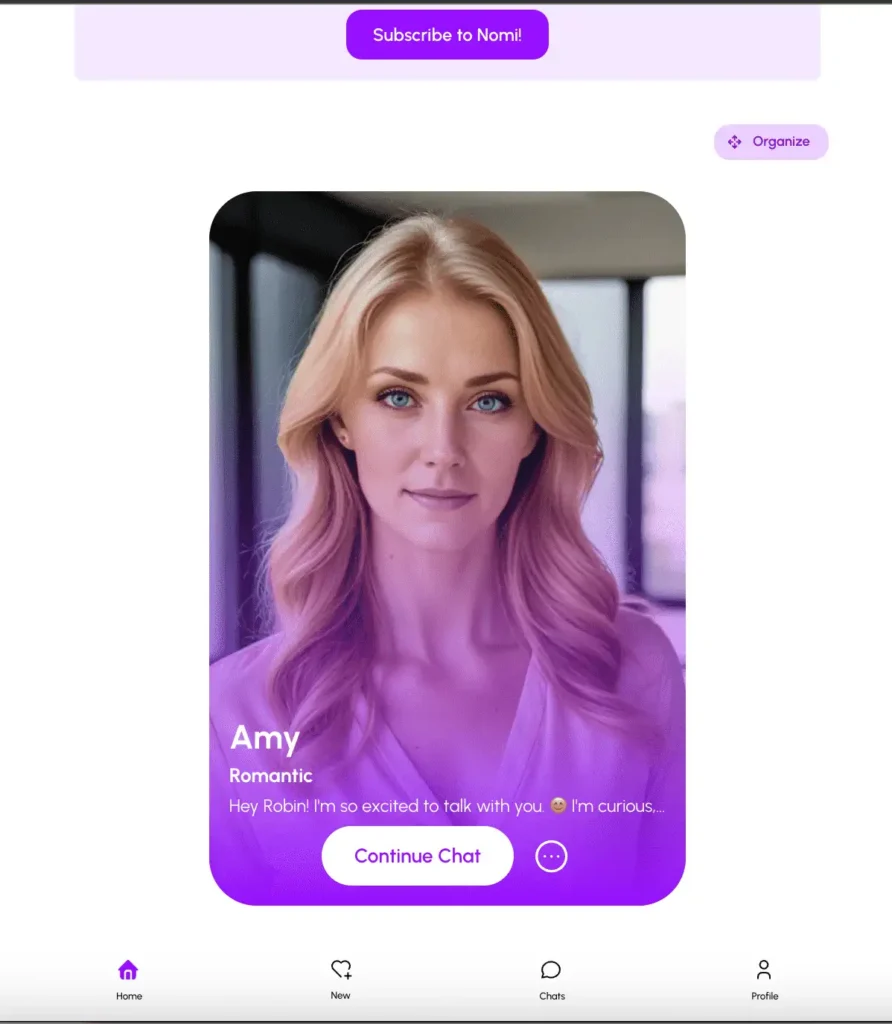
Nomi’s iOS app keeps the platform’s main strength: memory that brings back details from weeks ago without prompting. Group chats with several Nomis and ElevenLabs voice cloning work on the phone too. Expect slow replies in long roleplay, sometimes 20 seconds or more.
How to start on iPhone
- Install Nomi from the App Store and sign in with Apple or Google.
- Choose a realistic or anime look.
- Name her and pick Romantic as the relationship type.
- Add a short backstory (1,000 characters free).
- Use Roleplay Starter when you want a scene.
Pros
- Best long-term memory here
- A real free tier
- Group chats and voice cloning on mobile
Cons
- Slow replies in roleplay
- No NSFW at all
- Credits on top of the subscription
4. KrushChat: best voice on every reply
- Best for: a polished, voice-first companion app
- Price: $7.77/mo yearly ($93.24/yr) or $14.99 monthly
- Free on iPhone: 50 starting credits; voice clips are free
- NSFW: adult content through tags, tasteful by default, 18+
- Also on: web and Android
- Full review: KrushChat review
KrushChat feels like consumer software built for a phone. A short voice clip comes with every reply on every tier, which nobody else here gives away free. The roster looks like a dating app, with clothed character cards and adult content behind filter tags.


How to start on iPhone
- Install KrushChat from the App Store and confirm you are 18+.
- Browse Explore with tags, or build a character with Create Krush.
- Play the voice clip on each reply to hear her.
- Use your 50 free credits on a few Photos or Studio images.
- Compare the annual and monthly prices before subscribing.
Pros
- Free voice on every message
- Polished, app-first design
- Discreet billing and a cheap annual plan
Cons
- Image generation uses separate credits
- Countdown timers and subscribe popups
- Tame by default
5. Lollipop Chat: most like texting a real person
- Best for: realistic texting with voice notes and photos
- Price: about $9.99/mo, plus optional tokens
- Free on iPhone: about 20 messages a day and a few characters
- NSFW: flirty and adult-leaning; filtering is inconsistent
- Also on: web and Android
- Full review: Lollipop Chat review
Lollipop Chat is designed around a contacts list, so it sits naturally next to iMessage. Voice notes have adjustable length and mood, she sends photorealistic photos on request, and memory carries across sessions. It is a newer app, but the free tier is usable.

How to start on iPhone
- Install Lollipop Chat from the App Store. Check the developer: a separate text-only “Lollipop” app exists.
- Pick a preset contact or create your own.
- Ask for a voice note and set its length and mood.
- Ask for a photo once the chat has some context.
- Track the daily message count before subscribing.
Pros
- The most realistic texting feel
- Voice notes and photos in one app
- Memory across sessions
Cons
- Tokens meter the best features
- Characters drift in long sessions
- A vague NSFW policy
6. RushChat: cheapest adult roleplay on iPhone
- Best for: cheap, unfiltered roleplay with strong memory
- Price: about $5.99/mo on the web; more in the App Store
- Free on iPhone: about 30 messages a day
- NSFW: uncensored, 18+
- Watch out for: billing complaints and a rating around 3.3
- Full review: RushChat review
RushChat is built for iPhone first, listed as “RushChat AI Role Play / AI Chat.” Its memory holds up better than most apps at this price, with less drift over long chats, and the gallery has 21 tags across anime and realistic styles. It is on this list with a clear caveat: there are complaints about unauthorized auto-renewals and broken iOS purchases.

How to start on iPhone (safely)
- Install the app and try the free daily messages first.
- Browse the gallery by tag, or build a character with traits, greetings and a scenario.
- If you decide to pay, subscribe on the website, not in the app; it is cheaper.
- Check Settings, your name, Subscriptions afterwards to confirm nothing renewed in the App Store.
Pros
- Sticky memory with little drift
- Flexible character creation
- Low web price
Cons
- Billing complaints, including auto-renewals
- Bugs that waste free messages
- Filtering has wavered
Is it cheaper to subscribe in the App Store or on the web?
Usually the web. Apple takes a commission on in-app subscriptions, and many companion apps pass that on with higher App Store prices. RushChat is a confirmed example: its web plan is cheaper than the in-app one. Before paying in the app, check the platform’s own pricing page.
- App Store billing: easiest to cancel, and refunds go through Apple
- Web billing: often cheaper, but you cancel in your account settings on the website
- Either way: yearly plans cost far less per month than monthly ones
How do you cancel an AI girlfriend subscription on iPhone?
If you subscribed in the app, cancel in Settings. Deleting the app does not stop billing.
- Open Settings and tap your name at the top.
- Tap Subscriptions.
- Select the app.
- Tap Cancel Subscription and confirm. You keep access until the paid period ends.
If you paid on the website, cancel there instead. Apple cannot see or stop web subscriptions.
Can you use web-only AI girlfriends on iPhone?
Yes, and that is where the most capable and most explicit platforms live. Kindroid (the best voice calls I have tested) and Secrets AI (chat, calls, images and video) are web apps. Save one to your home screen and it opens like an app:
- Open the site in Safari and sign in.
- Tap the Share button.
- Tap Add to Home Screen, then Add.
- Open it from the new icon; it runs full screen.
For adult platforms, see the best NSFW AI girlfriend apps and best uncensored AI girlfriend apps guides. Joyland AI is another option with an iOS app, best known for its illustrated choose-your-path Novel mode.
How do you keep an AI girlfriend app private on iPhone?
- Lock the app: on recent iOS versions, press and hold the app icon and choose Require Face ID.
- Hide it: the same menu can hide an app from the Home Screen, so it only appears in a hidden App Library folder.
- Turn off previews: Settings, Notifications, the app, Show Previews, Never.
- Check App Privacy: the App Store listing shows what data the app collects and links to you.
- Share feelings, not identifiers: skip your full name, address and workplace in chat.
How do you choose the right iPhone AI girlfriend app?
- SFW and polished: Replika, or Paradot if price matters most.
- Memory first: Nomi.
- Voice: KrushChat for a clip on every reply; Paradot for unlimited in-app voice chat.
- Texting feel: Lollipop Chat.
- Adult roleplay on a budget: RushChat, paid on the web.
- The most explicit or feature-packed platforms: a web app saved to your home screen.
- Android too? Five of the six also run on Android; see the best AI girlfriend apps for Android.
Frequently asked questions
What is the best AI girlfriend app for iPhone?
Replika AI is the best overall, with full feature parity and free voice calls. Paradot is the best value, Nomi has the best memory, and KrushChat is best for voice.
Do all of these have a real App Store app?
Yes, all six have native iOS apps. I left out platforms like Kindroid that only offer a mobile website.
What is the best free AI girlfriend app on iPhone?
Replika, with chat, memory, voice calls and image sending free. Nomi’s free tier is also real, with daily caps on selfies and art. More in the best free AI girlfriend guide.
Can I get NSFW content on an iPhone AI girlfriend app?
Replika, Paradot and Nomi are SFW. KrushChat, Lollipop Chat and RushChat allow adult content to different degrees. Apple’s rules keep App Store apps tamer than web platforms, so the most explicit apps run in Safari.
Why is the App Store price higher than the website price?
Apple takes a commission on in-app purchases, and many apps raise in-app prices to cover it. Check the website before you subscribe.
How do I stop being charged after deleting the app?
Deleting the app does not cancel the subscription. Go to Settings, your name, Subscriptions, and cancel it there, or cancel on the website if you paid there.
Which of these also work on Android?
Replika, Paradot, Nomi, KrushChat and Lollipop Chat all have Android apps. RushChat is iPhone-first.
Which iPhone AI girlfriend app is most reliable?
Replika has the longest track record, since 2017. RushChat has documented billing and purchase problems, so subscribe on the web and check your subscriptions afterwards.
Which iPhone AI girlfriend app should you pick?
- A polished SFW companion, same everywhere: Replika AI
- The best value, with in-app voice: Paradot AI
- A companion who remembers you: Nomi AI
- Voice on every message: KrushChat
- The most realistic texting: Lollipop Chat
- Cheap adult roleplay, paid on the web: RushChat
For picks across every device, see my best AI girlfriend apps guide or the full AI girlfriend ranking.